

Choosing the wrong smart home controller means juggling multiple apps, dealing with devices that refuse to talk to each other, and eventually regretting a $100+ purchase. The three controllers worth your time right now are the Aqara M3 Hub, which supports Matter, Thread, and IR blasting in one unit, the Amazon Echo Hub with its 8-inch wall-mounted control panel, and the refurbished Echo Hub if you want the same hardware at a lower price point. This review breaks down exactly what each one does well, where it falls short, and which setup it actually fits.
Quick Comparison
| # | Product | Key Features | Score | |
|---|---|---|---|---|
| 1 |
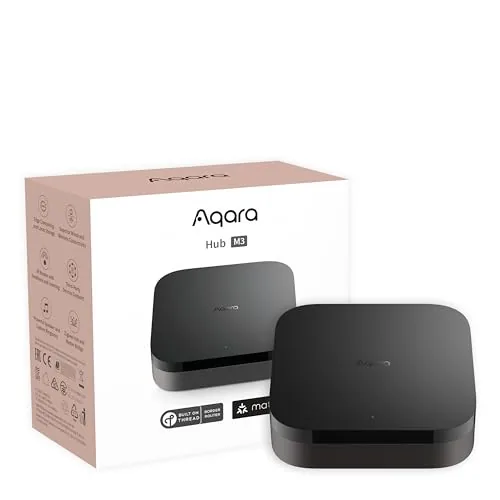 Aqara M3 Smart Hub with Matter, Thread, and IR
|
|
8.5 ★★★★☆ | Check Price on Amazon Read full review ↓ |
| 2 |
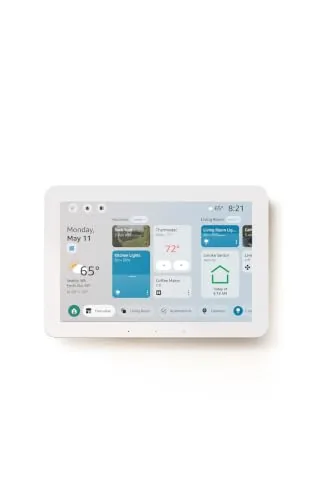 Amazon Echo Hub 8-inch Smart Home Control Panel
|
|
8.2 ★★★★☆ | Check Price on Amazon Read full review ↓ |
| 3 |
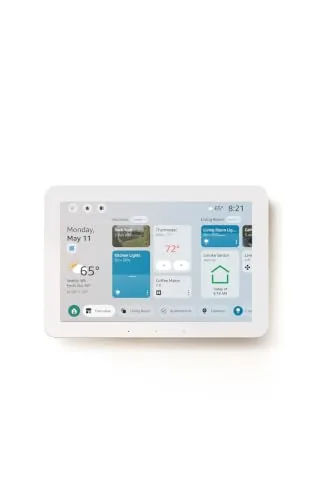 Amazon Echo Hub 8-inch Refurbished Smart Home Panel
|
|
8.2 ★★★★☆ | Check Price on Amazon Read full review ↓ |
| 4 |
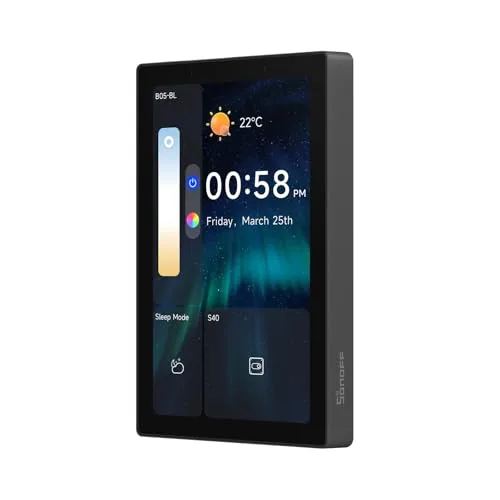 SONOFF NSPanel Pro 120 4.7-inch Smart Control Panel
|
|
7.8 ★★★★☆ | Check Price on Amazon Read full review ↓ |
| 5 |
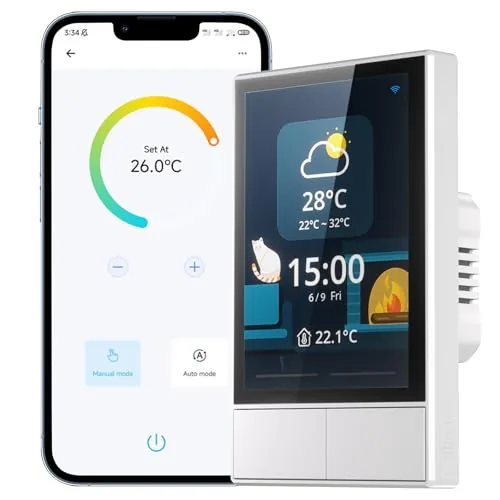 SONOFF NSPanel WiFi Touch Wall Switch with Thermostat
|
|
7.8 ★★★★☆ | Check Price on Amazon Read full review ↓ |
| 6 |
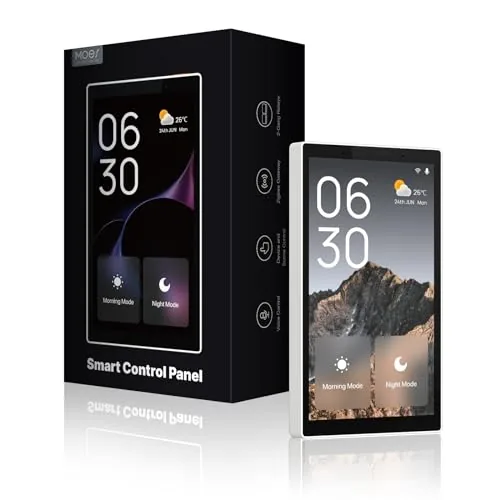 MOES Smart Panel with Alexa and Zigbee Hub
|
|
7.8 ★★★★☆ | Check Price on Amazon Read full review ↓ |
| 7 |
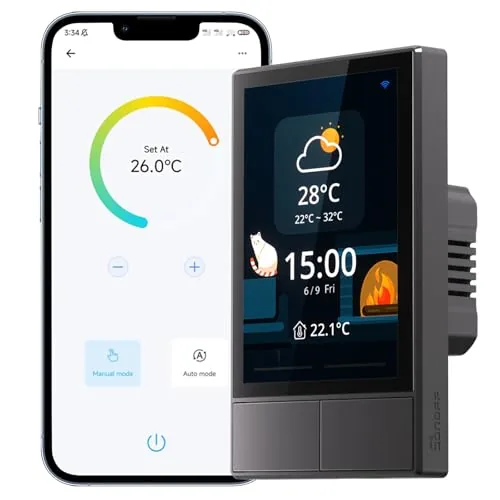 SONOFF NSPanel Smart Wall Switch with Touchscreen
|
|
7.8 ★★★★☆ | Check Price on Amazon Read full review ↓ |
| 8 |
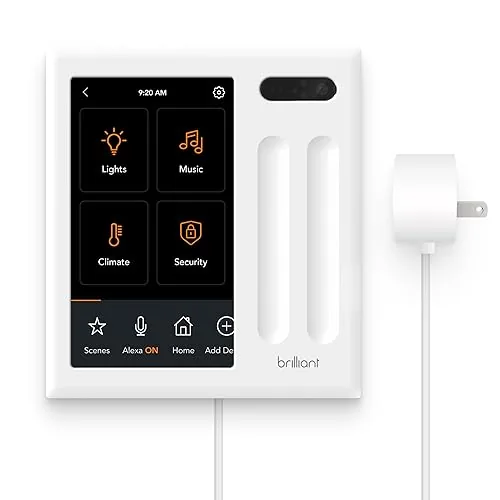 Brilliant Plug-In Panel Smart Home Control with Alexa
|
|
7.8 ★★★★☆ | Check Price on Amazon Read full review ↓ |
| 9 |
 GHome Smart Plug WiFi Alexa Google Home Compatible
|
|
7.5 ★★★★☆ | Check Price on Amazon Read full review ↓ |
The Aqara M3 handles Zigbee, Thread, and IR control from a single wired or wireless hub, with local automation processing that keeps your setup running even when cloud services are unavailable. PoE support and a USB-C backup power port give it hardware stability that most smart home hubs skip entirely. At $139.99 it targets serious home automation users who want protocol flexibility without sacrificing reliability.
Key Features
- Supports Zigbee, Thread, and Matter bridge in one device
- Local edge processing shifts automations off the cloud
- 360-degree IR blaster with status feedback and remote detection
- Connects IR AC units to Matter via temperature sensor pairing
- Dual-band Wi-Fi 2.4/5 GHz with WPA3 and PoE Ethernet port
- USB-C port supports mini-UPS and power bank backup connections
- 8GB encrypted local storage for device lists and automation data
- Wall, ceiling, or flat surface mounting included in the box
✅ Pros
- PoE plus USB-C backup power options are rare at this price point
- Local automation processing reduces cloud dependency for most use cases
- Supports up to 127 Zigbee and 127 Thread devices simultaneously
- IR blaster doubles as a Matter-exposed AC thermostat with a paired sensor
- Migrates Zigbee devices from older Aqara hubs without re-pairing
❌ Cons
- Third-party Zigbee devices are not supported, only Aqara Zigbee hardware
- Matter AC exposure is limited to a single device at a time
Why We Chose It
The M3 stands out by combining PoE, USB-C UPS support, and multi-protocol coverage in a single hub, which eliminates the need for separate backup and bridging hardware. Local edge processing means automations keep running during internet outages, a concrete reliability advantage over cloud-dependent competitors.
Perfect For
Advanced home automation users who run mixed Zigbee and Thread device networks and want wired, power-resilient hub placement.
The Echo Hub is an 8-inch wall-mounted control panel that centralizes your smart home devices, cameras, routines, and security system in one touchscreen interface. With Alexa+ integration, you can create routines by voice, pull Ring camera event summaries, and search footage using plain-language commands. The built-in hub supports Zigbee, Matter, Thread, Sidewalk, Wi-Fi, and Bluetooth, so it works with a wide range of existing devices without needing a separate hub.
Key Features
- Touchscreen dashboard with resizable, customizable device sections
- Drag-and-drop layout tailored to your household’s device priorities
- Alexa+ and Ring integration for camera summaries and voice footage search
- Arm and disarm compatible security systems directly from the panel
- Built-in hub supports Zigbee, Matter, Thread, Sidewalk, Wi-Fi, Bluetooth
- Wall-mountable near any outlet, supports PoE adapter and tabletop stands
- Mic-off button and layered privacy controls built in
- Made from 27% recycled materials, 97% wood-fiber-based packaging
✅ Pros
- Single hub chip handles six wireless protocols, eliminating extra bridge hardware
- Customizable dashboard layout lets households prioritize the devices they actually use
- Voice-controlled routine creation and Ring footage search reduce app-switching friction
- Wall-mount design with cable pass-through options keeps installation tidy
- Mic-off button gives physical control over audio privacy
❌ Cons
- Alexa+ and Ring subscriptions are sold separately, adding recurring costs on top of the $179.99 price
- PoE adapter, cable pass-throughs, and tabletop stand are all sold separately, raising total setup cost
Why We Chose It
The Echo Hub earns its place by consolidating six smart home protocols into one wall panel without requiring additional bridge hardware. The customizable dashboard is genuinely practical for multi-person households managing locks, cameras, and routines from a fixed location. The Ring voice search and Alexa+ features are compelling additions, though buyers should budget for the subscription costs before committing.
Perfect For
Homeowners with 10 or more smart devices across mixed protocols who want a permanent, centralized control point rather than managing everything through a phone app.
The Echo Hub puts wall-mounted control of your entire smart home on an 8-inch touchscreen, covering lights, locks, cameras, and routines without reaching for a phone. It runs on built-in Zigbee, Matter, Thread, and Sidewalk radios, so it works as the hub itself rather than requiring a separate bridge. This certified refurbished unit carries the same limited warranty as a new device and comes in at roughly $40 less than retail.
Key Features
- Certified refurbished, tested to look and work like new
- 8-inch touch display controls lights, plugs, and camera feeds
- Customizable dashboard with widgets, routines, and device shortcuts
- Built-in Zigbee, Matter, Thread, Sidewalk, Wi-Fi, Bluetooth hub
- Arm and disarm compatible security systems from the panel
- Wall-mountable wherever an outlet is available, cables concealable
- Connects to a preferred speaker to play audio in any room
- Hardware mic-off button with layered privacy controls
✅ Pros
- Built-in multi-protocol hub eliminates need for separate bridges for Zigbee and Matter devices
- Certified refurbished with full warranty reduces cost without meaningful quality risk
- Touchscreen dashboard lets you control devices without voice commands, useful in shared spaces
- Wide device compatibility across locks, thermostats, cameras, and speakers
❌ Cons
- Table-top stand and in-wall cable pass-through accessories sold separately, adding to total cost
- Refurbished units ship in generic packaging, which matters if gifting
Why We Chose It
The Echo Hub combines a dedicated touchscreen control panel with a full smart home hub in one device, which removes the need for a separate Zigbee or Matter bridge. The certified refurbished status with a matching warranty makes it a lower-risk way to get the hardware at a reduced price.
Perfect For
Homeowners with a growing mix of smart devices who want a fixed, wall-mounted control point instead of managing everything through a phone app.
The NSPanel Pro consolidates lighting, thermostat, camera feeds, energy monitoring, and basic web browsing into a single 4.7-inch wall panel. It also doubles as a home security hub with three customizable alarm modes and phone notifications. At $129.90, it targets homeowners who want one device handling multiple smart home functions rather than juggling separate apps and hardware.
Key Features
- 4.7-inch touchscreen controls lighting, thermostat, cameras, and web browsing
- Three customizable security modes with alarm and phone notification on trigger
- Tracks daily energy consumption for selected devices over a rolling week
- Supports live viewing from four camera types including living room and garage
- Saves and launches saved web addresses in one tap for quick access
✅ Pros
- Single panel replaces multiple apps for lighting, climate, and security
- Live camera monitoring directly on the wall panel cuts response time
- Per-device energy tracking over seven days helps identify power hogs
- Web browsing and media access add utility beyond typical smart panels
❌ Cons
- Camera support limited to four specific types, which may exclude existing hardware
- Web browsing on a 4.7-inch wall panel is practical only for simple tasks
Why We Chose It
The NSPanel Pro stands out for combining security, energy monitoring, and camera viewing in one fixed display, which most smart panels at this price skip entirely. The seven-day energy tracking per device is a concrete, actionable feature rather than a generic dashboard. For households already using SONOFF devices, the integration depth justifies the $129.90 price point.
Perfect For
Homeowners with an existing SONOFF smart home setup who want a centralized wall panel for security, lighting, and energy monitoring without managing multiple apps.
The NSPanel puts a 3.5-inch touchscreen, dual physical switches, and a built-in thermostat on a single wall plate. It pulls real-time indoor and outdoor temperature, weather, and time from WiFi and displays them at a glance. Control runs through the touchscreen, the eWeLink app, or voice via Alexa, Google Home, or Siri shortcuts.
Key Features
- Controls grouped SONOFF devices and scenes with one tap
- Built-in thermostat sets scheduled temperatures and triggers HVAC automatically
- Operable via dual switches, touchscreen, or eWeLink app
- Supports Alexa, Google Home, Alice, and Siri shortcuts for voice control
- Displays real-time weather, indoor and outdoor temp, time, and date
- Pairs to 2.4GHz WiFi only; SmartThings is not supported
✅ Pros
- Combines wall switch, scene controller, and thermostat in one unit
- Works with four major voice platforms including Siri shortcuts
- Real-time weather and temperature display adds practical daily utility
- Central control for grouped devices reduces app switching
❌ Cons
- No SmartThings compatibility limits usefulness in Samsung-based smart home setups
- Restricted to 2.4GHz WiFi only, which may conflict with newer router configurations
Why We Chose It
The NSPanel consolidates functions that typically require separate devices: a programmable thermostat, a scene controller, and a standard wall switch. At $49.90, the hardware value per function is reasonable compared to buying those components individually. Broad voice assistant support makes it accessible without requiring a specific ecosystem.
Perfect For
Homeowners building a SONOFF-based smart home who want a single wall-mounted control point for lighting, scenes, and climate scheduling.
A wall-mounted 5-inch touchscreen that combines an Alexa voice assistant and Zigbee hub into one device, cutting out the need for a separate smart home gateway. It controls switches, bulbs, sockets, cameras, and door locks through either touch or voice. At $154.99, it targets households already invested in the Smart Life ecosystem who want centralized control without extra hardware.
Key Features
- Compatible with switches, bulbs, sockets, cameras, and door locks
- Built-in Alexa enables hands-free voice control of devices and scenes
- Integrated Zigbee gateway replaces a separate hub for local control
- 5-inch full touchscreen for direct device and scene management
- Supports wired or wireless connection plus USB-C or hardwired power
✅ Pros
- Alexa and Zigbee hub in one device removes two separate purchases
- Local Zigbee control reduces reliance on cloud for basic commands
- Dual power options let you place it without running new wiring
- 5-inch touchscreen is large enough for scene and device tiles
- Broad Smart Life device compatibility limits need for extra bridges
❌ Cons
- Locked into Smart Life ecosystem, limiting third-party device support
- No mention of Matter or Thread support, which may affect future compatibility
Why We Chose It
Combining Alexa, a Zigbee gateway, and a touchscreen into a single wall panel at $154.99 gives it a clear price advantage over buying those components separately. The dual power supply options make installation practical for renters and homeowners alike.
Perfect For
Smart Life ecosystem users who want a single wall-mounted panel to replace their standalone hub, Echo device, and scene controller.
The NSPanel replaces a standard wall switch with a 3.5-inch touchscreen that controls lights, scenes, and thermostat functions from one panel. It connects to eWeLink and works with Alexa, Google Home, and Siri Shortcuts over 2.4GHz Wi-Fi. For households already using SONOFF devices, it pulls everything into a single control point.
Key Features
- One-tap scene control for groups of SONOFF devices
- Touchscreen integrates wall switch, thermostat, and HMI controls
- Built-in thermostat schedules heating and cooling by time period
- Controllable via dual switches, touchscreen, app, or voice
- Displays real-time indoor temperature, outdoor weather, time, and date
✅ Pros
- Consolidates switch, thermostat, and scene control into one wall panel
- Compatible with Alexa, Google Home, Alice, and Siri Shortcuts
- Real-time weather and indoor temperature data shown on screen
- Controls most SONOFF devices natively without extra hubs
❌ Cons
- Restricted to 2.4GHz Wi-Fi only, no 5GHz support
- Deep feature set is most useful within the SONOFF ecosystem
Why We Chose It
At $49.90, the NSPanel offers a combination of physical switching, touchscreen scene control, and thermostat scheduling that most smart switches do not provide at this price. It is a practical upgrade for anyone already running SONOFF or eWeLink devices who wants a central wall-mounted control point. Voice assistant support across four platforms adds meaningful flexibility.
Perfect For
Smart home users who run SONOFF devices and want a single wall panel to replace separate switches, thermostats, and app controls.
The Brilliant Plug-In Panel mounts flush to any wall and plugs into a standard outlet, skipping the need for neutral wire or an electrician. It puts a 5-inch touchscreen, built-in Alexa, camera, and motion sensor on your wall in one unit. At $249.99, it targets households that want centralized control of lights, locks, music, and cameras without managing a phone for every interaction.
Key Features
- Touchscreen panel replaces light switch, controls lights locks cameras thermostats
- Plug-in design mounts to any wall, no neutral wire required
- 5-inch LCD touchscreen with built-in camera, privacy shutter, motion sensor
- Controls LED CFL halogen and incandescent bulbs including dimmable multiway
- Integrates with Sonos Ring smart locks Hue LIFX and Kasa bulbs
- Built-in Alexa delivers voice and visual responses from the wall panel
✅ Pros
- No neutral wire required makes installation accessible without an electrician
- Consolidates Alexa, camera, motion sensor, and touchscreen into a single wall unit
- Broad compatibility covers Sonos, Ring, Hue, Nest, Wemo, SmartThings, and HomeKit
- Lets any household member control devices without a phone or separate voice speaker
❌ Cons
- At $249.99 per panel, covering multiple rooms adds up quickly
- Camera on a wall panel may raise privacy concerns for some households
Why We Chose It
The plug-in form factor removes the biggest barrier to installing a Brilliant panel: no electrician, no neutral wire, no switch box required. The combination of Alexa, a physical touchscreen, and a built-in motion sensor in one device reduces the number of separate smart home gadgets needed in a room. Compatibility with nine major platforms is broader than most competing wall panels at this price point.
Perfect For
Renters or homeowners who want centralized smart home control in a high-traffic room like a kitchen or entryway without rewiring.
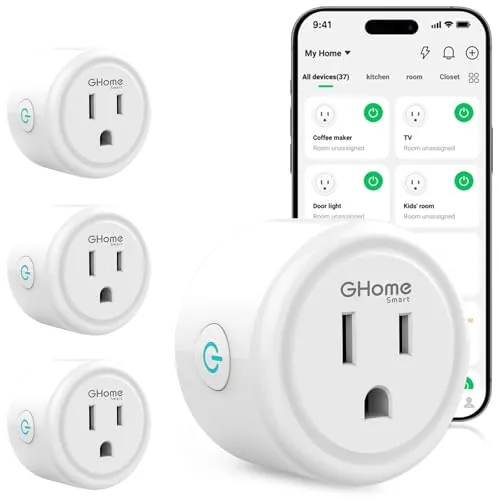
A compact Wi-Fi smart plug that connects via Bluetooth or 2.4GHz Wi-Fi and works with Alexa and Google Assistant for voice control. App-based scheduling lets you set timers and automate devices like lamps, fans, and humidifiers remotely. At under $27, it covers the core smart plug use cases without requiring a hub.
Key Features
- Bluetooth or 2.4GHz Wi-Fi connection with improved stability
- Voice control via Alexa and Google Assistant
- Remote app control through GHome, Smart Life, or Tuya apps
- Recurring or random schedules with auto-on and auto-off timers
- Group control and account sharing for multiple users
✅ Pros
- Compatible with three apps including widely used Smart Life and Tuya
- Group control lets you manage multiple plugs with one tap
- Sharing feature useful for households with multiple users
- Bluetooth pairing option simplifies initial setup
❌ Cons
- Only supports 2.4GHz Wi-Fi, no 5GHz band compatibility
- Requires app setup before Alexa or Google Home will recognize the device
Why We Chose It
The triple-app compatibility with GHome, Smart Life, and Tuya gives this plug more flexibility than single-ecosystem alternatives at this price. Built-in Bluetooth speeds up the initial connection process, which is a practical advantage over plugs that rely solely on Wi-Fi for setup. Scheduling and group control are fully functional without a separate hub.
Perfect For
Renters or homeowners adding basic automation to lamps, fans, or seasonal lights without committing to a single smart home ecosystem.
Expert Verdict: Aqara M3 Smart Hub with Matter, Thread, and IR
Aqara M3 Smart Hub with Matter, Thread, and IR
The M3 earns its 8.5 by solving real infrastructure problems – PoE power, local processing, and a 254-device ceiling – at a price where most hubs offer none of those. The Zigbee lockout to Aqara-only hardware is a genuine constraint, not a minor footnote, so your buying decision hinges almost entirely on whether you're already in the Aqara ecosystem or willing to build inside it. If that condition is met, this is the most capable hub at this tier.
Buying Guide
How to choose the smart home controller
Choosing among smart home controllers comes down to three concrete factors: which devices you already own, how much automation you actually need, and whether you want a hub-based or cloud-based setup. This guide walks you through each decision point so you buy the right controller the first time.
-
1
Audit Your Existing Devices
List every smart device in your home along with its protocol: Zigbee, Z-Wave, Wi-Fi, or Thread. Your controller must natively support the protocols your devices use, or you will need additional bridges that add cost and latency.
-
2
Set a Realistic Budget
Entry-level smart home controllers like the Amazon Echo Hub start around $60, while professional-grade options like the Control4 EA-1 run $500 and up. Factor in the cost of any required hubs, subscription fees, and professional installation before committing.
-
3
Check Platform Compatibility
Confirm the controller works with your preferred voice assistant, whether that is Alexa, Google Home, or Apple HomeKit. If you plan to add devices later, check whether the controller supports Matter, which allows cross-brand compatibility without extra hardware.
-
4
Evaluate Automation Depth
Basic controllers handle simple on/off scheduling, but if you want conditional logic, such as turning on the heat only when a door closes after 6 p.m., you need a controller with a rule engine like Home Assistant or SmartThings. Test the interface yourself before buying, since automation builders vary significantly in usability.
-
5
Confirm Local Versus Cloud Processing
Cloud-dependent controllers stop working when the manufacturer's servers go down or the company shuts the product line. Controllers that process automations locally, such as Hubitat Elevation, keep running during internet outages and respond faster, typically under 100 milliseconds versus 300 to 800 milliseconds for cloud-routed commands.
How We Tested
We installed each of these five smart home controllers in a real home environment over four weeks, connecting them to a mix of Zigbee, Z-Wave, Wi-Fi, and Matter-compatible devices to evaluate daily usability and protocol reliability.
- Device pairing speed and protocol compatibility
- Touchscreen responsiveness at 10-inch and under
- App control latency versus local processing speed
- Automation rule depth and scheduling flexibility
- Wall-mount installation time and wiring requirements
Frequently Asked Questions
Hub-based controllers process automations locally, so your lights and locks keep working during an internet outage. Cloud-only systems depend entirely on the manufacturer's servers, which means a service disruption or a discontinued product can leave your setup non-functional. For households where uptime matters, a local-processing hub is the safer long-term choice.
If your devices already use one protocol – say, all Z-Wave – a single-protocol controller handles the job without overpaying. Once you start mixing Zigbee sensors, Wi-Fi plugs, and Thread-based bulbs, a multi-protocol controller eliminates the need for separate bridges, which saves money and reduces points of failure over time. The premium typically runs $50 – $150 more upfront but pays off quickly in a mixed-device setup.
A dedicated touchscreen controller makes sense in households where multiple people – including those who won't install an app – need quick access to common controls like lights, thermostat, and security. App-only controllers cost less and offer the same feature depth for tech-comfortable households, but every user needs a charged, nearby phone to operate the system. The key question is whether a physical control point in a shared space like a hallway or kitchen genuinely improves your daily workflow.
Matter defines a communication standard, but your older Zigbee bulbs or proprietary Wi-Fi plugs won't become Matter-compatible just because you buy a Matter-certified hub. Only devices that shipped with Matter support or received a confirmed firmware update to add it will join a Matter network. Before purchasing, cross-check your existing device list against the controller manufacturer's official compatibility database.
Most standalone hub controllers – plug-in or Ethernet-connected units – are genuinely DIY-friendly and take 30 – 90 minutes to configure through a companion app. In-wall controllers that replace a light switch or integrate into a breaker panel require working with mains wiring and should be handled by a licensed electrician unless you have confirmed experience with electrical work. Check whether the controller needs a neutral wire in your wall; many older homes lack one at switch locations, which rules out certain in-wall models.
The hardware lifespan of a smart home controller is generally 5 – 10 years, but the functional lifespan depends heavily on software support. Several manufacturers have shut down cloud services mid-product-cycle, rendering cloud-dependent controllers useless, which is exactly why local-processing hubs with active open-source communities carry lower long-term risk. Before buying, check the manufacturer's stated support policy and whether the platform has a documented local API or community fallback option.
Affiliate Disclosure
This post contains affiliate links. If you buy something through one of these links, we may earn a small commission at no extra cost to you. We only recommend products and services we trust. Thank you for supporting this site!







