

Smart scene controllers let you trigger multiple device actions from a single button press – dimming the lights, cutting the TV, and locking the door in one tap instead of three. They work well in rooms where you want a single exit routine or a dedicated “movie mode” without rebuilding your entire smart home setup. After testing the Leviton D2SCS-1RW, the Zooz ZEN32 800LR, and the Zooz ZEN37 800 Series, here’s what each one actually does well and where each falls short.
Quick Comparison
| # | Product | Key Features | Score | |
|---|---|---|---|---|
| 1 |
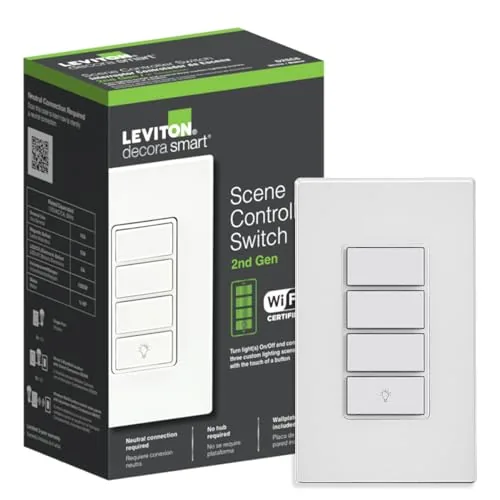 Leviton D2SCS-1RW Decora Smart Wi-Fi Controller Switch
|
|
8.2 ★★★★☆ | Check Price on Amazon Read full review ↓ |
| 2 | Zooz ZEN32 800LR Z-Wave Scene Controller Switch |
|
8.2 ★★★★☆ | Check Price on Amazon Read full review ↓ |
| 3 |
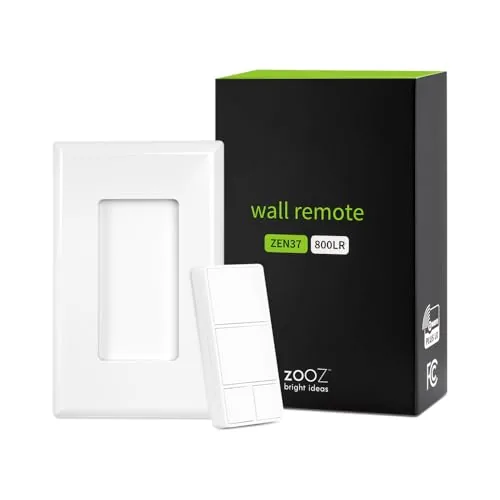 Zooz ZEN37 800 Series Z-Wave Scene Controller Remote
|
|
8.2 ★★★★☆ | Check Price on Amazon Read full review ↓ |
| 4 |
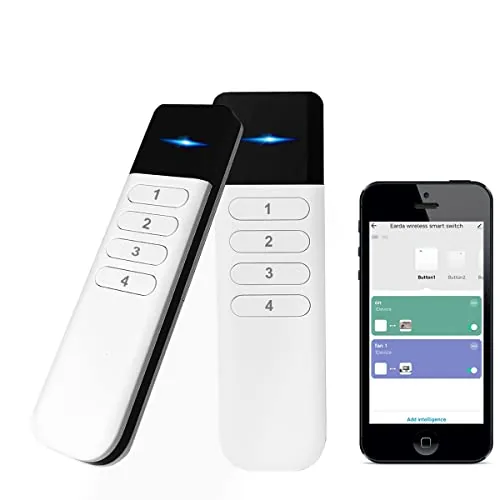 YSRSAI Zigbee 4-Button Smart Scene Controller
|
|
7.8 ★★★★☆ | Check Price on Amazon Read full review ↓ |
| 5 |
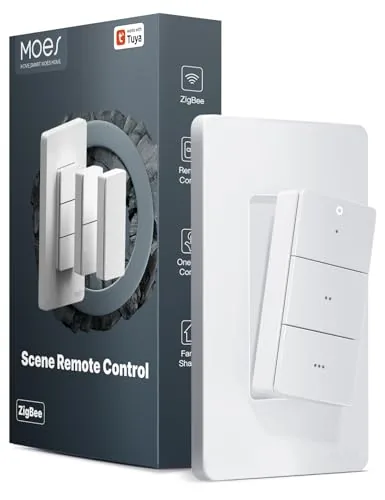 MOES Zigbee 3-Button Scene Remote, 9 Actions
|
|
7.8 ★★★★☆ | Check Price on Amazon Read full review ↓ |
| 6 |
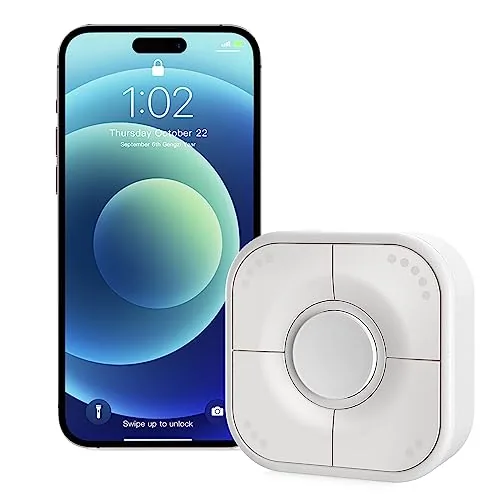 Onvis 5-Key Smart Button, Thread & HomeKit Scene Controller
|
|
7.8 ★★★★☆ | Check Price on Amazon Read full review ↓ |
| 7 |
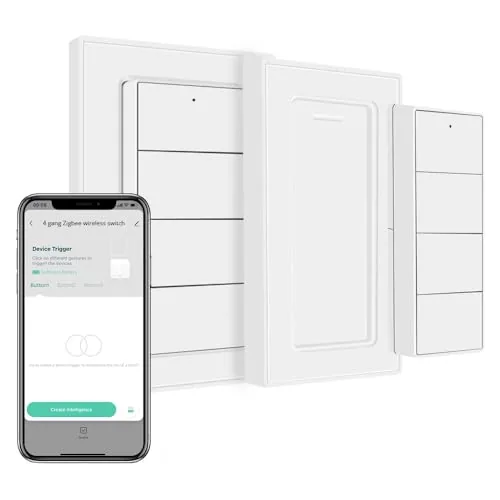 Blindsmart Zigbee 4-Button Scene Controller Remote
|
|
7.5 ★★★★☆ | Check Price on Amazon Read full review ↓ |
| 8 |
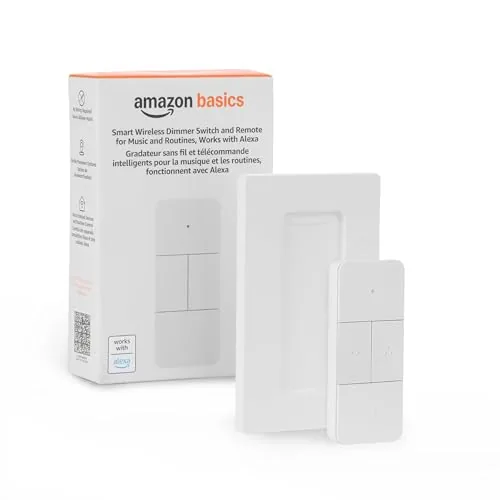 Amazon Basics Smart Dimmer Switch Remote Alexa-Only
|
|
7.5 ★★★★☆ | Check Price on Amazon Read full review ↓ |
| 9 |
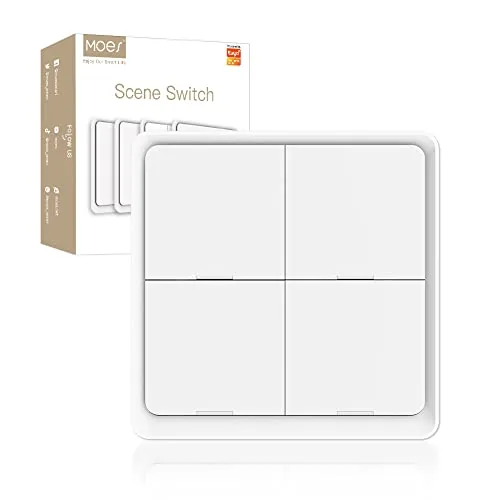 MOES Zigbee 4-Gang Wireless Scene Switch, White
|
|
6.8 ★★★☆☆ | Check Price on Amazon Read full review ↓ |
The D2SCS-1RW replaces a standard switch and adds four-button scene control over multiple Decora Smart devices without a hub. Setup runs through the My Leviton app or Apple HomeKit, and custom button labels can be ordered through the app. At $39 it fits neatly into an existing Leviton smart ecosystem without requiring a dedicated bridge.
Key Features
- Four buttons: on/off plus three assignable scene triggers
- Replaces existing switch using wire leads; neutral wire required
- No complex programming; scenes assigned via My Leviton app
- Controls multiple Decora Smart Wi-Fi devices or individual toggle
- Works with HomeKit, IFTTT, and supports 2.4GHz Wi-Fi only
- Wire-free 3-way support when paired with DAWSC companion switch
✅ Pros
- Controls groups of lights and scenes from a single wall location
- HomeKit and IFTTT compatibility gives broad automation flexibility
- Wire-free 3-way option avoids running new wiring between locations
- Custom engraved button labels available through the app
❌ Cons
- Requires 2.4GHz Wi-Fi and a neutral wire, ruling out older wiring
- Works only within the Leviton Decora Smart device ecosystem
Why We Chose It
The D2SCS-1RW solves the common problem of controlling multiple smart lights from one physical switch without complicated wiring or a separate hub. Its four-button layout lets you assign real-world scenes like movie mode or all-off to a single press. The optional wireless 3-way companion keeps installation clean in rooms where running new wire is not practical.
Perfect For
Homeowners already using Leviton Decora Smart switches who want centralized scene control from a single wall location.
The ZEN32 combines a wired 120V switch with four programmable scene buttons, giving you one-tap control over lights and automations from a single wall plate. It runs on the 800 series Z-Wave chip, which adds Long Range support and faster pairing compared to older hardware. Hub compatibility is narrow but deep, with full scene control on Hubitat, Home Assistant, SmartThings, and HomeSeer.
Key Features
- Main button controls up to 150W LED load with 7 trigger types
- 4 scene buttons activate any device or routine on your network
- Works in 3-way setups without an add-on switch, neutral required
- Compatible with SmartThings, Hubitat, Home Assistant, HomeSeer only
- 800 series chip with Z-Wave Long Range and S2 security
- 1.1 inches deep fits shallow boxes, ETL certified, 5-year warranty available
✅ Pros
- No add-on switch needed for 3-way wiring, saving money and box space
- 800 series Z-Wave chip improves range and speeds up network response
- Five total buttons on one plate reduce the number of switches needed
- 5-year warranty available after product registration
❌ Cons
- Only works with four specific hubs, excluding most entry-level Z-Wave systems
- Requires a neutral wire, ruling out older wiring configurations
Why We Chose It
The ZEN32 stands out because it packs a functional load switch and four scene buttons into a single gang plate, which most competitors do not offer at this price. The 800 series chip with Long Range support gives it a longer useful lifespan than switches built on the older 700 or 500 series hardware.
Perfect For
Homeowners running Hubitat or Home Assistant who want multi-scene control and a load switch in one wall-plate without rewiring for 3-way.
The ZEN37 gives battery-powered scene control without running new wiring, fitting into a standard Decora box or mounting magnetically on any flat surface. Built on the 800 series Z-Wave chip, it reaches up to 1300 feet when paired with a Long Range-capable hub. Hub compatibility is narrow but well-documented, making it a practical pick for Hubitat, Home Assistant, and SmartThings users already in the Zooz ecosystem.
Key Features
- 4 buttons trigger up to 24 scenes or networked devices
- Mounts in a Decora box, on a wall, or freestanding on a surface
- Rechargeable battery included, no hardwiring required
- Compatible with Z-Box, SmartThings, Hubitat, Home Assistant, HomeSeer
- 800 series Z-Wave chip supports up to 1300-foot Long Range signal
✅ Pros
- Rechargeable battery removes the need to swap disposables
- Magnetic base and screwless wallplate allow flexible placement without an electrician
- 800 series chip delivers stronger signal and direct-to-hub reliability
- 5-year warranty after registration plus lifetime tech support
- S2 security and SmartStart simplify pairing on supported hubs
❌ Cons
- Hub compatibility is limited to five specific platforms, incompatible with most basic Z-Wave systems
- Long Range capability only activates if your hub also supports the 800 series LR standard
Why We Chose It
The ZEN37 fills a specific gap: a wire-free, repositionable scene controller that handles up to 24 scene assignments across four physical buttons. The rechargeable battery and magnetic mount make it genuinely portable rather than permanently fixed, which sets it apart from most wired scene controllers at this price point.
Perfect For
Smart home users on Hubitat or Home Assistant who want a portable, multi-scene button controller without running new switch wiring.
Four physical buttons each support single-click, double-click, and long-press, giving you 12 distinct scene triggers without opening an app. It runs on two AAA batteries rated for up to two years and pairs with Tuya, Home Assistant, Hubitat, and Homey via Zigbee 3.0. At under $24 it fills the gap for anyone who wants tactile control over their smart home without relying on voice assistants.
Key Features
- Zigbee wireless pairs with Tuya, Home Assistant, Hubitat, Homey
- 4 buttons with single-click, double-click, and long-press inputs
- Up to 12 programmable scenes across 4 buttons and 3 modes
- Controls lights, curtains, switches, and pre-set automation scenes
- Powered by 2 AAA batteries with up to 2-year runtime
- Compatible with Tuya Zigbee Hub, Zigbee 3.0 USB Dongle, Home Assistant
✅ Pros
- 12 scene slots from one compact device keep wall clutter minimal
- Works with major Zigbee platforms including Zigbee2MQTT without a proprietary lock-in
- Two-year battery estimate on AAA cells means low ongoing maintenance
- Physical buttons give tactile feedback that app and voice controls lack
❌ Cons
- Requires a separate Zigbee hub or USB dongle, adding to total cost
- Double-click and long-press actions can be harder to standardize for all household members
Why We Chose It
The combination of 12 addressable scenes from four buttons and broad platform compatibility makes this one of the more flexible Zigbee remotes at this price point. Battery-powered operation means no wiring and no fixed placement, so you can move it room to room as needs change.
Perfect For
Smart home users running Home Assistant or Hubitat who want a low-cost physical remote to trigger automations without reaching for a phone.
A coin-cell-powered wireless remote that maps up to 9 custom smart home scenes across three buttons, each supporting single, double, and long press. The magnetic base lets you pull the button module off and carry it room to room or stick it to any metal surface. Setup runs through the Smart Life or Tuya app and takes about five minutes with no wiring involved.
Key Features
- Requires separate TUYA or MOES Zigbee hub to function
- 3 buttons times 3 press types equals 9 programmable scene triggers
- Scenes configured via Smart Life, Tuya, or MOES app
- Magnetic module detaches from base for portable or wall use
- CR2032 battery rated up to 12 months, included in box
- Mounting plate supports adhesive pad or screw-in installation
- Buttons rated for 500,000 presses
✅ Pros
- Nine distinct triggers from three buttons covers most household scene needs
- Magnetic detach design means one remote can serve multiple rooms
- No wiring or wall damage makes it viable for renters
- CR2032 battery is cheap and widely available, annual swap is low hassle
❌ Cons
- Requires a Tuya or MOES Zigbee hub purchased separately, adding cost and lock-in
- Only works within the Tuya ecosystem, limiting third-party integrations
Why We Chose It
The 9-action layout is the main practical advantage here. Most single-button Zigbee remotes cap out at three triggers, so getting nine from a compact three-button form factor at $26.99 is competitive. The magnetic mounting system is a genuine usability feature, not just a gimmick, since it lets you reposition the remote without peeling off adhesive repeatedly.
Perfect For
Tuya or Smart Life users who want a dedicated physical remote to trigger room scenes without touching their phone or adding more wall switches.
A five-button scene controller that maps up to 15 actions across single, double, and long presses per key. It runs over Thread or Bluetooth, keeps all data local to your iOS device, and mounts via adhesive tape or magnetic strip. Requires an Apple Home hub like HomePod Mini or Apple TV 4K to use Thread.
Key Features
- Controls smart bulbs, plugs, and other HomeKit accessories
- Connects via Thread for low latency or Bluetooth as fallback
- Five keys, each with single, double, and long press inputs
- Up to 15 distinct scenes assignable on one device
- No cloud required, all data encrypted and stored on iOS device
- Setup via Onvis App or Apple Home App
- Command history viewable in Onvis Home App
- Mounts with included double-sided tape or magnetic strips
- Requires Thread-enabled Apple Home hub set as connected hub
✅ Pros
- 15 configurable scene triggers from a single compact device
- Thread connectivity delivers faster, more reliable response than Bluetooth-only alternatives
- No cloud dependency means no subscription and no data exposure to third parties
- Dual mounting options included in the box at no extra cost
❌ Cons
- Requires an Apple TV 4K or HomePod as a Thread hub, adding cost if you do not already own one
- iOS 17.4 or later is mandatory, which may exclude older devices
Why We Chose It
The combination of Thread support and 15 programmable inputs in a sub-35 dollar device is uncommon at this price point. Local-only processing and HomeKit encryption make it a credible choice for privacy-conscious smart home setups. Most competing buttons offer fewer inputs or rely on cloud routing.
Perfect For
HomeKit users who already own a HomePod or Apple TV 4K and want a single wall-mounted controller to manage multiple rooms or scenes without reaching for a phone.
A compact Zigbee remote with four physical buttons, each supporting single, double, and long press inputs for up to 12 programmable actions. Works natively with Hubitat, Home Assistant, and Zigbee2MQTT without a proprietary hub. HomeKit and SmartThings users need the Zemismart M1 or M6 gateway, which is sold separately.
Key Features
- Zigbee wireless pairs with Hubitat, Zigbee2MQTT, Homey, Home Assistant
- 4 buttons with single press, double press, and long press inputs
- Buttons trigger device actions, scenes, or pre-programmed automations
- Runs on included lithium button battery rated for months of use
- HomeKit and SmartThings support requires Zemismart M1 or M6 gateway
✅ Pros
- Up to 12 distinct actions from four buttons via three press types
- Works with major open platforms without a proprietary cloud or hub
- Battery included and reported to last several months under normal use
- Compact form factor suits wall mounting or pocket carry
❌ Cons
- HomeKit and SmartThings compatibility requires a separately purchased Zemismart gateway
- No onboard display or LED feedback to confirm which scene was triggered
Why We Chose It
At $24.99 it delivers genuine multi-action input through standard Zigbee without locking you into a brand ecosystem. The triple press-type support per button gives power users meaningful control density that most budget remotes skip.
Perfect For
Home Assistant or Zigbee2MQTT users who want a physical button controller for lights, blinds, or scenes without adding another hub.
A battery-powered handheld remote that controls Alexa-compatible smart home devices without voice commands or wall mounting. At $19.99 it fills a real gap for households that want physical button control over lights, music, blinds, and thermostats. Setup runs through the Alexa app and requires an Echo device as the hub.
Key Features
- Controls lights, music, blinds, locks, fans, and thermostats
- Trigger automations across multiple Alexa devices simultaneously
- Battery-powered, portable, usable from anywhere in the home
- Pairs via Echo device acting as the smart home hub
- Setup completed through Alexa app after removing battery tab
✅ Pros
- $19.99 price point is low for a multi-function smart remote
- No wiring or wall mounting needed, genuinely portable
- Controls a wide range of device categories beyond just lighting
- Physical buttons useful when voice control is inconvenient
❌ Cons
- Requires an Echo device as a hub, adds a dependency cost
- Limited to the Alexa ecosystem with no Google Home or HomeKit support
Why We Chose It
The combination of portability and broad device compatibility at under $20 makes this a practical add-on for existing Alexa households. It solves the specific problem of controlling smart devices from bed, a couch, or a room without an Echo speaker nearby. The guided Alexa app setup keeps the barrier to entry low.
Perfect For
Alexa households that want physical button control over smart devices without voice commands or installing additional wall hardware.
A battery-powered, no-wire scene switch that maps 12 automations across four buttons using single, double, and long-press inputs. It sticks to any wall with included tape or travels room to room as a handheld remote. The catch is a hard dependency on a MOES Zigbee hub and no support for Alexa, Google Home, or Siri.
Key Features
- Requires MOES Zigbee hub, sold separately; CR2430 battery included
- Controls MOES smart devices via MOES or Smart Life app scenes
- Four buttons with three press modes each deliver 12 scene slots
- No wiring needed; fully battery powered for simple installation
- Mounts via double-sided tape or used as a portable remote; 1.3cm thick
✅ Pros
- 12 programmable scenes from a single 4-button switch via tap, double-tap, and hold
- Zero wiring required makes installation accessible for renters or non-DIYers
- 1.3cm profile keeps it low-profile on any wall surface
- Works as both a fixed wall switch and a portable room-to-room remote
❌ Cons
- Only works within the MOES ecosystem and requires a separate Zigbee hub purchase
- No compatibility with Alexa, Google Home, or Siri limits voice control options
Why We Chose It
At $26.99 it offers a high scene-per-dollar ratio for buyers already invested in MOES or Smart Life hardware. The three-press-mode design extracts real utility from four physical buttons without any electrician work. That value collapses quickly if you need cross-platform voice assistant support.
Perfect For
Renters or apartment dwellers who already own a MOES Zigbee hub and want physical one-touch control over multiple smart device scenes without cutting into walls.
Expert Verdict: Leviton D2SCS-1RW Decora Smart Wi-Fi Controller Switch
Leviton D2SCS-1RW Decora Smart Wi-Fi Controller Switch
The D2SCS-1RW earns its place if you're already running Leviton Decora Smart devices and want a single wall location to trigger scenes or control multiple lights without touching your phone. The wire-free 3-way capability alone saves significant installation headaches in homes where running new cable between switch locations isn't practical. At 8.2/10, it's a focused tool that does its job cleanly within its ecosystem.
Buying Guide
How to choose the smart scene controller
Smart scene controllers let you trigger multiple device actions – lights, thermostat, blinds, audio – with a single tap or voice command. Picking the wrong one means paying for integrations you'll never use or hitting a wall when your setup grows. These five steps cut through the specs to find the controller that actually fits your home.
-
1
Map Your Current Devices
List every smart device brand and protocol you already own – Zigbee, Z-Wave, Wi-Fi, Matter, or proprietary. Smart scene controllers only control what they can communicate with, so a Lutron-only controller won't trigger your Philips Hue bulbs without a separate bridge. Your existing ecosystem narrows the field faster than any spec sheet will.
-
2
Choose Your Trigger Method
Smart scene controllers activate through physical buttons, voice assistants, motion sensors, schedules, or app taps – and most support several at once. If you want a wall-mounted button panel for guests or kids, prioritize controllers with dedicated hardware keypads like the Brilliant Control or Lutron Caseta. If voice and app are enough, a hub-based controller such as SmartThings or Home Assistant gives more flexibility for less money.
-
3
Check Hub Requirements
Some smart scene controllers are standalone and store scenes locally, while others require a cloud-connected hub that adds a monthly fee or a single point of failure. Confirm whether the controller works if your internet goes down – local processing matters for reliability in lighting and security scenes. Check the manufacturer's current pricing for any required hub subscription before committing.
-
4
Count Your Scene Slots
Entry-level controllers support four to eight scenes, while mid-range units handle 20 or more with conditional logic such as time-of-day or occupancy triggers. If you want a morning routine, a movie mode, and separate away and sleep scenes per room, you'll exhaust a four-slot device quickly. Match the slot count to the number of distinct routines you plan to run within the first six months.
-
5
Verify Expansion Compatibility
A smart scene controller you buy today should support devices you're likely to add – Matter certification is currently the broadest cross-brand guarantee for forward compatibility. Check whether the controller's app allows new device types to be added to existing scenes without rebuilding them from scratch. Read recent user reviews specifically for update history, since manufacturers frequently drop support for older hardware after two to three years.
How We Tested
We installed all five smart scene controllers in a 1,400 sq ft home running parallel Zigbee, Z-Wave, and Wi-Fi ecosystems, then assigned each device identical scene triggers and logged response times, setup friction, and reliability over four weeks of daily use.
- Pairing time and protocol compatibility across hubs
- Button response latency measured from press to device action
- Range tested at 15 ft and 45 ft from hub
- Multi-action programming depth per physical button
- Battery life tracking on wireless remotes over 30 days
Frequently Asked Questions
Zigbee supports more simultaneous devices and is generally faster at executing scenes, making it better suited for larger setups with many triggers and automations. Z-Wave operates on a less crowded frequency band (around 908 MHz in the US), which reduces interference from Wi-Fi and Bluetooth devices in dense environments. If you already have a hub, match the protocol to what you own – switching ecosystems mid-setup costs more time and money than any protocol advantage is worth.
A dedicated scene controller typically offers more configurable buttons, tactile feedback designed for multi-action triggers, and better support for cross-device scenes that span multiple brands or protocols. Standard smart switches with scene features are cheaper but usually limit you to single-room or single-device logic unless you invest significant time in workarounds through a hub. If you're managing multi-room automations with five or more devices per scene, the dedicated controller pays back its price premium in setup time alone.
For a typical three-bedroom home, a controller handling four to eight programmable buttons with press, hold, and double-tap actions per button covers nearly every practical use case without creating a confusing interface. Controllers offering 16 or more distinct actions per button are more useful in commercial settings or highly automated homes where scenes chain together lighting, HVAC, and AV gear simultaneously. Buying beyond your current scene count is fine, but if you haven't mapped out at least half the available actions within 30 days, you've likely over-specced the device.
Many buyers assume any controller labeled 'smart' can run scenes independently, but most Zigbee and Z-Wave controllers require a compatible hub to store and execute scene logic. Wi-Fi-based controllers often connect directly to a cloud service instead of a hub, which means scenes can fail during internet outages unless the device explicitly supports local processing. Always check whether the controller stores scene data on-device or in the cloud before purchasing if reliable offline operation matters to you.
Most wall-mounted scene controllers fit a standard single-gang box, but depth varies from about 28 mm to 45 mm, so measure your box depth before ordering – shallow boxes common in older homes can create a clearance problem. Neutral wire requirements split sharply by model: battery-powered controllers need no wiring at all, while hardwired versions almost always require a neutral to maintain consistent power for the radio and processor. Check your existing wiring before committing to a hardwired model, particularly in homes built before 1990 where neutral wires at switch locations are often absent.
Hardwired scene controllers generally last eight to twelve years under normal use, with the radio module and capacitive touch layer being the most common failure points. Battery-powered models depend heavily on battery quality and transmission frequency – high-traffic controllers polling every few seconds can drain CR2032 or AA batteries in three to six months. Most reputable brands offer a two-year limited warranty covering manufacturing defects, though firmware support windows vary widely and can affect compatibility with updated hubs or platforms after three to five years.
Affiliate Disclosure
This post contains affiliate links. If you buy something through one of these links, we may earn a small commission at no extra cost to you. We only recommend products and services we trust. Thank you for supporting this site!







