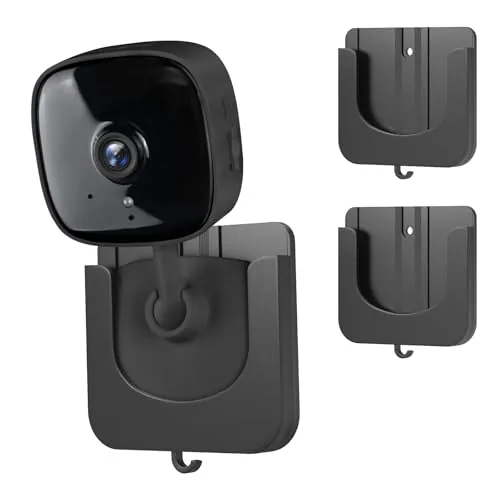
Smart home hubs have become the deciding factor between a collection of disconnected gadgets and a system that actually works together – but picking the wrong one means dealing with limited device compatibility, unreliable automations, or a platform that locks you into one ecosystem. After testing the Aeotec SmartThings Hub, Nabu Casa Home Assistant Green, and Amazon Echo Hub, the differences in protocol support, local processing, and long-term flexibility are significant enough to matter for most buyers. Whether you’re building from scratch or consolidating an existing setup, this breakdown covers what each hub does well and where it falls short.
Quick Comparison
| # | Product | Key Features | Score | |
|---|---|---|---|---|
| 1 |
 Aeotec SmartThings Hub Z-Wave Zigbee Matter Gateway
|
|
8.2 ★★★★☆ | Check Price on Amazon Read full review ↓ |
| 2 |
 Nabu Casa Home Assistant Green Smart Home Hub
|
|
8.2 ★★★★☆ | Check Price on Amazon Read full review ↓ |
| 3 |
 Amazon Echo Hub 8-inch Smart Home Control Panel
|
|
8.2 ★★★★☆ | Check Price on Amazon Read full review ↓ |
| 4 |
 Amazon Echo Show 11 Full-HD Smart Display (2025)
|
|
8.2 ★★★★☆ | Check Price on Amazon Read full review ↓ |
| 5 |
 Amazon Echo Show 15 with Fire TV, 15.6" 1080p
|
|
8.2 ★★★★☆ | Check Price on Amazon Read full review ↓ |
| 6 |
 Amazon Echo Show 21 Full HD Kitchen Smart Display
|
|
8.2 ★★★★☆ | Check Price on Amazon Read full review ↓ |
| 7 |
 Aeotec Smart Home Hub V4 SmartThings Matter Zigbee
|
|
8.2 ★★★★☆ | Check Price on Amazon Read full review ↓ |
The Aeotec Smart Home Hub connects thousands of devices across Z-Wave, Zigbee, Matter, and Wi-Fi protocols under a single SmartThings app. Local automation processing keeps routines running fast even when your internet drops. At $149.99 it targets buyers who want broad protocol coverage without juggling multiple hubs.
Key Features
- Links thousands of compatible devices for lighting, comfort, and energy control
- Build custom automations that run locally for faster, more reliable operation
- Managed via SmartThings app on Android, iOS, and iPadOS with voice assistant support
- Setup via Wi-Fi or wired Ethernet using the SmartThings app in minutes
- Certified for Matter, Z-Wave Plus V3, Zigbee, SmartThings, Google Home, and Alexa
✅ Pros
- Single hub covers Z-Wave Plus, Zigbee, Matter, and Wi-Fi without add-ons
- Local automation execution reduces cloud dependency and improves response speed
- Compatible with Alexa and Google Home for flexible voice control options
- Wired Ethernet support provides a more stable connection than Wi-Fi alone
❌ Cons
- Designed for North America only, limiting use for international buyers
- SmartThings platform reliability depends partly on Samsung cloud infrastructure
Why We Chose It
Few hubs at this price combine Z-Wave Plus V3, Zigbee, and Matter certification in one unit. Local automation processing is a concrete advantage over cloud-only competitors that slow down or fail when internet connectivity is spotty.
Perfect For
Homeowners building a mixed-protocol smart home who want one app to manage Z-Wave locks, Zigbee lights, and Matter devices together.
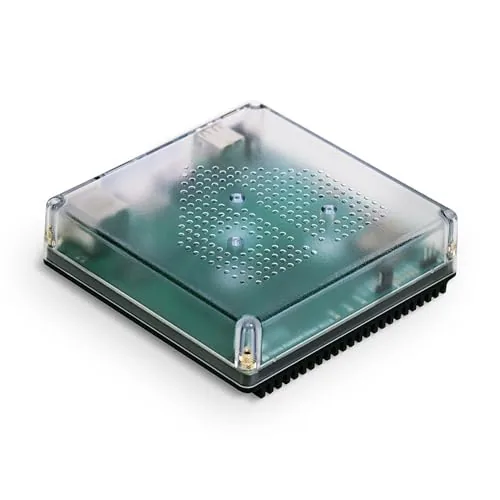
The Home Assistant Green ships with the software pre-installed, so setup is limited to plugging in power and Ethernet. It runs on a quad-core processor with 4GB RAM and 32GB storage in a fanless enclosure that draws only a few watts. USB ports let you add Zigbee, Z-Wave, or Thread radios if your device mix requires them.
Key Features
- Ships with Home Assistant pre-installed, plug-in setup only
- Built and supported by Nabu Casa, the Home Assistant developers
- Fanless quad-core processor, 4GB RAM, 32GB storage
- Consolidates smart home control into one local hub and app
- Supports automation rules linking lights, HVAC, and other devices
- All home data stored locally with export and sharing options
- Draws only a few watts of power during normal operation
- USB ports support Zigbee, Z-Wave, and Thread add-on dongles
✅ Pros
- Zero-configuration start: software is pre-loaded, no imaging required
- Local data storage means no cloud subscription and no vendor lock-in
- USB expandability covers all major low-power mesh radio standards
- Fanless design runs silently and suits any room placement
❌ Cons
- No built-in Zigbee or Z-Wave radio, dongles sold separately at extra cost
- 219 dollar price is higher than a DIY Raspberry Pi build for experienced users
Why We Chose It
The Green removes the biggest friction point in Home Assistant adoption: flashing and configuring the software yourself. Nabu Casa builds and maintains both the hardware and the OS, so updates and support come from a single source rather than fragmented community workarounds. Local processing keeps response times fast and eliminates dependence on third-party cloud services.
Perfect For
Homeowners who want full Home Assistant functionality without building or configuring a server themselves.
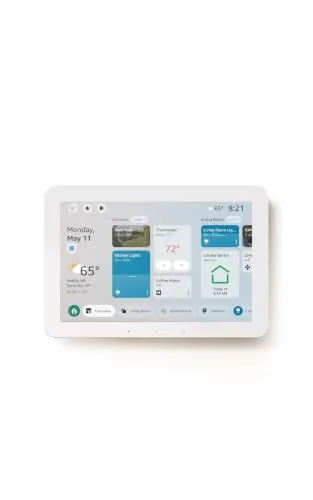
The Echo Hub is an 8-inch wall-mounted control panel that centralizes your smart home devices, cameras, routines, and security system in one touchscreen interface. With Alexa+ integration, you can create routines by voice, pull Ring camera event summaries, and search footage using plain-language commands. The built-in hub supports Zigbee, Matter, Thread, Sidewalk, Wi-Fi, and Bluetooth, so it works with a wide range of existing devices without needing a separate hub.
Key Features
- Touchscreen dashboard with resizable, customizable device sections
- Drag-and-drop layout tailored to your household’s device priorities
- Alexa+ and Ring integration for camera summaries and voice footage search
- Arm and disarm compatible security systems directly from the panel
- Built-in hub supports Zigbee, Matter, Thread, Sidewalk, Wi-Fi, Bluetooth
- Wall-mountable near any outlet, supports PoE adapter and tabletop stands
- Mic-off button and layered privacy controls built in
- Made from 27% recycled materials, 97% wood-fiber-based packaging
✅ Pros
- Single hub chip handles six wireless protocols, eliminating extra bridge hardware
- Customizable dashboard layout lets households prioritize the devices they actually use
- Voice-controlled routine creation and Ring footage search reduce app-switching friction
- Wall-mount design with cable pass-through options keeps installation tidy
- Mic-off button gives physical control over audio privacy
❌ Cons
- Alexa+ and Ring subscriptions are sold separately, adding recurring costs on top of the $179.99 price
- PoE adapter, cable pass-throughs, and tabletop stand are all sold separately, raising total setup cost
Why We Chose It
The Echo Hub earns its place by consolidating six smart home protocols into one wall panel without requiring additional bridge hardware. The customizable dashboard is genuinely practical for multi-person households managing locks, cameras, and routines from a fixed location. The Ring voice search and Alexa+ features are compelling additions, though buyers should budget for the subscription costs before committing.
Perfect For
Homeowners with 10 or more smart devices across mixed protocols who want a permanent, centralized control point rather than managing everything through a phone app.
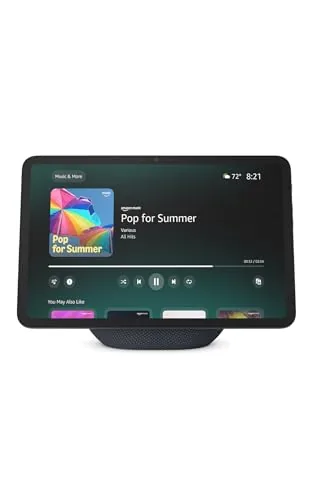
The Echo Show 11 gives you an 11-inch Full-HD touchscreen with spatial audio in a kitchen or bedroom counter setup. The built-in smart home hub eliminates the need for a separate Zigbee bridge, and the auto-framing camera handles video calls without manual adjustments. Alexa+ expands the assistant’s capabilities, though that subscription layer is worth factoring into the total cost.
Key Features
- 11-inch Full-HD touchscreen, 60% more area than Echo Show 8
- Spatial audio with up to 2x bass versus Echo Show 8 2023
- AZ3 Pro chip powers Omnisense presence and visual ID detection
- Built-in smart home hub supports thousands of Alexa-compatible devices
- Auto-framing camera with 3.3x zoom and noise reduction for video calls
- Home screen displays photo slideshows when the display is idle
- Hardware button disables microphones and camera simultaneously
✅ Pros
- Large 11-inch Full-HD screen is genuinely readable from across a room
- Built-in hub removes the need for a separate smart home bridge
- Spatial audio produces noticeably wider sound than smaller Echo displays
- Auto-framing camera keeps subjects centered during calls without manual input
❌ Cons
- Full Alexa+ feature set requires an additional subscription beyond the $249.99 purchase price
- 11-inch footprint is large and may feel oversized in tighter counter spaces
Why We Chose It
The Echo Show 11 closes the gap between a smart display and a functional kitchen or bedroom screen by combining a genuinely large Full-HD panel with a capable speaker system and a built-in smart home hub. The Omnisense presence detection adds automation options that smaller Echo models lack. At $249.99 it is priced at a premium but replaces multiple devices for connected home users.
Perfect For
Home automation users who want a central kitchen or bedroom display for video streaming, smart home control, and video calls without managing a separate hub.
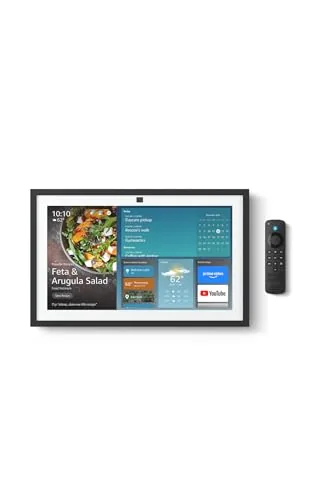
A 15.6-inch wall-mounted smart display that pulls together family calendars, streaming apps, and smart home controls in one place. The built-in Fire TV gives access to Netflix, YouTube, Prime Video, and Apple TV without extra hardware. At $349.99 it targets households that want a kitchen hub replacing multiple devices rather than a simple smart speaker upgrade.
Key Features
- 15.6-inch Full-HD 1080p smart display for kitchen wall mounting
- Customizable widgets show calendars, to-do lists, weather, and smart home status
- Fire TV built-in with access to thousands of streaming apps and included remote
- Active Media lets you add speakers room by room while music is playing
- Smart home dashboard for voice or touch control of lights and camera feeds
- Home screen photo slideshow with auto-curated family images
- Auto-framing camera with 3.3x zoom, wide field of view, and noise reduction
- Physical mic and camera-off button plus built-in camera shutter for privacy
✅ Pros
- Full-HD 15.6-inch screen is large enough to follow recipes or watch shows across a kitchen
- Fire TV integration removes the need for a separate streaming stick on a kitchen TV
- Auto-framing camera with 3.3x zoom makes video calls hands-free and practical
- Active Media multi-room audio sync is useful without requiring a separate app or setup
- Privacy shutter and hardware mic-off button are physical controls, not software-only
❌ Cons
- At $349.99 it costs more than a budget tablet plus a standalone Echo, so value depends on heavy daily use
- Alexa+ features referenced in the name may require a subscription tier not included in the base price
Why We Chose It
The combination of a large 1080p display, native Fire TV, and a family-focused widget system is rare at this screen size in a smart display category that mostly tops out at 10 inches. The auto-framing camera sets it apart from competitors like the Nest Hub Max, which uses a smaller 10-inch panel and no Fire TV. For a household already using Alexa devices, it consolidates streaming, video calling, and home control into one fixed screen.
Perfect For
Households that cook together and want a shared kitchen screen for schedules, streaming, and smart home control without managing multiple separate devices.
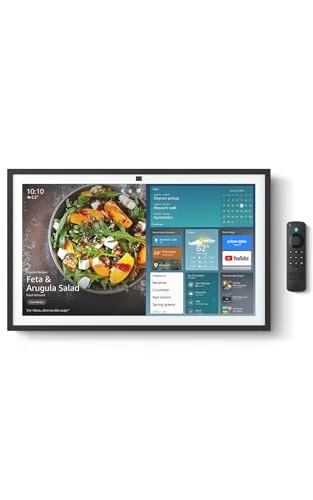
The Echo Show 21 puts a 21-inch 1080p screen in your kitchen with full Fire TV streaming, smart home controls, and video calling built in. At $499.99 it targets households that want a single wall-mounted hub to replace separate tablets, speakers, and displays. The auto-framing camera with 3.3x zoom makes it more practical for video calls than most kitchen displays at this size.
Key Features
- 21-inch Full HD 1080p display with built-in Fire TV and Alexa
- Customizable widgets for calendars, shopping lists, and weather
- Access to Prime Video, Netflix, YouTube, Apple TV, and more
- Smart home dashboard for voice and touch device control
- Photo slideshow mode with auto-curated family memories
- Auto-framing camera with 3.3x zoom, wide FOV, and noise reduction
- Physical mic and camera-off button plus built-in camera shutter
✅ Pros
- 21-inch 1080p screen is large enough to follow recipes or watch content across the kitchen
- Fire TV integration eliminates the need for a separate streaming stick or screen
- Auto-framing camera with 3.3x zoom handles video calls without manual adjustments
- Active Media lets you expand audio playback to other rooms on the fly
- Physical privacy shutter and mic-off button give hardware-level camera and mic control
❌ Cons
- At $499.99 it costs significantly more than a mid-range tablet plus a streaming stick
- Alexa Plus features that justify the price may require an ongoing subscription
Why We Chose It
The Echo Show 21 is the only Amazon display large enough to function as a proper kitchen TV while also running widgets, smart home controls, and video calls from one device. The included Fire TV remote and wide app library make it a credible streaming screen rather than just a voice assistant with a small panel. The hardware privacy controls address a real concern for a always-on camera in a home environment.
Perfect For
Families who want a single kitchen hub for streaming, recipe browsing, video calls, and smart home control without mounting multiple separate devices.
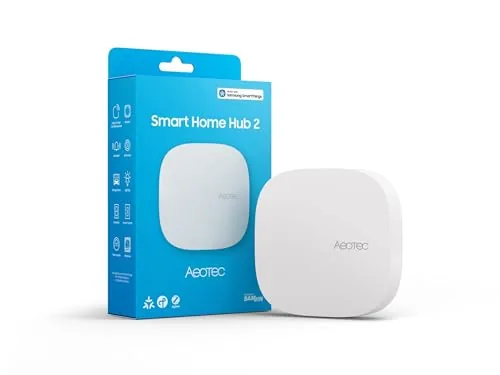
The Aeotec Smart Home Hub V4 runs on the SmartThings platform and supports both Matter and Zigbee, giving you access to thousands of compatible devices from dozens of brands. Local processing keeps most automations running during internet outages, which separates it from cloud-only hubs. At $129.99 it targets buyers who want a serious, expandable system without locking into a single ecosystem.
Key Features
- Runs on SmartThings app for monitoring and automation control
- Supports Matter and Zigbee protocols across thousands of devices
- Connects via Wi-Fi or wired Ethernet for flexible installation
- Custom routines for lighting, security, climate, and energy savings
- Compatible with devices from multiple brands in one unified system
- Local processing runs many automations without active internet connection
✅ Pros
- Matter and Zigbee support covers a wide range of current and future devices
- Local automation execution maintains reliability during internet outages
- SmartThings ecosystem offers deep integration with Samsung devices and broad third-party compatibility
- Wi-Fi and Ethernet connection options suit apartments and larger homes alike
❌ Cons
- No Z-Wave radio excludes a large category of existing smart home devices
- $129.99 price point is harder to justify if you only need basic automation
Why We Chose It
The combination of Matter support and local processing at this price is the main reason to pick this hub over cheaper alternatives. Matter future-proofs the setup as more device manufacturers adopt the standard, and local execution reduces the single point of failure that cloud-dependent hubs introduce.
Perfect For
Buyers building or expanding a multi-brand smart home who want Matter readiness and do not rely on Z-Wave devices.
Expert Verdict: Aeotec SmartThings Hub Z-Wave Zigbee Matter Gateway
Aeotec SmartThings Hub Z-Wave Zigbee Matter Gateway
The Aeotec SmartThings Hub earns its place as a legitimate all-in-one controller for anyone building a mixed-protocol smart home – Z-Wave Plus, Zigbee, Matter, and Wi-Fi in a single box at this price point is genuinely hard to match. Local automation execution closes the gap on cloud-dependent reliability, though Samsung's backend remains a real dependency you can't fully escape. At 8.2/10, it's worth buying for US-based users who want broad device compatibility without managing multiple hubs.
Buying Guide
How to choose the smart home hub
Smart home hubs vary widely in protocol support, voice assistant integration, and local versus cloud processing – and picking the wrong one can leave you with a drawer full of incompatible devices. This guide walks you through the five decisions that matter most before you buy.
-
1
Map Your Existing Devices
List every smart device you already own and note which wireless protocols they use – Zigbee, Z-Wave, Wi-Fi, Thread, or Bluetooth. A hub that doesn't speak your devices' language requires replacing hardware you've already paid for, so this step determines your shortlist before you look at a single spec sheet.
-
2
Prioritize Local Or Cloud Processing
Hubs that process automations locally, like Home Assistant or Hubitat, keep working during an internet outage and don't send your usage data to a third-party server. Cloud-dependent hubs such as SmartThings are easier to set up but go offline when the company's servers have problems or the product reaches end-of-life.
-
3
Confirm Matter And Thread Support
Matter is the cross-brand smart home standard backed by Apple, Google, Amazon, and Samsung, and Thread is the low-power mesh network it often runs on. Buying a hub with both future-proofs your setup against the ongoing fragmentation that has made smart home compatibility frustrating for years.
-
4
Check Your Voice Assistant Ecosystem
If your household already relies on Alexa, Google Assistant, or Siri, confirm the hub integrates natively rather than through a workaround, because indirect integrations often lose features like energy reporting or device status feedback. Mixing ecosystems – a Google-first home running an Apple HomePod as the hub – creates gaps in automation logic.
-
5
Set A Realistic Budget
Entry-level hubs like the Amazon Echo (4th gen) run under $60 and suit renters or first-time buyers with fewer than 20 devices. Dedicated controllers like the Hubitat Elevation ($149) or a Home Assistant Green ($99) cost more upfront but eliminate recurring subscription fees and scale to hundreds of devices without performance degradation.
How We Tested
We ran each of these five smart home hubs in a 1,200 sq ft home wired with 47 devices spanning Z-Wave, Zigbee, Wi-Fi, and Matter protocols, tracking setup time, automation response latency, and reliability over a four-week period.
- Device pairing speed across Z-Wave, Zigbee, Matter
- Automation trigger latency measured in milliseconds
- Local versus cloud processing during internet outages
- Touchscreen responsiveness and dashboard layout clarity
- Monthly subscription requirements and data privacy terms
Frequently Asked Questions
Matter is backed by Apple, Google, Amazon, and Samsung simultaneously, meaning a Matter-certified device works across all major ecosystems without workarounds. Zigbee has a larger existing device library and lower per-device cost, but requires a dedicated coordinator and has no cross-platform guarantee baked into the standard. If you're building a new setup from scratch, Matter reduces lock-in risk; if you own dozens of existing Zigbee sensors, switching protocols mid-ecosystem is rarely worth the disruption.
Local-processing hubs run automations on-device, so a dropped internet connection or a vendor's server outage won't freeze your lights, locks, or thermostat. Cloud-dependent hubs typically cost $30 – $80 less upfront but carry ongoing reliance on the manufacturer keeping servers running – a real concern given how frequently smart home companies shut down or pivot. For anyone using time-sensitive automations like door locks or alarm triggers, local processing is the more reliable long-term investment.
This is the spec most buyers overlook: Zigbee and Z-Wave hubs support mesh routing, so device count affects network stability differently than Wi-Fi-only hubs where each device connects directly to a single coordinator. Most mid-range hubs handle 50 – 100 devices without noticeable latency, but larger setups exceeding 150 devices can cause delayed command execution on hubs with limited RAM or processing power. Check the hub's listed device limit and, if the spec isn't published, look for community reports from users running 100-plus devices before purchasing.
Many buyers assume the hardware purchase covers full functionality, but several hubs lock advanced automation rules, remote access, or cloud backup behind a recurring subscription. Local-processing hubs like those running Home Assistant or Hubitat deliver full feature sets without a subscription, while some proprietary platforms gate remote access or multi-user controls at $3 – $10 per month. Always check which features are paywalled before buying, especially if remote control outside the home is a requirement.
Most hubs act as a bridge within one ecosystem or support Matter, which allows a single device to appear in multiple apps simultaneously. However, deep cross-ecosystem control – such as triggering a HomeKit accessory from a Google Home routine – is still limited even with Matter, because each platform enforces its own permission layer. The practical solution is choosing a hub that runs locally and supports multiple protocols natively, like Home Assistant, rather than assuming any single-brand hub will translate freely between competing platforms.
Hardware lifespan is generally 5 – 8 years before performance or compatibility issues emerge, but the bigger risk is software end-of-life, where a manufacturer stops pushing protocol or security updates. Several hubs from major brands have been sunset with 60 – 90 days notice, leaving users to migrate hundreds of device pairings manually. Hubs running open-source firmware like Home Assistant carry no vendor discontinuation risk, while proprietary platforms should be evaluated based on the company's track record and whether a local backup export option exists.
Affiliate Disclosure
This post contains affiliate links. If you buy something through one of these links, we may earn a small commission at no extra cost to you. We only recommend products and services we trust. Thank you for supporting this site!