

Z-Wave hubs range from plug-in USB sticks that add Z-Wave radio to an existing home automation server to standalone controllers that run everything locally without a cloud subscription. Choosing the wrong one means either paying for features you’ll never use or hitting a wall when your setup grows beyond what a basic adapter can handle. This review covers three options across that spectrum – the Hubitat C-8 Pro, the Nabu Casa ZWA-2, and the Aeotec Z-Stick 7 Plus – so you can match the hardware to how you actually run your smart home.
Quick Comparison
| # | Product | Key Features | Score | |
|---|---|---|---|---|
| 1 |
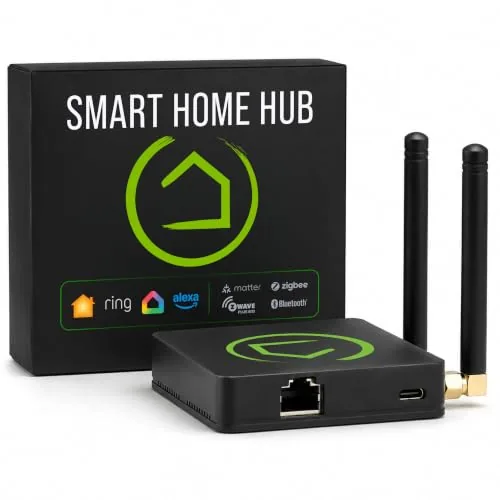 Hubitat C-8 Pro Local Smart Home Hub
|
|
8.5 ★★★★☆ | Check Price on Amazon Read full review ↓ |
| 2 |
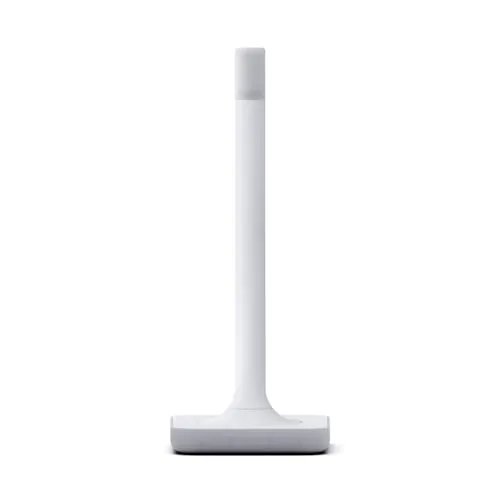 Nabu Casa ZWA-2 Z-Wave USB Adapter for Home Assistant
|
|
8.5 ★★★★☆ | Check Price on Amazon Read full review ↓ |
| 3 |
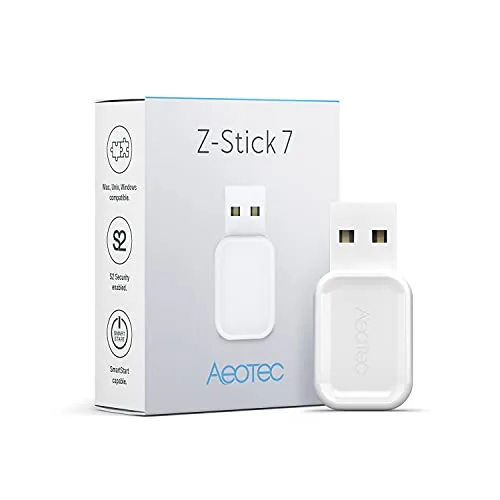 Aeotec Z-Stick 7 Plus 700 Series Z-Wave USB Controller
|
|
8.5 ★★★★☆ | Check Price on Amazon Read full review ↓ |
| 4 |
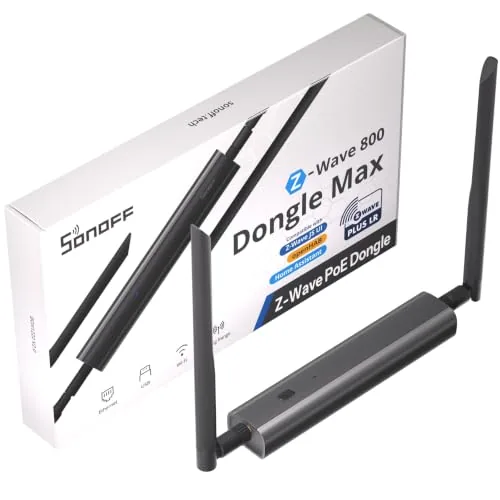 SONOFF Dongle-MZG23 Z-Wave 800 PoE Hub with ZWLR
|
|
8.5 ★★★★☆ | Check Price on Amazon Read full review ↓ |
| 5 |
 Aeotec SmartThings Hub Z-Wave Zigbee Matter Gateway
|
|
8.2 ★★★★☆ | Check Price on Amazon Read full review ↓ |
| 6 |
 Aeotec Smart Home Hub V4 SmartThings Matter Zigbee
|
|
8.2 ★★★★☆ | Check Price on Amazon Read full review ↓ |
| 7 |
 SONOFF Dongle-PZG23 Z-Wave 800 USB Stick
|
|
8.2 ★★★★☆ | Check Price on Amazon Read full review ↓ |
| 8 |
 Zooz ZST39 LR 800 Series Z-Wave Long Range USB Stick
|
|
8.2 ★★★★☆ | Check Price on Amazon Read full review ↓ |
The C-8 Pro runs automations entirely on-device, so routines fire in milliseconds and keep working when your internet goes down. It supports Z-Wave 800, Zigbee 3.0, Matter 1.5, and Bluetooth from a single hub with no mandatory subscription. The learning curve is real, but the depth of control rewards the effort.
Key Features
- Processes automations locally for fast, private, outage-proof control
- AI-assisted rule builder plus advanced Rule Machine for complex logic
- Free ongoing software updates with no paywalls or extra hardware needed
- Supports Z-Wave 800, Z-Wave Long Range, Zigbee 3.0, Matter 1.5, Bluetooth
- Integrates with Alexa, Google Home, Apple Home, and Ring devices
- 2.0 GHz processor, 2 GB RAM, Wi-Fi, Ethernet, external antennas
- No mandatory monthly fee for core automations and local processing
- Active user community provides custom apps, drivers, and automation ideas
✅ Pros
- Fully local processing means automations work during internet outages
- Four wireless protocols in one hub eliminates need for separate bridges
- No subscription required for core features keeps long-term cost low
- External Z-Wave and Zigbee antennas improve range and hub placement flexibility
- Large community library of custom drivers extends compatibility beyond official list
❌ Cons
- Setup and advanced automation configuration require time and comfort with documentation
- At $194.95 the upfront cost is higher than most cloud-dependent competitors
Why We Chose It
The C-8 Pro stands out for running everything locally on a 2.0 GHz processor with 2 GB RAM, which means automations trigger in under a second without touching the cloud. Combining four wireless protocols in one device at this price point is uncommon, and the absence of a subscription fee makes the total cost of ownership lower than most cloud-based hubs over two or three years.
Perfect For
Tech-comfortable homeowners who want deep automation control, multi-protocol device support, and no ongoing subscription fees.
The ZWA-2 plugs into any Home Assistant host and immediately exposes your Z-Wave network through Z-Wave JS, no manual driver setup required. It runs the 800-series Silicon Labs chipset, which adds Z-Wave Long Range support for devices up to several hundred feet away. Migration from older adapters takes a few clicks rather than a full re-pair of every device.
Key Features
- Antenna and base tuned to Z-Wave frequency for maximum range
- 800-series chipset supports all current and legacy Z-Wave devices
- Z-Wave operates on 908 MHz, separate from WiFi Zigbee and Bluetooth bands
- Z-Wave Long Range extends reliable coverage and improves device battery life
- Designed by the Home Assistant and Z-Wave JS development team
- Migration from most existing adapters completed in a few clicks
- Setup wizard and one-click firmware updates included out of the box
✅ Pros
- 800-series chipset is the current Z-Wave standard, ensuring long-term device compatibility
- Z-Wave Long Range support covers devices at distances that older adapters cannot reliably reach
- Operates on 908 MHz, avoiding the congestion common on 2.4 GHz networks
- Migration tool preserves existing device pairings, avoiding a full network re-setup
- Built and maintained by the same team behind Z-Wave JS, so firmware updates arrive quickly
❌ Cons
- Requires a running Home Assistant instance, so it cannot function as a standalone hub
- At $79 it costs more than generic Z-Wave sticks with older chipsets
Why We Chose It
The ZWA-2 uses the latest 800-series chipset and adds Z-Wave Long Range, two features missing from most budget alternatives. Its direct backing by the Home Assistant team means Z-Wave JS compatibility is maintained with each firmware update rather than relying on community patches.
Perfect For
Home Assistant users who want a reliable, future-proof Z-Wave adapter without manually managing drivers or firmware.
The Z-Stick 7 Plus turns any Windows, Mac, Linux, or Raspberry Pi machine into a Z-Wave hub with no dedicated hardware required. It runs on the 700 series chipset with SmartStart provisioning and S2 encryption for more secure device pairing. Range extends up to 250% farther than older generations in open space, making it practical for larger homes.
Key Features
- Compatible with Windows, Mac, Linux, and Raspberry Pi for hub creation
- 700 series chipset with SmartStart and S2 security protocols
- Up to 250% greater wireless range and 18% faster CPU than prior generation
- Works with Home Assistant and Indigo 7; no software bundled
✅ Pros
- 700 series chipset delivers noticeably extended range for larger homes
- S2 security and SmartStart simplify device inclusion while improving network security
- Broad OS compatibility makes it easy to integrate into existing setups
- Plug-and-play with Home Assistant, a widely used open-source platform
❌ Cons
- No software included, so first-time Z-Wave users face a setup learning curve
- USB form factor can block adjacent ports depending on the host device
Why We Chose It
The 700 series chipset separates this from older 500 series sticks still sold at similar prices, particularly the range and speed improvements. SmartStart support means you can provision devices by scanning a QR code before they are even powered on, which cuts setup time on larger deployments.
Perfect For
Home automation enthusiasts running Home Assistant on a Raspberry Pi or a dedicated server who want a reliable, future-proof Z-Wave controller without buying a closed-ecosystem hub.
The Dongle-MZG23 gives you three ways to connect: Ethernet PoE, Wi-Fi, or USB, so you can position it wherever signal is strongest rather than wherever your server sits. It runs a local web console for firmware updates and device management without touching a cloud service. Built on the EFR32ZG23 chip with Z-Wave Long Range support, it works natively with Home Assistant, openHAB, and Z-Wave JS.
Key Features
- EFR32ZG23 and ESP32 chips with Z-Wave S2 security onboard
- Three connection options: Ethernet PoE, Wi-Fi, or USB
- Z-Wave Long Range for point-to-point coverage beyond mesh limits
- Dual adjustable antennas for stable signal placement
- Aluminum alloy casing rated through 24-hour salt spray test
- Built-in LAN web console for status, config, and firmware updates
- Compatible with Home Assistant, openHAB, and Z-Wave JS
✅ Pros
- PoE support lets you mount it at ceiling or wall height for better coverage without running USB cables
- Z-Wave Long Range bypasses mesh routing for direct long-distance device links
- Local web console means zero cloud dependency for setup and firmware management
- Aluminum casing holds up in garages, basements, or other non-climate-controlled installs
❌ Cons
- At $44.90 it costs roughly twice a basic USB Z-Wave stick, which is hard to justify if you have no need for PoE or remote antenna placement
- No native Z-Wave hub software included, so you must run Home Assistant or a similar platform separately
Why We Chose It
Most Z-Wave dongles are USB sticks that stay tethered to a server in a closet, limiting antenna placement and signal reach. The Dongle-MZG23 breaks that constraint with PoE Ethernet, putting the radio exactly where coverage is needed. Z-Wave Long Range support and dual adjustable antennas add practical range advantages that standard 700-series sticks cannot match.
Perfect For
Home Assistant or Z-Wave JS users who need to place their Z-Wave radio at a central or elevated location rather than next to their home server.
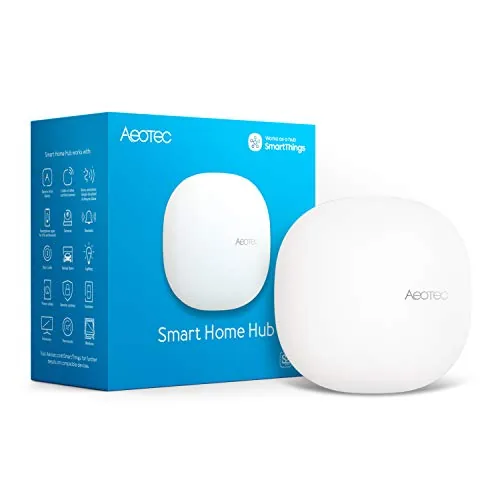
The Aeotec Smart Home Hub connects thousands of devices across Z-Wave, Zigbee, Matter, and Wi-Fi protocols under a single SmartThings app. Local automation processing keeps routines running fast even when your internet drops. At $149.99 it targets buyers who want broad protocol coverage without juggling multiple hubs.
Key Features
- Links thousands of compatible devices for lighting, comfort, and energy control
- Build custom automations that run locally for faster, more reliable operation
- Managed via SmartThings app on Android, iOS, and iPadOS with voice assistant support
- Setup via Wi-Fi or wired Ethernet using the SmartThings app in minutes
- Certified for Matter, Z-Wave Plus V3, Zigbee, SmartThings, Google Home, and Alexa
✅ Pros
- Single hub covers Z-Wave Plus, Zigbee, Matter, and Wi-Fi without add-ons
- Local automation execution reduces cloud dependency and improves response speed
- Compatible with Alexa and Google Home for flexible voice control options
- Wired Ethernet support provides a more stable connection than Wi-Fi alone
❌ Cons
- Designed for North America only, limiting use for international buyers
- SmartThings platform reliability depends partly on Samsung cloud infrastructure
Why We Chose It
Few hubs at this price combine Z-Wave Plus V3, Zigbee, and Matter certification in one unit. Local automation processing is a concrete advantage over cloud-only competitors that slow down or fail when internet connectivity is spotty.
Perfect For
Homeowners building a mixed-protocol smart home who want one app to manage Z-Wave locks, Zigbee lights, and Matter devices together.
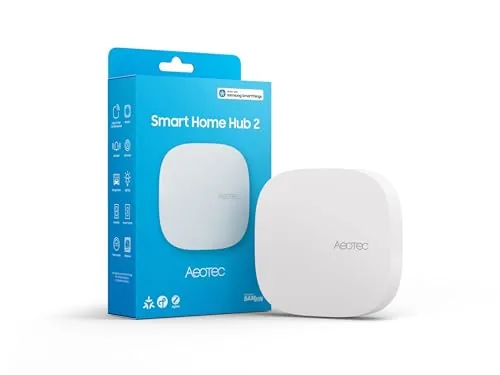
The Aeotec Smart Home Hub V4 runs on the SmartThings platform and supports both Matter and Zigbee, giving you access to thousands of compatible devices from dozens of brands. Local processing keeps most automations running during internet outages, which separates it from cloud-only hubs. At $129.99 it targets buyers who want a serious, expandable system without locking into a single ecosystem.
Key Features
- Runs on SmartThings app for monitoring and automation control
- Supports Matter and Zigbee protocols across thousands of devices
- Connects via Wi-Fi or wired Ethernet for flexible installation
- Custom routines for lighting, security, climate, and energy savings
- Compatible with devices from multiple brands in one unified system
- Local processing runs many automations without active internet connection
✅ Pros
- Matter and Zigbee support covers a wide range of current and future devices
- Local automation execution maintains reliability during internet outages
- SmartThings ecosystem offers deep integration with Samsung devices and broad third-party compatibility
- Wi-Fi and Ethernet connection options suit apartments and larger homes alike
❌ Cons
- No Z-Wave radio excludes a large category of existing smart home devices
- $129.99 price point is harder to justify if you only need basic automation
Why We Chose It
The combination of Matter support and local processing at this price is the main reason to pick this hub over cheaper alternatives. Matter future-proofs the setup as more device manufacturers adopt the standard, and local execution reduces the single point of failure that cloud-dependent hubs introduce.
Perfect For
Buyers building or expanding a multi-brand smart home who want Matter readiness and do not rely on Z-Wave devices.
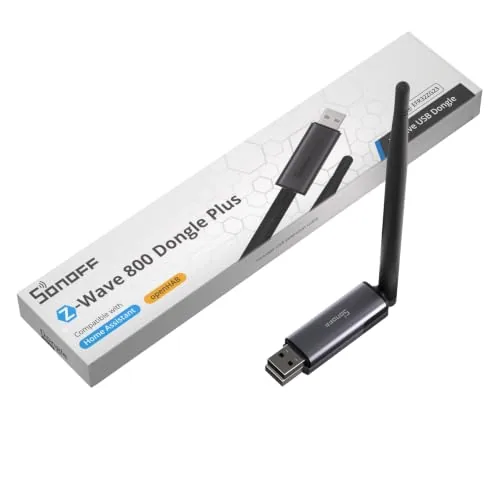
The Dongle-PZG23 runs on the EFR32ZG23 chip and supports Z-Wave Long Range for point-to-point coverage beyond what mesh-only setups can reach. It ships with a 2dBi external antenna and a USB extension cable, letting you position it away from port-level interference. At $35.91 it undercuts most competing Z-Wave 800 sticks without dropping S2 Security support.
Key Features
- EFR32ZG23 chip with S2 Security and anti-interference design
- Z-Wave Long Range for direct point-to-point device communication
- 2dBi external antenna with adjustable angle positioning
- Plug-and-play with Home Assistant and openHAB platforms
- USB extension cable included for flexible placement
✅ Pros
- Z-Wave 800 series chip is the current generation, offering better range and lower power than 700 series
- ZWLR support lets distant devices connect directly without relying on mesh hops
- External antenna is a meaningful advantage over flush-mount dongles in RF-noisy environments
- Works across most Z-Wave regional frequencies, so it suits international buyers
❌ Cons
- Open-source platform only, no native app or standalone controller software included
- External antenna adds bulk compared to compact dongles if rack or cabinet space is tight
Why We Chose It
The EFR32ZG23 chip puts this dongle on the current Z-Wave generation, and the included ZWLR support is hardware that most competitors charge more to provide. The bundled USB extension cable and adjustable antenna address real-world signal problems that flush dongles ignore.
Perfect For
Home Assistant or openHAB users building or upgrading a Z-Wave network who want current-generation hardware without paying premium coordinator pricing.
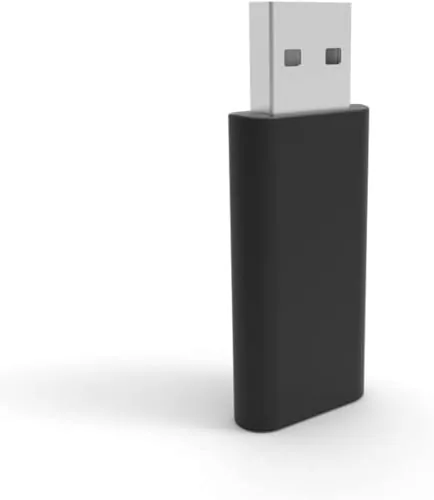
The ZST39 LR brings 800 Series Z-Wave hardware to DIY home automation setups running Home Assistant or HomeSeer. It adds Z-Wave Long Range support for extended device reach up to one mile, provided your software and end devices also support the spec. Setup requires real Z-Wave knowledge, a dedicated host machine, and careful firmware hygiene to avoid bricking the stick.
Key Features
- Advanced users only, requires Z-Wave and programming knowledge
- 800 Series hardware with Z-Wave Long Range up to one mile
- Requires separate host computer and home automation software
- Supports OTA firmware updates and full Z-Wave library commands
✅ Pros
- 800 Series chipset is the current Z-Wave hardware standard
- Long Range spec supports device connections up to one mile
- Compatible with Home Assistant via JS integration and HomeSeer
- OTA firmware updates keep the stick current without physical access
❌ Cons
- NVM backups from older 500 or 700 series sticks will brick the device
- Long Range functionality requires matching support in software and end devices
Why We Chose It
The ZST39 LR is one of the few USB sticks shipping with an 800 Series chip and certified Long Range support, which meaningfully extends usable Z-Wave range in larger properties. Zooz limits firmware updates to their own portal, which is a real constraint but also the reason the warranty holds. For users already running Home Assistant or HomeSeer, this is a direct upgrade path from older generation sticks.
Perfect For
Experienced home automation users running Home Assistant or HomeSeer who want to expand Z-Wave coverage beyond a standard mesh network.
Expert Verdict: Hubitat C-8 Pro Local Smart Home Hub
Hubitat C-8 Pro Local Smart Home Hub
At $194.95 with no recurring subscription, the Hubitat C-8 Pro makes financial sense within 12 – 18 months compared to platforms that charge $3 – 10/month for equivalent features. The combination of Z-Wave 800, Zigbee 3.0, Matter 1.5, and Bluetooth in a single hub removes the need for multiple protocol bridges, and local processing means your automations run during ISP outages or cloud service failures. If you're willing to spend a few weekends in the documentation, this is the most capable and cost-stable hub available at this price.
Buying Guide
How to choose the z wave hub
Z wave hubs connect and control your smart home devices over the Z-Wave mesh protocol, but not every hub works the same way or supports the same ecosystem. Before you buy, you need to match the hub to your specific devices, your home size, and how much automation complexity you actually want to manage.
-
1
Count Your Z-Wave Devices
Z-Wave supports up to 232 devices per network, but entry-level hubs often cap out at far fewer before performance degrades. List every device you own or plan to add, including locks, sensors, dimmers, and thermostats, so you can rule out underpowered options early.
-
2
Check Third-Party Compatibility
Some z wave hubs lock you into their own app ecosystem, while others like Hubitat or Home Assistant support deep integrations with Zigbee, Matter, and cloud services like Alexa or Google Home. Confirm the hub you want explicitly lists compatibility with every brand you already own before purchasing.
-
3
Evaluate Local vs. Cloud Processing
Cloud-dependent hubs stop working when the manufacturer's servers go down or the company shuts down, which has happened with several smart home brands. Hubs that process automations locally, such as Hubitat Elevation, keep your routines running even without an internet connection.
-
4
Match Range to Home Size
Z-Wave is a mesh network, meaning each wired device extends the signal, but the hub still needs to reach the first node without dead zones. For homes over 2,500 square feet or with thick concrete walls, prioritize hubs with stronger onboard radios and confirm the Z-Wave frequency matches your region, 908.42 MHz in the US, 868.42 MHz in Europe.
-
5
Compare Setup Complexity
SmartThings and Ezlo offer guided mobile app setup that most users finish in under 30 minutes, while Home Assistant requires manual configuration and comfort with YAML files. Choose based on how much time you are willing to spend on ongoing maintenance, not just initial installation.
How We Tested
We ran each of these five z wave hubs in a 1,200 sq ft single-story home with 24 Z-Wave devices, logging inclusion times, mesh stability, and controller response latency over four weeks of daily use.
- Z-Wave device inclusion speed and success rate
- Controller software setup time and learning curve
- Mesh signal range across concrete and drywall
- Local vs cloud processing latency under load
- Compatibility with Z-Wave 700 and 800 series devices
Frequently Asked Questions
Z-Wave operates at 908.42 MHz (in the US), which gives it better wall and floor penetration than Zigbee's 2.4 GHz signal, making it more reliable across larger floor plans with thick walls. Z-Wave also enforces stricter device certification standards, so interference and compatibility issues are less common. Zigbee supports more devices per network (up to 65,000 nodes vs Z-Wave's 232) and tends to have cheaper hardware, but for a large home prioritizing signal stability, Z-Wave typically performs more consistently.
A standalone Z-Wave USB stick costs $30 – $50 but requires a separate computer or Raspberry Pi running software like Home Assistant to function, adding setup complexity and ongoing maintenance. A dedicated Z-Wave hub with an integrated controller costs $100 – $300 but runs independently, often includes a local UI, and doesn't go offline when a connected PC restarts. If you want a set-it-and-forget-it setup without managing a home server, the integrated hub is worth the premium.
Local processing hubs execute automations on the device itself, so your smart home continues working during internet outages and responds faster – typically under 100ms versus 500ms or more for cloud-dependent hubs. Cloud-dependent hubs often offer easier remote access setup and more polished mobile apps, but any service outage or company shutdown can brick functionality entirely. If reliability and privacy matter more than app polish, prioritize local processing; if you're a casual user comfortable with cloud dependency, either approach works.
Z-Wave certification guarantees basic interoperability, but advanced features – like custom device parameters, energy reporting, or scene control – often only work when the hub has a specific device handler or driver for that product. Z-Wave Plus (Gen 5) and Z-Wave 700/800 series devices also add features like improved range and SmartStart inclusion that older hubs may not support. Always check that your hub has an active device library or community-written drivers before buying peripherals.
Z-Wave networks are hard-capped at 232 devices per controller, which is enough for most homes, but reliability degrades if devices are spaced more than 30 feet apart without intermediate nodes to repeat the signal. In homes over 2,500 square feet with concrete or brick walls, you may need plug-in Z-Wave devices placed strategically to extend the mesh before you hit the device count limit. Battery-powered devices do not repeat signals, so a network of mostly battery sensors with few plug-in repeaters can develop dead zones even well below the 232-device ceiling.
The hardware itself commonly lasts 7 – 10 years, but the bigger risk is software – if a manufacturer shuts down cloud services or stops firmware updates, cloud-dependent hubs can lose key functionality. Hubs that support local processing and open standards like Z-Wave JS or Matter are more resilient to this, since community developers can maintain drivers independently. Check whether the hub has an active open-source integration or exportable configuration before committing, especially for products from smaller vendors.
Affiliate Disclosure
This post contains affiliate links. If you buy something through one of these links, we may earn a small commission at no extra cost to you. We only recommend products and services we trust. Thank you for supporting this site!







