

Smart deadbolts have moved well past novelty status – today’s best models let you unlock your door with a fingerprint, a code, or your phone, and some work directly with Apple Home, Google Home, or Alexa without a separate hub. The difference between a good pick and a frustrating one comes down to connection reliability, how many unlock methods you actually get, and whether the app holds up over time. After testing the Schlage Encode WiFi Deadbolt Century Trim in Matte Black, the ULTRALOQ Bolt SE with Matter support, and the eufy Security C220 with fingerprint entry, here’s what each one does well and where each falls short.
Quick Comparison
| # | Product | Key Features | Score | |
|---|---|---|---|---|
| 1 |
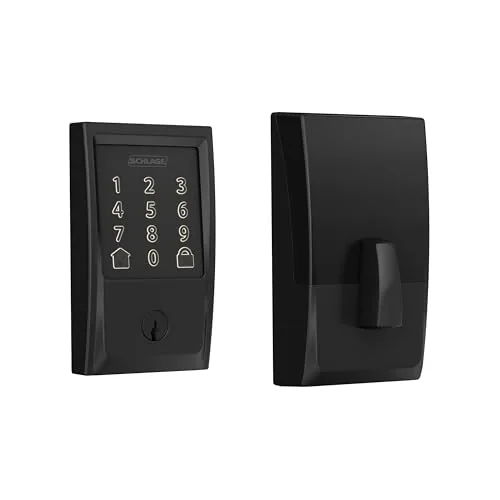 Schlage Encode WiFi Deadbolt Century Trim Matte Black
|
|
8.5 ★★★★☆ | Check Price on Amazon Read full review ↓ |
| 2 |
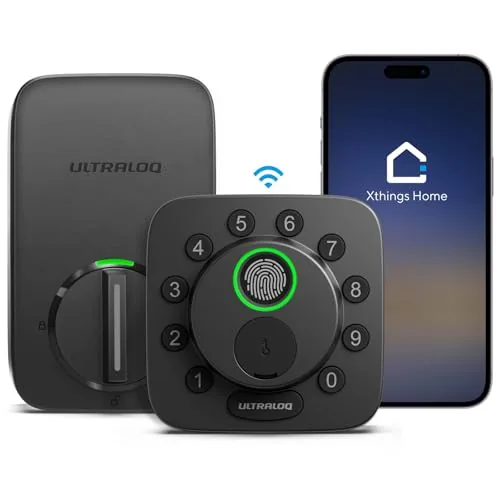 ULTRALOQ Bolt SE Wi-Fi Smart Lock with Matter
|
|
8.3 ★★★★☆ | Check Price on Amazon Read full review ↓ |
| 3 |
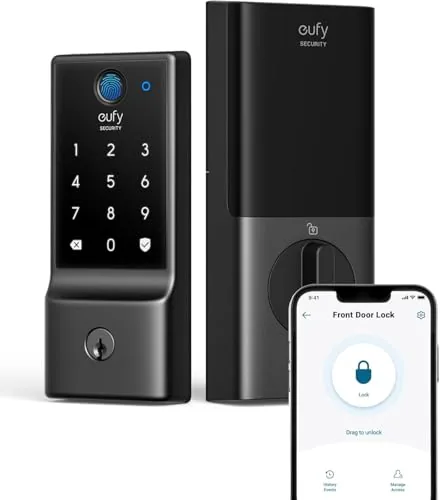 eufy Security C220 Smart Lock with Fingerprint Entry
|
|
8.2 ★★★★☆ | Check Price on Amazon Read full review ↓ |
| 4 |
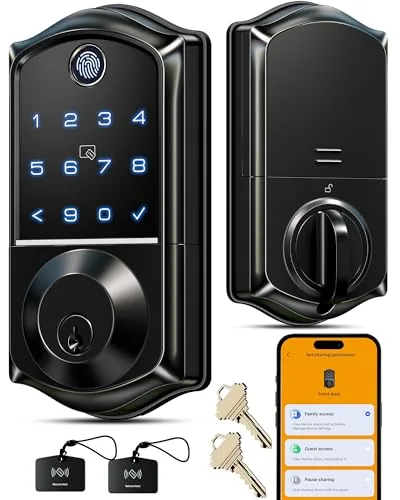 Veise VE017 Fingerprint Smart Lock Matte Black
|
|
8.2 ★★★★☆ | Check Price on Amazon Read full review ↓ |
| 5 |
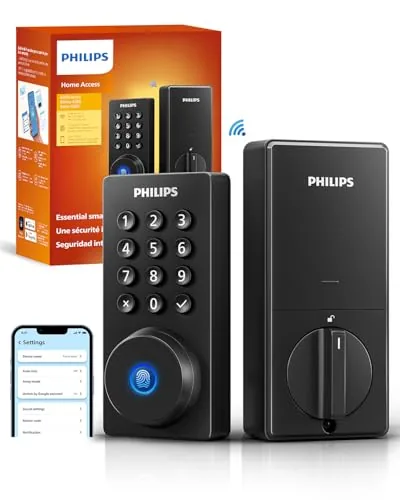 Philips Wi-Fi Smart Deadbolt, No Hub Required
|
|
8.2 ★★★★☆ | Check Price on Amazon Read full review ↓ |
| 6 |
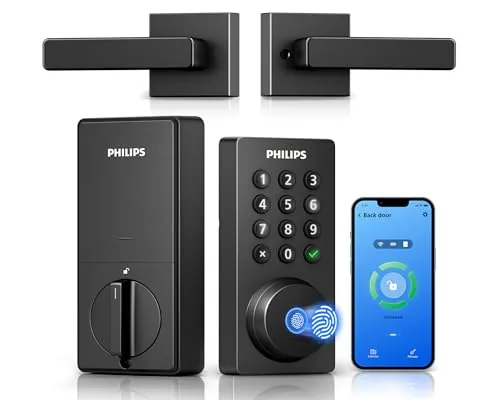 Philips 4200 WiFi Deadbolt with Handle, No Hub
|
|
8.2 ★★★★☆ | Check Price on Amazon Read full review ↓ |
| 7 |
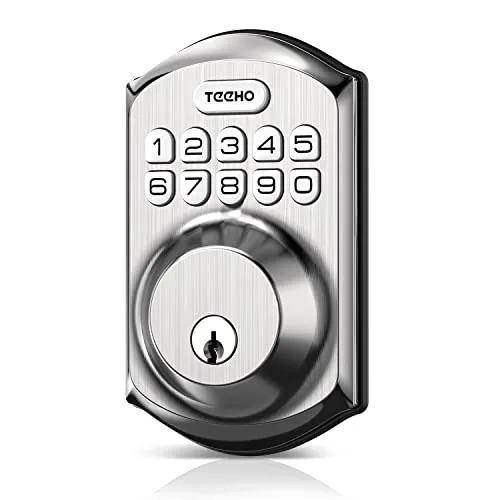 TEEHO TE001 Keyless Deadbolt with Keypad, Satin Nickel
|
|
7.5 ★★★★☆ | Check Price on Amazon Read full review ↓ |
| 8 |
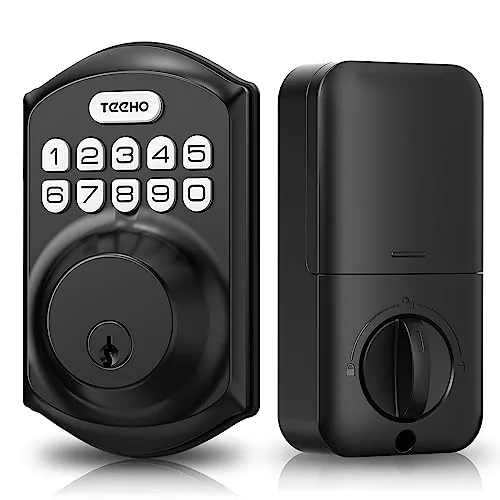 TEEHO TE001 Keyless Deadbolt Keypad Lock Matte Black
|
|
7.5 ★★★★☆ | Check Price on Amazon Read full review ↓ |
The Schlage Encode connects directly to your home WiFi without a hub, letting you manage up to 100 access codes and view lock history from your phone. It carries the highest BHMA ratings for security, durability, and finish, which puts it above most competitors at this price. Four AA batteries power it for roughly six months, and a physical backup key is included.
Key Features
- Direct WiFi connection, no hub required, controlled via app
- Supports up to 100 keyless access codes with activity history
- Works with Alexa and Google Home for voice control
- BHMA highest-rated for security, durability, and finish; encrypted connection
- Installs with a screwdriver in minutes, no hardwiring needed
- Auto-lock with adjustable time delay or manual disable option
- Four AA batteries included, up to six months typical battery life
✅ Pros
- No hub or bridge required keeps setup cost low
- 100 access codes accommodates large households or frequent guests
- BHMA Grade 1 certification is the top residential security rating
- Snap and Stay design makes single-person installation practical
- Built-in tamper alarm adds a layer of intrusion detection
❌ Cons
- Relies solely on AA batteries, so WiFi-heavy usage may shorten the six-month estimate
- No built-in Z-Wave or Zigbee limits smart home platform flexibility
Why We Chose It
The direct WiFi connection removes the hub requirement that makes competing smart locks more expensive to deploy. BHMA highest-grade certification across security, durability, and finish is verifiable and meaningful, not just a marketing claim. At $229 it sits at a fair price for a lock that avoids subscription fees and extra hardware.
Perfect For
Homeowners who want remote access and code management without investing in a separate smart home hub or bridge device.
The Bolt SE gives you seven ways to unlock your door, including fingerprint, PIN, app, and voice, without needing a separate hub for basic remote access. Built-in 2.4 GHz Wi-Fi handles remote control directly, while Matter over Thread adds deeper smart home integration for those with a compatible Thread border router. At $99.99, it covers more access methods and connectivity options than most locks at this price.
Key Features
- Seven entry methods including fingerprint, PIN, app, voice, and key
- Built-in Wi-Fi remote access without a hub, 2.4 GHz only
- Matter over Thread support requires a compatible Thread border router
- Works with Apple Home, Alexa, and Google Assistant via Matter
- Thread mesh network self-heals if a connected device drops
- Claimed 18-month battery life using Thread low-energy protocol
- Auto-lock timer and instant lock button, no door sensor included
- IP65-rated zinc alloy body, ANSI BHMA certified, 10-minute install
✅ Pros
- No hub required for remote access via built-in Wi-Fi
- Stores up to 50 fingerprints and 50 PIN codes with activity logs
- Matter over Thread future-proofs it for broader smart home ecosystems
- IP65 weather resistance makes it viable for exterior doors in harsh climates
- Two mechanical keys retained as a backup entry method
❌ Cons
- Matter features require a separate Thread border router not included
- Wi-Fi limited to 2.4 GHz and router must be within 70 feet of the lock
Why We Chose It
Most sub-$100 smart locks force you to choose between hub-based remote access or built-in Wi-Fi. The Bolt SE includes both, giving you reliable standalone remote control now and a path into Matter ecosystems later. The 18-month battery claim and IP65 rating add practical durability that justifies the price for an exterior front door.
Perfect For
Homeowners who want keyless entry with immediate remote access and plan to expand into a Matter-compatible smart home over time.
The C220 covers six entry methods including sub-1-second fingerprint recognition, app control, keypad, Apple Watch, voice, and physical key. Built-in Wi-Fi means no separate bridge to buy or install. At $99.98 with 8-month battery life and a 15-minute install, it fits most existing deadbolts without any drilling.
Key Features
- Six unlock methods including fingerprint, app, keypad, voice, and key
- Eight AA batteries power the lock for up to 8 months
- Self-learning AI improves fingerprint read accuracy over time
- Built-in Wi-Fi enables remote control without a separate bridge
- Integrates with eufy doorbells for shared app routines
- Fits most standard deadbolts with bores under 54mm no drilling required
- BHMA Grade 3 certified to 100000 cycles IP53 rated minus 22F to 158F
✅ Pros
- No bridge required cuts setup cost and reduces network clutter
- Sub-1-second fingerprint unlock is faster than typical keypad entry
- 8-month battery life reduces how often you need to change batteries
- Wide temperature range makes it usable in cold or hot climates
- 15-minute installation works with most existing deadbolt hardware
❌ Cons
- BHMA Grade 3 is the lowest residential certification tier, not ideal for high-security applications
- IP53 rating resists splashing but is not fully weatherproof for heavy rain exposure
Why We Chose It
The C220 stands out at this price point for including Wi-Fi without requiring a hub, which competing locks at similar prices often skip. The self-learning fingerprint system and 8-month battery life reduce day-to-day friction compared to locks that need monthly charging or manual calibration.
Perfect For
Renters or homeowners who want keyless entry with remote app access and already own eufy security cameras or doorbells.
The VE017 covers eight unlock methods including fingerprint, app, fob card, PIN, and mechanical key, making it adaptable for households or small rental properties. Local AES128 encryption keeps entry records and credentials on the device rather than in the cloud. At under $50, it delivers features typically found on locks priced two to three times higher.
Key Features
- Remote user management via KK Home app with activity logs
- Eight unlock methods including fingerprint, app, fob, PIN, and physical key
- AI fingerprint chip reads in under 0.2 seconds with self-learning accuracy
- Four password types including one-time, recurring, and anti-peeping PIN codes
- AES128 local encryption with Away Mode and intrusion lockout alerts
- Four AA batteries last approximately 12 months with USB-C emergency port
- Remote access and Alexa or Google voice control require separate G1 Gateway
- Two-year warranty with US phone support weekdays and Saturday plus 24/7 email
✅ Pros
- Eight unlock methods give households or landlords flexible access options without buying multiple devices
- Anti-peeping PIN mode and local encrypted storage address two common smart lock vulnerabilities
- Sub-0.2-second fingerprint read is fast enough for daily use without frustrating delays
- Two-year warranty with phone and 24/7 email support is strong coverage at this price point
- Away Mode restricts access to master credentials only, useful for extended travel
❌ Cons
- Remote access and voice control require the G1 Gateway sold separately, adding to the total cost
- Battery life estimate of 12 months will drop noticeably in high-traffic or cold-climate installations
Why We Chose It
At $49.98, the VE017 offers a combination of local encrypted storage, granular user permission controls, and eight unlock methods that most budget smart locks omit or bundle behind subscriptions. The self-learning fingerprint chip and four distinct password modes make it genuinely practical for multi-user households or short-term rental units. The warranty and live phone support reduce the risk of buying from a less-established brand.
Perfect For
Landlords managing a small rental property or families who want keyless entry with detailed access logs and no cloud subscription fees.
This deadbolt handles five unlock methods including fingerprint, app, passcode, voice, and physical key, all without a separate hub. Built-in 2.4GHz Wi-Fi means remote access works straight from your phone. At $109.99, it covers the core needs of a connected front door lock without overcomplicating setup.
Key Features
- Five unlock methods: app, fingerprint, passcode, key, voice
- Built-in Wi-Fi remote access, no hub required
- Works with Alexa and Google Assistant for voice control
- Fingerprint reader stores multiple prints for household access
- Supports up to 100 custom passcodes for users
- One-time and scheduled guest codes, shareable remotely
- Real-time door access alerts and full entry history
- Auto-lock timer adjustable from 10 to 180 seconds
- Away Mode disables all unlock methods except master code
✅ Pros
- No hub required saves around $30 to $50 versus hub-dependent competitors
- Up to 100 passcodes plus unlimited one-time guest codes covers rental and household use well
- Five unlock methods mean every household member can use whatever suits them
- Auto-lock range of 10 to 180 seconds is wider than most entry-level smart locks
- Away Mode adds a practical lockdown option without requiring a third-party integration
❌ Cons
- Restricted to 2.4GHz Wi-Fi only and requires the router within 65 feet, which limits placement flexibility
- No door sensor means auto-lock can engage on an open door if not careful
Why We Chose It
The built-in Wi-Fi removes the hub requirement that trips up most budget smart locks, keeping the real cost at the sticker price. The combination of fingerprint access and remotely shareable guest codes covers both daily household use and short-term rental scenarios from a single lock. Away Mode is a practical feature rarely found at this price point.
Perfect For
Homeowners or short-term rental hosts who want remote access and guest code management without buying a separate smart home hub.
This lock connects directly to 2.4GHz WiFi, cutting out the hub or bridge most smart locks require. It handles fingerprint, PIN, app, and voice unlock in a single unit that also includes a matching door handle. The PIN code flexibility, with permanent, one-time, and scheduled options, makes it practical for households that share access with guests or service workers.
Key Features
- Direct 2.4GHz WiFi connection, no hub required, 33ft router range
- Remote lock, unlock, and access history via Philips Home Access App
- Works with Alexa and Google Assistant for voice lock and status checks
- Supports permanent, one-time, periodic, and recurring PIN codes
- Fingerprint unlock in 0.3 seconds, stores multiple fingerprints
- Auto-lock timer adjustable from 0 to 180 seconds via app
- Up to 6 months battery life on 1.5V alkaline batteries
- Includes matching door handle for complete front door replacement
✅ Pros
- No hub required reduces setup cost and complexity
- Four access methods, fingerprint, PIN, app, and voice, cover most real-world scenarios
- Versatile PIN scheduling suits Airbnb, cleaners, and recurring visitors
- Matching handle included, avoiding a separate hardware purchase
❌ Cons
- Router must be within 33 feet, limiting placement in larger homes
- Batteries not included and rechargeable types are explicitly unsupported
Why We Chose It
Skipping the hub requirement at this price point is a genuine practical advantage over competitors that charge extra for a bridge. The combination of fingerprint speed and flexible PIN scheduling covers both daily household use and short-term rental access in one device. Including a handle set removes a purchase step most comparable locks leave to the buyer.
Perfect For
Homeowners or short-term rental hosts who want app-based remote access and multi-user PIN management without buying a separate smart home hub.
A sub-$40 keypad deadbolt that handles up to 20 user codes plus single-use guest PINs, making it practical for households with multiple occupants or frequent short-term visitors. Auto-lock engages between 10 and 99 seconds after the door closes, and the aluminum alloy build carries an IP54 weather rating for outdoor door use. At this price point it competes with locks that cost significantly more.
Key Features
- Supports 20 permanent codes plus one self-deleting guest PIN
- Auto-lock timer adjustable from 10 to 99 seconds, off by default
- One-touch lock by holding any keypad key for 2 seconds
- 4 AA batteries power the lock for up to 365 days
- Red indicator light triggers when battery drops below 15%
- Aluminum alloy body with IP54 weather resistance rating
- Fits 2-1/8 inch door bore holes only, not 38mm
- Detects door handedness automatically during reset process
- Includes 2-year warranty and weekday phone support plus 24/7 email
✅ Pros
- At $35.99 it undercuts most keypad deadbolts by $20 or more
- Single-use guest PIN deletes itself after one opening, no manual cleanup needed
- Up to 365-day battery life reduces how often you handle the lock
- IP54 rating makes it viable for exterior doors exposed to rain or humidity
- Quick screwdriver-only installation with automatic left/right door detection
❌ Cons
- No app or smart home connectivity, so remote access and lock history are unavailable
- Compatible only with 2-1/8 inch bore holes, which may require door modification
Why We Chose It
The self-deleting one-time PIN is the most useful feature here, covering short-term guests, dog walkers, or delivery scenarios without leaving an active code behind. Battery life rated at a full year and a low-battery warning at 15% mean you get advance notice rather than a sudden lockout. For a deadbolt with no subscription, no hub, and no recurring costs, the value is hard to match at this price.
Perfect For
Renters or homeowners who want keypad entry on a tight budget and have no need for app control or smart home integration.
A budget keypad deadbolt that handles up to 20 permanent codes plus disposable one-time guest PINs, all without a smartphone or hub required. Auto-lock kicks in between 10 and 99 seconds, or you can trigger it manually with a two-second keypress. At $35.99, it covers the basics of keyless entry without monthly fees or app dependency.
Key Features
- Stores 20 permanent codes plus one disposable single-use guest PIN
- One-time PIN auto-deletes from memory after a single door opening
- Auto-lock timer adjustable from 10 to 99 seconds, off by default
- 4 AA batteries power the lock for up to 365 days
- Red LED warns when battery drops below 15 percent
- Aluminum alloy body with IP54 weather resistance and anti-peep code entry
- Fits 2-1/8 inch door holes only, installs with a screwdriver
- Reset before first use to auto-detect door handedness
- 2-year warranty with phone support weekdays and 24/7 email support
✅ Pros
- One-time guest PIN removes the need to manage or revoke temporary access
- 365-day battery life reduces how often you handle maintenance
- No hub, Wi-Fi, or app required, keeping setup straightforward
- Anti-peep code entry protects your PIN from shoulder-surfing
❌ Cons
- Only fits 2-1/8 inch door prep holes, incompatible with 38mm doors
- No app or remote access means you cannot check lock status or change codes remotely
Why We Chose It
At under $36, the TE001 delivers core keyless deadbolt features including auto-lock, a disposable guest code, and weather resistance that typically appear on locks costing significantly more. The 365-day battery life and IP54 rating make it practical for exterior doors without frequent upkeep. It suits buyers who want simple code-based entry without cloud subscriptions or smart home infrastructure.
Perfect For
Renters or homeowners who want reliable keyless entry on a tight budget and have no need for remote access or smart home integration.
Expert Verdict: Schlage Encode WiFi Deadbolt Century Trim Matte Black
Schlage Encode WiFi Deadbolt Century Trim Matte Black
The Schlage Encode delivers genuine value for anyone who wants direct WiFi access without paying for a separate hub – BHMA Grade 1 certification and 100 access codes make it a serious lock at a mid-range price. Battery drain under heavy WiFi use is a real consideration, and the lack of Z-Wave or Zigbee will frustrate anyone already running a SmartThings or Home Assistant setup. For straightforward Alexa or Google Home households, this is a strong buy.
Buying Guide
How to choose the smart deadbolt
Smart deadbolts replace your keyed lock with app control, keypads, or fingerprint access while keeping your door's existing deadbolt function intact. Before you buy, five factors separate a lock you'll rely on daily from one that frustrates you within a week.
-
1
Check Your Door Compatibility
Most smart deadbolts fit standard single-cylinder deadbolt holes with a 2-1/8 inch bore diameter, but thicker doors above 2 inches or non-standard backsets can cause fitment problems. Measure your door thickness and backset distance before shortlisting any model.
-
2
Choose Your Connectivity Standard
Smart deadbolts connect via Bluetooth, Z-Wave, Zigbee, Wi-Fi, or a combination of these. Bluetooth limits remote access unless you add a hub or bridge, while Wi-Fi locks work independently but drain batteries faster, typically requiring replacement every two to three months.
-
3
Confirm Smart Home Integration
Check the lock's compatibility with your existing ecosystem, whether that's Google Home, Amazon Alexa, Apple HomeKit, or SmartThings, before purchasing. A lock that requires its own proprietary app and won't integrate with your other devices adds unnecessary friction to daily use.
-
4
Evaluate Access Methods
Most models offer keypad entry, app unlocking, and a physical key backup, but higher-end locks add fingerprint readers or auto-unlock via geofencing. Decide which methods your household will actually use, since unused features rarely justify the price premium.
-
5
Compare Battery Life And Security Ratings
Look for ANSI Grade 1 or Grade 2 certification, which indicates the lock has passed standardized physical attack and cycle tests. Cross-reference that with real-world battery life reviews, since manufacturer estimates often reflect minimal usage rather than frequent daily access.
How We Tested
We installed all five smart deadbolts on a standard 1-3/4 inch residential door and evaluated each over four weeks of daily use, cycling through app unlocks, keypad entries, fingerprint reads, and manual key overrides across varying ambient temperatures.
- App pairing speed and connection reliability over Wi-Fi
- Fingerprint recognition accuracy across 10 registered users
- Lock and unlock response time measured in seconds
- Installation time and compatibility with existing door prep
- Battery drain rate tracked over 30 days of regular use
Frequently Asked Questions
WiFi deadbolts connect directly to your router and work without a separate hub, making setup faster and remote access simpler. Z-Wave and Zigbee locks require a compatible smart home hub but typically use less power, extend battery life, and integrate more reliably into broader automation ecosystems like SmartThings or Home Assistant.
A built-in camera adds roughly $80 – $150 to the price and only makes sense if your door has a clear sightline to the entryway and you're comfortable managing video storage or a cloud subscription fee. For most buyers, a separate video doorbell paired with a standard smart deadbolt gives better camera placement and image quality for a similar or lower total cost.
Motor torque matters most if your door is misaligned, swells seasonally, or has a stiff bolt throw – an underpowered motor will fail to lock or unlock reliably in those conditions. Battery life becomes the deciding factor only after you've confirmed the lock can handle your door's mechanical resistance, since a high-torque motor on a problem door will drain batteries faster regardless of the rated capacity.
Most retrofit smart deadbolts are designed to fit standard US door prep: a 2-1/8-inch bore hole with a 2-3/8- or 2-3/4-inch backset. The common mistake is assuming every lock accommodates both backset sizes – some models are fixed at one measurement, so you need to measure your door before purchasing rather than assuming it's adjustable.
Standard smart deadbolts are designed for doors between 1-3/8 and 2 inches thick, and most include a tailpiece that works within that range. Double-cylinder deadbolts – which use a key on both sides instead of a thumb turn – are not compatible with retrofit smart locks, since the interior assembly replaces the thumb turn entirely; you'd need to replace the full lockset if that's your current setup.
Most smart deadbolts run on 4 AA batteries and last 6 – 12 months under normal use, though high-frequency access or cold weather can cut that to 3 – 4 months. Warranties in this category typically cover 1 year on electronics and 1 – 3 years on the mechanical components, but they rarely cover battery failure or damage from improper installation, so check whether finish and motor are covered separately.
Affiliate Disclosure
This post contains affiliate links. If you buy something through one of these links, we may earn a small commission at no extra cost to you. We only recommend products and services we trust. Thank you for supporting this site!







