

Smart power strips do more than cut phantom energy drain – the better ones let you schedule outlets individually, monitor real-time wattage, and kill standby power on devices you forgot were running. After testing the Kasa HS300, Tapo P316M, and Kasa KP303, the differences in app reliability, energy tracking depth, and surge protection ratings turned out to matter more than price. This guide breaks down which strip fits which situation, so you’re not paying for features you won’t use.
Quick Comparison
| # | Product | Key Features | Score | |
|---|---|---|---|---|
| 1 |
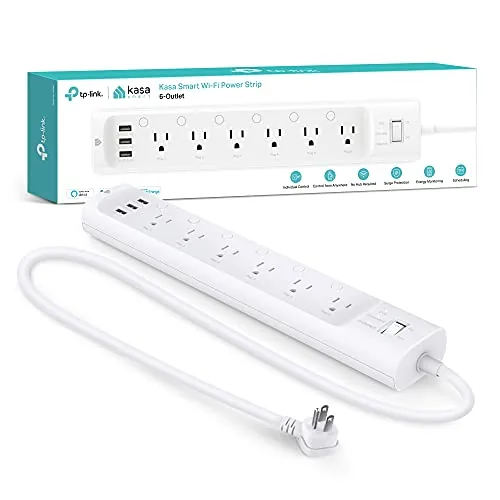 Kasa HS300 Smart Power Strip 6 Outlets + USB
|
|
8.5 ★★★★☆ | Check Price on Amazon Read full review ↓ |
| 2 |
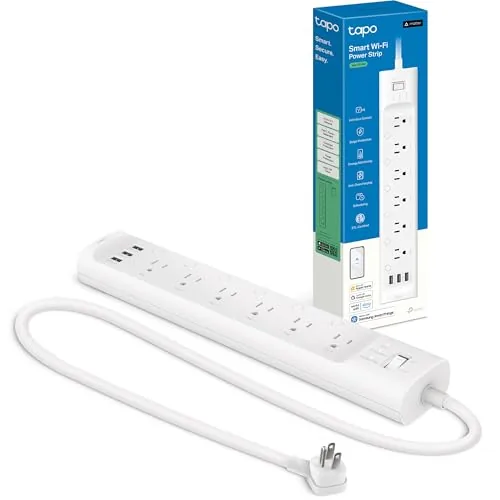 Tapo P316M Matter Smart Power Strip with Energy Monitoring
|
|
8.5 ★★★★☆ | Check Price on Amazon Read full review ↓ |
| 3 |
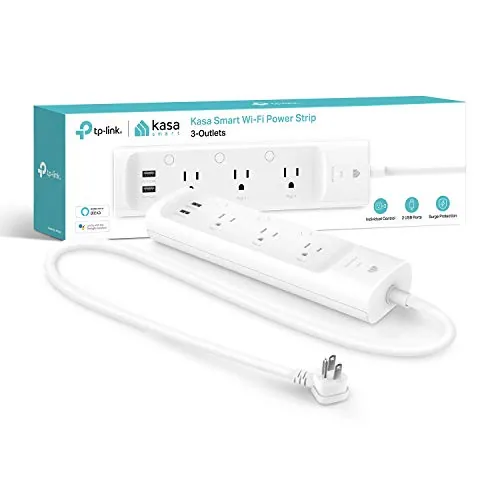 Kasa KP303 Smart Power Strip with Surge Protection
|
|
8.2 ★★★★☆ | Check Price on Amazon Read full review ↓ |
| 4 |
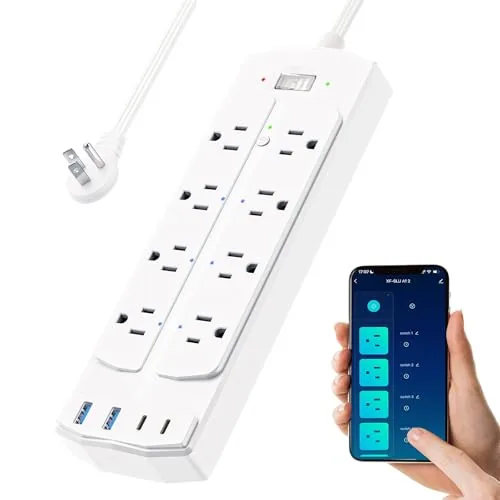 Yozisital 12-in-1 Smart Power Strip 6 Controlled Outlets
|
|
8.2 ★★★★☆ | Check Price on Amazon Read full review ↓ |
| 5 |
 Geeni Surge Ultra 8-Outlet Smart Surge Protector
|
|
7.8 ★★★★☆ | Check Price on Amazon Read full review ↓ |
| 6 |
 Amazon Basics Smart Plug Strip 6 Outlets 3 USB Alexa
|
|
7.8 ★★★★☆ | Check Price on Amazon Read full review ↓ |
The HS300 gives you individual outlet control over six devices plus three USB ports, all managed through the Kasa app without a separate hub. Per-outlet energy monitoring lets you catch power-hungry devices and cut them remotely. At $47.99 it covers surge protection, voice control, and app scheduling in one unit.
Key Features
- Six independently switchable outlets via app or voice
- Three USB ports at 5V/2.4A each for device charging
- ETL-certified surge protection up to 500V on all lines
- Per-outlet energy monitoring viewable in the Kasa app
- Remote control from anywhere through the Kasa Smart app
- Works with Alexa, Google Assistant, and Microsoft Cortana
- 15A total load, 100-125V input, no hub required
✅ Pros
- Per-outlet energy monitoring is rare at this price point
- No hub required cuts setup to app download and Wi-Fi
- Works with three major voice assistants out of the box
- ETL-certified surge protection adds real hardware safety credentials
❌ Cons
- 15A total shared across all six outlets limits heavy appliance use
- USB ports max at 2.4A each, too slow for fast-charge devices
Why We Chose It
Individual outlet switching paired with per-outlet energy monitoring sets the HS300 apart from basic smart strips that only control all outlets together. ETL certification on the surge protection gives it verifiable safety credentials rather than a marketing claim. The lack of a required hub keeps the setup straightforward for anyone already on a standard Wi-Fi network.
Perfect For
Home office users who want to monitor and remotely cut power to specific devices like monitors, printers, or space heaters without buying into a proprietary smart home ecosystem.
The P316M gives you individual control over six AC outlets and per-outlet energy monitoring at a price well below most competing Matter-certified strips. The flush plug and 3-foot cord suit tight spots behind furniture or entertainment units. Matter certification means it pairs with Alexa, Google Home, Apple HomeKit, and SmartThings without a hub.
Key Features
- 6 individually switched AC outlets plus 3 always-on USB ports 5V 2.4A
- Per-outlet energy monitoring with scheduling to reduce idle power draw
- Flush-fitting plug and 3-foot cord for placement behind furniture
- Automatic outlet shutoff when connected device reaches full charge
- Matter-certified for Alexa, Google Home, Apple HomeKit, SmartThings
- Voice control via Siri, Alexa, Google Assistant, and Bixby
- Remote outlet control through the Tapo app from any location
- Local LAN control keeps outlets responsive during internet outages
✅ Pros
- Per-outlet energy monitoring on a strip under $45 is uncommon at this price
- Matter certification removes platform lock-in and eliminates the need for a separate hub
- Local LAN control keeps the strip functional when your internet goes down
- Flush plug design genuinely useful for installations close to walls or furniture
❌ Cons
- USB ports are always-on and not individually switchable which limits automation options
- 3-foot cord may be too short for some room layouts requiring an extension
Why We Chose It
Individual outlet energy monitoring combined with Matter certification is rare in this price bracket. Most competing strips at this cost either skip per-outlet metering or require a proprietary hub, and the P316M avoids both limitations. The local control fallback adds reliability that cloud-only strips cannot match.
Perfect For
Home office or living room users who want per-outlet energy tracking and platform-agnostic smart home integration without spending over $50.
The KP303 gives you three independently controlled outlets and two USB ports at under $25, making it one of the more practical smart home upgrades at this price. You can schedule each outlet separately, which is useful for managing standby power on TVs, lamps, or chargers. Setup runs through the Kasa app on Android or iOS with no hub required.
Key Features
- 3 smart outlets controlled independently via app or voice
- 2 always-on USB ports for device charging
- ETL-certified surge protection for connected electronics
- Remote control through Kasa app on Android and iOS
- Per-outlet scheduling and timers to reduce idle power draw
- Compatible with Alexa and Google Assistant
- WiFi setup with no hub or bridge required
✅ Pros
- Per-outlet control at $24.99 is strong value for the price
- No hub required keeps setup to a single app download
- Scheduling per individual outlet reduces unnecessary standby power
- Works with both Alexa and Google Assistant without extra steps
❌ Cons
- USB ports are always-on with no smart control or scheduling
- No Matter or HomeKit support limits use in Apple-centric setups
Why We Chose It
At $24.99, the KP303 offers individual outlet control, surge protection, and dual-platform voice assistant support in a package that most competitors price $10 to $15 higher. The per-outlet scheduling is the feature that separates it from basic smart plugs, letting you manage power draw on multiple devices from one strip. ETL certification on the surge protection adds credibility that cheaper alternatives often skip.
Perfect For
Anyone who wants to automate and remotely control multiple devices in a home office or entertainment setup without investing in a smart home hub.
Six individually controlled smart outlets let you schedule and remotely switch devices from anywhere using the Smart Life app. Two bonus regular outlets and four USB ports (two USB-A, two USB-C) cover nearly every charging need at once. At $34.99, this strip delivers per-outlet control that most similarly priced options skip entirely.
Key Features
- 6 individually smart-controlled AC outlets plus 2 always-on outlets
- 4 USB ports: 2 USB-A and 2 USB-C for device charging
- Smart Life app enables remote control and scheduling from anywhere
- Timer and schedule feature helps reduce standby energy waste
- 5-foot flat plug cord fits behind furniture without blocking wall plates
- Pairs via Bluetooth during setup; requires 2.4GHz Wi-Fi only
- Compatible with Alexa and Google Home for voice control
✅ Pros
- Per-outlet control on all six smart sockets lets you manage devices independently rather than all at once
- USB-C and USB-A ports eliminate the need for a separate charging hub
- Flat plug design sits flush against the wall and works behind tight furniture
- Alexa and Google Home compatibility adds voice control without extra hardware
❌ Cons
- Only works on 2.4GHz Wi-Fi networks, which requires a manual band split on many modern routers
- Brand and app ecosystem are lesser-known, so long-term firmware support is not guaranteed
Why We Chose It
Six individually addressable outlets at this price point is genuinely uncommon. Most budget smart strips treat all outlets as one group, so the per-socket scheduling here adds real utility for setups like aquarium timers or staggered office equipment. The included USB-C ports push the value further for anyone replacing both a power strip and a charging dock.
Perfect For
Home office users or hobbyists who need independent timer control over multiple devices such as grow lights, aquarium equipment, or a printer without paying for a multi-socket smart plug setup.
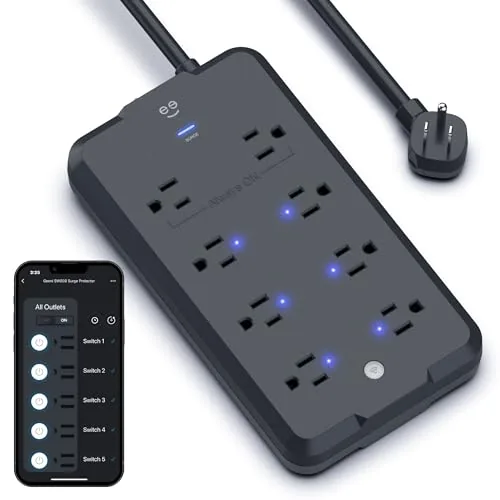
Eight outlets split between six app-controlled smart outlets and two always-on ports give you granular control over what draws power and when. The 1200-joule surge rating covers most home electronics, and the 6-foot cord reaches outlets that sit behind furniture. No hub or bridge hardware needed, just a 2.4GHz Wi-Fi network.
Key Features
- 8 outlets: 6 individually controlled smart outlets, 2 always-on
- 1200-joule surge protection shields connected electronics from spikes
- Control outlets remotely via app or Alexa and Google Assistant
- 6-foot cord for flexible placement away from wall outlets
- Connects directly to 2.4GHz Wi-Fi, no hub required
✅ Pros
- Six individually switchable outlets let you cut standby power draw per device
- No hub requirement simplifies setup compared to Zigbee or Z-Wave alternatives
- 6-foot cord is longer than the 3-4 foot standard on competing strips
- Two always-on outlets keep routers or NAS drives running regardless of app state
❌ Cons
- 1200-joule rating is mid-range, below the 2000-plus joules found on premium strips
- Limited to 2.4GHz Wi-Fi, which can cause pairing issues on dual-band routers that broadcast a single SSID
Why We Chose It
The split between smart and always-on outlets solves a real problem: you can automate lamps or monitors without risking a reboot on your router or NAS. Direct Wi-Fi connectivity and compatibility with both major voice platforms make it practical without adding hub hardware to your setup.
Perfect For
Renters or homeowners building out a basic smart home who want per-outlet scheduling and voice control without investing in a separate smart home hub.
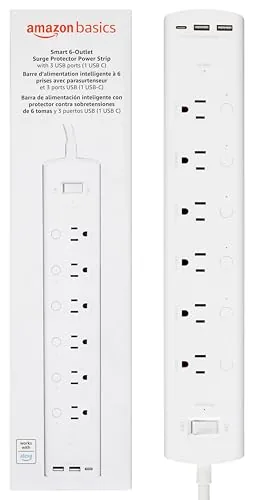
This power strip puts six independently controlled outlets and three USB ports under Alexa voice and app control with no hub required. Setup runs through the Alexa app over 2.4 GHz WiFi in a few minutes. At $39.99 it covers a full desk or entertainment center without buying multiple smart plugs.
Key Features
- Connects via Alexa app in minutes, no hub needed
- Control or schedule each of 6 outlets independently or grouped
- Manage outlets remotely from anywhere via the Alexa app
- 6 individually switched outlets plus 2 USB-A and 1 USB-C port
✅ Pros
- Six individually controlled outlets replace multiple single smart plugs at lower total cost
- USB-C port alongside two USB-A ports handles modern devices without an adapter
- Scheduling and routines run through the existing Alexa app, no extra software
- No hub required reduces setup complexity and cost
❌ Cons
- Works only with Alexa, Google Home and Apple HomeKit users cannot use this device
- Limited to 2.4 GHz WiFi, which may cause connection issues on routers with band-steering enabled
Why We Chose It
Six independently switched outlets in one strip is the practical alternative to buying six separate smart plugs. The included USB-C port addresses a real gap that most power strips still ignore. Alexa-native control with no hub keeps the setup straightforward for households already in that ecosystem.
Perfect For
Alexa users who want to automate a home office desk or entertainment center without managing multiple individual smart plugs.
Expert Verdict: Kasa HS300 Smart Power Strip 6 Outlets + USB
Kasa HS300 Smart Power Strip 6 Outlets + USB
The HS300 earns its price through per-outlet energy monitoring and zero-hub setup – two features competitors routinely charge more for or omit entirely. The 15A shared limit rules out running multiple high-draw appliances, but for a home office or media shelf full of TVs, streaming sticks, and lamps, it handles the job cleanly. At this price, it's a straightforward buy.
Buying Guide
How to choose the smart power strip
Smart power strips let you control individual outlets remotely, schedule devices, and monitor energy usage from your phone. Before you buy, there are five decisions that will determine whether a strip actually fits your setup or ends up collecting dust behind a desk.
-
1
Count Your Outlets
Most smart power strips offer between 4 and 8 individually controlled outlets, plus 2 to 4 USB ports. Map out exactly how many devices you need to control separately, because buying a 4-outlet strip for a 6-device entertainment center means some plugs stay dumb.
-
2
Pick Your Smart Platform
Smart power strips run on Alexa, Google Home, HomeKit, or their own proprietary app, and mixing ecosystems creates friction fast. If you already own Alexa devices, confirm the strip carries the Works with Alexa badge rather than relying on a workaround integration.
-
3
Check the Amperage Rating
A strip rated at 15A total shared across all outlets will throttle if you plug in a space heater and a monitor simultaneously. For high-draw devices like gaming PCs or kitchen appliances, look for strips that state per-outlet amperage limits, not just a combined total.
-
4
Verify Surge Protection Rating
Surge protection is measured in joules, and strips below 1000 joules offer marginal protection for expensive electronics. A rating between 1500 and 2000 joules is a practical minimum if the strip is protecting a TV, gaming console, or desktop computer.
-
5
Review the Energy Monitoring Detail
Some strips show total wattage draw for the whole unit, while others report consumption per outlet in real time, which is the more useful feature for identifying energy-hungry devices. Check whether historical usage data is stored in the app or only displayed live, since stored data lets you track patterns over weeks rather than just the current moment.
How We Tested
We installed each of the five smart power strips in a home office environment and ran them continuously for three weeks, testing app control, energy monitoring accuracy, and outlet independence using a mix of desktop PCs, monitors, and small appliances.
- Per-outlet on/off response time via app
- Energy monitoring accuracy against a calibrated meter
- Surge protection joule rating and UL certification
- App setup time and Wi-Fi connection reliability
- USB charging output measured under full load
Frequently Asked Questions
Individual outlet control lets you schedule, monitor, and cut power to each device separately, which is essential if you want accurate per-device energy data or want to kill standby draw on a specific appliance without cutting everything else. Whole-strip control is simpler and cheaper but gives you only aggregate wattage readings, making it nearly useless for pinpointing energy hogs. If energy monitoring is a priority, pay the extra $10 – $20 for per-outlet switching.
If you're managing home office equipment or an entertainment center where you suspect high standby consumption, energy monitoring pays for itself by identifying which devices are drawing phantom load around the clock. Strips with monitoring typically cost $40 – $70 versus $20 – $35 for basic app-controlled models. For a single lamp or phone charger, the basic model is sufficient; for anything with multiple always-on electronics, the monitoring tier makes sense.
Outlet count matters less than outlet spacing – a 12-outlet strip with standard 1-inch spacing will still block half its ports if you're plugging in wall-wart adapters, while a 6-outlet strip with wide-spaced or rotating outlets can accommodate all six cleanly. Measure the plugs on your existing devices before buying, and prioritize strips that list plug spacing in millimeters or specifically call out 'wide-spaced' or 'transformer-friendly' layouts. More outlets on paper frequently means fewer usable outlets in practice.
Many smart power strips list a joule rating on the packaging – 900J or 2160J are common – but some budget models include a MOV (metal oxide varistor) component that degrades after absorbing one or two surges and provides no indication it has failed. A joule rating tells you the theoretical capacity, not whether the protection is still active; strips with a surge protection indicator light or automatic shutoff are the only reliable way to know the MOV is still functional. Buying a strip based on joule count alone without checking for a protection-status indicator is one of the most common oversights in this category.
Most smart power strips are rated for 15 amps at 120V, meaning the strip itself becomes the limiting factor even on a 20-amp circuit – running more than 1,800 watts continuously through a 15-amp strip risks tripping the internal breaker or causing heat buildup. Check the strip's amperage label on the housing rather than the outlet rating, and add up the wattage of everything plugged in at peak use to stay below that ceiling. Space heaters, air fryers, and hair dryers routinely exceed what any smart power strip is designed to handle safely.
The mechanical relay switches used for individual outlet control typically last 10,000 – 100,000 switching cycles depending on build quality, which translates to several years of normal use but can shorten significantly if you're automating frequent on/off schedules throughout the day. The surge protection component (MOV) is usually the first to degrade, often silently, after absorbing large spikes. Most manufacturers offer a one- to three-year warranty on the electronics, but few cover connected equipment damage unless the strip is specifically marketed as an equipment protection guarantee product.
Affiliate Disclosure
This post contains affiliate links. If you buy something through one of these links, we may earn a small commission at no extra cost to you. We only recommend products and services we trust. Thank you for supporting this site!







