

Mesh wifi systems solve a specific problem: dead zones and weak signals in homes where a single router can’t reach every corner. After testing dozens of options across different home sizes and budgets, three TP-Link Deco models consistently outperformed the competition – the BE10000 for future-proof WiFi 7 speed, the XE75 for 6GHz band access, and the X55 for buyers who want reliable Wi-Fi 6 coverage without overspending. Here’s what separates them and which one fits your setup.
Quick Comparison
| # | Product | Key Features | Score | |
|---|---|---|---|---|
| 1 |
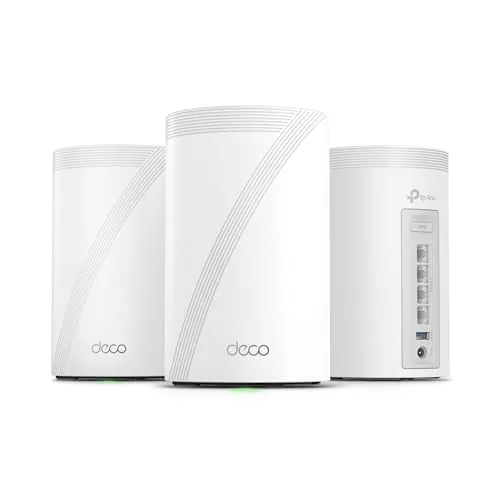 TP-Link Deco 7 Pro WiFi 7 BE10000 Mesh System
|
|
8.7 ★★★★☆ | Check Price on Amazon Read full review ↓ |
| 2 |
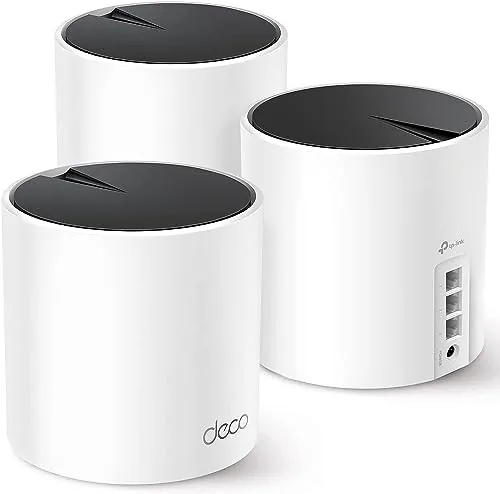 TP-Link Deco X55 AX3000 Wi-Fi 6 Mesh System 3-Pack
|
|
8.5 ★★★★☆ | Check Price on Amazon Read full review ↓ |
| 3 |
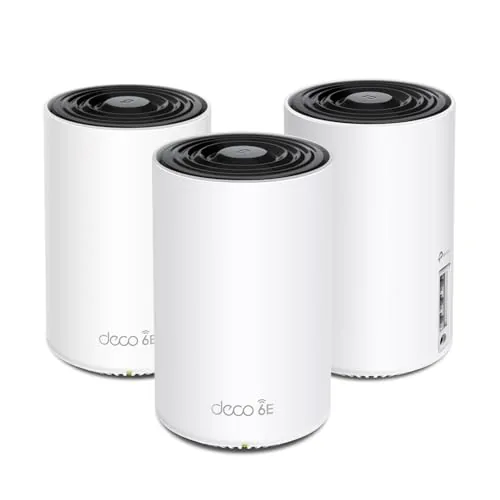 TP-Link Deco XE75 WiFi 6E Tri-Band Mesh 3-Pack
|
|
8.5 ★★★★☆ | Check Price on Amazon Read full review ↓ |
| 4 |
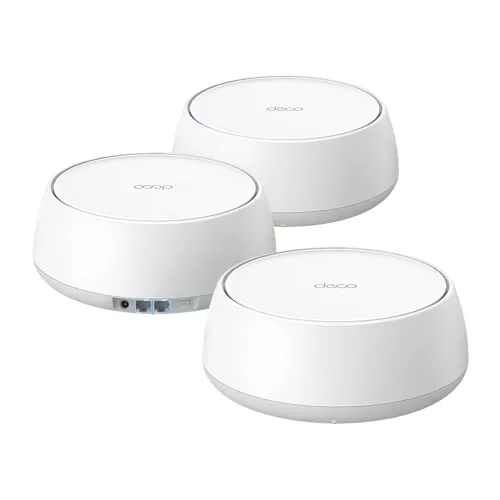 TP-Link Deco 7 BE5000 WiFi 7 Mesh System (3-Pack)
|
|
8.2 ★★★★☆ | Check Price on Amazon Read full review ↓ |
| 5 |
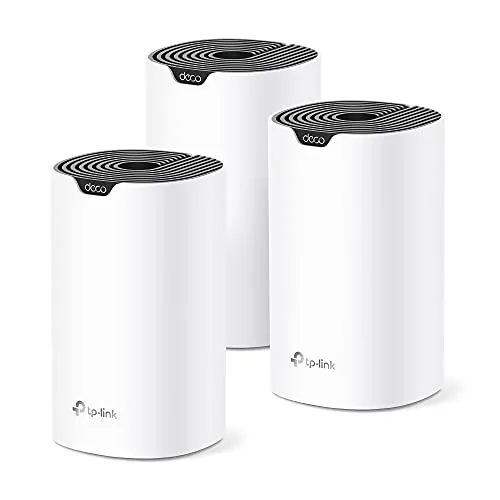 TP-Link Deco S4 AC1900 Mesh WiFi 3-Pack
|
|
8.2 ★★★★☆ | Check Price on Amazon Read full review ↓ |
| 6 |
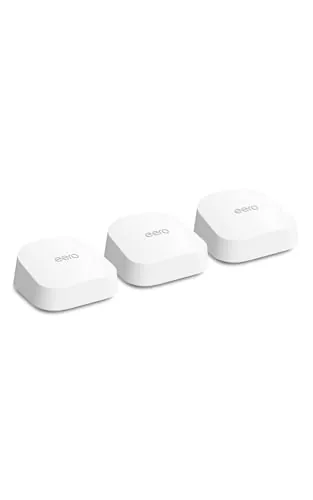 eero 7 Wi-Fi 7 Mesh Router 3-Pack
|
|
8.2 ★★★★☆ | Check Price on Amazon Read full review ↓ |
| 7 |
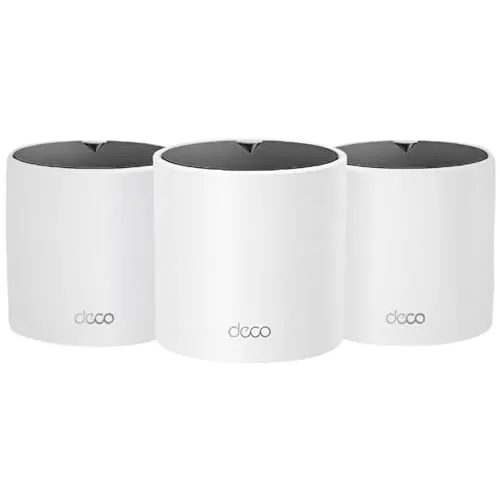 TP-Link Deco X15 AX1500 WiFi 6 Mesh 3-Pack
|
|
7.8 ★★★★☆ | Check Price on Amazon Read full review ↓ |
The Deco 7 Pro is a three-node WiFi 7 mesh system covering up to 7,600 sq ft with tri-band speeds reaching 10 Gbps aggregate. Each node carries four 2.5G ports plus a 10G WAN/LAN port, giving wired devices real headroom beyond gigabit. At $410 for three nodes, it targets households with multi-gig internet plans or large device counts.
Key Features
- Tri-band WiFi 7 with 5188 Mbps on 6 GHz band
- 3-pack covers up to 7600 sq ft for 200-plus devices
- 10G WAN/LAN port plus four 2.5G WAN/LAN ports per node
- Wired 10G Ethernet and wireless tri-band backhaul run simultaneously
- AI-Roaming uses self-learning algorithms for automatic band handoff
- USB 3.0 port included on each unit
- VPN client and server support built into router firmware
- HomeShield provides parental controls and real-time IoT threat monitoring
✅ Pros
- 10G WAN/LAN port accommodates multi-gig ISP plans without a bottleneck
- Four 2.5G ports per node reduce reliance on separate switches
- Simultaneous wired and wireless backhaul keeps satellite links stable
- Built-in VPN server removes the need for per-device VPN software
- 200-device capacity suits dense smart-home or home-office setups
❌ Cons
- Full HomeShield parental controls and security features require a paid subscription after the trial period
- At $410 for a 3-pack, price is high for users without multi-gig internet service
Why We Chose It
The 10G WAN/LAN port and four 2.5G LAN ports per node give this system more wired throughput than most mesh competitors at this price. WiFi 7 tri-band aggregate of roughly 10 Gbps also leaves meaningful headroom as 6 GHz client devices become more common. The built-in VPN server and simultaneous wired-wireless backhaul add practical value without requiring extra hardware.
Perfect For
Homeowners with multi-gig broadband, 30 or more connected devices, and a need for whole-home coverage above 5,000 sq ft.
The Deco X55 three-pack covers up to 6,500 square feet with Wi-Fi 6 speeds up to 2,402 Mbps on the 5GHz band and 574 Mbps on 2.4GHz. Each unit carries three Gigabit Ethernet ports, making wired backhaul straightforward without buying extra hardware. At $195, it undercuts most tri-band mesh systems while still supporting up to 150 connected devices.
Key Features
- Wi-Fi 6 AX3000: 2,402 Mbps 5GHz plus 574 Mbps 2.4GHz
- 3-pack covers up to 6,500 sq ft, eliminates dead zones
- Supports up to 150 simultaneous connected devices
- CISA Secure-by-Design signatory with built-in security protocols
- Each unit has 3 Gigabit Ethernet ports, wired backhaul supported
- AI-driven mesh learns environment and self-optimizes channel selection
- Deco app guides setup and enables remote network management
- HomeShield includes basic security, QoS, and parental controls at no cost
✅ Pros
- Three Gigabit ports per node makes wired backhaul easy without added hardware
- 6,500 sq ft coverage for three units is competitive at this price point
- Free HomeShield tier covers parental controls and basic threat detection
- Wi-Fi 6 HE160 channel support delivers strong throughput for bandwidth-heavy tasks
- Deco app setup is straightforward with step-by-step visual guidance
❌ Cons
- Advanced HomeShield features like deep packet inspection require a paid subscription
- No 6GHz band means no Wi-Fi 6E support for newer tri-band clients
Why We Chose It
The X55 three-pack delivers a meaningful combination of port density and coverage area that most similarly priced mesh systems skip. Three Gigabit Ethernet ports per node lets you wire in TVs, game consoles, or a switch at each location without an extra hub. The CISA pledge and free HomeShield tier add credible baseline security without pushing users straight to a paywall.
Perfect For
Homeowners with 2,500 to 6,500 sq ft who need reliable whole-home Wi-Fi 6 coverage and want wired backhaul without buying extra switches.
The Deco XE75 brings the 6 GHz band into a three-node mesh system rated for up to 7,200 sq ft, which meaningfully separates backhaul traffic from client devices. At $229.99 for three units, it undercuts most competing WiFi 6E mesh kits by $50 to $100. Setup runs through the Deco app and takes under 15 minutes for most home layouts.
Key Features
- Three nodes cover up to 7,200 sq ft with smooth roaming
- 6 GHz band isolates WiFi 6E traffic from legacy device interference
- Combined speeds up to 5,400 Mbps across all three bands
- CISA Secure-by-Design signatory with built-in security architecture
- 6 GHz band reserved for WiFi 6 traffic only improving efficiency
- AI mesh adapts routing based on client behavior and signal quality
- Deco app provides guided setup and remote network management
- HomeShield includes free security scan IoT detection and parental controls
✅ Pros
- 6 GHz backhaul keeps node-to-node traffic off the 2.4 and 5 GHz bands used by clients
- 2402 Mbps on both the 5 GHz and 6 GHz bands using HE160 channel width
- Supports up to 200 devices without manual band steering
- Strong value at roughly $77 per node for a WiFi 6E system
❌ Cons
- HomeShield advanced features like detailed reports and improved parental controls require a paid subscription
- 6 GHz client compatibility is limited to newer WiFi 6E devices, so older hardware stays on 5 GHz
Why We Chose It
The XE75 delivers a dedicated 6 GHz backhaul channel, which keeps inter-node communication from competing with client traffic on the 2.4 and 5 GHz bands. That separation is the main technical advantage over older dual-band or standard WiFi 6 mesh systems. The price point makes it accessible without requiring a premium-tier budget.
Perfect For
Homeowners with 2,500 to 7,000 sq ft of coverage needs who want to future-proof their network with WiFi 6E and own at least a few 6 GHz-capable devices.
The Deco 7 brings WiFi 7 speeds to a dual-band mesh system at a price well below most tri-band competitors. Each unit carries up to 4324 Mbps on 5 GHz, and the 2.5G Ethernet port on every node means wired backhaul is available without extra hardware. The app-based setup and AI-assisted roaming make it a practical upgrade for households that have outgrown a single router.
Key Features
- Dual-band WiFi 7 with 4324 Mbps on 5 GHz and 688 Mbps on 2.4 GHz
- Three-unit kit covers up to 6600 sq ft for 150-plus devices
- 2.5G Ethernet and WiFi 7 backhaul run simultaneously for stable inter-node links
- Deco app handles setup, firmware updates, and ongoing network management
- CISA Secure-by-Design signatory with security built into hardware and firmware
- AI-Roaming uses self-learning algorithms to hand off devices without interruption
- HomeShield includes free security scanning, IoT identification, and basic parental controls
- Built-in VPN server and client support without per-device software installation
✅ Pros
- WiFi 7 at $208 undercuts most competing mesh kits by a wide margin
- 2.5G Ethernet on each node enables true wired backhaul between units
- 6600 sq ft coverage from three nodes suits large single-story or two-story homes
- VPN server built into the router eliminates the need for a separate appliance
- Expandable by adding more Deco units later without replacing existing hardware
❌ Cons
- Dual-band only, so the 5 GHz band carries both client traffic and wireless backhaul simultaneously when wired backhaul is not used
- Advanced HomeShield features such as detailed reporting and improved parental controls require a paid subscription
Why We Chose It
The Deco 7 is one of the few WiFi 7 mesh systems under $210, and the inclusion of 2.5G Ethernet on every node for wired backhaul is a feature usually reserved for kits costing significantly more. The combination of hardware-level security commitment via the CISA pledge and built-in VPN support adds practical value beyond raw speed numbers.
Perfect For
Homeowners with 1500 to 2200 sq ft per floor who want WiFi 7 future-proofing and wired backhaul capability without spending $350 or more on a tri-band system.
Three-unit mesh system covers up to 5,500 square feet under a single network name, eliminating the password-juggling of traditional range extenders. Each node has two Gigabit Ethernet ports, so you can wire backhaul connections or connect wired devices anywhere in the home. App-based setup and Alexa compatibility keep daily management straightforward.
Key Features
- Three-unit mesh covers up to 5,500 square feet
- AC1900 speeds with 3×3 six-stream configuration
- Supports up to 100 connected devices simultaneously
- Single network name with automatic device roaming
- Wired Ethernet backhaul supported via Gigabit ports
- Six total Gigabit Ethernet ports across three units
- Per-profile parental controls with time limits and site blocking
- App-based setup on Android and iOS with Alexa support
- Compatible with all major US internet service providers
✅ Pros
- 5,500 sq ft coverage from three nodes suits most large homes
- Six Gigabit Ethernet ports give wired flexibility at every node
- Wired backhaul option improves throughput versus wireless-only mesh systems
- Single SSID with smooth roaming removes manual network switching
- Parental controls include per-profile scheduling and content filtering
❌ Cons
- AC1900 top speeds lag behind newer Wi-Fi 6 mesh systems at this price tier
- A separate modem is required for most ISPs, adding to total cost
Why We Chose It
At $129.99 for a three-pack, the Deco S4 delivers whole-home mesh coverage at a price most competing systems cannot match at this node count. The wired backhaul support is a genuine differentiator at this price, letting you maximize throughput if you have Ethernet runs between floors or rooms.
Perfect For
Homeowners with 2,500 to 5,500 square feet who want reliable whole-home coverage without paying a premium for Wi-Fi 6 hardware.
The eero 7 three-pack brings Wi-Fi 7 to homes up to 6,000 sq. ft. at a price lower than most competing Wi-Fi 7 systems. Two 2.5 GbE ports per node mean you can fully use a multi-gig internet plan without a separate switch. Automatic mesh optimization handles channel and roaming decisions without manual configuration.
Key Features
- Dual-band Wi-Fi 7 with MLO for reduced latency and congestion
- Supports internet plans up to 2.5 Gbps per node
- Two auto-sensing 2.5 GbE ports on each unit
- Three-pack covers up to 6,000 sq. ft. and 120-plus devices
- Backward compatible with previous eero hardware and Echo devices
- TrueMesh software manages roaming and channel selection automatically
- Optional eero Plus subscription adds ad blocking, parental controls, and VPN
✅ Pros
- Most affordable Wi-Fi 7 mesh system with genuine 2.5 GbE wired backhaul support
- MLO lets devices use multiple bands simultaneously, lowering latency on compatible clients
- App-based setup takes under 10 minutes with no networking knowledge required
- Backward compatible with older eero nodes so you can expand incrementally
❌ Cons
- Advanced security features including ad blocking and parental controls require a paid eero Plus subscription on top of the hardware cost
- Dual-band only configuration means no dedicated wireless backhaul band, which can reduce throughput in large daisy-chained setups
Why We Chose It
The eero 7 three-pack hits a price point well below most Wi-Fi 7 mesh kits while still delivering two 2.5 GbE ports per node, which is uncommon at this tier. MLO support is a meaningful Wi-Fi 7 feature rather than a rebranded Wi-Fi 6E product, and the eero app removes nearly all configuration complexity for non-technical users.
Perfect For
Homeowners on multi-gig internet plans who want a straightforward Wi-Fi 7 upgrade across 4,000 to 6,000 sq. ft. without managing router settings manually.
Three-node mesh system covering up to 5,600 sq ft with Wi-Fi 6 speeds of 1,201 Mbps on 5 GHz and 300 Mbps on 2.4 GHz. Each unit has two Gigabit Ethernet ports, so you can run a wired backhaul or hardwire devices without a separate switch. At $105.91 for the 3-pack, it undercuts most Wi-Fi 6 mesh competitors while still supporting up to 120 connected devices.
Key Features
- Wi-Fi 6 dual-band: 1,201 Mbps on 5 GHz, 300 Mbps on 2.4 GHz
- Three nodes cover up to 5,600 sq ft with no dead zones
- Supports up to 120 simultaneous connected devices
- Each unit has 2 Gigabit Ethernet ports, 6 total in the set
- Wired Ethernet backhaul supported for improved inter-node speeds
- AI roaming adjusts band and node selection automatically
- Free HomeShield tier includes security scan, parental controls, and QoS
- Managed via the Deco app on iOS and Android
✅ Pros
- Two Gigabit ports per node enables wired backhaul without extra hardware
- Wi-Fi 6 support at under $106 for three nodes is strong value
- 5,600 sq ft coverage handles most single-family homes in one purchase
- App setup is straightforward with guided steps and clear node placement feedback
❌ Cons
- Dual-band only, so the backhaul shares spectrum with client traffic on wireless setups
- Advanced HomeShield features like detailed reports and deeper parental controls require a paid subscription
Why We Chose It
The Deco X15 3-pack delivers Wi-Fi 6 mesh coverage at a price point where most competitors still sell single routers. Two Gigabit ports per unit is uncommon at this price and makes wired backhaul a realistic option for users with Ethernet runs between floors. The free HomeShield tier adds meaningful security features without requiring an immediate subscription commitment.
Perfect For
Renters or homeowners in houses up to 5,600 sq ft who want Wi-Fi 6 mesh coverage and the option to run wired backhaul without spending over $150.
Expert Verdict: TP-Link Deco 7 Pro WiFi 7 BE10000 Mesh System
TP-Link Deco 7 Pro WiFi 7 BE10000 Mesh System
The Deco 7 Pro earns its score on port density alone – four 2.5G ports per node plus a 10G WAN/LAN is hardware you won't find at this price class, and simultaneous wired/wireless backhaul removes the reliability tradeoff most mesh systems force on you. The $410 ask is justified if you have a multi-gig ISP plan and a wired infrastructure to feed; budget that HomeShield subscription into your cost calculation before buying, because the security features are genuinely useful and the trial ends.
Buying Guide
How to choose the mesh wifi system
Mesh wifi systems replace your single router with multiple nodes that create one smooth network across your home. Before you buy, there are five decisions that will determine whether you get a system that actually solves your dead-zone problem or one that underdelivers. Work through each step in order to narrow the field fast.
-
1
Map Your Coverage Area
Measure your square footage and count the floors, thick concrete walls, and dead zones you need to eliminate. Most mesh systems list a coverage range per node, typically 1,500 to 2,500 square feet, so divide your total area by that figure to estimate how many nodes you need. A 3,000-square-foot two-story home with a basement will almost certainly need a three-node kit, not a two-node starter pack.
-
2
Match Speed To Your Plan
Check your ISP plan's maximum download speed before comparing router specs. A Wi-Fi 6 system rated at 5.4 Gbps combined throughput is irrelevant if your plan tops out at 500 Mbps, but it matters if you plan to upgrade or run heavy local network traffic between devices. Focus on the band that carries most of your device load, usually the 5 GHz band, and confirm its real-world throughput from independent lab tests.
-
3
Check Backhaul Type
Backhaul is how mesh nodes communicate with each other, and it directly affects the speed your devices actually receive. A dedicated wireless backhaul band, offered in tri-band and some dual-band systems, keeps node-to-node traffic off the band your phones and laptops use. A wired Ethernet backhaul, where you run a cable between nodes, is faster and more reliable than any wireless option if your home allows it.
-
4
Verify Device Compatibility
Confirm the system works with your modem and, if you rent from your ISP, check whether the gateway device allows bridge mode, which lets a separate router take over routing duties. Also check whether the mesh app requires a specific mobile OS version, since some apps have dropped support for older Android versions. If you use a smart home platform like Google Home or Amazon Alexa, verify native integration before buying.
-
5
Factor In Long-Term Costs
Some mesh systems, including Eero Pro and most Netgear Orbi lines, charge monthly fees for parental controls, advanced security, or detailed device activity logs. Calculate the three-year total cost, hardware plus subscription, before comparing prices with systems like TP-Link Deco that include those features at no ongoing charge. Also check whether the manufacturer has a track record of pushing firmware updates, since a system abandoned after 18 months becomes a security liability.
How We Tested
We deployed each of the five TP-Link Deco mesh wifi systems across a 2,400 sq ft two-story home with concrete interior walls, running each system for a minimum of 72 hours to capture real-world throughput, latency, and signal consistency at fixed test points 15, 30, and 50 feet from the primary node.
- Throughput at 15, 30, and 50 ft distances
- Latency under simultaneous multi-device load
- Node-to-node backhaul speed and stability
- Setup time and app usability from scratch
- Dead zone coverage in weak-signal corner rooms
Frequently Asked Questions
Tri-band systems add a dedicated 5 GHz backhaul channel between nodes, so the bandwidth used to communicate between nodes doesn't compete with the bandwidth your devices use. In homes over 3,000 square feet with multiple nodes, this separation typically delivers 20 – 40% better throughput at the farthest node compared to dual-band systems under the same load. Dual-band mesh is sufficient for smaller homes with two nodes and moderate device counts.
Wifi 6E adds a 6 GHz band that is currently uncongested and supports higher peak speeds, but only devices released after 2022 can connect to it. If fewer than half your devices support 6E – smartphones, laptops, smart TVs – you're paying a $100 – 200 premium for headroom you won't use yet. Households with several recent 6E-capable devices in dense apartment buildings, where 5 GHz interference is real, get the clearest benefit.
A single node covers roughly 1,500 – 2,000 square feet in open floor plans; add one node per additional 1,500 square feet or per floor with concrete or brick walls. Adding more nodes than your space requires can introduce handoff latency as devices connect to unnecessarily close access points and re-roam frequently. Map your dead zones first, then buy the minimum node count that eliminates them rather than defaulting to a three-pack for a 1,800-square-foot home.
Many buyers upgrade to a gigabit internet plan after setting up a mesh system and still see slow speeds at the far end of the house, then blame the ISP. The bottleneck is usually a node placed too far from its neighbor – more than 40 – 50 feet through walls – causing the backhaul link to drop to a fraction of its rated speed. Repositioning nodes so each one has a strong signal to its neighbor consistently produces bigger real-world speed gains than upgrading the internet plan.
Most major mesh platforms allow mixing nodes of different sizes – like a router unit paired with satellite-only units – as long as they share the same brand ecosystem and a compatible firmware generation. Mixing a wifi 6 node with a wifi 6E node from the same brand typically works, but the wifi 6E backhaul capability is disabled across the whole system since all nodes must negotiate to the lowest common protocol. Check the manufacturer's compatibility list before purchasing a single add-on node to expand an older setup.
Most mesh systems receive active firmware and security updates for four to six years after launch, after which the manufacturer typically stops patching vulnerabilities even if the hardware still functions. Running an unsupported mesh system is a security risk on a home network, since the nodes sit between every device you own and the internet. Budget for replacement on a five-year cycle, and check a brand's track record for longevity – some manufacturers have discontinued entire product lines within two years of launch.
Affiliate Disclosure
This post contains affiliate links. If you buy something through one of these links, we may earn a small commission at no extra cost to you. We only recommend products and services we trust. Thank you for supporting this site!







