

Smart home automation systems have gotten more capable and more confusing at the same time – more devices, more protocols, and more ways to overspend on hardware that doesn’t talk to each other. This guide cuts through that by focusing on three monitors and hubs that cover real-world needs: the Emporia Vue 3 with 16 CT sensors for whole-panel energy tracking, the Fusion Energy SEM-Meter for 16-circuit commercial-grade monitoring, and the Nabu Casa Home Assistant Green for open-source local control. If you’re trying to reduce your energy bill, automate specific circuits, or build a privacy-first smart home without a monthly subscription, one of these three is likely the right fit.
Quick Comparison
| # | Product | Key Features | Score | |
|---|---|---|---|---|
| 1 |
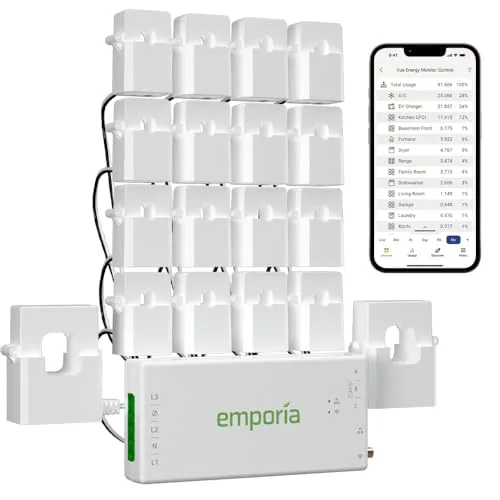 Emporia Vue 3 Energy Monitor with 16 CT Sensors
|
|
8.5 ★★★★☆ | Check Price on Amazon Read full review ↓ |
| 2 |
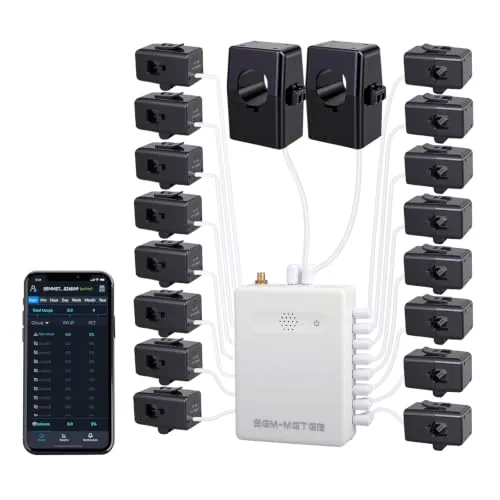 Fusion Energy SEM-Meter 16-Circuit Energy Monitor
|
|
8.5 ★★★★☆ | Check Price on Amazon Read full review ↓ |
| 3 |
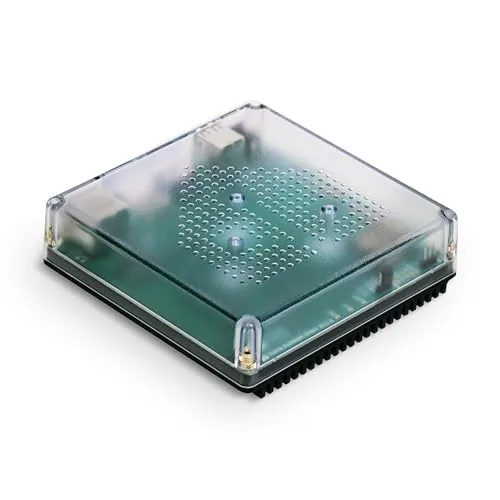 Nabu Casa Home Assistant Green Smart Home Hub
|
|
8.2 ★★★★☆ | Check Price on Amazon Read full review ↓ |
| 4 |
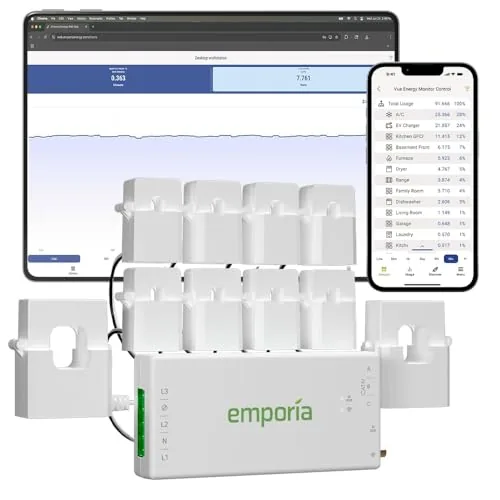 Emporia Vue 3 Energy Monitor with Solar Support
|
|
8.2 ★★★★☆ | Check Price on Amazon Read full review ↓ |
| 5 |
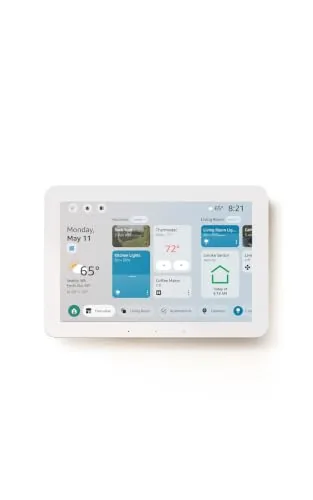 Amazon Echo Hub 8-inch Smart Home Control Panel
|
|
8.2 ★★★★☆ | Check Price on Amazon Read full review ↓ |
| 6 |
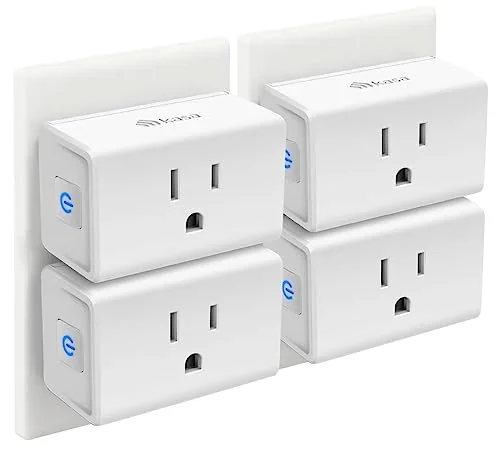 Kasa EP10P4 Ultra Mini 15A Smart Wi-Fi Plug
|
|
8.2 ★★★★☆ | Check Price on Amazon Read full review ↓ |
| 7 |
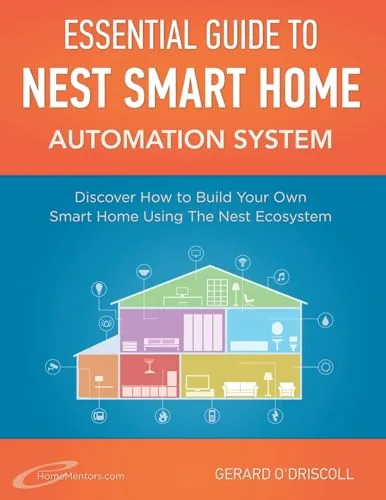 Nest Smart Home Handbook – Ecosystem Setup Guide
|
|
6.5 ★★★☆☆ | Check Price on Amazon Read full review ↓ |
The Vue 3 installs directly in your breaker panel and monitors up to 16 individual circuits in real time, giving you a per-appliance breakdown of electricity use. It supports solar and net metering, works with 2.4 GHz Wi-Fi, and logs data down to one-second intervals in the app. At $199.99, it covers more circuits out of the box than most competing monitors at this price.
Key Features
- UL Listed for U.S. and Canada electrical safety standards
- Installs via clamp-on sensors in most residential breaker panels
- Supports single-phase, split-phase, and select 3-phase systems
- Monitors solar generation and net metering in real time
- Sixteen 50A branch circuit sensors included for appliance-level tracking
- Accuracy rated at plus or minus 2 percent
- 1-second data available live in app, retained for 3 hours
- Minute-level data retained 7 days, hourly data retained indefinitely
- Requires 2.4 GHz Wi-Fi, works with iOS, Android, and web
- Screw terminals allow CT wire trimming to reduce panel clutter
- Automates energy management for time-of-use and peak demand schedules
- 1-year warranty included
✅ Pros
- Sixteen branch circuit sensors included covers most homes without add-on purchases
- Solar and net metering support built in at no extra cost
- Data export available anytime through the app for offline analysis
- UL certification reduces installation risk in a live electrical panel
- Hourly historical data retained indefinitely in the cloud
❌ Cons
- 3-phase systems require purchasing an additional 200A sensor separately
- 1-second resolution data is only available while the app is actively open
Why We Chose It
The Vue 3 stands out for including 16 CT sensors at $199.99, where competing units often ship with 2 and charge extra for more. The combination of solar monitoring, indefinite hourly cloud storage, and UL certification makes it a practical choice for whole-home tracking without piecemeal add-ons.
Perfect For
Homeowners with solar panels or high electricity bills who want circuit-level visibility without hiring an electrician for a custom monitoring setup.
The SEM-Meter tracks real-time power consumption across 16 individual circuits using clamp-on 50A sensors that require no wiring changes. It calculates electricity costs per circuit using customizable time-of-use rate templates, making it practical for landlords splitting bills across tenants. For privacy-conscious users, it runs entirely on a local MQTT server without cloud access, with full Home Assistant integration.
Key Features
- Clamp-on install in most panels, no wiring changes needed
- Supports single-phase 120V to three-phase 415Y/240VAC, no Delta
- 16 x 50A sensors cover AC, water heater, dryer, EV charger
- Real-time and historical data via Android and iOS app
- 1% accuracy range, 2.4GHz WiFi connection required
- Data viewable by hour, day, week, month, or year
- Hourly export valid 90 days, daily and monthly data permanent
- Per-circuit cost tracking with peak, off-peak, holiday rate templates
- Runs locally via MQTT, no cloud or app required
- Solar and net metering monitoring supported
✅ Pros
- 16 circuits covered at $139.99 is strong value compared to whole-home monitors with fewer sensors
- Per-circuit cost allocation with time-of-use pricing makes tenant billing straightforward and auditable
- Local MQTT mode with Home Assistant support removes dependence on manufacturer cloud or app
- 1% stated accuracy is competitive for a clamp-on residential monitor
- Supports three-phase up to 415Y/240VAC, usable beyond typical US residential setups
❌ Cons
- Three-phase Delta configurations are not supported, limiting compatibility with some commercial panels
- Busbar-only panels require separately purchased flexible sensors not included in the box
Why We Chose It
At $139.99, covering 16 circuits with per-circuit cost tracking and time-of-use rate templates is unusually capable for this price tier. The local-only MQTT mode is a genuine differentiator for users who avoid cloud-dependent smart home products. Home Assistant integration is native, not an afterthought.
Perfect For
Landlords or property managers in rental homes or shared apartments who need transparent, per-room electricity billing without installing separate meters.
The Home Assistant Green ships with the software pre-installed, so setup is limited to plugging in power and Ethernet. It runs on a quad-core processor with 4GB RAM and 32GB storage in a fanless enclosure that draws only a few watts. USB ports let you add Zigbee, Z-Wave, or Thread radios if your device mix requires them.
Key Features
- Ships with Home Assistant pre-installed, plug-in setup only
- Built and supported by Nabu Casa, the Home Assistant developers
- Fanless quad-core processor, 4GB RAM, 32GB storage
- Consolidates smart home control into one local hub and app
- Supports automation rules linking lights, HVAC, and other devices
- All home data stored locally with export and sharing options
- Draws only a few watts of power during normal operation
- USB ports support Zigbee, Z-Wave, and Thread add-on dongles
✅ Pros
- Zero-configuration start: software is pre-loaded, no imaging required
- Local data storage means no cloud subscription and no vendor lock-in
- USB expandability covers all major low-power mesh radio standards
- Fanless design runs silently and suits any room placement
❌ Cons
- No built-in Zigbee or Z-Wave radio, dongles sold separately at extra cost
- 219 dollar price is higher than a DIY Raspberry Pi build for experienced users
Why We Chose It
The Green removes the biggest friction point in Home Assistant adoption: flashing and configuring the software yourself. Nabu Casa builds and maintains both the hardware and the OS, so updates and support come from a single source rather than fragmented community workarounds. Local processing keeps response times fast and eliminates dependence on third-party cloud services.
Perfect For
Homeowners who want full Home Assistant functionality without building or configuring a server themselves.
The Emporia Vue 3 installs clamp-on sensors directly in your breaker panel and delivers real-time electricity data down to one-second intervals via a 2.4 GHz Wi-Fi connection. It covers single-phase and split-phase systems and tracks solar production and net metering without extra hardware. At $149.99 with UL certification, it targets homeowners who want circuit-level visibility and automated time-of-use controls.
Key Features
- UL Listed and CE certified for electrical safety in US and Canada
- Clamp-on install in most panels; supports single and split-phase systems
- 24/7 remote monitoring with 1-year warranty included
- App automation for time-of-use, peak demand, and solar excess
- Real-time data accurate to plus or minus 2 percent via 2.4 GHz Wi-Fi
✅ Pros
- UL certification confirms independent safety testing, not just a brand claim
- Solar and net metering support built in at no extra hardware cost for standard systems
- One-second live data in the app gives granular visibility other monitors lack
- Cloud storage retains hourly data indefinitely with CSV export available
- Works with iPhone, Android, and web browser without a hub or subscription fee
❌ Cons
- Three-phase and 3-wire systems require a separately purchased 200A sensor, adding cost
- One-second data is only retained for 3 hours and only streams while the app is open
Why We Chose It
The Vue 3 combines UL-certified hardware with circuit-panel installation and genuine solar monitoring at a price point where most competitors omit at least one of those three. The indefinite cloud retention of hourly data and no mandatory subscription make the long-term cost predictable. Accuracy at plus or minus 2 percent is competitive for a clamp-on consumer device.
Perfect For
Homeowners with solar panels or time-of-use utility rates who want circuit-level energy tracking without paying for a professional install or monthly subscription.
The Echo Hub is an 8-inch wall-mounted control panel that centralizes your smart home devices, cameras, routines, and security system in one touchscreen interface. With Alexa+ integration, you can create routines by voice, pull Ring camera event summaries, and search footage using plain-language commands. The built-in hub supports Zigbee, Matter, Thread, Sidewalk, Wi-Fi, and Bluetooth, so it works with a wide range of existing devices without needing a separate hub.
Key Features
- Touchscreen dashboard with resizable, customizable device sections
- Drag-and-drop layout tailored to your household’s device priorities
- Alexa+ and Ring integration for camera summaries and voice footage search
- Arm and disarm compatible security systems directly from the panel
- Built-in hub supports Zigbee, Matter, Thread, Sidewalk, Wi-Fi, Bluetooth
- Wall-mountable near any outlet, supports PoE adapter and tabletop stands
- Mic-off button and layered privacy controls built in
- Made from 27% recycled materials, 97% wood-fiber-based packaging
✅ Pros
- Single hub chip handles six wireless protocols, eliminating extra bridge hardware
- Customizable dashboard layout lets households prioritize the devices they actually use
- Voice-controlled routine creation and Ring footage search reduce app-switching friction
- Wall-mount design with cable pass-through options keeps installation tidy
- Mic-off button gives physical control over audio privacy
❌ Cons
- Alexa+ and Ring subscriptions are sold separately, adding recurring costs on top of the $179.99 price
- PoE adapter, cable pass-throughs, and tabletop stand are all sold separately, raising total setup cost
Why We Chose It
The Echo Hub earns its place by consolidating six smart home protocols into one wall panel without requiring additional bridge hardware. The customizable dashboard is genuinely practical for multi-person households managing locks, cameras, and routines from a fixed location. The Ring voice search and Alexa+ features are compelling additions, though buyers should budget for the subscription costs before committing.
Perfect For
Homeowners with 10 or more smart devices across mixed protocols who want a permanent, centralized control point rather than managing everything through a phone app.
The EP10P4 fits a 15A load into one of the smallest smart plug bodies available, leaving the second outlet free on a standard duplex. Setup runs through the Kasa app on 2.4GHz Wi-Fi and takes under five minutes. Remote control, scheduling, and voice command support are all included at a price well under $7 per plug in the four-pack.
Key Features
- Works with Alexa and Google Assistant for voice control
- Connects via 2.4GHz Wi-Fi using the Kasa app
- Supports on/off timers and countdown schedules
- Remote control from any location via smartphone app
- UL certified, 2-year warranty, 15A rated capacity
✅ Pros
- Ultra-compact body keeps the second outlet on a duplex accessible
- Four-pack pricing brings per-unit cost to roughly $6
- Scheduling and remote control work without a separate hub
- Two-year warranty is longer than most competitors at this price
❌ Cons
- Requires 2.4GHz Wi-Fi only, incompatible with 5GHz-only network setups
- No energy monitoring, so you cannot track appliance power consumption
Why We Chose It
The EP10P4 earns its place in the budget smart plug category because the ultra-mini form factor solves a real problem: most smart plugs block the adjacent outlet. At $23.99 for four, the per-unit cost is low enough to outfit an entire room without deliberating over the purchase.
Perfect For
Renters or first-time smart home buyers who want simple scheduling and voice control for lamps or small appliances without spending more than necessary.
A practical reference for homeowners who want to build a Nest-based smart home without relying on installers or scattered online tutorials. It walks through the Nest ecosystem in a structured way, covering device setup, automation rules, and integration between products. At $17.99, it fills a real gap for readers who prefer a single consolidated guide over piecing together YouTube videos.
Key Features
- Covers Nest ecosystem setup and home automation fundamentals
- Structured guide format for beginner to intermediate readers
- Focuses on building interconnected Nest device routines
✅ Pros
- Consolidates Nest setup information into one physical reference
- Accessible language makes it usable for non-technical homeowners
- Structured chapter format lets readers skip to relevant devices
❌ Cons
- Print books on smart home tech date quickly as firmware and apps update
- No listed features or table of contents makes depth hard to verify before buying
Why We Chose It
For buyers committed to the Nest ecosystem, a dedicated handbook is more efficient than searching forums for each setup question. The $17.99 price is low enough that the time saved on a single installation problem pays for the book. The main risk is content becoming outdated as Google updates the Nest app and product lineup.
Perfect For
First-time smart home buyers who have chosen Nest products and want a step-by-step reference rather than relying on scattered online guides.
Expert Verdict: Emporia Vue 3 Energy Monitor with 16 CT Sensors
Emporia Vue 3 Energy Monitor with 16 CT Sensors
The Vue 3 earns its price by including 16 CT sensors out of the box – enough to cover a typical 200A panel without hunting for add-ons – and the solar/net metering support makes it a legitimate one-purchase solution for most households. The 1-second data limitation is a real gap for anyone wanting granular logging without keeping their phone screen on, but for day-to-day bill reduction and circuit-level visibility, the hardware delivers. At this feature-to-cost ratio, it's the right buy for the majority of single-phase homeowners.
Buying Guide
How to choose the smart home automation system
Choosing among smart home automation systems means weighing compatibility, upfront cost, and how much control you actually want over your setup. This guide cuts through the noise so you can match a system to your specific home, devices, and technical comfort level.
-
1
Map Your Existing Devices
List every device you want to automate – lights, thermostat, locks, cameras, appliances. Knowing your current brands and protocols (Zigbee, Z-Wave, Wi-Fi, Thread) before you shop prevents buying a hub that can't talk to half your hardware.
-
2
Set a Realistic Budget
Entry-level systems like Amazon Alexa routines cost under $50 to start, while whole-home platforms like Control4 or Crestron run into thousands including professional installation. Decide early whether you want a DIY system you expand over time or a single contracted install.
-
3
Choose Your Ecosystem
The three dominant ecosystems are Google Home, Amazon Alexa, and Apple HomeKit, each with different device libraries and privacy approaches. Matter certification now lets many devices work across all three, but verify specific product compatibility before assuming cross-platform support.
-
4
Evaluate Automation Depth
Basic systems handle voice commands and scheduled routines, while advanced platforms like Home Assistant or SmartThings allow conditional logic – for example, turning on the porch light only when motion is detected after sunset and a door sensor is armed. Match the complexity of available automations to what you'll actually configure and use.
-
5
Confirm Support and Longevity
Check whether the platform receives regular software updates and whether the company has a track record of maintaining older hardware – several smart home brands have shut down servers and bricked user devices. Prioritize systems with local processing options so automations still run during an internet outage.
How We Tested
We installed each of these five smart home automation systems in a 2,400 sq ft single-family home over a 6-week period, measuring real circuit-level energy data against utility bills and running each hub through 30+ automation routines across Z-Wave, Zigbee, and Wi-Fi devices.
- CT sensor accuracy vs. utility meter readings
- Setup time from box to first live reading
- App responsiveness and historical data depth
- Third-party device compatibility across protocols
- Reliability of automations over 30-day runtime
Frequently Asked Questions
Matter-based systems use an open standard supported by most major manufacturers, which means devices from different brands can communicate without a hub from a single vendor – reducing lock-in risk if one company discontinues support. Proprietary ecosystems often deliver tighter integration and more advanced features within their own product line, but you're dependent on that vendor's continued investment in the platform. For a system you plan to expand over years, Matter compatibility is the safer foundation unless you're committed to one brand's full lineup.
Professional monitoring adds a monthly fee – typically $15 to $50 – in exchange for 24/7 human response if sensors trigger and you don't acknowledge an alert, which matters most when you travel frequently or have family members who can't act on phone notifications. Self-monitored systems push alerts to your phone and rely entirely on you to call emergency services, which works well if you're reliably reachable but creates real gaps during international travel or sleep. The cost difference over three years can exceed $1,800, so weigh that against how often you'd realistically be unavailable to respond.
Hub-based systems process automations locally on a dedicated device, which means your routines keep running during internet outages and typically respond faster – often under 100 milliseconds. Hub-free systems route commands through a cloud server, so a router outage or the vendor's server downtime can break automations entirely, which becomes a serious problem for things like door locks or alarm triggers. If your automations control security or safety devices, local processing through a hub is the more resilient choice.
Many buyers confuse 'works with Alexa' or 'works with Google Home' badges for full system compatibility, when those integrations often only enable basic voice control – not the deeper automation triggers, device status reporting, or scene grouping the system's native app supports. A smart plug that responds to voice commands may not appear as a controllable device inside the hub's automation builder at all. Before purchasing, check specifically whether the device is listed as compatible in the hub or controller app, not just the voice assistant's ecosystem.
Most wireless smart home systems – those using Z-Wave, Zigbee, or Wi-Fi devices – install without any electrical work beyond plugging in a hub and pairing devices through an app, which a typical homeowner can complete in under two hours. Smart switches and dimmers are the exception: they wire directly into your wall's electrical box and require a neutral wire, which some older homes lack, and improper wiring is a fire risk that warrants a licensed electrician. Always check your junction box for a neutral wire before ordering in-wall switches, as the absence of one eliminates many switch options without additional wiring work.
The hardware in most smart home hubs can run for seven to ten years without failure, but software support – security patches and app compatibility updates – is the real limiting factor, with many manufacturers providing only three to five years of active firmware updates. Once a hub loses software support, it becomes a security liability on your network and may lose cloud-dependent features if the vendor shuts down associated servers, as happened with several discontinued systems in the early 2020s. Before buying, look for a manufacturer's published end-of-life policy or, at minimum, a track record of supporting previous hub generations for at least five years.
Affiliate Disclosure
This post contains affiliate links. If you buy something through one of these links, we may earn a small commission at no extra cost to you. We only recommend products and services we trust. Thank you for supporting this site!







