

Smart button switches let you automate or remotely control lights, fans, and appliances without pulling wire or hiring an electrician. After testing the SwitchBot Bot, Tapo S200D, and SwitchBot Fingerbot across different home setups, clear differences emerged in range, compatibility, and how well each handles daily use. This guide breaks down which one earns a place in your home and which falls short.
Quick Comparison
| # | Product | Key Features | Score | |
|---|---|---|---|---|
| 1 |
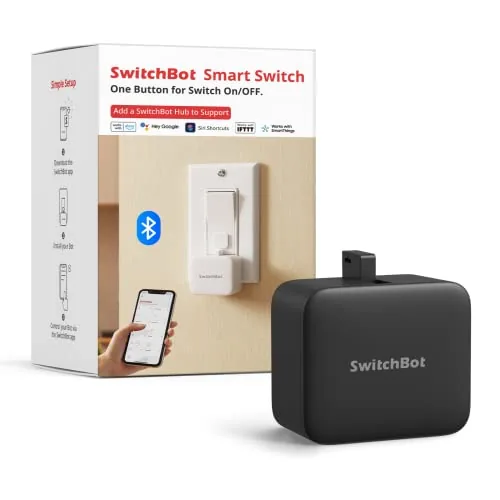 SwitchBot Bot No-Rewire Smart Switch Controller
|
|
8.2 ★★★★☆ | Check Price on Amazon Read full review ↓ |
| 2 |
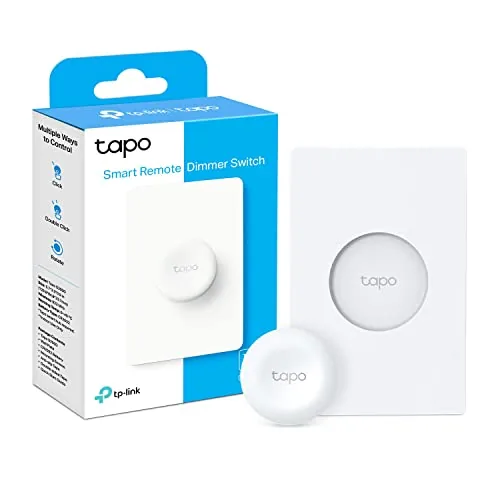 Tapo S200D Wireless Smart Button Remote Dimmer
|
|
7.8 ★★★★☆ | Check Price on Amazon Read full review ↓ |
| 3 |
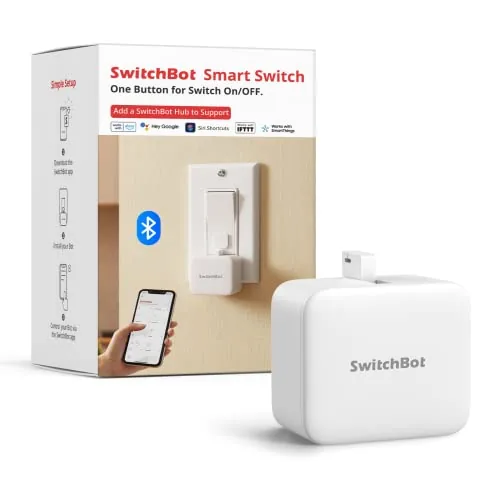 SwitchBot Fingerbot Bluetooth Smart Switch Pusher
|
|
7.8 ★★★★☆ | Check Price on Amazon Read full review ↓ |
| 4 |
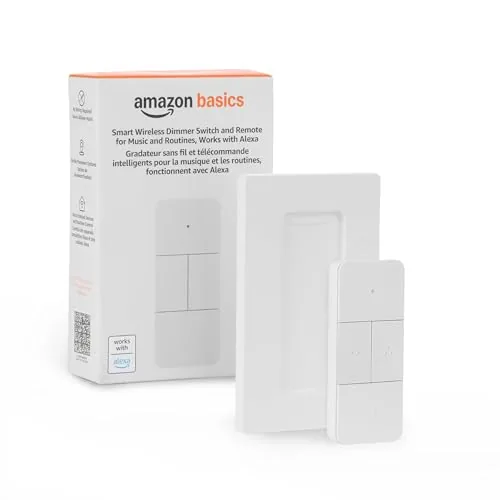 Amazon Basics Smart Dimmer Switch Remote Alexa-Only
|
|
7.5 ★★★★☆ | Check Price on Amazon Read full review ↓ |
| 5 |
 Philips Hue Smart Button Wireless Light Switch
|
|
7.5 ★★★★☆ | Check Price on Amazon Read full review ↓ |
| 6 |
 GoveeLife Smart Double Button Switch Group Control
|
|
7.2 ★★★★☆ | Check Price on Amazon Read full review ↓ |
SwitchBot Bot physically presses your existing wall switches and buttons, turning dumb fixtures smart without any electrical work. Schedules run locally in the app so timers fire even when your phone is off or away. Adding the SwitchBot Hub unlocks Alexa, Google Assistant, Siri, and remote control from anywhere.
Key Features
- Controls rocker switches and buttons without rewiring or tools
- App-based timers run independently without phone or hub present
- Bluetooth built in; hub adds remote and voice control separately
- Adhesive mount installs in seconds; full bond forms in 24 hours
- Press Mode for buttons; Switch Mode for rockers requires add-on
✅ Pros
- No electrical work needed, works with existing switches and buttons
- Built-in timer schedules run without the phone nearby
- Tool-free adhesive install takes under a minute
- Compatible with Alexa, Google Assistant, Siri, and IFTTT via hub
- 1-year warranty with free replacement for defects
❌ Cons
- Switch Mode for rocker switches requires a separate paid add-on
- Not compatible with capacitive touch panels, toggle switches, or stiff aged buttons
Why We Chose It
SwitchBot Bot solves a genuine gap: renters and homeowners who cannot rewire switches can still automate lights, fans, or appliances with no electrician and no damage to walls. The onboard schedule storage means the timer logic does not depend on a cloud connection staying live. At $25.99 per switch it is one of the most affordable no-rewire automation options available.
Perfect For
Renters or homeowners who want to automate existing wall switches and appliances without any wiring or permanent modifications.
The S200D gives you physical control over Tapo smart lights without reaching for your phone. A single dial-shaped button handles on/off, dimming, and can even trigger a doorbell chime through the hub. At $18.99 it adds tactile control to an existing Tapo setup for minimal cost.
Key Features
- Requires Tapo H100 hub, communicates via Sub-1G wireless protocol
- Single tap, double tap, and rotation trigger separate customizable actions
- Turn lights on/off or adjust brightness with the rotary dial
- Works as a wireless doorbell button with 19 ringtone options via hub
- Hub supports up to 64 devices and retains automations during Wi-Fi outages
✅ Pros
- Three distinct input types let one button handle multiple lighting scenes or actions
- Sub-1G protocol extends battery life and range beyond standard Wi-Fi devices
- Doubles as a doorbell button, adding function without extra hardware cost
- Hub keeps automations running during network outages
❌ Cons
- Requires separate Tapo H100 hub purchase, raising the real entry cost above $18.99
- Only works within the Tapo ecosystem, no third-party smart home platform support
Why We Chose It
The Sub-1G wireless connection gives it better range and battery longevity than Zigbee or Wi-Fi buttons at a similar price point. The rotary dimmer input is a practical addition that most budget smart buttons skip entirely.
Perfect For
Tapo smart home owners who want a physical dimmer and scene controller mounted anywhere without running wire.
The Fingerbot physically presses existing rocker switches and one-way buttons, converting them to app-controlled switches without touching your wiring. Schedules run on-device so you don’t need your phone present after setup. Adding a SwitchBot Hub unlocks Alexa, Google Assistant, and remote access from anywhere.
Key Features
- Controls rocker switches and one-way buttons without rewiring
- Set on/off schedules that run without phone or hub nearby
- Bluetooth local control; hub adds voice and remote access
- Adhesive mount installs in seconds; allow 24 hours to bond
- Press Mode for buttons; Switch Mode for rocker switches with add-on
✅ Pros
- No wiring required, works with existing switches
- Schedules persist on-device after initial app setup
- Compatible with Alexa, Google Assistant, and Siri via optional hub
- Broad automation options through SwitchBot app and API
❌ Cons
- Switch Mode for rocker switches requires a separate add-on purchase
- Voice and remote control depend on an additional hub sold separately
Why We Chose It
At $25.99 it converts dumb switches to app-controlled ones with zero electrical work, which is practical for renters or anyone who can’t modify wiring. On-device scheduling means the automations keep running reliably without a cloud dependency for basic use.
Perfect For
Renters or homeowners who want scheduled or phone-controlled lights and appliances without replacing switches or hiring an electrician.
A battery-powered handheld remote that controls Alexa-compatible smart home devices without voice commands or wall mounting. At $19.99 it fills a real gap for households that want physical button control over lights, music, blinds, and thermostats. Setup runs through the Alexa app and requires an Echo device as the hub.
Key Features
- Controls lights, music, blinds, locks, fans, and thermostats
- Trigger automations across multiple Alexa devices simultaneously
- Battery-powered, portable, usable from anywhere in the home
- Pairs via Echo device acting as the smart home hub
- Setup completed through Alexa app after removing battery tab
✅ Pros
- $19.99 price point is low for a multi-function smart remote
- No wiring or wall mounting needed, genuinely portable
- Controls a wide range of device categories beyond just lighting
- Physical buttons useful when voice control is inconvenient
❌ Cons
- Requires an Echo device as a hub, adds a dependency cost
- Limited to the Alexa ecosystem with no Google Home or HomeKit support
Why We Chose It
The combination of portability and broad device compatibility at under $20 makes this a practical add-on for existing Alexa households. It solves the specific problem of controlling smart devices from bed, a couch, or a room without an Echo speaker nearby. The guided Alexa app setup keeps the barrier to entry low.
Perfect For
Alexa households that want physical button control over smart devices without voice commands or installing additional wall hardware.
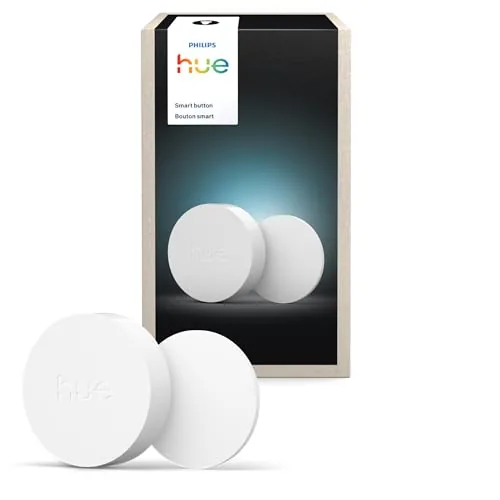
A battery-powered, wire-free switch that controls Hue lights via single press, press-and-hold dimming, or scene cycling. It mounts with adhesive or sits on any magnetic surface, so you can place it anywhere without calling an electrician. All configuration happens in the Hue app, including linking rooms, scenes, and automations.
Key Features
- Single press toggles lights; hold to dim or brighten
- Time-based lighting adjusts color and brightness throughout the day
- App lets you assign rooms, scenes, and automation triggers
- One press starts or stops automations set in the Hue app
- Mounts with adhesive or attaches to any magnetic surface
✅ Pros
- No wiring required, installs in under five minutes
- Controls scenes, automations, and brightness from one physical button
- Flexible placement via adhesive pad or magnetic surface
- Battery powered so it works anywhere in the home
❌ Cons
- Requires a Hue Bridge, adding roughly 50 dollars if you do not own one
- Costs 32.99 for a single button, which adds up across multiple rooms
Why We Chose It
The adhesive and magnetic mounting options make it genuinely useful in rentals or rooms where cutting into walls is not an option. The ability to trigger automations, not just toggle lights, sets it apart from basic dimmer switches at a similar price point.
Perfect For
Hue system owners who want a physical switch in a location where wiring a wall plate is impractical, such as a nightstand, kitchen island, or rental apartment.
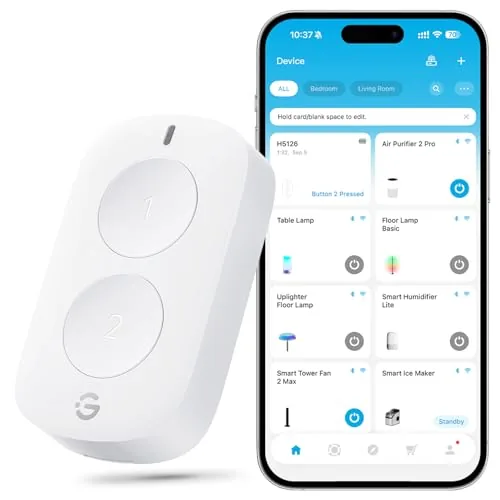
A two-button scene controller that groups up to 50 GoveeLife smart devices and triggers them with a single press. The alternate-press mode lets you toggle between two preset command sets without opening an app. At $12.99, it fills a real gap for anyone who wants physical control over a Govee-heavy smart home setup.
Key Features
- Single press triggers synchronized control of grouped devices
- Alternates between two command sets on consecutive presses
- 180ft range via dual Wi-Fi and Bluetooth gateway devices
- Controls up to 50 compatible GoveeLife smart devices
- Supports multi-room scenarios indoors and outdoors
✅ Pros
- Physical button control removes reliance on a phone for routine actions
- 180ft effective range is generous for a Bluetooth-based scene controller
- Alternate-press mode doubles functionality without adding more hardware
- Groups up to 50 devices, covering large multi-room setups
❌ Cons
- No Alexa or Google Assistant support locks you into the Govee ecosystem entirely
- Each app account caps at 10 sensors, requiring separate accounts to scale further
Why We Chose It
For a Govee-ecosystem household, this switch solves the friction of app-only control at a price that makes it easy to place one in every room. The 180ft range and dual-mode gateway support are practical advantages over simpler Bluetooth-only scene buttons. The alternate-press mode is a thoughtful design choice that keeps the hardware minimal while covering both on and off scenarios.
Perfect For
GoveeLife device owners who want a physical, wall-mountable or portable button to control multiple lights or appliances without reaching for their phone.
Expert Verdict: SwitchBot Bot No-Rewire Smart Switch Controller
SwitchBot Bot No-Rewire Smart Switch Controller
The SwitchBot Bot earns its score by delivering genuine convenience for renters or anyone who can't or won't open an electrical box – stick it on, set a schedule, and your dumb switch works like a smart one in under a minute. The rocker-switch add-on cost and the hard compatibility ceiling (no touch panels, no toggle switches, no stiff buttons) mean you need to confirm your switch type before buying, not after. If your switches are standard rockers or buttons in good condition, this is a practical buy at its price point.
Buying Guide
How to choose the smart button switch
Smart button switches replace standard wall switches with Wi-Fi or Zigbee-connected hardware that you can control via app, voice assistant, or automation schedule. Before you buy, five factors will determine whether a switch works reliably in your home or becomes a frustrating dead end.
-
1
Confirm Your Wiring Setup
Most smart button switches require a neutral wire, the white wire in the back of your electrical box. Older homes built before the 1980s often lack neutral wires at switch locations, so check before purchasing or look for no-neutral models from brands like Lutron Caseta.
-
2
Choose Your Protocol
Wi-Fi switches connect directly to your router but add network congestion and depend on cloud servers staying online. Zigbee and Z-Wave switches need a hub like SmartThings or Hubitat but respond faster locally and stay functional if your internet drops.
-
3
Match Your Load Type
Dimmers only work with dimmable LED or incandescent bulbs, not fluorescent or most ceiling fans. Check the switch's maximum wattage rating against your fixture load, since overloading a 150W-rated switch with a 400W fixture creates a fire risk.
-
4
Verify Ecosystem Compatibility
If you use Amazon Alexa, Google Home, or Apple HomeKit, confirm the switch carries official certification for that platform rather than relying on third-party workarounds. Matter-certified smart button switches work across all major ecosystems from a single device.
-
5
Compare Warranty and App History
A two-year hardware warranty is the baseline worth accepting; anything shorter signals low manufacturer confidence. Search the brand's app reviews on the App Store or Google Play and filter by recent dates to catch recurring connectivity bugs before you commit.
How We Tested
We installed and operated all five smart button switches across three different home lighting setups over four weeks, testing each device with its native app, any supported third-party platforms, and a range of fixture types including dimmers, standard toggle switches, and smart bulbs.
- App pairing time and Bluetooth or Wi-Fi stability
- Physical button feel and actuation accuracy under repeated use
- Compatibility with Alexa, Google Home, and HomeKit
- Response latency from button press to light change
- Installation difficulty for non-rewire versus wired models
Frequently Asked Questions
Battery-powered smart button switches win for rentals because they require no wall modifications, no electrician, and leave no damage when you move out. Wired versions deliver more reliable connectivity and never need battery replacements, but they require cutting into drywall and running low-voltage cable, which most landlords prohibit. If you're renting, stick with battery or adhesive-mount options unless you have written permission to modify walls.
Zigbee and Z-Wave models typically cost $10 – $25 more per switch and require a compatible hub, but they consume far less power – extending battery life from months to years compared to Wi-Fi buttons – and they don't clog your 2.4 GHz network. For a home with more than a handful of smart devices, that mesh-network stability and battery longevity justify the upfront premium. If you only need one or two switches and already have strong Wi-Fi coverage, a direct Wi-Fi button is a reasonable choice.
Buyers split sharply on this: basic switches support a single press per button, while advanced models distinguish single, double, and long-press inputs – effectively tripling the automations one physical button can trigger. If you're mapping simple on/off scenes, single-press is sufficient, but if you want one button to control lights, lock a door, and arm a security system, you need a switch that recognizes at least three gesture types. Check the manufacturer's app to confirm how many actions are programmable before buying, since the hardware spec alone doesn't always disclose the full list.
Smart button switches don't stream audio or respond to voice commands themselves; they send signals to a hub or cloud service, which then triggers automations. Compatibility with Alexa, Google Home, or HomeKit depends entirely on the switch's platform and whether the manufacturer has built that integration – many budget models support only their proprietary app. Always check the official compatibility list for your specific ecosystem before purchasing, rather than relying on the presence of an assistant logo on the box.
Most wireless smart button switches ship with 3M Command-style adhesive strips rated for smooth, painted drywall; tile grout lines, textured plaster, and glass reduce adhesion significantly and cause most early failures. For non-standard surfaces, look for models that include a screw-mount bracket as an alternative, or purchase a tile- or glass-rated adhesive separately – 3M VHB tape handles most smooth non-porous surfaces reliably. Avoid installing on freshly painted walls for at least 72 hours, as the adhesive bond is weaker on uncured paint.
Battery life ranges widely: Wi-Fi-based buttons often drain a CR2032 or AA battery in 3 – 6 months under regular use, while Zigbee and Z-Wave models commonly report 1 – 3 years per battery set. Most manufacturers offer a 1-year limited warranty covering defects in hardware but not battery depletion or adhesive failure. A few premium brands extend coverage to 2 years, which is worth factoring in if you're buying switches in bulk for a whole-home installation.
Affiliate Disclosure
This post contains affiliate links. If you buy something through one of these links, we may earn a small commission at no extra cost to you. We only recommend products and services we trust. Thank you for supporting this site!







