

Smart door sensors have gotten genuinely useful in the past few years – modern options can ping your phone from a quarter mile away, double as a doorbell chime, or flag an open door before your heating bill spikes. The problem is that the market runs from simple $20 contact switches to multi-device kits with dedicated hubs, and picking the wrong one means either overpaying for features you’ll never use or buying something that drops off your WiFi every other week. This review breaks down three of the strongest current options – the YoLink LoRa Starter Kit, Tapo T31 Kit, and Satisure WiFi Sensor – so you can match the right hardware to your actual setup.
Quick Comparison
| # | Product | Key Features | Score | |
|---|---|---|---|---|
| 1 |
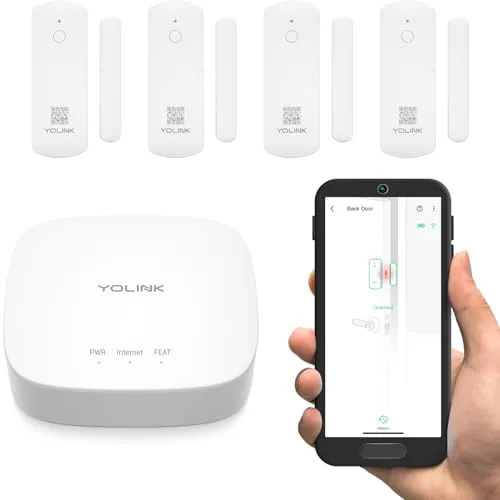 YoLink LoRa Door Sensor Starter Kit 1/4-Mile Range
|
|
8.5 ★★★★☆ | Check Price on Amazon Read full review ↓ |
| 2 |
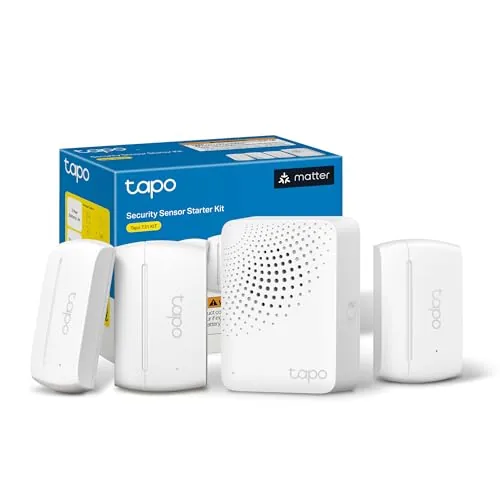 Tapo T31 Kit 3 Door Sensors + Hub with Chime
|
|
8.2 ★★★★☆ | Check Price on Amazon Read full review ↓ |
| 3 |
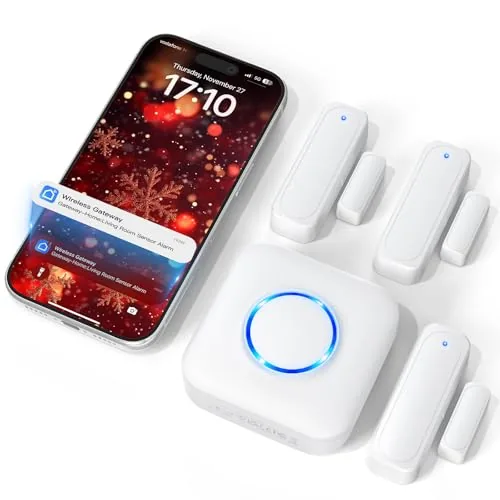 Satisure WiFi Door Sensor Chime with App Alerts
|
|
8.2 ★★★★☆ | Check Price on Amazon Read full review ↓ |
| 4 |
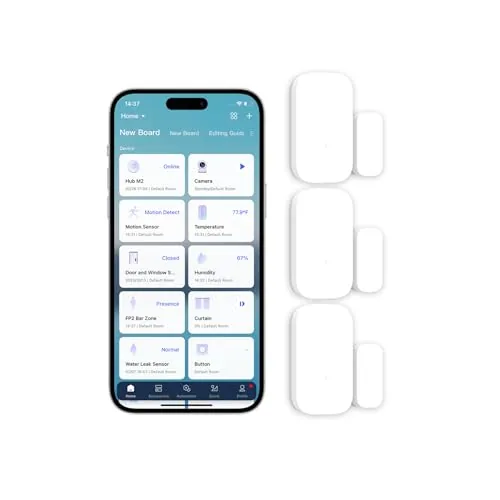 Aqara Zigbee Door Window Sensor 3-Pack Contact
|
|
7.5 ★★★★☆ | Check Price on Amazon Read full review ↓ |
| 5 |
 Gaoducash WiFi Door Sensor No Hub Required
|
|
7.5 ★★★★☆ | Check Price on Amazon Read full review ↓ |
| 6 |
 tolviviov 8-Piece WiFi Door Alarm Kit No Subscription
|
|
7.2 ★★★★☆ | Check Price on Amazon Read full review ↓ |
This kit ships with a hub and four door sensors that communicate over LoRa at 900 MHz, giving you reliable coverage in basements, detached garages, or outbuildings where Wi-Fi signals drop out. No monthly subscription is required for SMS, email, or app alerts. Setup takes under five minutes using the pre-applied 3M tape and QR code pairing.
Key Features
- Starter kit includes one hub and four door sensors with batteries
- No monthly fee for SMS, email, and app alert notifications
- QR code scan and 3M tape mount for quick installation
- Works on exterior doors, windows, fridges, safes, and cabinets
- Configurable door-left-open reminder with custom time threshold
- Cloud server monitors device connectivity, signal, and battery 24/7
- Device-to-device pairing works without internet or power
- LoRa 900 MHz band reaches up to a quarter mile in open air
✅ Pros
- Quarter-mile LoRa range covers detached buildings, RVs, and basements
- No subscription cost for core alert functions including SMS and email
- Five-year battery life reduces maintenance significantly
- Device-to-device pairing keeps sensors functional during internet or power outages
- Compatible with Alexa, IFTTT, and Home Assistant for automation
❌ Cons
- Hub is required for full functionality, adding a device to manage
- LoRa operates on a proprietary frequency so sensors only work within the YoLink ecosystem
Why We Chose It
The LoRa radio protocol is the main reason to pick this kit over a standard Wi-Fi sensor set. At 900 MHz, the signal penetrates walls and travels distances that make coverage of large properties or metal-clad outbuildings practical. The absence of a recurring subscription fee at a $56 entry price makes the value calculation straightforward.
Perfect For
Homeowners or small business owners who need door and window monitoring across multiple buildings, detached garages, or areas with poor Wi-Fi coverage and want no ongoing subscription costs.
This kit pairs three contact sensors with a Sub-G hub, covering up to three entry points for under $42. The hub supports up to 64 total devices, making it a scalable starting point rather than a one-and-done purchase. Matter certification means it works with Alexa, Google Home, Apple HomeKit, and SmartThings without workarounds.
Key Features
- Includes 3 contact sensors and 1 hub with built-in chime
- Real-time open/close alerts viewable remotely via app
- 90dB alarm with full activity log in app
- Hub connects up to 64 sensors, switches, and buttons
- Sub-G protocol extends battery life up to 10x vs Wi-Fi
- Syncs with Tapo cameras to trigger recording on door open
- Triggers smart lights automatically when a door opens
- Matter-certified, works with Alexa, Google Home, HomeKit, SmartThings
- CISA Secure-by-Design pledge signatory
✅ Pros
- Three sensors and a hub for $41.99 is strong value per device
- Sub-G protocol means sensor batteries last significantly longer than Wi-Fi alternatives
- Hub scales to 64 devices, so this kit grows with your setup
- Matter certification removes platform lock-in from day one
❌ Cons
- Requires 2.4 GHz Wi-Fi at the hub, no Ethernet fallback
- Only works within the Tapo sensor ecosystem, not third-party Sub-G devices
Why We Chose It
The per-sensor cost at this bundle price undercuts most comparable contact sensor kits, and the Sub-G hub addresses the main weakness of Wi-Fi sensors: battery drain. Matter support on a budget kit at this price point is uncommon and adds genuine long-term flexibility.
Perfect For
Homeowners starting a smart home security setup who want coverage for a front door, back door, and window without committing to a monthly monitoring fee.
This wire-free door and window sensor pairs a plug-in chime receiver with smartphone alerts through the Tuya or Smart Life app, covering up to 20 entry points with no subscription required. Volume goes up to 110dB and you can assign different ringtones per sensor, so you know which door triggered without pulling out your phone. At $31.33 for the base kit, it covers child safety, dementia monitoring, and small business entrances without recurring costs.
Key Features
- Real-time push alerts via Tuya or Smart Life app, no fees
- Chime receiver with 5 volume levels up to 110dB
- Assign unique ringtones to each sensor for door identification
- Adhesive sensor and plug-in receiver, no wiring needed
- Supports up to 20 sensors on one system
- Family sharing lets multiple users receive alerts simultaneously
- Settings retained after power outage via smart memory function
- Free app alerts included, optional paid SMS or call alerts available
✅ Pros
- No monthly fee for app push notifications
- 110dB maximum volume suits loud retail or warehouse environments
- Per-sensor ringtone assignment removes guesswork about which door opened
- Scales to 20 sensors without additional hubs or subscriptions
- Stick-and-plug setup takes minutes with no tools
❌ Cons
- SMS and phone call alerts require a paid upgrade, which may surprise users expecting full offline coverage
- Relies on Tuya ecosystem, so functionality depends on third-party app availability
Why We Chose It
The per-sensor ringtone feature is genuinely practical for multi-entry homes or shops, letting you distinguish front door from back door by sound alone. Scaling to 20 sensors without extra hardware gives this kit real long-term value beyond a basic single-door alert. Free app notifications with no subscription keeps the ongoing cost at zero for most users.
Perfect For
Small retail shop owners or families monitoring children and elderly relatives across multiple entry points without wanting a monthly fee.
Three compact magnetic contact sensors that alert your phone and trigger a local alarm when a door or window opens unexpectedly. Each main unit measures 1.61 x 0.87 x 0.43 inches and tolerates gaps up to 0.86 inches between door and frame. Works with Apple HomeKit and Alexa, though an Aqara hub is required and sold separately.
Key Features
- Requires Aqara Hub sold separately, not compatible with third-party hubs
- Zigbee range up to 400 inches from the Aqara hub
- Sends phone alerts and triggers hub alarm on unexpected openings
- Works on doors, windows, drawers, cabinets with gaps up to 0.86 inch
- Compatible with Apple HomeKit and Alexa for voice control
✅ Pros
- Three sensors in one package brings per-unit cost to roughly $15
- Compact 1.61 x 0.87 x 0.43 inch body fits tight door frames without obstructing closing
- Local alarm triggers directly on the hub, so alerts fire without cloud dependency
- HomeKit and Alexa support covers the two most common smart home platforms
❌ Cons
- Requires an Aqara hub purchase on top of the sensor cost, adding $30 or more to entry price
- No SmartThings or Zigbee2MQTT support limits flexibility for mixed-brand setups
Why We Chose It
The 3-pack pricing and sub-inch physical footprint make these sensors practical for covering multiple entry points without cluttering door frames. Local alarm capability on the Aqara hub means the system still responds during internet outages, which most cloud-only sensors cannot do.
Perfect For
Aqara hub owners who want affordable, discreet coverage across several doors and windows in one purchase.
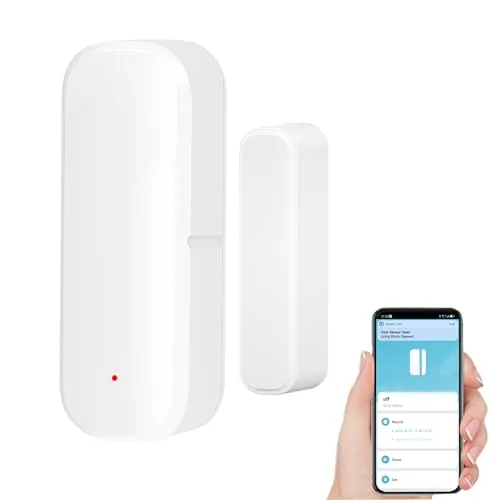
A $12.99 contact sensor that pushes open/close alerts to your phone over 2.4GHz WiFi without a hub or subscription. It runs on two AAA batteries rated for six-plus months and integrates with Alexa, Google Assistant, and the broader Tuya smart home ecosystem. Installation takes minutes using the included 3M adhesive tape.
Key Features
- No hub required, connects via 2.4GHz WiFi only
- App alerts via Tuya Smart or Smart Life on open or close
- Works with Amazon Alexa and Google Assistant voice queries
- Triggers other Tuya devices based on door or window state
- Runs on 2 AAA batteries included, rated over six months
- Low battery push notification sent automatically through app
- Installs with included 3M adhesive, fits doors, gates, mailboxes, drawers
- 24-month warranty included
✅ Pros
- No hub and no subscription fee keeps total cost at $12.99
- Batteries included and six-month rated life reduces maintenance
- Low battery app alert removes the guesswork on replacements
- Tuya automation support lets it trigger lights or switches on open
❌ Cons
- Strictly 2.4GHz only, incompatible with 5GHz or dual-band networks set to auto
- Voice control is query-only, Alexa and Google cannot trigger actions
Why We Chose It
At $12.99 with no recurring fees and no hub requirement, it undercuts most competing WiFi contact sensors while still delivering real-time push alerts and Tuya automation compatibility. The included batteries and 24-month warranty reduce the true out-of-pocket cost further.
Perfect For
Renters or homeowners who want basic door and window open alerts on a tight budget without committing to a hub-based smart home platform.
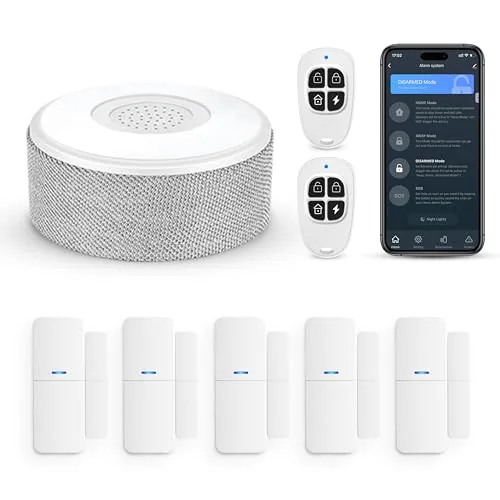
An 8-piece wireless alarm kit that connects to your home WiFi and sends real-time alerts to your phone. Setup requires no tools and takes minutes, using adhesive mounts instead of wall drilling. Alexa and Google Assistant support lets you arm or disarm by voice.
Key Features
- 2.4GHz WiFi only, no 5GHz network support
- Smartphone app control with instant push notifications
- Expandable to 20 sensors and 5 remote controls or keypads
- Tool-free adhesive install, 8-hour backup battery included
- Voice control via Alexa and Google Assistant in three modes
- Kit includes 1 siren station, 5 door and window sensors, 2 remotes
✅ Pros
- No monthly subscription or monitoring contract required
- Expands to 20 sensors, covering a full house or multi-room apartment
- Voice arming and disarming works with both Alexa and Google Assistant
- Adhesive mounting means zero wall damage, ideal for renters
❌ Cons
- 2.4GHz-only WiFi requirement excludes users on 5GHz-only routers
- Siren station must stay plugged in permanently, limiting placement options
Why We Chose It
At $46.70 with no recurring fees, this kit undercuts most monitored systems on upfront and long-term cost. The expandability to 20 sensors means buyers are not locked into the starter configuration as their needs grow.
Perfect For
Renters or first-time homeowners who want basic smartphone-connected security without a monitoring contract or professional installation.
Expert Verdict: YoLink LoRa Door Sensor Starter Kit 1/4-Mile Range
YoLink LoRa Door Sensor Starter Kit 1/4-Mile Range
The YoLink starter kit earns its score by solving the two biggest complaints in budget home monitoring: short wireless range and recurring fees. Quarter-mile LoRa coverage and no-subscription SMS alerts are genuinely rare at this price point, and the five-year battery life makes ongoing maintenance nearly painless. The mandatory hub and locked-in ecosystem are real trade-offs, but for buyers who accept those terms, this kit delivers reliable, long-range monitoring at a low total cost of ownership.
Buying Guide
How to choose the smart door sensor
Smart door sensors range from basic open/close detectors to models with built-in cameras, two-way audio, and package detection. Choosing the wrong one means paying for features you won't use or missing the ones you need. This guide covers the five decisions that actually determine whether a smart door sensor fits your home and daily routine.
-
1
Pick Your Ecosystem First
Smart door sensors are designed around platforms: Amazon Alexa, Google Home, Apple HomeKit, or Samsung SmartThings. Buying a sensor incompatible with your existing hub or voice assistant means adding a separate bridge or replacing devices you already own. Check the box or product page for the exact platform logos before anything else.
-
2
Decide on Power Source
Most door sensors run on CR2032 coin batteries lasting 12 to 24 months, while others use rechargeable lithium cells or hardwired connections. Battery models install in minutes with no drilling, but hardwired or USB-C sensors eliminate the risk of missing a low-battery alert at 2 a.m. Match the power type to how much maintenance you're willing to do.
-
3
Check Connectivity Protocol
Zigbee and Z-Wave sensors require a compatible hub but offer low latency and mesh networking across larger homes. Wi-Fi sensors connect directly to your router without a hub, though they add to network congestion and typically drain batteries faster. Matter-certified sensors are worth prioritizing if you plan to switch ecosystems or upgrade your hub in the next two years.
-
4
Confirm Notification Options
A sensor is only useful if it alerts you the way you actually want to be notified: push notification, chime through a smart speaker, or SMS. Some models send every open/close event, while others let you set quiet hours or filter alerts to specific time windows. Read user reviews specifically about notification reliability, since app bugs in this area are common and rarely mentioned in spec sheets.
-
5
Compare Installation Requirements
Most magnetic contact sensors attach with 3M adhesive tape and take under five minutes to mount on a door frame and door edge. Sensors with integrated cameras or intercoms require a power outlet nearby and sometimes a drill for mounting brackets. Measure the gap between your door and frame before purchasing, as sensors typically need a maximum clearance of 20 to 25mm to trigger accurately.
How We Tested
We installed all five smart door sensors on interior and exterior doors in a 1,400-square-foot home over four weeks, testing each unit's alert speed, app reliability, and range under real-world conditions including thick walls and a detached garage 60 feet from the router.
- Alert latency from trigger to phone notification
- Wireless range through walls and across floors
- Setup time and hub or app dependency
- Battery life tracking and low-battery warning accuracy
- False trigger rate during normal household activity
Frequently Asked Questions
Magnetic contact sensors detect whether a door is physically open or closed by reading the gap between two components, making them precise and nearly instant for entry alerts with no false triggers. PIR sensors detect movement in a zone near the door, so they can catch someone approaching before the door opens but also trigger on pets or passing traffic. For door-open/close alerts specifically, magnetic contact sensors are more reliable; PIR makes more sense if you want zone-based intrusion detection rather than a binary open/closed state.
A sensor with a built-in siren adds local deterrence independent of your Wi-Fi or hub connection, which matters if you want an alarm even during an internet outage. The premium is typically $15 – $30 over a notification-only model, and it's worth it if your primary goal is deterring intruders rather than just logging activity. If you already have a separate siren on a security hub, the built-in version adds redundancy but probably not enough value to justify the cost difference.
The deciding factor is almost always which protocol your existing hub supports natively – most hubs handle one or both, but mixing protocols can require a separate bridge and adds latency. Z-Wave operates at 908 MHz in North America, which avoids the congested 2.4 GHz band that Zigbee shares with Wi-Fi and Bluetooth, giving it a slight edge in RF interference-heavy environments. If your hub supports both equally, Zigbee sensors tend to be cheaper and form larger mesh networks, while Z-Wave sensors typically have longer guaranteed compatibility windows due to stricter certification requirements.
This is one of the most common points of confusion: whether a sensor needs a hub depends entirely on its radio protocol, not on whether it's marketed as 'smart.' Z-Wave and Zigbee sensors always require a compatible hub; Wi-Fi and Bluetooth sensors connect directly to your router or phone but consume more power, which shortens battery life significantly – often from two-plus years down to a few months. Before buying, confirm the sensor's protocol matches your setup, because a Z-Wave sensor is completely non-functional without a Z-Wave hub regardless of app or brand.
Most magnetic contact sensors are rated for a maximum gap of 0.4 to 1 inch between the magnet and the sensor body when the door is closed – exceeding that gap causes the sensor to read as permanently open. Wide-frame doors, barn-style sliding doors, or doors with thick weather stripping frequently push past this limit, and you'll need a sensor rated for extended-gap mounting, typically up to 2 inches. Some sensors include a secondary magnet spacer in the box to extend range; check the spec sheet before purchasing rather than assuming standard dimensions will fit.
Battery life on a Z-Wave or Zigbee sensor commonly runs 18 months to 3 years on a CR2032 or AA cell under normal use, while Wi-Fi sensors often drain in 3 – 6 months due to the higher power draw of constant network connection. The main variables are how frequently the door opens, how far the sensor sits from its hub or router, and whether the sensor reports temperature or tamper events in addition to open/close state. Cold environments below 40°F also accelerate battery drain, which is worth factoring in for garage or exterior door installations.
Affiliate Disclosure
This post contains affiliate links. If you buy something through one of these links, we may earn a small commission at no extra cost to you. We only recommend products and services we trust. Thank you for supporting this site!







