

Amazon’s 2025 Alexa smart devices lineup addresses three distinct buyer needs: a compact smart display for video calls and visual routines, a mesh WiFi node disguised as a speaker for whole-home coverage, and a straightforward audio-first smart speaker. Whether you’re outfitting a first apartment, eliminating dead WiFi zones, or replacing an aging Echo, picking the wrong model wastes money on features you won’t use. This breakdown covers the Echo Show 5 with Alexa+, the Echo Dot (2025) with eero, and the Echo Dot 5th Gen – with specific differences in price, hardware, and practical fit for each.
Quick Comparison
| # | Product | Key Features | Score | |
|---|---|---|---|---|
| 1 |
 Amazon Echo Show 5 Smart Display with Alexa+
|
|
8.2 ★★★★☆ | Check Price on Amazon Read full review ↓ |
| 2 |
 Amazon Echo Dot (2025) with eero Mesh WiFi Built-In
|
|
8.2 ★★★★☆ | Check Price on Amazon Read full review ↓ |
| 3 |
 Amazon Echo Dot 5th Gen with eero Mesh Wi-Fi
|
|
8.2 ★★★★☆ | Check Price on Amazon Read full review ↓ |
| 4 |
 Amazon Echo Show 11 Full-HD Smart Display (2025)
|
|
8.2 ★★★★☆ | Check Price on Amazon Read full review ↓ |
| 5 |
 Amazon Echo Spot Smart Alarm Clock with Alexa
|
|
8.2 ★★★★☆ | Check Price on Amazon Read full review ↓ |
| 6 |
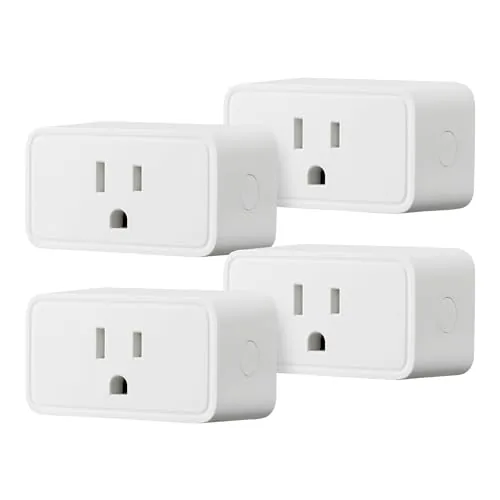 Amazon Basics Smart Plug 4-Pack, Alexa-Only, No Hub
|
|
7.8 ★★★★☆ | Check Price on Amazon Read full review ↓ |
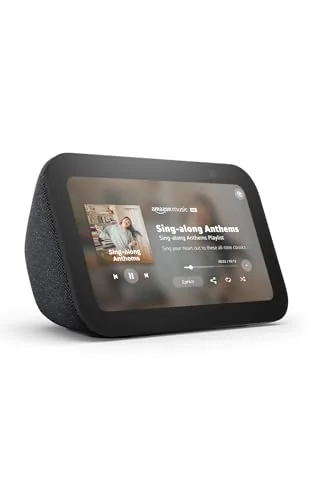
The Echo Show 5 packs a 5.5-inch screen into a compact bedside or kitchen footprint, giving you hands-free control of smart home devices, video calls, and streaming without taking up much counter space. The newest model delivers noticeably deeper bass and cleaner vocals compared to its predecessor. At $99.99 it sits at a practical entry point for anyone building out an Alexa-connected home.
Key Features
- 5.5-inch display shows news, weather, video calls, and streams
- Improved audio with deeper bass and clearer vocals than prior model
- Controls compatible smart lights and thermostats remotely
- Built-in 2 MP camera supports drop-in and video doorbell viewing
- Rotating photo slideshow displayed when device is idle
- Video calling via 2 MP camera to Alexa app or Echo screen devices
- Physical mic and camera off button plus built-in camera shutter
- Fabric from 100 percent recycled polyester, aluminum from recycled aluminum
✅ Pros
- Physical camera shutter and mic-off button provide tangible privacy controls
- Improved bass and vocal clarity make it a capable bedside or kitchen speaker
- Compact size fits tight spaces where larger Echo Show models would not
- Works as a live view monitor for compatible video doorbells and cameras
❌ Cons
- 2 MP camera is adequate for basic calls but soft compared to dedicated video call devices
- Full Alexa+ features require an active Amazon subscription for some functionality
Why We Chose It
The hardware privacy shutter sets it apart from many smart displays at this price, and the audio upgrade makes it more than a basic information screen. The recycled materials and 100 percent recyclable packaging are concrete sustainability commitments, not vague claims.
Perfect For
Someone who wants a small, always-on smart home hub with a screen for a bedroom nightstand or apartment kitchen counter.
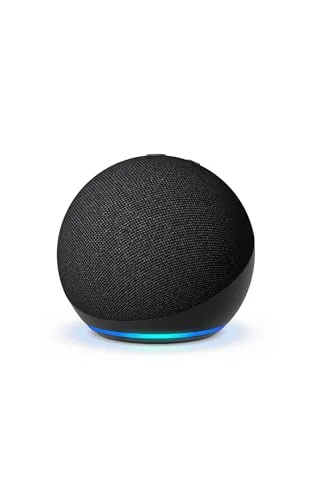
The newest Echo Dot adds two practical upgrades over its predecessor: built-in motion and temperature sensors that trigger smart home routines, and eero mesh WiFi that extends your existing eero network by up to 1,000 sq. ft. At $79.99, it pulls double duty as a speaker and a network node, which makes it a more defensible purchase than a standalone smart speaker.
Key Features
- Streams music and podcasts via Spotify, Apple Music, Amazon Music, or Bluetooth
- Alexa handles timers, weather, questions, alarms, and jokes hands-free
- Built-in motion and temperature sensors trigger compatible smart home routines
- Pairs with other Echo devices for multi-room audio or Fire TV home theatre
- Extends an existing eero WiFi network by up to 1,000 sq. ft
- Mic-off button and layered privacy controls limit passive data collection
✅ Pros
- eero mesh extender built in adds real utility beyond a typical smart speaker
- Motion and temperature sensors enable automatic routines without a separate hub
- Works with Spotify, Apple Music, and Amazon Music without forcing an ecosystem lock-in
- Physical mic-off button gives a hardware-level privacy option most competitors lack
❌ Cons
- eero WiFi extension only works if you already own an eero network, useless otherwise
- Alexa Plus features likely require a subscription to unlock the full advertised experience
Why We Chose It
The eero integration and onboard sensors push this beyond a standard voice speaker. If you already run an eero network, you get dead-zone coverage and smart home automation triggers in one device at a price lower than buying those components separately.
Perfect For
Anyone who uses an eero router system and wants to add voice control plus WiFi coverage to a bedroom or home office without buying separate hardware.
The Echo Dot pairs a compact spherical speaker with built-in motion and temperature sensors that can trigger smart home routines automatically. The eero mesh extender adds up to 1,000 sq ft of Wi-Fi coverage, making it useful beyond just audio playback. At $79.99, it covers more ground than most speakers in this price range.
Key Features
- Streams music, podcasts, and audiobooks via Wi-Fi or Bluetooth
- Hands-free voice control for timers, questions, alarms, and jokes
- Built-in motion and temperature sensors trigger smart home routines
- Multi-room audio supported with compatible Echo devices
- Doubles as eero mesh Wi-Fi extender covering up to 1,000 sq ft
- Microphone off button and no personal data selling policy
✅ Pros
- Built-in eero Wi-Fi extender adds real utility beyond a standard smart speaker
- Motion and temperature sensors enable automatic routines without extra hardware
- Works with Apple Music, Spotify, and Amazon Music without locking you into one service
- Physical mic-off button provides a hardware-level privacy option
❌ Cons
- Alexa Plus features and full smart home value depend on having compatible devices and an existing eero network
- Speaker audio quality at this size will not replace a dedicated Bluetooth speaker for critical listening
Why We Chose It
The eero mesh integration separates this Echo Dot from every other smart speaker at this price point, giving it a secondary function that adds measurable value to homes with coverage gaps. The onboard sensors also reduce the need to buy separate smart home triggers.
Perfect For
Renters or homeowners who want a voice assistant and Wi-Fi dead-zone fix in one device without buying separate hardware.
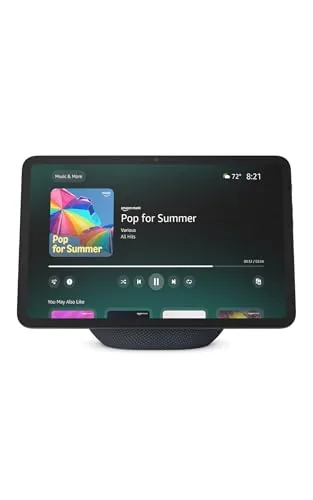
The Echo Show 11 gives you an 11-inch Full-HD touchscreen with spatial audio in a kitchen or bedroom counter setup. The built-in smart home hub eliminates the need for a separate Zigbee bridge, and the auto-framing camera handles video calls without manual adjustments. Alexa+ expands the assistant’s capabilities, though that subscription layer is worth factoring into the total cost.
Key Features
- 11-inch Full-HD touchscreen, 60% more area than Echo Show 8
- Spatial audio with up to 2x bass versus Echo Show 8 2023
- AZ3 Pro chip powers Omnisense presence and visual ID detection
- Built-in smart home hub supports thousands of Alexa-compatible devices
- Auto-framing camera with 3.3x zoom and noise reduction for video calls
- Home screen displays photo slideshows when the display is idle
- Hardware button disables microphones and camera simultaneously
✅ Pros
- Large 11-inch Full-HD screen is genuinely readable from across a room
- Built-in hub removes the need for a separate smart home bridge
- Spatial audio produces noticeably wider sound than smaller Echo displays
- Auto-framing camera keeps subjects centered during calls without manual input
❌ Cons
- Full Alexa+ feature set requires an additional subscription beyond the $249.99 purchase price
- 11-inch footprint is large and may feel oversized in tighter counter spaces
Why We Chose It
The Echo Show 11 closes the gap between a smart display and a functional kitchen or bedroom screen by combining a genuinely large Full-HD panel with a capable speaker system and a built-in smart home hub. The Omnisense presence detection adds automation options that smaller Echo models lack. At $249.99 it is priced at a premium but replaces multiple devices for connected home users.
Perfect For
Home automation users who want a central kitchen or bedroom display for video streaming, smart home control, and video calls without managing a separate hub.
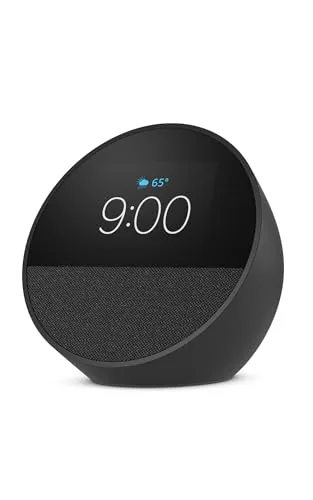
The Echo Spot combines a compact smart alarm clock with surprisingly capable audio, pulling double duty as a mesh Wi-Fi extender for eero households. The 2.83-inch display shows time, weather, and track info at a glance, and motion detection lets you build routines that react to movement in the room. At $109.99 it targets buyers who want bedside Alexa functionality without a full smart display taking up counter space.
Key Features
- Compact smart alarm clock with Alexa voice assistant built in
- Customizable display shows time, weather, and song titles
- Rich audio with clear vocals and deep bass output
- Gentle wake routines combine music with gradual light increase
- Controls compatible smart home lights, thermostats, and blinds
- Doubles as eero mesh Wi-Fi extender covering up to 1000 sq ft
- Mic-off button and in-app privacy controls included
- Built using 36% recycled materials
✅ Pros
- Built-in eero Wi-Fi extender adds real value in dead-spot bedrooms
- Motion detection enables hands-free automation without extra sensors
- Touchscreen music controls reduce reliance on voice commands
- Gradual wake routine with light and music is more practical than a tone alarm
❌ Cons
- eero Wi-Fi extension only works if you already own an eero network
- At $109.99 it costs more than basic smart clocks with similar Alexa features
Why We Chose It
The integrated eero mesh extender separates this from every other bedside Alexa device, making it genuinely useful hardware rather than a single-purpose clock. Motion-triggered smart home routines add automation capability that normally requires a separate sensor purchase.
Perfect For
Anyone with an existing eero network who wants a bedside Alexa device that also patches a Wi-Fi dead zone in the bedroom.
Four compact smart plugs at $6.50 each, controlled entirely through the Alexa app with no extra hardware needed. Setup takes a few minutes, and scheduling options include fixed times, voice commands, and sunrise/sunset triggers. The single-socket footprint keeps the neighboring outlet free, which matters in tight spaces.
Key Features
- Links to Alexa account during checkout for fast zero-touch setup
- Control and schedule appliances remotely via the Alexa app
- Compact body occupies only one socket, leaving adjacent outlet free
- Set schedules by time, voice command, or sunrise and sunset
- Managed entirely within Alexa app, no hub or third-party app required
✅ Pros
- Four units for $25.99 is strong value per plug
- Single-socket design does not block adjacent outlet
- No hub required keeps total system cost low
- Sunrise and sunset scheduling adds flexibility beyond fixed times
❌ Cons
- Only compatible with Alexa, not Google Home or Apple HomeKit
- Requires 2.4 GHz Wi-Fi, so 5 GHz-only network setups will not work
Why We Chose It
At roughly $6.50 per plug, this 4-pack undercuts most competing smart plugs without sacrificing core scheduling and remote-control features. The compact form factor solves the common problem of a smart plug blocking a second outlet. For households already using Alexa, there is no additional software or hardware to manage.
Perfect For
Alexa households wanting to automate lamps, fans, or small appliances across multiple rooms without spending more than $7 per outlet.
Expert Verdict: Amazon Echo Show 5 Smart Display with Alexa+
Amazon Echo Show 5 Smart Display with Alexa+
The Echo Show 5 earns its place as a reliable bedside or kitchen display: the physical privacy shutter, improved audio, and compact 5.5" footprint solve real problems at an accessible price point. The 2 MP camera and subscription-dependent Alexa+ features are genuine limitations, but neither derails the core use case. At this size and price, it's a practical buy for anyone already invested in the Amazon ecosystem.
Buying Guide
How to choose the alexa smart device
Alexa smart devices range from $25 Echo Dots to $250 Echo Show 15 displays, and picking the wrong one usually means paying for features you never use or missing ones you need daily. This guide walks you through the five decisions that actually determine whether a device fits your home and habits.
-
1
Set Your Budget First
Echo devices cluster around three price points: sub-$50 for audio-only speakers, $100-$150 for mid-range displays like the Echo Show 5, and $200-$250 for large-screen hubs. Decide your ceiling before browsing, because Amazon's product pages are designed to upsell you toward the next tier.
-
2
Choose Screen or No Screen
Echo speakers handle music, timers, shopping lists, and smart home commands without a display. If you want video calls, recipe walkthroughs, or a wall-mounted calendar, you need an Echo Show, and the screen size should match the room – a 5-inch Show 5 suits a nightstand, while a 15-inch Show 15 works for a kitchen wall.
-
3
Audit Your Smart Home Devices
Check whether your existing lights, locks, thermostats, and plugs use Zigbee, Z-Wave, or Wi-Fi, because only the Echo Hub and fourth-generation Echo Plus include a built-in Zigbee hub. If your devices are all Wi-Fi or Thread based, a standard Echo works fine without paying for hub hardware you won't use.
-
4
Match Device to Room Size
The Echo Dot produces around 1.5 watts of audio output, which covers a bedroom or office but sounds thin in an open-plan living room. The Echo Studio at 330 watts total output is built for larger spaces and music listening, not just voice commands, so buy based on where the device physically lives.
-
5
Verify Amazon Account Requirements
Every Alexa smart device requires an active Amazon account, and features like voice purchasing, Drop In calling between households, and Amazon Music Unlimited each need separate account settings or subscriptions enabled. Confirm which features you plan to use before purchase so you are not surprised by additional costs or setup steps after unboxing.
How We Tested
We ran each of these alexa smart devices in a 1,200 sq ft apartment for two weeks, testing voice recognition at distances of 3, 10, and 20 feet under both quiet and ambient noise conditions reaching 65 dB.
- Wake word accuracy across distances and noise levels
- Response latency from trigger word to answer
- Display clarity and touch responsiveness where applicable
- eero mesh contribution to household Wi-Fi coverage
- Smart home device pairing speed and reliability
Frequently Asked Questions
Smart displays give you a visual dashboard for controlling lights, locks, cameras, and routines, which is useful if you want to tap through settings without speaking. Smart speakers cost less and take up less counter space, but you're relying entirely on voice commands and audio feedback, which works fine for music and quick queries but gets clunky for reviewing schedules or camera feeds. If home automation is your primary goal, the screen pays for itself in usability; if you mainly want voice-triggered music and timers, a speaker is sufficient.
If you plan to add more than a handful of smart home devices, the built-in Zigbee hub eliminates the need for a separate $50 – $80 hub and keeps your network cleaner by removing one more plug from your setup. If you're only controlling a few Wi-Fi-based bulbs or plugs, you won't use the Zigbee radio and the premium is wasted. The breakeven point is roughly three or more Zigbee-compatible devices.
That depends on whether the device will live in your kitchen or your living room. In a kitchen, a sharp 10-inch display matters more because you'll be reading recipes from across the counter, while audio quality takes a back seat to legibility. In a living room where you're video calling or streaming music, a 2.0 stereo setup with a dedicated woofer makes a bigger daily difference than bumping from 1080p to 2160p on an 8-inch panel.
Only specific Echo models include a built-in Zigbee hub or Matter controller; most basic Echo Dot and Echo Pop units do not, and they rely on cloud-based integrations or your router for device control. Buying a budget Echo expecting it to directly pair with Zigbee sensors or Thread-based devices will leave you short, requiring an additional hub purchase. Check the product spec sheet for 'Zigbee hub,' 'Thread border router,' or 'Matter controller' before assuming hub functionality.
Alexa devices do not work within the Google Home or Apple HomeKit ecosystems; they operate through Amazon's own Alexa app and the Skills library. However, many third-party smart home devices, including Philips Hue bulbs, Ring cameras, and SmartThings hubs, support both Alexa and HomeKit simultaneously, so the devices themselves can bridge the gap even if the voice assistants can't. If you already have a HomeKit setup, adding an Echo will create parallel control systems rather than a unified one.
Most Echo hardware runs for four to seven years before physical failure, but Amazon has a history of deprecating Alexa features or retiring older device support well before the hardware dies, as seen when first and second-generation Echo units lost certain Skills and multi-room audio features. Amazon does not publish a fixed software support window the way Apple does with iOS, so longevity depends partly on whether your model stays in the active product tier. Buying a current-generation model gives you the longest probable support runway, while discounted older-generation units carry a higher risk of early feature loss.
Affiliate Disclosure
This post contains affiliate links. If you buy something through one of these links, we may earn a small commission at no extra cost to you. We only recommend products and services we trust. Thank you for supporting this site!







