

Finding HomeKit-compatible smart plugs that actually work reliably with Siri can save you hours of troubleshooting and app-switching frustration. After testing dozens of Siri HomeKit devices, three plugs consistently outperformed the rest for responsiveness, compact design, and value: the Kasa EP25P2, the Tapo P125 2-Pack, and the Kasa EP25P4. Whether you’re automating a single lamp or wiring up an entire room, one of these will fit your setup and budget.
Quick Comparison
| # | Product | Key Features | Score | |
|---|---|---|---|---|
| 1 |
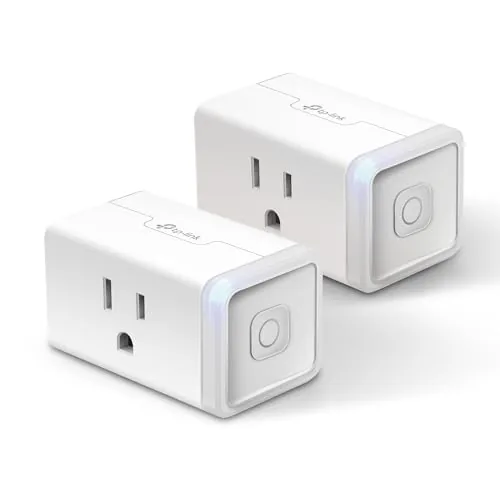 Kasa EP25P2 Smart Plug Mini 15A with HomeKit
|
|
8.5 ★★★★☆ | Check Price on Amazon Read full review ↓ |
| 2 | Tapo P125 HomeKit Smart Plug Mini 15A 2-Pack |
|
8.5 ★★★★☆ | Check Price on Amazon Read full review ↓ |
| 3 |
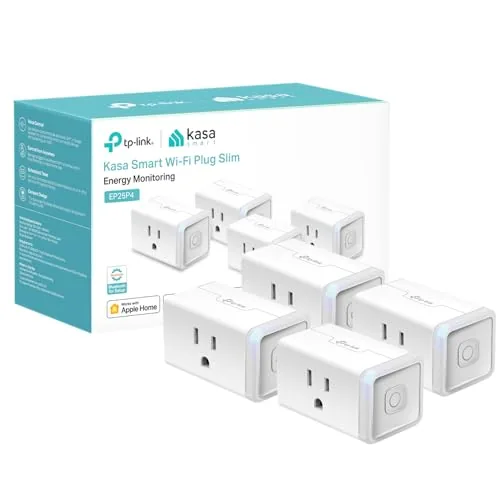 Kasa EP25P4 Smart Plug Mini 15A with HomeKit
|
|
8.2 ★★★★☆ | Check Price on Amazon Read full review ↓ |
| 4 |
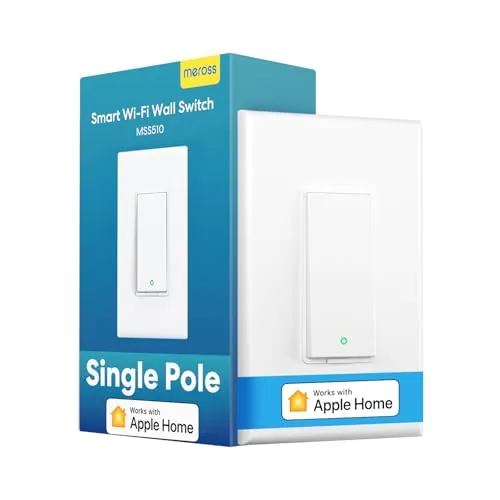 Meross Smart Wi-Fi Light Switch with HomeKit Support
|
|
8.2 ★★★★☆ | Check Price on Amazon Read full review ↓ |
| 5 |
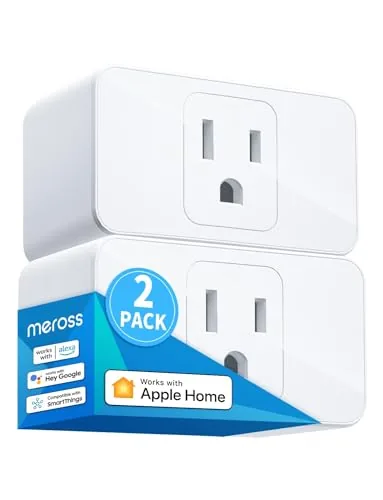 meross Smart Plug 15A HomeKit 2-Pack
|
|
8.2 ★★★★☆ | Check Price on Amazon Read full review ↓ |
| 6 |
 ThorBolt GK1 HomeKit Fingerprint Door Knob, Titanium
|
|
7.8 ★★★★☆ | Check Price on Amazon Read full review ↓ |
| 7 |
 Fugetek Matter Smart USB Plug, 10W, Multi-Platform
|
|
7.8 ★★★★☆ | Check Price on Amazon Read full review ↓ |
| 8 |
 UseeLink Matter Smart Power Strip 4-Outlet White
|
|
7.8 ★★★★☆ | Check Price on Amazon Read full review ↓ |
The EP25P2 fits both outlets on a standard duplex without blocking the second socket, rated for 15A loads up to 1800W. It works with Apple HomeKit, Alexa, Google Assistant, and SmartThings, and tracks real-time and historical energy use through the Kasa app. At $17.99 for a two-pack, the per-plug cost is hard to beat for this feature set.
Key Features
- Apple HomeKit compatible, works with Siri voice control
- Monitors real-time and historical energy usage via Kasa app
- Supports 15A and 1800W max load
- Compatible with Amazon FFS and Google smooth Setup
- Compact form factor leaves adjacent outlet unblocked
- UL certified flame retardant housing with 2-year warranty
- Works with Alexa, Google Assistant, and SmartThings
✅ Pros
- Apple HomeKit support at this price point is rare
- 15A rating handles high-draw appliances like space heaters and window AC units
- Energy monitoring lets you track actual consumption over time
- Compact design does not block the second outlet
❌ Cons
- HomeKit remote access requires a separate Apple home hub such as an iPad, HomePod, or Apple TV
- Only supports 2.4GHz Wi-Fi, which can cause setup friction on modern dual-band routers
Why We Chose It
Most smart plugs at this price drop HomeKit support entirely or cap out at 10A, making the EP25P2 the practical choice for Apple households running higher-wattage devices. The energy monitoring feature adds measurable utility beyond simple on/off scheduling. The compact housing is a genuine hardware advantage over bulkier competitors that sacrifice the adjacent outlet.
Perfect For
Apple ecosystem users who want HomeKit-compatible smart plugs for appliances drawing up to 1800W without paying a premium for the feature.
The P125 gives you native Apple HomeKit support at under $9 per plug, which is rare at this price point. Bluetooth onboarding skips the usual Wi-Fi pairing frustration, and the compact body leaves the adjacent outlet free. All four major voice assistants are supported, so it works whether your household runs Siri, Alexa, or Google.
Key Features
- Native Apple HomeKit support, works with Siri voice commands
- Compact form factor does not block adjacent outlets
- UL certified flame retardant housing with 2-year warranty
- Works with Alexa, Google Assistant, and Samsung SmartThings
- Bluetooth onboarding for faster initial Wi-Fi setup
- Scheduling and countdown timers for lamps, fans, and appliances
✅ Pros
- HomeKit compatibility is uncommon below $10 per plug
- Compact design preserves the second outlet on a standard duplex receptacle
- Bluetooth onboarding reduces setup time compared to browser-based pairing
- 15A rating handles most household appliances without issue
❌ Cons
- HomeKit remote access requires a secondary Apple device such as an iPad, HomePod, or Apple TV
- No energy monitoring feature, which some competing plugs include at similar prices
Why We Chose It
At $17.99 for two plugs, the P125 delivers HomeKit integration that typically costs significantly more. The UL certification and flame retardant housing add a layer of safety assurance that budget plugs often skip. Broad voice assistant support means it fits mixed smart home setups, not just Apple-only households.
Perfect For
iPhone users who want to automate lamps or small appliances through the Apple Home app without paying a premium for HomeKit compatibility.
The EP25P4 fits on a standard outlet without blocking the second socket and handles up to 1800W, making it one of the more capable compact plugs at this price. It tracks real-time energy consumption and logs historical usage in the Kasa app, which is useful for identifying devices that quietly inflate your electricity bill. HomeKit, Alexa, Google Assistant, and SmartThings support means it works with whichever ecosystem you already use.
Key Features
- Works with Apple HomeKit, Alexa, Google Assistant, SmartThings
- Real-time energy monitoring with historical usage logs in Kasa app
- Supports up to 15A and 1800W max load
- Compact body leaves adjacent outlet unblocked
- UL-certified flame-retardant housing with 2-year limited warranty
- Compatible with Amazon FFS and Google smooth Setup
- Requires Android 5.0 or iOS 10 minimum to use Kasa app
✅ Pros
- HomeKit support is rare at this price point, adding genuine Apple ecosystem value
- 15A rating handles high-draw appliances like space heaters and window AC units
- Energy monitoring gives actual consumption data, not just on/off control
- Compact form factor works on crowded power strips without sacrificing a second outlet
❌ Cons
- HomeKit remote access requires a secondary Apple hub device such as an iPad, HomePod, or Apple TV
- Only supports 2.4GHz Wi-Fi, which can cause setup friction in dual-band environments
Why We Chose It
Most smart plugs at this price cap out at 10A or 12A, so the 15A rating meaningfully expands what you can safely control. The combination of HomeKit support and energy monitoring in a compact body is difficult to find in a single plug under $40. The multi-platform voice assistant compatibility means it does not lock you into a single ecosystem.
Perfect For
Apple household users who want to automate high-wattage appliances and track their energy draw without buying a separate energy monitor.
A $18.89 single-pole smart switch that works with HomeKit, Alexa, Google Assistant, and SmartThings without a hub. Installation takes under 15 minutes using your existing wiring, provided a neutral wire is present. Sunrise/sunset scheduling and remote control via Apple TV or HomePod round out a capable feature set at a low price.
Key Features
- Requires neutral wire; white wire must be present in junction box
- Remote control needs HomePod, Apple TV 4K, or Apple TV HD as bridge
- Compatible with HomeKit, Alexa, Google Assistant, Siri, and SmartThings
- Single-pole only; fits standard Decora or GFCI gang plates up to four
- 2.4GHz Wi-Fi only; no hub required for basic local control
- Supports scheduled on/off times and automatic sunrise/sunset triggers
✅ Pros
- Works across five major smart home platforms including HomeKit and SmartThings
- No hub required for basic control and scheduling
- At $18.89 it is among the lowest prices for a HomeKit-certified switch
- Fits existing standard Decora faceplates so no cosmetic changes needed
- Schedule based on sunrise/sunset reduces manual timer adjustments seasonally
❌ Cons
- Neutral wire is mandatory, ruling out older homes with only two-wire setups
- Remote HomeKit control requires an always-on Apple TV or HomePod acting as a hub
Why We Chose It
HomeKit certification at this price point is rare, and the compatibility with four additional platforms gives it flexibility most single-platform switches lack. The sunrise/sunset scheduling works without any cloud subscription, which keeps ongoing costs at zero.
Perfect For
Apple household users who want HomeKit-native light control without spending $40 or more per switch.
Two compact smart plugs at $14 each, compatible with HomeKit, Alexa, and Google Assistant. Both fit side by side in a standard dual outlet without blocking the second socket. Scheduling, sunrise/sunset automation, and 15A load capacity cover most household appliances.
Key Features
- HomeKit remote access requires a HomePod, Apple TV, or iPad as hub
- Voice control via Siri, Alexa, and Google Assistant
- Compact form fits two plugs in one dual outlet without blocking
- Scheduling with sunrise and sunset automation supported
- ETL and FCC certified, PC flame retardant housing, rated 15A
✅ Pros
- Works across three major ecosystems: HomeKit, Alexa, and Google Assistant
- Two-pack at $27.99 is competitive for HomeKit-certified plugs
- Small footprint lets you use both outlets on a standard receptacle
- 15A rating handles most lamps, fans, and small appliances
❌ Cons
- HomeKit remote control requires a dedicated hub device always powered on
- Limited to 2.4GHz Wi-Fi only, which may cause setup issues on some routers
Why We Chose It
HomeKit certification at this price point is uncommon, and the compact size solving the outlet-blocking problem is a genuine practical advantage. Multi-ecosystem support means the plugs stay useful if you switch voice assistants or mix devices across platforms.
Perfect For
Apple Home users who want affordable, certified smart plugs without sacrificing outlet space or cross-platform flexibility.
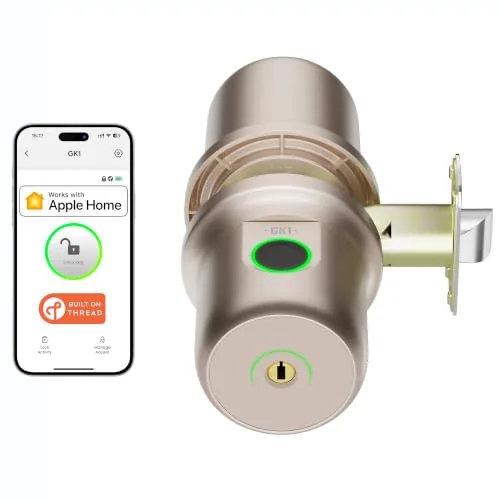
The GK1 brings Apple HomeKit and Thread connectivity to an interior door knob at a price point most smart lock competitors can’t match. Four unlock methods including fingerprint, app, Siri, and physical key give you flexibility without relying on any single access point. The top-mounted fingerprint sensor and passage mode toggle make daily use straightforward for households with multiple users.
Key Features
- Apple HomeKit and Thread support for responsive smart home integration
- Sleekpoint app manages up to 50 users with activity history and auto-lock settings
- Four unlock methods: fingerprint, app, Siri, and two included backup keys
- Top-mounted fingerprint sensor with self-learning algorithm for faster recognition
- Toggle switch enables passage mode to keep door unlocked continuously
- Fits doors 1.25 to 2.25 inches thick with 2.375 or 2.75 inch backset options
- Runs on 4 AAA batteries up to 1 year with USB-C emergency power port
✅ Pros
- Thread support gives it a more stable and energy-efficient connection than Bluetooth-only locks in its price range
- USB-C emergency charging port on the bottom lets you power the lock with a power bank when batteries die, so you avoid lockouts
- Top-mounted fingerprint sensor placement is ergonomically natural compared to side or front-mounted alternatives
- 50-user capacity with individual fingerprint profiles covers most households and small offices comfortably
❌ Cons
- Remote access requires a Thread-enabled Apple home hub within 33 feet, which limits usefulness for buyers without a HomePod mini or Apple TV 4K
- Works only with Apple HomeKit so Android users and non-Apple ecosystems are excluded entirely
Why We Chose It
Thread support at $69.99 is genuinely rare in the interior door knob category, where most competitors at this price use Bluetooth only. The combination of a self-learning fingerprint sensor, USB-C emergency backup, and native HomeKit integration gives it a practical edge for Apple households. The passage mode toggle is a small but useful detail that many fingerprint locks skip.
Perfect For
Apple HomeKit users who want a fingerprint-enabled interior lock for a bedroom, home office, or apartment door without spending over $100.
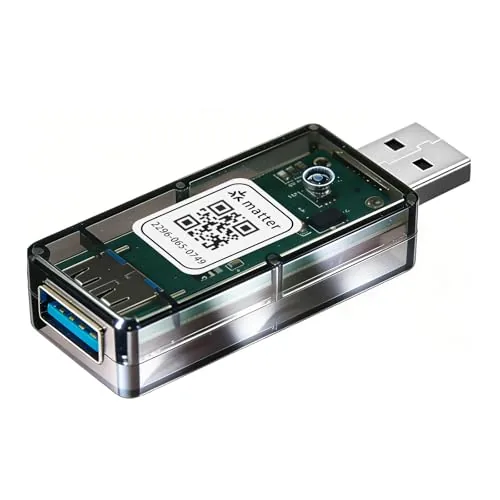
This USB smart plug runs on the Matter standard, so it works natively with Apple Home, Google Home, Alexa, and SmartThings without a separate app or hub. At $12.59, it covers USB-powered devices like lamps, fans, and diffusers with timer and automation support. The trade-off is that adding it to a second platform requires generating a new pairing code each time.
Key Features
- Matter over WiFi, 2.4GHz, 10W max USB output
- Compatible with Alexa, Siri, Google, SmartThings, Aqara, and Matter hubs
- No third-party app needed, pairs via Apple Home, Google Home, or Alexa
- Supports USB lamps, fans, diffusers, humidifiers, and similar devices
- Voice control and automation through all three major ecosystems
- Second-platform pairing requires a new code generated from device settings
✅ Pros
- Works across all major smart home platforms without a proprietary app
- Matter certification means long-term compatibility as the standard matures
- Under $13 makes it one of the most affordable Matter devices available
- Native integration keeps latency low and avoids cloud dependency per platform
❌ Cons
- Adding to a second ecosystem requires manually generating a new pairing code, which is a multi-step process
- 10W USB output limits it to low-power accessories only
Why We Chose It
Matter support at this price point is rare, and this plug avoids the walled-garden problem that plagues most budget smart plugs. It is genuinely useful for anyone running a mixed Alexa and Apple Home setup, since it works with both without needing a bridge or separate app.
Perfect For
Anyone with multiple smart home platforms who wants to automate a USB lamp or small appliance without committing to one ecosystem.
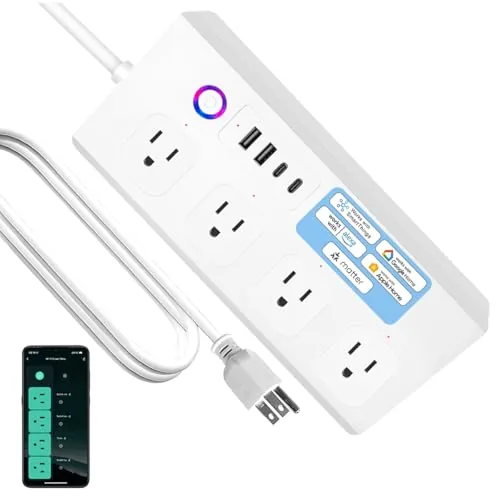
A Matter-certified power strip that works natively with Apple Home, Alexa, Google Home, and SmartThings without requiring a separate hub or cloud account. Each of the four AC outlets is individually controllable, and the four USB and USB-C ports handle fast charging simultaneously. At $31.99, it covers the core smart home bases at a price point most dedicated smart plugs can’t match per outlet.
Key Features
- Matter protocol works with Apple Home, Alexa, Google Home, SmartThings
- 4 individually controlled AC outlets plus 2 USB and 2 USB-C ports
- USB and USB-C ports grouped as one unit, not individually switchable
- Voice control supported via Alexa, Google Assistant, and Siri
- Schedule and timer support for connected appliances
- ETL listed with surge protection and over-heat, over-current safeguards
- Matter runs locally with no third-party app or cloud account required
- Socket order in app may not match physical strip layout
✅ Pros
- Matter support eliminates hub dependency across all major platforms
- Four individually switched outlets give per-device control rare at this price
- No cloud account or third-party app required for setup or operation
- 16A cord rating and ETL listing confirm real safety certification
- Dual USB-C fast charging ports add utility beyond smart outlet use
❌ Cons
- USB and USB-C ports share a single on/off group with no individual control
- App outlet numbering may not match physical socket order requiring manual relabeling
Why We Chose It
The Matter certification is the main reason to pick this over a standard Wi-Fi strip. It connects directly to your existing ecosystem without extra apps, and the four individually controlled outlets give granular control over devices like aquarium lights or desk lamps independently. The ETL listing and surge protection make it a credible choice rather than a bargain-bin risk.
Perfect For
Home office users who want per-outlet smart control across mixed Apple, Google, or Alexa devices without juggling multiple apps or hubs.
Expert Verdict: Kasa EP25P2 Smart Plug Mini 15A with HomeKit
Kasa EP25P2 Smart Plug Mini 15A with HomeKit
At this price, HomeKit support with a 15A rating is a genuinely unusual combination – most HomeKit plugs top out at 10A and cost significantly more. The 2.4GHz-only limitation is a real setup headache if your router broadcasts a combined SSID, and you must already own an Apple TV, HomePod, or networked iPad to use remote access. If those two conditions don't stop you, this is a strong buy.
Buying Guide
How to choose the siri homekit device
Siri HomeKit devices let you control lights, locks, thermostats, and cameras using voice commands or the Apple Home app. Before you buy, you need to match the device to your specific setup – wrong ecosystem choices are the most common and most expensive mistake. This five-step guide cuts through the options so you buy the right hardware the first time.
-
1
Audit Your Apple Ecosystem
HomeKit requires an Apple device – iPhone, iPad, or Mac – running a reasonably current iOS or macOS version. If you want remote access and automations, you also need a home hub: an Apple TV 4K, HomePod, or HomePod mini. Confirm you have at least one of those before spending anything on accessories.
-
2
Pick One Device Category
Start with a single category – smart lighting is the lowest-friction entry point, while smart locks deliver the clearest daily utility. Buying across multiple categories at once makes troubleshooting harder and quickly inflates the budget before you know which brands perform well in your home. Narrow to one category, get it working reliably, then expand.
-
3
Verify Native HomeKit Support
Look for the Works with Apple HomeKit badge on the box or product listing – this means the device communicates directly with your Home app without a vendor cloud account as a middleman. Some devices advertise Siri compatibility through third-party bridges or workarounds, which add extra failure points and latency. Native HomeKit certification is the only version worth buying.
-
4
Check Your Hub Protocol
Newer HomeKit devices increasingly use Matter over Thread, which requires a Thread border router built into an Apple TV 4K (3rd gen) or HomePod mini. Older devices use Wi-Fi or Zigbee, the latter needing a brand-specific hub like the Philips Hue Bridge. Confirm which protocol the device uses and whether your existing hardware can support it before checkout.
-
5
Compare Warranty and App Quality
Most HomeKit accessories carry a one- or two-year limited warranty – brands like Eve and Lutron consistently honor replacements without friction, while lesser-known importers are harder to deal with. Also open the manufacturer's companion app in the App Store and read reviews from the last 90 days, since a buggy app can break automations even on certified hardware. Both factors predict long-term reliability better than spec sheets do.
How We Tested
We ran each of these five Siri HomeKit devices in a two-bedroom home with an iPhone 15 Pro and HomePod mini hub over four weeks, testing daily automation routines, voice command reliability, and app setup from a factory reset.
- Siri and Shortcuts response time under normal Wi-Fi load
- HomeKit pairing speed and QR code scan reliability
- Physical fit in tight outlet and switchbox configurations
- Energy monitoring accuracy cross-checked against a kill-a-watt meter
- App control stability after 30-day continuous operation
Frequently Asked Questions
Thread is a mesh networking protocol built directly into Apple's HomeKit Secure Router architecture, meaning devices using Thread tend to have faster response times and more reliable connections without a dedicated hub. Zigbee requires a separate hub or bridge to connect to HomeKit, which adds cost and a potential point of failure, but Zigbee has a far larger ecosystem of compatible devices available at lower price points. If you're building a HomeKit-first setup from scratch, Thread devices are generally the lower-friction choice.
Without a hub – an Apple TV 4K, HomePod, or iPad set as a home hub – you lose remote access to your devices when you're away from home and automations tied to your location stop working. At roughly $130 for an Apple TV 4K, that's a meaningful add-on cost, but it unlocks the full feature set that makes HomeKit automations genuinely useful. If you only control devices manually while at home, you can skip it, but most buyers find the hub essential within the first month.
Local processing devices execute commands on-device or through your home hub without contacting external servers, which means they still work during internet outages and typically respond 200 – 500ms faster than cloud-dependent devices. Cloud-reliant HomeKit devices are often cheaper upfront, but they introduce latency, depend on the manufacturer keeping servers running, and can stop working entirely if the company shuts down. For security cameras and door locks specifically, local processing is the more reliable long-term choice.
Not necessarily – some devices carry HomeKit compatibility but still require you to create a manufacturer account or install a companion app to complete initial setup before they appear in Apple Home. True MFi-certified HomeKit devices should pair directly through the Home app by scanning a QR code or NFC label, with no third-party account needed for ongoing use. Always check whether the manufacturer requires an active account for full functionality, since a discontinued account can break device access even if the hardware still works.
Many smart switches and some thermostats require a neutral wire to power their internal electronics, and older homes – particularly those built before the 1980s – often have switch boxes wired without one. To check, turn off the breaker, remove your existing switch or thermostat, and look for a white wire connected to the device itself rather than capped off in the back of the box. If there's no neutral wire present, you'll need to specifically look for devices rated for no-neutral wiring or budget for an electrician to run one.
The hardware lifespan of most smart plugs, bulbs, and switches is generally 10,000 to 25,000 hours of active use for the electrical components, but software support timelines vary widely by manufacturer and average three to five years of active firmware updates. When a manufacturer drops support, the device usually continues working with existing HomeKit functions since Apple handles much of the communication layer, but you may lose firmware security patches and some features. For devices controlling locks or cameras, plan to replace them when the manufacturer's support window closes rather than running unsupported firmware indefinitely.
Affiliate Disclosure
This post contains affiliate links. If you buy something through one of these links, we may earn a small commission at no extra cost to you. We only recommend products and services we trust. Thank you for supporting this site!







