

Finding a smart coffee maker that actually fits your routine means knowing whether you want espresso shots, a full carafe, or the flexibility to brew both. The Ninja CM371, Philips 5500 LatteGo, and Keurig K-Duo Gen 2 each take a different approach to solving that problem, and the right choice depends on how you drink coffee, not just how many features a machine lists on its box. This guide breaks down what each one does well, where each falls short, and which type of buyer will get the most out of it.
Quick Comparison
| # | Product | Key Features | Score | |
|---|---|---|---|---|
| 1 |
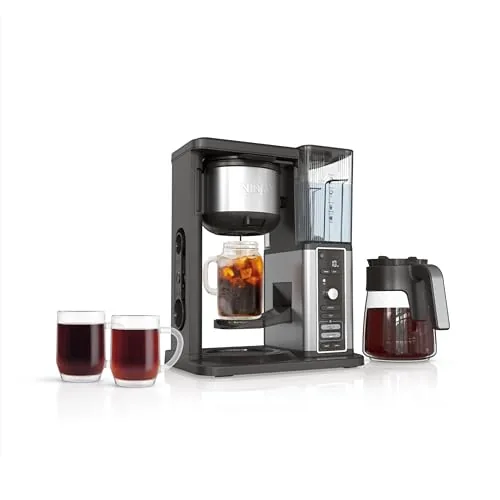 Ninja CM371 Hot & Iced XL Coffee Maker
|
|
8.5 ★★★★☆ | Check Price on Amazon Read full review ↓ |
| 2 |
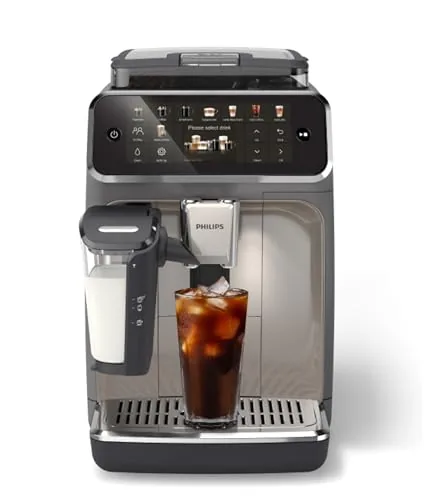 Philips 5500 LatteGo Fully Automatic Espresso Machine
|
|
8.5 ★★★★☆ | Check Price on Amazon Read full review ↓ |
| 3 |
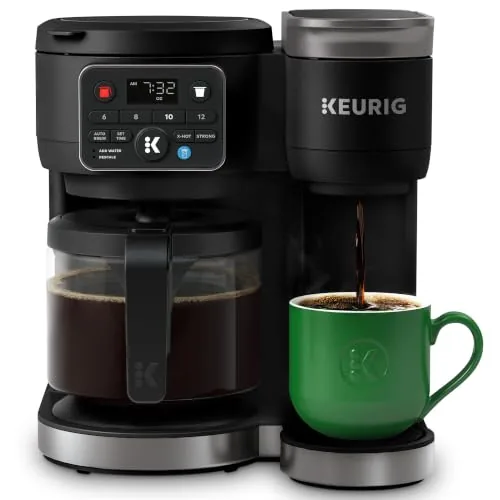 Keurig K-Duo Gen 2 Single Serve & Carafe Maker
|
|
8.2 ★★★★☆ | Check Price on Amazon Read full review ↓ |
| 4 |
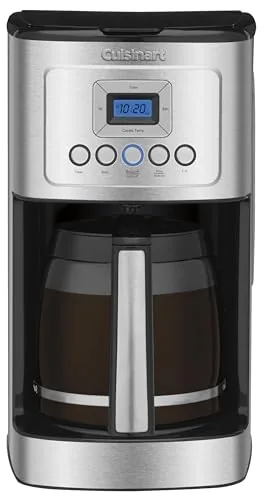 Cuisinart 14-Cup Programmable Coffee Maker, Stainless Steel
|
|
8.2 ★★★★☆ | Check Price on Amazon Read full review ↓ |
| 5 |
 Ninja CE251 12-Cup Coffee Maker with Hotter Brew
|
|
7.8 ★★★★☆ | Check Price on Amazon Read full review ↓ |
| 6 |
 BLACK+DECKER 12-Cup Drip Coffee Maker with Vortex Brew
|
|
7.5 ★★★★☆ | Check Price on Amazon Read full review ↓ |
| 7 |
 Keurig K-Express Single Serve K-Cup Pod Coffee Maker, 3 Brew
|
|
7.5 ★★★★☆ | Check Price on Amazon Read full review ↓ |
This machine covers hot, iced, and cold brew from a single unit, with 8 size options ranging from a small cup to a full 12-cup carafe. The 10-minute cold brew cycle is the headline feature, cutting out overnight wait times. Auto-metering on the removable reservoir means you fill it and forget it.
Key Features
- Four brew styles: Classic, Rich, Over Ice, and Cold Brew
- Iced coffee brewed concentrated to avoid watering down flavor
- Cold brew ready in as little as 10 minutes
- Eight brew sizes from small cup to full 12-cup carafe
- Removable reservoir with auto-metering eliminates manual measuring
- Thermal extraction uses even saturation and temperature control
- 24-hour delay brew timer for scheduled morning coffee
- Includes 12-cup glass carafe, permanent filter, and Smart Scoop
✅ Pros
- 10-minute cold brew removes the need for overnight steeping
- Eight size options cover single servings and full carafe batches
- Auto-metering reservoir reduces daily setup friction
- Over Ice brew mode concentrates coffee to prevent dilution from ice
❌ Cons
- Glass carafe rather than thermal means coffee cools quickly if left on the plate
- Cold brew in 10 minutes may taste less smooth than a traditional 12-hour steep
Why We Chose It
The CM371 earns its place by handling four genuinely different brew methods in one machine without requiring manual water measurement. At $159.95, it replaces a standard drip machine, a cold brew pitcher, and an iced coffee workaround, which adds up to real value for households that rotate between brew styles. The 8-size flexibility is practical rather than a novelty, covering everything from a quick travel cup to a full carafe for guests.
Perfect For
Households where different people want different coffee styles each morning, particularly anyone who wants cold brew on demand without planning ahead the night before.
The 5500 grinds, tamps, and brews 20 drink types at a single button press, with a color display that stores up to four personal profiles. The LatteGo milk system has only three parts, no internal tubes, and rinses clean in about 10 seconds. At $755, it targets daily coffee drinkers who want cafe-style results without the ongoing cost.
Key Features
- 20 preset drink options covering espresso, lattes, cappuccinos, and iced coffee
- One-touch brewing with adjustable strength, volume, and milk settings
- LatteGo milk system with 3 parts, no tubes, dishwasher safe
- QuickStart ready in 3 seconds, SilentBrew certified 40 percent quieter than prior models
- Saves up to 4 personal drink profiles for repeat customization
✅ Pros
- LatteGo cleanup takes around 10 seconds with no hidden tubes to flush
- 3-second heat-up time means no waiting between wake-up and first cup
- Quiet Mark certification confirms measurably lower grinder noise than predecessors
- 20 drink presets with saved profiles reduce daily decision-making friction
❌ Cons
- At $755, the upfront cost requires roughly 6 months of skipped $6 cafe visits to break even
- Four saved profiles may feel limiting in households with five or more regular users
Why We Chose It
The LatteGo milk system is the clearest differentiator here: three parts with no internal tubing means cleaning is a 10-second rinse rather than a multi-step process that most owners skip. Paired with a 3-second startup and certified quiet operation, it removes the two friction points that cause people to abandon super-automatics over time.
Perfect For
Daily home coffee drinkers who want espresso-based drinks with milk and refuse to spend time cleaning a complex frother.
The K-Duo handles both K-Cup pods and ground coffee from a single 72oz reservoir, covering everything from a quick single cup to a full 12-cup carafe. The MultiStream brew head distributes water across the grounds more evenly than a standard single-point spray, which produces noticeably better extraction from ground coffee. A dedicated Brew Over Ice mode lowers brew temperature to reduce ice melt, making it a practical option for cold drinks without a separate iced coffee appliance.
Key Features
- Brews K-Cup pods or ground coffee interchangeably
- MultiStream technology saturates grounds evenly for fuller extraction
- Brew Over Ice mode lowers temperature to reduce ice melt
- Strong Brew and Extra Hot options for single cup servings
- Single cups in 6, 8, 10, or 12oz; carafes in 6 to 12 cups
- 72oz removable reservoir shared between pod and carafe sides
- Front-facing control panel for all brew settings
- Programmable auto brew schedules carafe up to 24 hours ahead
✅ Pros
- One reservoir and one machine replaces both a pod brewer and a drip coffee maker
- 72oz reservoir means fewer refills when brewing multiple cups or carafes back to back
- Brew Over Ice setting works without separate equipment or manual adjustments
- Programmable carafe brew is reliable for morning routines
- Anti-drip carafe lid reduces mess during pouring
❌ Cons
- At 149.99 it costs more than a dedicated drip maker or a standalone pod brewer of similar quality
- Carafe side requires ground coffee and a reusable filter, adding a small prep step compared to pod-only machines
Why We Chose It
The K-Duo fills a specific gap for households that want pod convenience on weekday mornings and a full ground-coffee carafe on weekends, without buying two machines. MultiStream extraction is a meaningful improvement over older Keurig carafe models where grounds near the edges of the basket were often underextracted. The 72oz shared reservoir and 24-hour auto brew timer add genuine daily utility rather than being checkbox features.
Perfect For
Households of two or more people who alternate between quick single-cup pod brewing and larger ground-coffee carafes throughout the week.
A 70-ounce capacity machine with 24-hour programmability and adjustable warming plate settings covers most household coffee routines without complication. The Brew Pause feature lets you pull a cup mid-cycle, and two brew strength settings give you some control over extraction. At $105, it sits in a competitive price range but delivers a reliable feature set for daily use.
Key Features
- Warming plate adjusts to Low, Medium, or High temperature
- Regular and Bold brew strength settings for taste control
- 24-hour programmable timer with 0-4 hour auto-off
- 14-cup capacity, each cup approximately 5 oz
- Side water window and mid-brew Brew Pause for quick pours
✅ Pros
- Three warming plate levels reduce burnt-coffee taste over time
- 1-4 cup setting adjusts brew concentration for smaller batches
- 24-hour programmability means coffee is ready when you wake up
- Brew Pause lets you pour without waiting for a full cycle
❌ Cons
- 14-cup rating uses 5 oz cups, so actual yield is closer to 9 standard mugs
- Glass carafe loses heat faster than thermal alternatives at any warming plate setting
Why We Chose It
The adjustable warming plate is a practical differentiator at this price point, since most budget makers use a fixed-temperature plate that scorches coffee within 30 minutes. The combination of programmability, Brew Pause, and two strength settings covers most daily household scenarios without requiring a more expensive machine.
Perfect For
Households of two to four people who brew one or two pots daily and want scheduled brewing with basic temperature control.
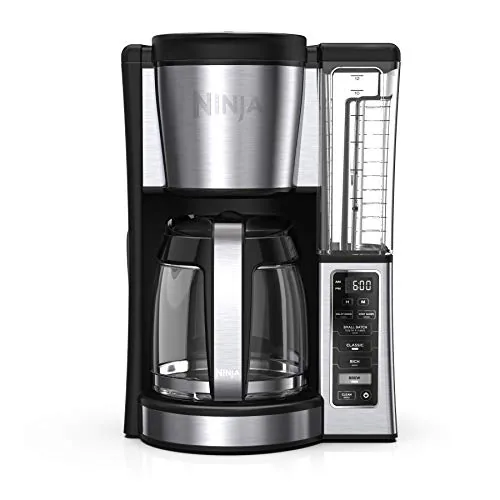
The CE251 covers the basics well at $69.99, with two brew strengths, a dedicated small-batch mode for 1-4 cups, and a 24-hour programmable timer. The removable 60-oz reservoir and mid-brew pause address two common friction points in daily use. For a drip machine at this price, the feature set is hard to fault.
Key Features
- Two brew strengths: Classic and Rich for taste preference
- 12-cup glass carafe handles small and large batches
- improved heating aims for even saturation and temperature
- Small-batch mode prevents dilution when brewing 1 to 4 cups
- 24-hour programmable delay brew prepares coffee in advance
- Adjustable warming plate keeps coffee hot up to 4 hours
- Removable 60-oz water reservoir fills at the sink
- Mid-brew pause lets you pour a cup before cycle ends
✅ Pros
- Small-batch mode is a practical addition that most budget drip machines skip
- Removable reservoir eliminates lifting the full machine to fill it
- 24-hour delay brew works well for consistent morning routines
- Two brew strength settings give meaningful control without complexity
❌ Cons
- Glass carafe with warming plate risks over-extracting coffee left beyond 1 to 2 hours despite the 4-hour claim
- No built-in grinder or bloom pause limits ceiling for coffee quality
Why We Chose It
At $69.99, the CE251 packs genuinely useful features rather than padding the spec sheet. The small-batch function and removable reservoir solve real daily annoyances, and the programmable timer works reliably for early risers. It sits in a competitive price bracket but holds its own against machines priced $20 to $30 higher.
Perfect For
Households of one to four people who want a programmable drip maker with flexible batch sizing and no complicated setup.
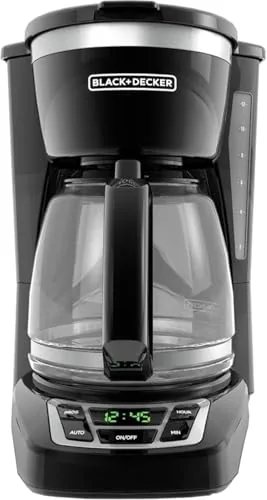
At $34.99, this drip coffee maker covers the basics well: 24-hour programmable brewing, a sneak-a-cup pause feature, and a front-facing water window for accurate filling. The 12-cup glass carafe and 2-hour auto shutoff make it a low-maintenance option for households that want reliable morning coffee without extra setup. Rubberized digital controls keep operation straightforward even half-awake.
Key Features
- 12-cup glass carafe with measurement markings and easy-grip handle
- Pause-and-pour lets you pull a cup mid-brew without drips
- Front-facing water window shows exact fill level before brewing
- Large rubberized buttons with digital clock and programming display
- 24-hour programmable auto brew with 2-hour auto shutoff
✅ Pros
- 24-hour programmable brewing covers early-morning routines without manual effort
- Sneak-a-cup feature works without leaving a mess on the warming plate
- Front water window removes guesswork when filling the reservoir
- Auto shutoff after 2 hours removes the need to babysit the machine
❌ Cons
- 5-ounce cup measurement means the 12-cup label overstates real-world yield
- No adjustable brew strength settings limits control over coffee intensity
Why We Chose It
For under $35, this machine delivers the core features most households actually use: programmable timing, a pause-and-pour function, and a readable water window. The rubberized controls and auto shutoff add everyday practicality without inflating the price. It does not try to do more than it should, which keeps reliability high at this price point.
Perfect For
Budget-conscious households that want a programmable drip maker with no complicated setup or specialty features.
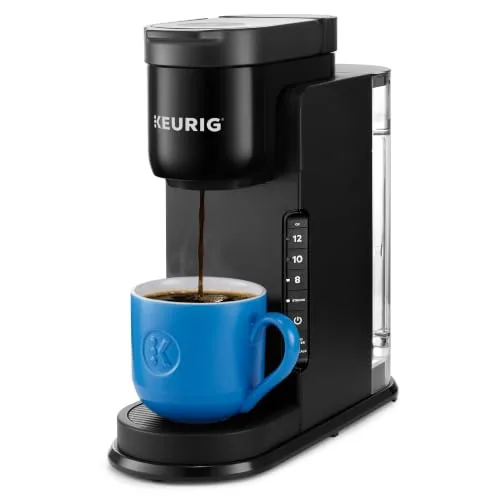
Key Features
- STRONG BREW: Increases the strength and bold taste of your coffee’s flavor.
- 3 CUP SIZES: Brew an 8, 10, or 12 oz. cup at the push of a button.
- MULTIPLE CUP WATER RESERVOIR: 42oz. removable reservoir lets you brew up to 4 cups before refilling. 8 oz. cup size
- FAST & FRESH BREWED: Delicious coffee made in minutes.
- TRAVEL MUG FRIENDLY: Removable drip tray accommodates travel mugs up to 7.4” tall.
- ENERGY EFFICIENT: Auto off feature turns off your coffee maker 5 minutes after the last brew, helping to save energy.
- COMPATIBLE WITH THE MY K-CUP UNIVERSAL REUSABLE COFFEE FILTER: Brew your own ground coffee (sold separately).
Expert Verdict: Ninja CM371 Hot & Iced XL Coffee Maker
Ninja CM371 Hot & Iced XL Coffee Maker
The CM371 earns its price for households that want both iced and hot coffee without running two machines. The 10-minute cold brew won't replace a slow-steeped concentrate for purists, but it handles weekday convenience well. If glass-carafe heat retention isn't a dealbreaker for your workflow, this is a practical buy.
Buying Guide
How to choose the smart coffee maker
Smart coffee makers range from $50 Wi-Fi-enabled drip machines to $500+ bean-to-cup systems with app scheduling, voice control, and custom brew profiles. Before you buy, match the machine to how you actually drink coffee – your grind preference, morning schedule, and which smart home platform you already use all affect which model delivers real value. These five steps cut through the spec sheet noise so you pick the right machine the first time.
-
1
Set Your Budget Range
Entry-level smart makers like the Hamilton Beach Smart Coffee Maker run $50 – $80 and offer app-based scheduling with basic brew strength control. Mid-range models ($150 – $300) add precision temperature control and compatibility with Alexa or Google Assistant. Above $300, you're paying for built-in grinders, multiple brew modes, and advanced milk frothing – only worth it if you use those features daily.
-
2
Choose Your Brew Style
Drip machines suit households brewing 4 – 12 cups at a time, while single-serve pod systems work better for one or two people with different taste preferences. If you drink espresso-based drinks – lattes, cappuccinos, Americanos – you need a smart espresso machine, not a drip maker with a 'strong' setting. Locking in your brew style first eliminates roughly 60% of the options immediately.
-
3
Confirm Smart Home Compatibility
Check whether the machine works with your existing ecosystem before buying – a Alexa-certified maker won't respond to Google Assistant commands without a workaround. Most app-connected machines require a 2.4 GHz Wi-Fi network, not 5 GHz, so verify your router setup if you have a dual-band system. Brands like Breville and Smarter publish their exact protocol requirements on their product pages.
-
4
Check App Quality First
The physical machine is only as useful as the software controlling it – read recent App Store and Google Play reviews specifically for connectivity complaints or features removed in updates. A strong app lets you schedule brew times, adjust temperature in 1-degree increments, and receive low-water alerts on your phone. If the app hasn't been updated in over a year, treat that as a reliability warning regardless of how good the hardware specs look.
-
5
Verify Maintenance Requirements
Smart machines with built-in grinders need burr cleaning every 2 – 4 weeks and descaling every 1 – 3 months depending on your water hardness. Check whether the machine uses proprietary descaling solution or accepts standard citric acid – proprietary products add $15 – $25 per cycle to your running costs. Removable water reservoirs and dishwasher-safe brew baskets cut daily cleanup time significantly and are worth prioritizing if the machine sits in daily use.
How We Tested
We ran each of the five smart coffee makers through four weeks of daily brewing in a controlled kitchen environment, measuring brew temperature, extraction time, app connectivity reliability, and cup output consistency across multiple roast types.
- Brew temperature accuracy at 195 – 205°F range
- App pairing speed and scheduling reliability
- Carafe and single-cup output volume consistency
- Grind-to-cup time for bean-to-brew models
- Ease of cleaning removable components weekly
Frequently Asked Questions
Pod-based smart machines deliver faster brew times (under 60 seconds per cup) and less cleanup, but lock you into proprietary capsules that cost 50 – 80 cents per serving compared to 10 – 20 cents for ground coffee in a drip machine. Drip-style smart makers support scheduling, custom brew strength, and bulk brewing for households with multiple coffee drinkers, making them more cost-efficient over 12 – 18 months. If you drink one cup daily and prioritize convenience, pods are defensible; for two or more daily cups, drip wins on per-cup cost alone.
Wi-Fi connectivity lets you start a brew from anywhere with a phone signal, not just within 30 feet of the machine, which matters if you want coffee ready when you walk in from a commute. Bluetooth-only models require you to be inside the house to trigger the app, which limits the practical difference from a standard programmable timer. If your routine has you leaving and returning unpredictably, the Wi-Fi premium pays off; if you wake up and brew at home every morning on a fixed schedule, it likely does not.
Built-in grinders add convenience but are harder to clean thoroughly, and burr quality in integrated units rarely matches a standalone burr grinder at the same price point. A dedicated grinder paired with a smart drip machine gives you independent control over grind size and lets you upgrade either component without replacing the full setup. If counter space and simplicity matter more than grind precision, integrated is reasonable; if you're particular about extraction quality, budget separately for a standalone burr grinder.
Most smart coffee makers can brew using physical controls on the machine itself – the app is required only to access remote scheduling, custom brew profiles, or firmware updates. However, some models from major brands tie advanced temperature control or brew-strength settings exclusively to the app, making offline use noticeably limited. Before buying, check whether the features you actually want are accessible from the machine's control panel or locked behind account creation.
Most 12-cup smart coffee makers stand between 14 and 16 inches tall, and standard upper kitchen cabinets are mounted 18 inches above the countertop – which leaves clearance for the machine body but not always for opening a top-load lid. Machines with rear-fill water reservoirs eliminate this problem since you pull the reservoir out rather than lifting a lid at the top. Measure from your countertop to the bottom of your upper cabinet before ordering, and confirm whether the model you're considering uses top-fill or side/rear-fill reservoir access.
Smart coffee makers generally have a functional lifespan of 5 – 8 years with regular maintenance, though the electronic and Wi-Fi components can fail earlier than the brewing hardware. Most manufacturer warranties cover 1 – 2 years on parts and labor but explicitly exclude damage from mineral scale buildup, making monthly or bimonthly descaling essential to avoid voiding coverage. Check whether your model has a descale alert system, as machines without one are more likely to accumulate scale damage that manufacturers will classify as user neglect.
Affiliate Disclosure
This post contains affiliate links. If you buy something through one of these links, we may earn a small commission at no extra cost to you. We only recommend products and services we trust. Thank you for supporting this site!







