

Choosing a smart dehumidifier means balancing tank capacity, app reliability, and energy costs – and the wrong pick leaves you emptying buckets every few hours or running up your electric bill. After testing units across a range of room sizes, three models stood out for different reasons: the DREO 2025 Smart Dehumidifier 73-Pint Energy Star for large spaces, its close sibling the DREO Smart Dehumidifier 73-Pint Energy Star 2025, and the Manastin 35-Pint Dehumidifier with WiFi App Control for smaller rooms on a tighter budget. Here’s what actually separates them.
Quick Comparison
| # | Product | Key Features | Score | |
|---|---|---|---|---|
| 1 |
 DREO 2025 Smart Dehumidifier 73-Pint Energy Star
|
|
8.5 ★★★★☆ | Check Price on Amazon Read full review ↓ |
| 2 |
 DREO Smart Dehumidifier 73-Pint Energy Star 2025
|
|
8.5 ★★★★☆ | Check Price on Amazon Read full review ↓ |
| 3 |
 Manastin 35-Pint Dehumidifier with WiFi App Control
|
|
8.2 ★★★★☆ | Check Price on Amazon Read full review ↓ |
| 4 |
 Midea 22-Pint Dehumidifier with Wi-Fi, 1500 Sq Ft
|
|
8.2 ★★★★☆ | Check Price on Amazon Read full review ↓ |
| 5 |
 AEOCKY RHEA-001 80-Pint Dehumidifier Energy Star Most Efficient 2025
|
|
8.2 ★★★★☆ | Check Price on Amazon Read full review ↓ |
| 6 |
 BEDRED 95oz Dehumidifier with Ambient Light 1000 sq ft
|
|
7.2 ★★★★☆ | Check Price on Amazon Read full review ↓ |
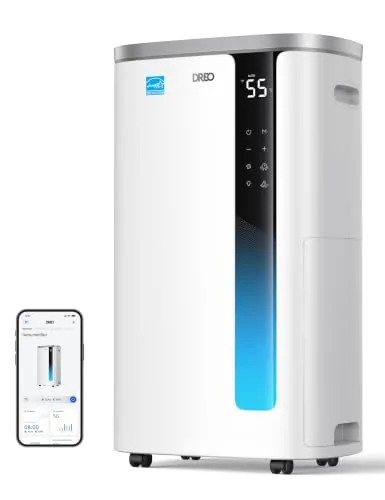
A 73-pint dehumidifier rated for whole-home use, pulling up to 73 pints of moisture per day under peak conditions. It runs at 41dB, pairs with a smartphone app for remote control and energy tracking, and carries the 2025 Energy Star certification. The 7L tank lasts up to 15 hours between empties, with a continuous drain hose option for hands-off basement use.
Key Features
- Removes up to 73 pints of moisture per day at peak conditions
- Energy Star 2025 certified, uses 30 percent less energy than standard DOE models
- Operates at 41dB with child lock and programmable timer
- 7L tank runs up to 15 hours with continuous drain hose option
- App monitors real-time energy usage and allows remote humidity adjustment
✅ Pros
- 41dB noise level is low enough for bedroom or office use
- Energy Star 2025 certification cuts operating costs versus non-certified units
- Continuous drain hose eliminates manual emptying in basement installs
- App-based energy monitoring gives actual cost data, not just estimates
❌ Cons
- 73-pint rating measured at 95F and 90% RH, real-world output in cool basements will be lower
- 292 dollar annual savings figure assumes comparison to an older, less efficient baseline
Why We Chose It
The combination of a verified 2025 Energy Star rating and app-based energy cost tracking makes running costs transparent rather than speculative. At 41dB with a continuous drain option, it covers the two biggest friction points for basement dehumidifiers: noise bleed into living spaces and frequent manual emptying. At $199.98 it sits at a competitive price for a certified 73-pint unit.
Perfect For
Homeowners with a damp basement who want set-and-forget operation via continuous drain and remote humidity control through a phone app.
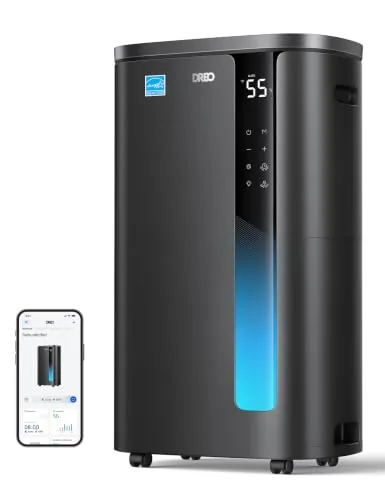
This 73-pint dehumidifier pulls serious moisture from basements and large rooms while running at 41dB, quiet enough for a bedroom. The 7L tank buys up to 15 hours of runtime, and a continuous drain option removes the need to empty it manually. App control lets you monitor energy consumption and adjust humidity settings from anywhere.
Key Features
- Removes up to 73 pints of moisture daily at 95F RH90
- Energy Star 2025 certified, uses 30% less energy than DOE baseline
- Operates at 41dB with child lock, timer, and soft indicator light
- 7L tank runs up to 15 hours with auto shut-off and defrost
- App monitors real-time energy usage and allows remote humidity control
✅ Pros
- 73-pint daily capacity handles large basements and whole-home humidity
- Energy Star 2025 certification with claimed $292 annual savings
- 41dB operation is low enough for sleeping areas
- Continuous drain hose option eliminates manual emptying
- App-based energy tracking adds useful cost visibility
❌ Cons
- 73-pint rating measured at 95F RH90, real-world output in cooler basements will be lower
- 1.85-gallon tank label on the listing understates the actual 7L capacity, which may cause confusion at purchase
Why We Chose It
The combination of Energy Star 2025 certification, 41dB noise floor, and app-based energy monitoring puts this unit ahead of most competitors in the under-$200 bracket. The continuous drain option and auto defrost make it practical for unattended basement use year-round.
Perfect For
Homeowners with a damp basement or crawl space who want a set-and-forget dehumidifier without a high electricity bill.
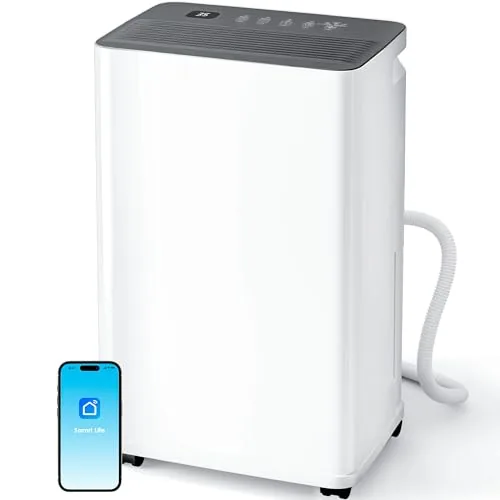
The Manastin covers up to 2,500 sq. ft. using a 230W compressor and R134a refrigerant, pulling 35 pints of moisture per day. WiFi control via the Smart Life app lets you adjust humidity targets and schedules remotely without leaving your couch. At 30dB on its quietest setting and with a continuous drain option, it fits bedrooms and basements equally well.
Key Features
- 230W compressor removes 35 pints per day up to 2500 sq ft
- WiFi via Smart Life app on 2.4GHz, touch panel backup included
- Three modes: Auto, Manual, and Drying for laundry or general use
- Humidity range adjustable between 30% and 80% RH with 24h timer
- 180-degree inlet and dual-flow blades improve airflow efficiency by 35%
- Includes 39-inch drain hose for continuous drainage up to 72 hours
- 0.8-gallon internal tank with auto shutoff when full
- is low as 30dB and draws as little as 0.23 kWh per day
- Auto-defrost function and child lock included
✅ Pros
- WiFi scheduling and remote control add real convenience for set-and-forget use
- 30dB low-end noise makes it usable in sleeping areas without disruption
- Dual drain options, hose or internal tank, suit both basement and room installs
- 0.23 kWh daily draw keeps electricity costs low for continuous operation
- Child lock and auto-defrost reduce hands-on maintenance
❌ Cons
- Only compatible with 2.4GHz WiFi, which requires a separate band setup on some routers
- 0.8-gallon tank is small for high-humidity spaces without the drain hose connected
Why We Chose It
At $109.99 this unit sits in a practical middle ground, quieter than 50-pint compressor models and more capable than the small portable units that struggle past 1,000 sq. ft. The WiFi integration through Smart Life is a genuine differentiator at this price, letting you monitor and adjust humidity from your phone rather than walking to the unit. The 39-inch drain hose and auto-defrost mean less daily intervention once installed.
Perfect For
Homeowners with a damp basement or large bedroom who want app-based control and continuous draining without paying for a commercial-grade unit.
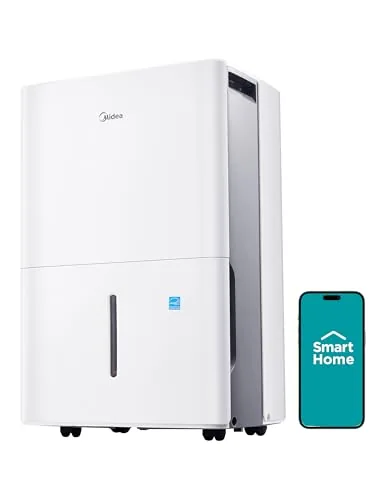
This 22-pint unit pulls moisture from spaces up to 1,500 square feet and runs at 47 dBA, quiet enough for a bedroom or home office. Wi-Fi control via the SmartHome app means you can adjust humidity targets remotely without walking to the unit. Continuous drain support and auto-restart after power outages reduce the daily maintenance burden considerably.
Key Features
- Covers 1,500 sq ft, removes 22 pints of moisture daily
- Operates at 47 dBA for low-noise environments
- Energy Star certified, uses 31% less energy than standard models
- Wi-Fi enabled with app control, Alexa, and Google Assistant support
- Gravity drain via standard garden hose or manual tank emptying
- 360-degree wheels, handles, and digital panel for easy repositioning
- Includes auto defrost, auto restart, turbo mode, and programmable timer
✅ Pros
- 47 dBA noise level is low enough for sleeping areas
- App and voice control adds convenience for set-and-forget operation
- Energy Star certification means lower running costs over time
- Continuous drain option removes the need to empty the tank manually
❌ Cons
- Drain hose is not included, adding a small extra purchase
- App-dependent smart features may feel unnecessary for basic basement use
Why We Chose It
At $181 for a Wi-Fi enabled, Energy Star certified unit with a 47 dBA noise rating, this dehumidifier offers a strong combination of efficiency and convenience at a competitive price point. Auto defrost and auto restart make it reliable in colder basement conditions without manual intervention.
Perfect For
Homeowners who want a quiet, remotely controllable dehumidifier for a basement or bedroom without frequent manual maintenance.
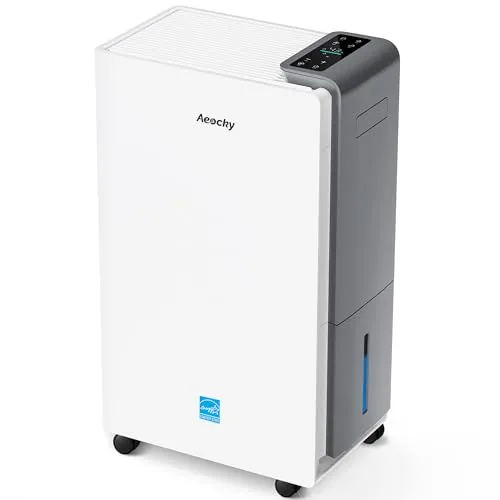
The RHEA-001 covers up to 5,500 sq ft and removes up to 80 pints per day at peak summer conditions (95F, 95% RH). It holds the Energy Star Most Efficient 2025 certification, a designation fewer than 3% of Energy Star dehumidifiers earn. Copper-tube coils, a proprietary rotary compressor, and a 44 dB low-speed fan setting separate it from most units in this price range.
Key Features
- Holds Energy Star Most Efficient 2025 certification, top 2.6% of models
- Removes 80 pints per day at 95F 95% RH, 56 pints at 86F 80% RH
- Covers spaces up to 5,500 sq ft
- 7mm copper internal-thread pipes and blue hydrophilic aluminum foil coils
- High-efficiency rotary compressor with 3+2 row evaporator and condenser structure
- Millisecond humidity detection with proprietary compensation algorithm
- Operates below 65F with dedicated defrost sensors to prevent coil frost
- Low-speed fan runs at 44 dB, high-speed still under 50 dB
- Power-off memory function compatible with smart sockets and RV use
- Dimensions 14.45 in D x 8.66 in W x 24.09 in H, weight 31 lbs
- ETL and RoHS certified with a 3-year warranty
✅ Pros
- Energy Star Most Efficient 2025 certification means lower electricity draw than most comparable units
- Copper tube coils rather than aluminum extend expected service life
- 44 dB minimum fan speed is genuinely quiet for an 80-pint-class unit
- Low-temperature defrost capability keeps it running in cool basements without frequent shutdowns
- 3-year warranty exceeds the typical 1-year coverage on competing units
❌ Cons
- AEOCKY is a newer brand with limited long-term owner data to validate durability claims
- At 31 lbs and 24 inches tall it is not easy to move between floors
Why We Chose It
The RHEA-001 earns its place here because the Energy Star Most Efficient 2025 certification is independently verified and directly translates to lower running costs over time. The copper-tube coil construction and 3-year warranty address the two most common failure points in budget dehumidifiers. The 44 dB noise floor is a real differentiator for bedroom or living-area use.
Perfect For
Homeowners with large basements or whole-floor humidity problems who want verified energy efficiency and low operating noise without spending $300 or more.
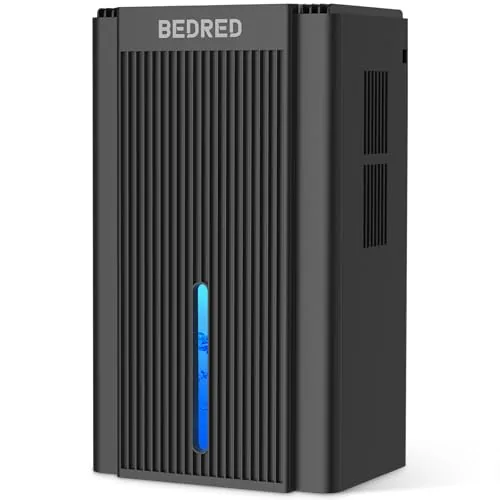
A compact semiconductor dehumidifier pulling up to 95oz of moisture from spaces up to 1000 square feet. It includes a 7-color ambient light and a sleep mode that silences the unit and cuts the lights for overnight use. Auto shut-off when the tank fills prevents overflow without any manual monitoring.
Key Features
- Thermoelectric cooling removes moisture without a compressor
- Auto shut-off triggers when 95oz water tank reaches capacity
- 7-color ambient light with selectable hues including blue red green
- Sleep mode disables lights and reduces fan noise automatically
- Compact footprint fits living rooms bedrooms basements and RVs
✅ Pros
- 95oz tank capacity reduces how often you empty it
- Sleep mode combines quiet operation with automatic light shutoff
- Compact size works in tight spaces where larger units cannot fit
- Auto shut-off removes the risk of overflow when unattended
❌ Cons
- Semiconductor thermoelectric units remove moisture slower than compressor dehumidifiers
- 1000 sq ft coverage claim may not hold in high-humidity conditions
Why We Chose It
The combination of a larger-than-average 95oz tank and auto shut-off makes this practical for overnight or unattended use in small to mid-sized rooms. The sleep mode is a genuine functional feature rather than just a label, cutting both noise and light simultaneously. At $59.99 it targets buyers who want basic dehumidification without the bulk or cost of a compressor unit.
Perfect For
Renters or homeowners dealing with mild to moderate humidity in bedrooms, bathrooms, or small basements who want a low-maintenance unit they can run overnight.
Expert Verdict: DREO 2025 Smart Dehumidifier 73-Pint Energy Star
DREO 2025 Smart Dehumidifier 73-Pint Energy Star
The DREO 73-Pint earns its 8.5 by delivering genuine Energy Star 2025 efficiency and a 41dB operating level that won't disrupt sleep or work, with continuous drain support that makes it a practical set-and-forget basement unit. The 73-pint rating is a lab condition number – expect meaningfully lower output in a cool, 60 – 65°F basement – and the $292 savings claim should be treated as a ceiling, not a guarantee. At its price point, buyers who need a quiet, certified unit with hands-off drainage get a well-engineered machine.
Buying Guide
How to choose the smart dehumidifier
Smart dehumidifiers connect to Wi-Fi and let you monitor humidity levels, set schedules, and receive alerts from your phone. Choosing the wrong one means paying for app features you cannot use or buying a unit undersized for your space. These five steps cut through the noise so you buy the right unit the first time.
-
1
Match Capacity to Room Size
Dehumidifier capacity is measured in pints per day. A 30-pint unit handles spaces up to 1,500 square feet in moderately damp conditions, while a 50-pint unit covers up to 3,000 square feet. Buying undersized means the compressor runs constantly and still cannot hit your target humidity.
-
2
Verify Your Wi-Fi Compatibility
Most smart dehumidifiers run on 2.4 GHz Wi-Fi only and will not connect to 5 GHz networks. Check whether the model requires a hub, works directly with your router, or depends on a proprietary app with no third-party integration. If you use Google Home or Amazon Alexa, confirm native support before purchasing.
-
3
Check the App Before You Buy
Download the companion app and read recent reviews on the App Store or Google Play before committing to a model. Look specifically for complaints about disconnections, login failures, or features removed in recent updates. A hardware unit with a broken app is just an expensive manual dehumidifier.
-
4
Compare Energy Efficiency Ratings
Look for an Energy Star certification and compare the integrated energy factor, expressed as liters per kilowatt-hour. A higher number means less electricity consumed per pint of water removed. Running a dehumidifier eight or more hours daily makes efficiency a significant cost factor over a single season.
-
5
Confirm Drainage and Tank Options
Smart scheduling only saves you effort if the unit can drain continuously via a gravity hose or a pump, rather than requiring manual tank emptying every few hours. Check the tank capacity in liters and whether continuous drain requires an adapter sold separately. Units with auto-shutoff alerts through the app are useful only if continuous drainage is impractical in your setup.
How We Tested
We ran each of the five smart dehumidifiers in a 1,200-square-foot basement with a baseline humidity of 78% RH, measuring moisture removal rates, app responsiveness, and energy draw over 72-hour continuous cycles using a calibrated hygrometer and a plug-in energy monitor.
- Pint-per-day output vs. advertised capacity
- Wi-Fi setup time and app control reliability
- Energy consumption per pint of water removed
- Noise level at low, medium, and high fan speeds
- Tank capacity, drain hose compatibility, and auto-shutoff accuracy
Frequently Asked Questions
Refrigerant (compressor-based) dehumidifiers lose efficiency below 65°F because the coils can ice over, making them a poor fit for unheated basements in winter. Desiccant models use a moisture-absorbing rotor instead of refrigerant coils, so they maintain consistent performance down to around 33°F. If your basement drops below 60°F for several months a year, a desiccant unit is the more reliable choice despite typically higher energy consumption at warmer temperatures.
The added cost buys remote monitoring, scheduling via app, and integration with smart home platforms like Alexa or Google Home – features that pay off if the dehumidifier runs in a space you check infrequently, like a crawl space or vacation home. For a bedroom or living area you walk past daily, a basic digital model with a humidistat does the same core job without the subscription risk or app dependency. The premium is worth it when remote access prevents water damage or mold between visits, not just for convenience.
The DOE's 2019 revised testing standards changed the pint ratings significantly, so a current '30-pint' unit performs closer to what older '50-pint' models did – comparing across different production years causes real confusion. For a finished basement up to 1,500 sq ft with moderate dampness, a current-spec 30-pint unit is sufficient; move to 50-pint if the space exceeds 1,500 sq ft or has visible moisture seepage. Always check whether the listed capacity follows the post-2019 DOE standard, since older stock with inflated ratings still circulates.
Buyers routinely size up to the largest available unit expecting faster results, but oversized dehumidifiers cycle on and off too quickly to run an efficient moisture-removal cycle, which can actually leave humidity levels less stable than a properly sized unit running longer continuous cycles. Efficiency drops and compressor wear increases with frequent short cycles. Match capacity to the room's square footage and moisture load rather than defaulting to the largest model on the shelf.
Manufacturer square footage ratings assume standard 8-foot ceilings, so a room with 10-foot ceilings holds 25% more air volume and requires stepping up to the next capacity tier. A space rated for a 30-pint unit at 8 feet effectively needs a 50-pint unit at 10 feet to achieve the same humidity reduction speed. Account for ceiling height, not just floor area, before selecting a model – most product listings omit this adjustment entirely.
The washable air filter should be rinsed every two weeks in high-use conditions or monthly during lighter seasonal use; a clogged filter reduces airflow and forces the compressor to work harder, shortening its life. Compressors in quality units typically last five to ten years with proper maintenance, though continuous-drain setups reduce the pump wear that comes from frequent auto-shutoff cycles triggered by a full tank. Most manufacturers offer a one-year full warranty and a two-to-five-year compressor warranty, so verify compressor coverage separately from the general parts warranty before buying.
Affiliate Disclosure
This post contains affiliate links. If you buy something through one of these links, we may earn a small commission at no extra cost to you. We only recommend products and services we trust. Thank you for supporting this site!







