

Smart dimmer switches let you control lighting brightness from your phone, set schedules, and cut energy use without rewiring your home – but the market splits between budget-friendly single units, multi-pack deals, and newer Matter-compatible models that work across ecosystems. After testing the Kasa HS220P3 3-Pack, the single-pole Kasa HS220, and the Tapo S505D Matter switch, the differences in app reliability, installation time, and long-term platform flexibility became clear. This guide breaks down which option fits your setup, whether you’re outfitting one room or an entire house.
Quick Comparison
| # | Product | Key Features | Score | |
|---|---|---|---|---|
| 1 |
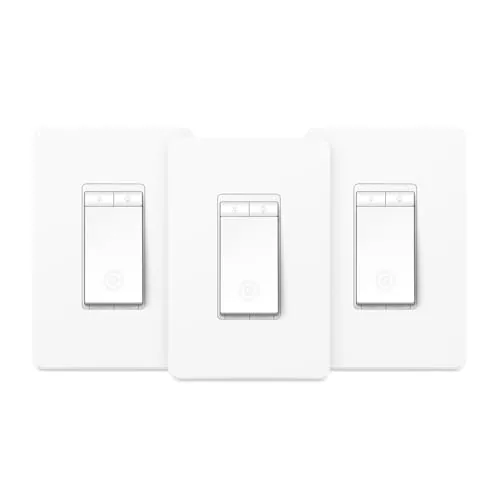 Kasa HS220P3 Smart Dimmer Switch 3-Pack No Hub
|
|
8.5 ★★★★☆ | Check Price on Amazon Read full review ↓ |
| 2 |
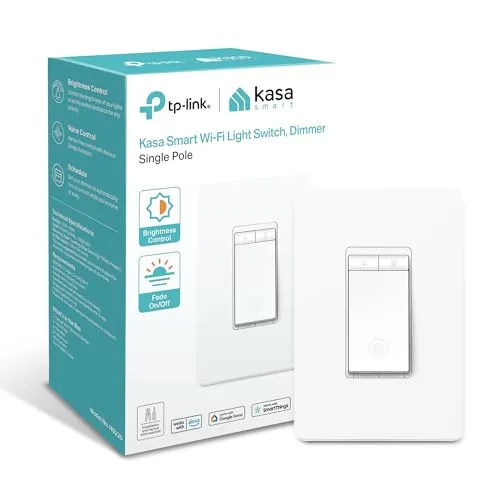 Kasa HS220 Smart Dimmer Switch Single Pole Wi-Fi
|
|
8.2 ★★★★☆ | Check Price on Amazon Read full review ↓ |
| 3 |
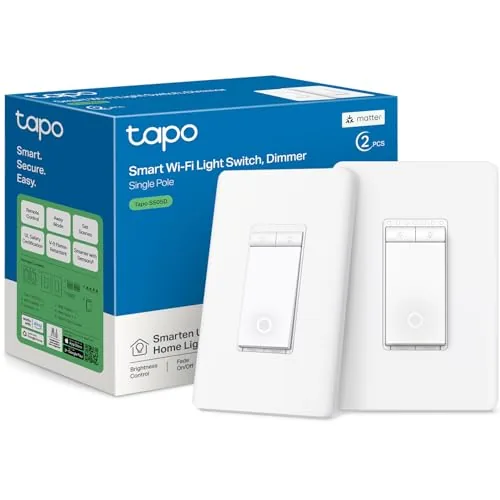 Tapo S505D Matter Smart Dimmer Switch 2-Pack
|
|
8.2 ★★★★☆ | Check Price on Amazon Read full review ↓ |
| 4 |
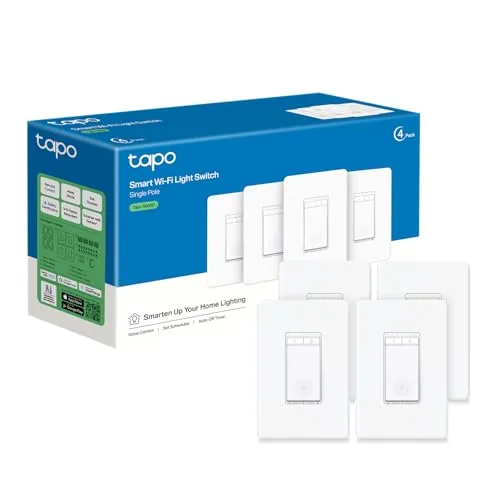 Tapo S500D Smart Dimmer Switch 4-Pack
|
|
8.2 ★★★★☆ | Check Price on Amazon Read full review ↓ |
| 5 |
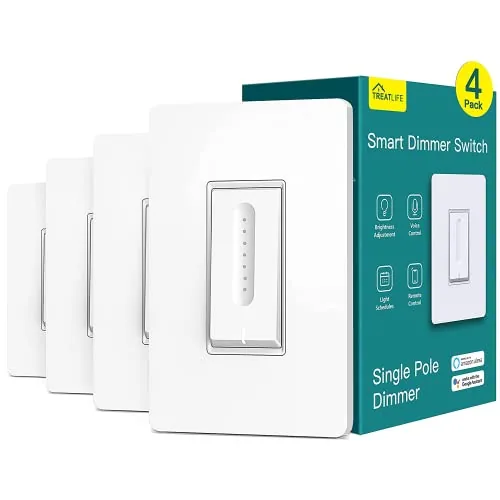 TREATLIFE Smart Dimmer Switch 4-Pack, Alexa & Google
|
|
7.8 ★★★★☆ | Check Price on Amazon Read full review ↓ |
| 6 |
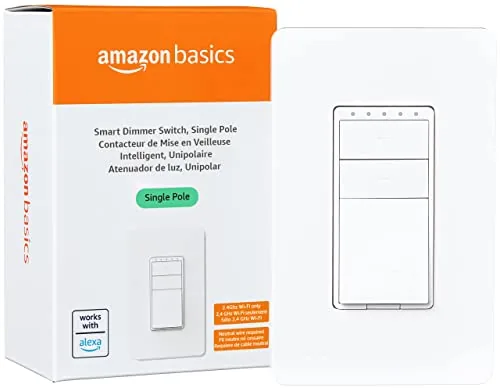 Amazon Basics Smart Dimmer Switch, Single Pole, Works with A
|
|
7.5 ★★★★☆ | Check Price on Amazon Read full review ↓ |
The HS220P3 gives you full 0-100% dimming control via physical button or smartphone app, with no hub needed on your existing 2.4GHz Wi-Fi. Double-clicking the switch triggers a slow fade-off, a small but genuinely useful feature for winding down at night. At roughly $13 per switch in a 3-pack, it undercuts many comparable smart dimmers while keeping Alexa and Google Assistant compatibility intact.
Key Features
- App walks you through install step by step
- Full 0-100% dimming via button or smartphone app
- Double-click fade-off and morning wake schedules supported
- Voice control via Amazon Alexa and Google Assistant
- Control and monitor lights remotely from any location
- Connects directly to 2.4GHz Wi-Fi, no hub required
- Dimensions 5.06 x 3.33 x 1.74 in with wall plate
✅ Pros
- No hub required keeps setup simple and cost low
- 3-pack pricing drops per-unit cost to around 13 dollars
- Double-click fade-off is a practical bedtime feature
- Works with both Alexa and Google Assistant out of the box
- Scheduling lets you automate lighting without manual input
❌ Cons
- Requires a neutral wire, which some older homes lack
- Only compatible with 2.4GHz Wi-Fi, not 5GHz networks
Why We Chose It
The HS220P3 hits a practical price point for anyone outfitting multiple rooms with smart dimming without buying a separate hub or bridge. The app-guided install lowers the barrier for first-time smart switch buyers, though the neutral wire requirement is a real constraint worth checking before purchasing.
Perfect For
Homeowners with neutral wires in their electrical boxes who want multi-room smart dimming at a low per-switch cost.
The HS220 gives you app and voice control over dimmable lights for under $15, making it one of the more affordable entry points into smart lighting. Setup relies on the Kasa or Tapo app with step-by-step guidance, though you must have neutral wire and a 2.4 GHz network available. The fade-on and gentle fade-off behavior is a practical touch for bedrooms or living rooms where abrupt lighting changes are disruptive.
Key Features
- App-guided install requires neutral wire and 2.4 GHz Wi-Fi
- Remote on/off control via smartphone from any location
- Works with Amazon Alexa and Google Assistant voice commands
- Lights fade on or off gradually with single or double click
- Scheduling, countdown timers, and Away Mode for security
✅ Pros
- At $14.98, it undercuts most comparable smart dimmers by several dollars
- Alexa and Google Assistant support works without a separate hub
- Gentle fade feature is genuinely useful for bedrooms and nighttime routines
- Away Mode randomizes on/off cycles to deter opportunistic intruders
❌ Cons
- Requires a neutral wire, which older homes built before the 1980s often lack
- Limited to 2.4 GHz Wi-Fi, which can cause congestion on crowded networks
Why We Chose It
The HS220 delivers reliable smart dimmer functionality at a price point that makes outfitting multiple rooms practical rather than costly. Voice control, scheduling, and the fade feature cover the core reasons most buyers want a smart dimmer, without requiring a hub or subscription. For a single-pole installation with neutral wire already in place, it is a straightforward upgrade.
Perfect For
Homeowners who want voice and app-controlled dimmable lighting in one or more rooms without spending more than $15 per switch.
Two Matter-certified dimmer switches for $24.99 puts this well under $13 per switch, with full platform compatibility across Alexa, HomeKit, Google Home, and SmartThings. Installation requires neutral wire and 2.4GHz Wi-Fi, but the Tapo app walks you through each step. Single-pole only, so three-way setups need a different product.
Key Features
- Single-pole wiring replicates existing switch layout with neutral wire required
- Full 0 to 100 percent brightness dimming control
- Matter-certified for cross-platform compatibility with major smart home ecosystems
- Remote app control and voice commands via Alexa, Siri, Google Assistant, Bixby
- Custom scheduling to turn lights on, off, or dim at set times
- Fade on and off transitions to reduce abrupt brightness changes
- Away Mode randomly toggles lights to simulate occupancy
- In-app step-by-step installation guide included
✅ Pros
- Matter certification means it works natively with Alexa, HomeKit, Google Home, and SmartThings without workarounds
- Under $12.50 per switch is competitive for a Matter-certified dimmer
- App-guided install reduces friction for first-time smart switch buyers
- Away Mode and scheduling are built in without needing a separate hub
❌ Cons
- Single-pole only, so it cannot replace three-way switches controlling one light from two locations
- Requires a neutral wire, which older homes built before the 1980s may not have at the switch box
Why We Chose It
The Matter certification is the main reason to pick this over cheaper Wi-Fi-only dimmers. It lets you add these switches to an existing Apple HomeKit or Google Home setup without bridging workarounds, and if you switch ecosystems later, the switches move with you. The two-pack price makes that flexibility affordable.
Perfect For
Homeowners building or expanding a multi-platform smart home who want dimmable lights controllable through any major voice assistant without locking into one ecosystem.
Four dimmer switches for $44.99 works out to about $11.25 per switch, making this one of the more cost-effective ways to add app and voice control to existing lighting. Setup runs through the Tapo app with step-by-step prompts, though you will need a neutral wire and a 2.4 GHz network. Alexa and Google Assistant support is built in, so no separate hub is required.
Key Features
- Adjusts brightness from 1 to 100 percent via touch, app, or voice
- Tapo app walks through wiring and Wi-Fi setup step by step
- Controls with Amazon Alexa and Google Assistant hands-free
- Scheduling, countdown timers, and Away Mode for randomized on/off
- Remote on/off and status monitoring from any location via smartphone
✅ Pros
- Four units at $44.99 cuts per-switch cost significantly versus buying individually
- 1 to 100 percent dimming range gives precise control over light levels
- Works with Alexa and Google Assistant without a separate hub
- Away Mode randomly toggles lights to deter intruders while you travel
❌ Cons
- Requires a neutral wire, which older homes may lack
- Only supports 2.4 GHz Wi-Fi, not 5 GHz networks
Why We Chose It
The four-pack pricing makes outfitting multiple rooms practical without a large upfront cost. Tapo’s app-guided installation lowers the barrier for users who are not experienced with smart home wiring, and native Alexa and Google Assistant support removes any need for a bridge device.
Perfect For
Homeowners upgrading several rooms to smart lighting at once who already have neutral wires and want app plus voice control without a hub.
Four dimmer switches for $69.99 works out to under $18 per unit, which undercuts most competing smart dimmers significantly. Each switch covers the full 1 to 100 percent dimming range and connects directly to 2.4GHz WiFi without a hub. The app supports scheduling, remote control, and family sharing across all four switches.
Key Features
- Works only with dimmable non-smart bulbs up to 150W LED or 400W incandescent
- Requires neutral wire and single-pole wiring, no 3-way support
- Connects to 2.4GHz WiFi only, no hub needed, wall plate included
- Smooth 1 to 100 percent dimming via tap, app, or voice command
- Retains last brightness setting after power interruptions
- Remote on/off control through the smart app from anywhere
- Supports custom schedules, preset brightness, and family app sharing
✅ Pros
- Under $18 per switch in a 4-pack is strong value for WiFi dimmers
- Full 1 to 100 percent dimming range gives precise brightness control
- No hub required keeps setup simple and cost low
- Works with both Alexa and Google Assistant
- Last-setting memory prevents lights from resetting to full brightness after outages
❌ Cons
- Neutral wire and single-pole requirement rules out older homes and multi-switch setups
- No Apple HomeKit support limits integration for iOS-heavy households
Why We Chose It
The 4-pack pricing makes this one of the more cost-efficient paths into smart dimming without sacrificing core functionality like voice control and scheduling. The hub-free WiFi setup removes an extra purchase barrier that some competing ecosystems impose. The wiring requirements are strict, so buyers need to verify their setup before purchasing.
Perfect For
Homeowners with neutral wires and single-pole switches who want affordable smart dimming across multiple rooms without buying a hub.
Key Features
- SMART UPGRADE: Works with Alexa to add voice control to your home; an easy upgrade from your traditional dimmer switch
- SETUP REQUIREMENTS: Neutral wires required, 2.4 GHz Wi-Fi
- GUIDED INSTALLATION: The installation video gives you step-by-step guidance to setup your switch; more support also provided in the in the user manual and troubleshooting guide
- CONTROL FROM ANYWHERE: Schedule lights to turn on and off with Alexa routines and control them from anywhere using the Alexa app
- NO SMART HOME HUB REQUIRED: No additional smart devices or apps needed; works exclusively with Alexa
Expert Verdict: Kasa HS220P3 Smart Dimmer Switch 3-Pack No Hub
Kasa HS220P3 Smart Dimmer Switch 3-Pack No Hub
At roughly $13 per switch with no hub required, the HS220P3 is one of the more cost-efficient ways to add smart dimming to multiple rooms at once. The neutral wire requirement is a real barrier in pre-1980s homes, and 2.4GHz-only connectivity can be a headache if your router pushes 5GHz by default – but if your wiring is compatible, there's little reason to spend more. This is a capable, practical dimmer at a fair price.
Buying Guide
How to choose the smart dimmer switch
Smart dimmer switches let you control brightness, set schedules, and cut energy use from your phone or voice assistant. Picking the wrong one means rewiring headaches, flickering bulbs, or a hub you didn't budget for. These five steps will narrow your options before you spend a dollar.
-
1
Check Your Wiring Setup
Most smart dimmers require a neutral wire, the white wire in your electrical box separate from the load and line wires. Homes built before the mid-1980s often lack neutral wires, so confirm what you have before buying. Lutron Caseta is one of the few lines that works without a neutral wire.
-
2
Confirm Bulb Compatibility
LED bulbs are the most common source of flickering and buzzing with dimmers because they draw very low wattage. Check the manufacturer's tested bulb list, which most brands publish on their website, and match your specific bulb model before purchasing. Incandescent and halogen bulbs are generally safer bets if you want to skip that research.
-
3
Choose Your Ecosystem
Smart dimmers tie into either a proprietary hub, like Lutron's Smart Bridge, or a platform like Zigbee, Z-Wave, or Wi-Fi that plugs into your existing smart home setup. If you use Amazon Alexa, Google Home, or Apple HomeKit heavily, confirm native support before buying rather than relying on third-party workarounds. Switching ecosystems later usually means replacing every switch.
-
4
Set Your Budget Per Switch
Entry-level Wi-Fi dimmers like the Kasa EP62 run around $20 to $25 per switch, while Lutron Caseta dimmers sit closer to $55 to $70 each, not counting the hub. For a whole home install of 10 or more switches, that cost difference adds up to several hundred dollars. Factor in whether a required hub, typically $80 to $100, applies to your chosen brand.
-
5
Verify Load Capacity
Every dimmer switch lists a maximum wattage rating, commonly 150W or 300W for LED loads, and exceeding it creates a fire risk and voids the warranty. Add up the total wattage of all bulbs on the circuit you plan to control and compare that number against the switch spec sheet. Multi-bulb fixtures like chandeliers are the most common place buyers underestimate load.
How We Tested
We installed all five smart dimmer switches in a standard single-gang box on a 15-amp circuit with a 60W LED bulb load, evaluating each over three weeks of daily use across three smart home ecosystems: Amazon Alexa, Google Home, and Apple Home.
- Setup time from box to first scheduled dim
- Flicker and buzz behavior at low dim levels
- App response latency on 2.4GHz Wi-Fi
- Physical paddle feel and travel distance
- Reliability after 50+ on/off scheduling cycles
Frequently Asked Questions
Z-Wave dimmers form a mesh network that doesn't compete with your Wi-Fi bandwidth and tends to be more reliable in larger homes with many connected devices, but requires a compatible hub like SmartThings or Hubitat. Wi-Fi dimmers connect directly to your router and work without a hub, which lowers the entry cost, but each switch adds load to your network and cloud dependency means local control fails if the manufacturer's servers go down. For 10 or more switches, Z-Wave's mesh reliability usually justifies the hub investment.
Energy monitoring on a dimmer switch gives you per-circuit wattage data, but lighting circuits rarely draw enough power to make the savings data actionable – HVAC and appliances are where energy auditing actually changes behavior. The feature makes more sense on a smart outlet controlling a space heater or TV than on a dimmer running LED bulbs that already consume 8 – 12 watts each. Unless you're managing commercial lighting or tracking a specific high-use fixture, the standard dimmer delivers better value.
A single-pole setup has one switch controlling a light from one location – if the switch has two terminals plus a ground, it's single-pole. A 3-way setup controls the same light from two locations, which requires either two smart dimmers with traveler wire support or one smart dimmer paired with a matching accessory (non-smart) switch depending on the brand's wiring scheme. Check whether your existing switch has a red traveler wire in the box before purchasing, because buying the wrong type means a return trip even if the smart features are identical.
Most LED bulbs are not rated for dimming, and even 'dimmable' LEDs vary significantly in how they respond to trailing-edge versus leading-edge dimmer switches – symptoms include flickering, buzzing, or a limited dimming range that cuts off above 20% brightness. Smart dimmers typically publish a compatibility list of tested bulbs, and staying on that list is the fastest way to avoid these issues. Mixing bulb brands across the same circuit, even if each is individually listed, can still cause problems because the combined load behaves differently than individual bulbs.
Most smart dimmers require a neutral wire – the white wire that completes the circuit back to the panel – to power the switch's radio and processor without passing current through the bulb load constantly. Older homes, particularly those wired before the 1980s, frequently have switch boxes with only a hot and a switched hot but no neutral. Some manufacturers offer no-neutral or 'line voltage' compatible models that use a small trickle current through the load to stay powered, though these have a minimum load requirement – typically 25 – 40 watts – and can cause flickering with low-wattage LED setups.
The mechanical and electrical components in a quality smart dimmer are rated for 15,000 – 20,000 on/off cycles, which at typical residential use translates to 10 or more years before hardware failure. The smart features – app control, scheduling, voice assistant integration – depend on the manufacturer's cloud infrastructure, and several smart home companies have shut down or discontinued product lines within 3 – 5 years, leaving switches that still work manually but lose remote functionality entirely. Switches built on open standards like Matter or those supporting local API control through platforms like Home Assistant retain full functionality even if the original company closes.
Affiliate Disclosure
This post contains affiliate links. If you buy something through one of these links, we may earn a small commission at no extra cost to you. We only recommend products and services we trust. Thank you for supporting this site!







