

Smart energy monitors have moved well past the novelty stage – they now give homeowners circuit-level data on exactly where electricity is being consumed and wasted, which translates directly into lower monthly bills. The market has matured enough that you can choose between cloud-dependent devices and fully local options that keep your data off third-party servers entirely. After testing the Refoss EM16P, Refoss EM06, and Emporia Vue 3, here is what each one actually delivers and which type of buyer each one suits.
Quick Comparison
| # | Product | Key Features | Score | |
|---|---|---|---|---|
| 1 |
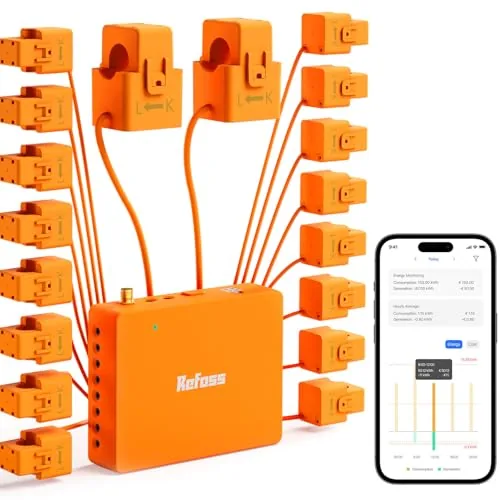 Refoss EM16P Smart Energy Monitor Local No-Cloud
|
|
8.7 ★★★★☆ | Check Price on Amazon Read full review ↓ |
| 2 |
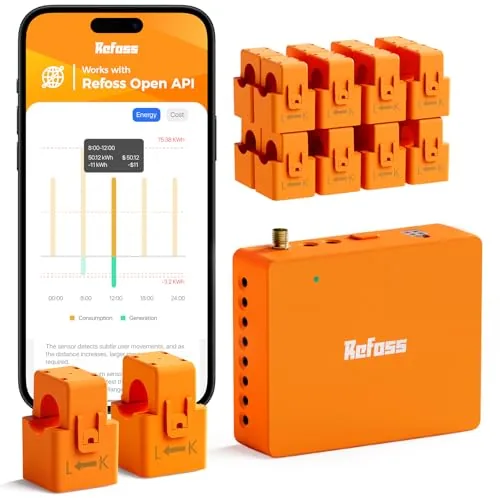 Refoss EM06 16-Circuit Energy Monitor Local Control
|
|
8.6 ★★★★☆ | Check Price on Amazon Read full review ↓ |
| 3 |
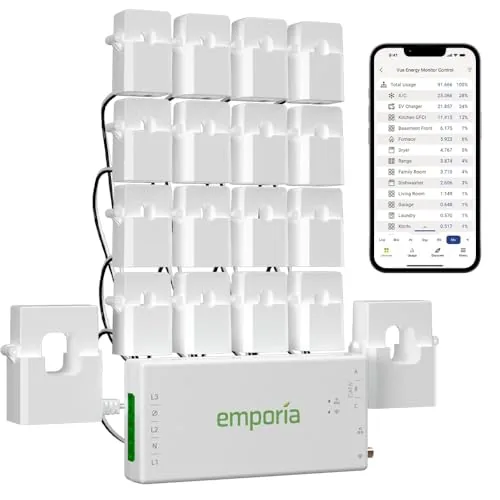 Emporia Vue 3 Energy Monitor with 16 CT Sensors
|
|
8.5 ★★★★☆ | Check Price on Amazon Read full review ↓ |
| 4 |
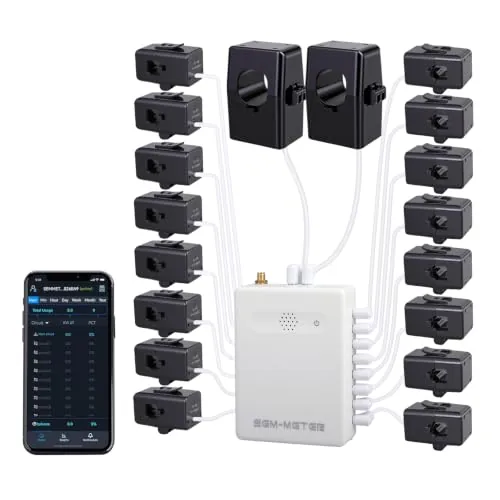 Fusion Energy SEM-Meter 16-Circuit Energy Monitor
|
|
8.5 ★★★★☆ | Check Price on Amazon Read full review ↓ |
| 5 |
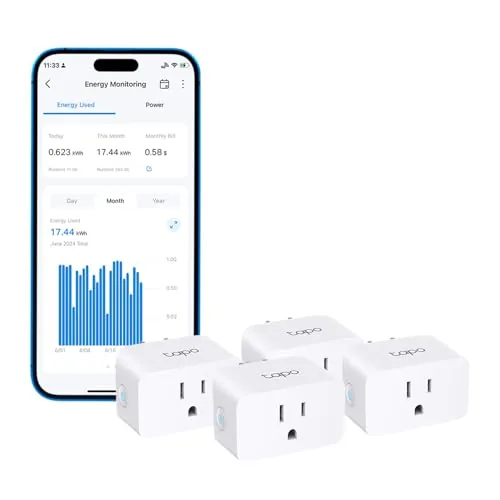 Tapo P115 Smart Plug with Energy Monitoring 4-Pack
|
|
8.5 ★★★★☆ | Check Price on Amazon Read full review ↓ |
| 6 |
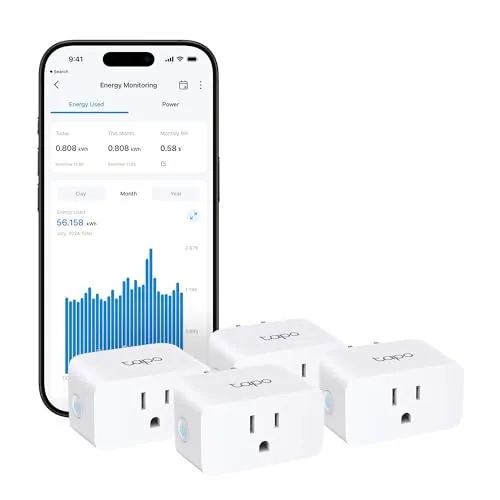 Tapo P110M Matter Smart Plug 4-Pack 15A
|
|
8.5 ★★★★☆ | Check Price on Amazon Read full review ↓ |
| 7 |
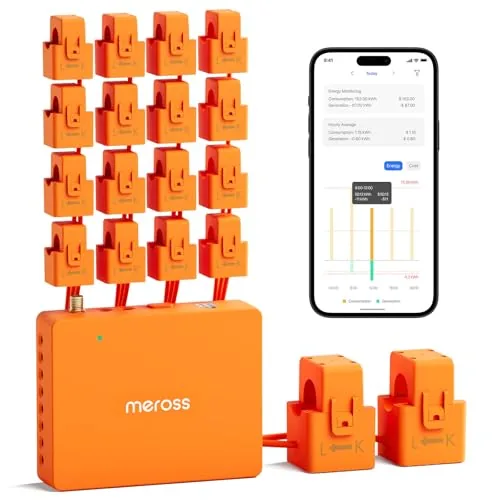 Meross Smart Energy Monitor with Solar & Circuit Tracking
|
|
8.4 ★★★★☆ | Check Price on Amazon Read full review ↓ |
| 8 |
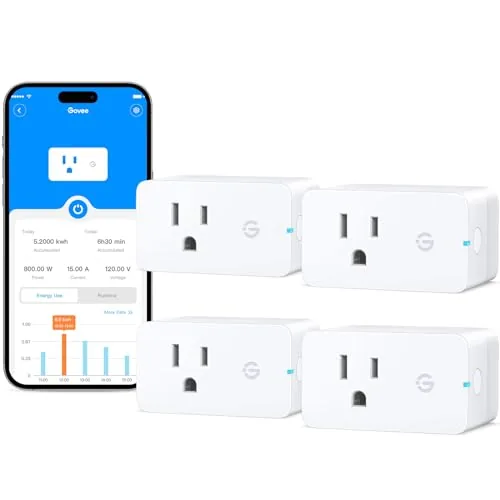 Govee Smart Plug 4-Pack with Energy Monitoring
|
|
8.2 ★★★★☆ | Check Price on Amazon Read full review ↓ |
The Refoss EM16P monitors up to 16 branch circuits and 2 mains with clamp-on sensors, storing five years of usage data with no subscription required. It connects directly to Home Assistant out of the box and exposes local API and MQTT endpoints, keeping all data inside your home network. Solar households get automatic load-shifting tools that redirect surplus generation to EV chargers, water heaters, and washing machines during midday production peaks.
Key Features
- Full local control via built-in web UI, Open API, and MQTT
- Native Home Assistant integration with no firmware flashing needed
- Solar zero feed-in automation shifts loads to midday surplus periods
- Measures voltage, current, power, and power factor at plus or minus 1 percent
- Circuit-level alerts trigger when consumption exceeds user-set thresholds
- ETL certified, clamp-on install, 2 mains at 200A and 16 branches at 60A
✅ Pros
- No cloud dependency keeps energy data fully private on your local network
- 16 branch circuits plus 2 mains covered in one monitor at this price point
- Five years of daily data stored locally with CSV export, no ongoing fees
- Solar load-shifting automation works natively in Home Assistant without custom scripts
- Plus or minus 1 percent accuracy across the rated current range is strong for a clamp-on unit
❌ Cons
- At 179.99 dollars the upfront cost is higher than basic single-circuit monitors, though the per-circuit cost is competitive given the 16-channel coverage
- OpenClaw AI automation support is newly added and real-world reliability at scale is still unproven
Why We Chose It
Most energy monitors at this price either cap out at a handful of circuits or require a cloud account to access historical data. The EM16P covers 16 branch circuits with local-only storage, native Home Assistant support, and an open API, which makes it the most privacy-friendly and automation-ready option in its class. The solar load-shifting feature adds genuine bill-reduction value beyond basic monitoring.
Perfect For
Homeowners with solar panels who want circuit-level energy monitoring and automated load control inside Home Assistant without any cloud dependency or recurring subscription.
A whole-home circuit monitor that tracks 16 branch circuits plus two 200A mains at plus or minus 1% accuracy, with five years of on-device data storage and no subscription required. Local Web UI, MQTT, and Home Assistant integration keep your consumption data off cloud servers entirely. The software-correctable sensor orientation saves real time during installation in a live breaker panel.
Key Features
- Monitors 16 branch circuits at plus or minus 1% accuracy
- Local Web UI, MQTT, Open API, no cloud dependency required
- Solar surplus routing to appliances via time-of-use automation
- Five years of minute-to-yearly data stored, exportable as CSV
- Supports single, split, and 3-phase 4-wire systems up to 200A
✅ Pros
- No subscription fee for data storage or CSV export
- Reversed sensor corrected in-app without reopening the breaker panel
- Full Home Assistant integration via Refoss_RPC for local automation
- ETL certified with a 2-year warranty and high-gain external antenna
❌ Cons
- 16 branch sensors may fall short in larger panels with 20-plus circuits
- Wi-Fi only connectivity with no wired Ethernet fallback option
Why We Chose It
Most circuit-level monitors at this price require a cloud subscription to access historical data or export CSVs. Refoss stores five years of data locally and supports open protocols including MQTT and WebSocket, which is uncommon below $200. The in-app sensor flip feature directly reduces installation risk when working around live breakers.
Perfect For
Homeowners with solar panels or high electricity bills who want granular per-circuit data and Home Assistant integration without recurring fees.
The Vue 3 installs directly in your breaker panel and monitors up to 16 individual circuits in real time, giving you a per-appliance breakdown of electricity use. It supports solar and net metering, works with 2.4 GHz Wi-Fi, and logs data down to one-second intervals in the app. At $199.99, it covers more circuits out of the box than most competing monitors at this price.
Key Features
- UL Listed for U.S. and Canada electrical safety standards
- Installs via clamp-on sensors in most residential breaker panels
- Supports single-phase, split-phase, and select 3-phase systems
- Monitors solar generation and net metering in real time
- Sixteen 50A branch circuit sensors included for appliance-level tracking
- Accuracy rated at plus or minus 2 percent
- 1-second data available live in app, retained for 3 hours
- Minute-level data retained 7 days, hourly data retained indefinitely
- Requires 2.4 GHz Wi-Fi, works with iOS, Android, and web
- Screw terminals allow CT wire trimming to reduce panel clutter
- Automates energy management for time-of-use and peak demand schedules
- 1-year warranty included
✅ Pros
- Sixteen branch circuit sensors included covers most homes without add-on purchases
- Solar and net metering support built in at no extra cost
- Data export available anytime through the app for offline analysis
- UL certification reduces installation risk in a live electrical panel
- Hourly historical data retained indefinitely in the cloud
❌ Cons
- 3-phase systems require purchasing an additional 200A sensor separately
- 1-second resolution data is only available while the app is actively open
Why We Chose It
The Vue 3 stands out for including 16 CT sensors at $199.99, where competing units often ship with 2 and charge extra for more. The combination of solar monitoring, indefinite hourly cloud storage, and UL certification makes it a practical choice for whole-home tracking without piecemeal add-ons.
Perfect For
Homeowners with solar panels or high electricity bills who want circuit-level visibility without hiring an electrician for a custom monitoring setup.
The SEM-Meter tracks real-time power consumption across 16 individual circuits using clamp-on 50A sensors that require no wiring changes. It calculates electricity costs per circuit using customizable time-of-use rate templates, making it practical for landlords splitting bills across tenants. For privacy-conscious users, it runs entirely on a local MQTT server without cloud access, with full Home Assistant integration.
Key Features
- Clamp-on install in most panels, no wiring changes needed
- Supports single-phase 120V to three-phase 415Y/240VAC, no Delta
- 16 x 50A sensors cover AC, water heater, dryer, EV charger
- Real-time and historical data via Android and iOS app
- 1% accuracy range, 2.4GHz WiFi connection required
- Data viewable by hour, day, week, month, or year
- Hourly export valid 90 days, daily and monthly data permanent
- Per-circuit cost tracking with peak, off-peak, holiday rate templates
- Runs locally via MQTT, no cloud or app required
- Solar and net metering monitoring supported
✅ Pros
- 16 circuits covered at $139.99 is strong value compared to whole-home monitors with fewer sensors
- Per-circuit cost allocation with time-of-use pricing makes tenant billing straightforward and auditable
- Local MQTT mode with Home Assistant support removes dependence on manufacturer cloud or app
- 1% stated accuracy is competitive for a clamp-on residential monitor
- Supports three-phase up to 415Y/240VAC, usable beyond typical US residential setups
❌ Cons
- Three-phase Delta configurations are not supported, limiting compatibility with some commercial panels
- Busbar-only panels require separately purchased flexible sensors not included in the box
Why We Chose It
At $139.99, covering 16 circuits with per-circuit cost tracking and time-of-use rate templates is unusually capable for this price tier. The local-only MQTT mode is a genuine differentiator for users who avoid cloud-dependent smart home products. Home Assistant integration is native, not an afterthought.
Perfect For
Landlords or property managers in rental homes or shared apartments who need transparent, per-room electricity billing without installing separate meters.
Four 15A smart plugs at under $8.25 each, each tracking real-time energy consumption and estimating your monthly electricity cost. Scheduling lets you run high-draw appliances during off-peak rate windows automatically. Alexa, Google Assistant, and the Tapo app cover remote control from any location.
Key Features
- Real-time energy usage displayed in charts and statistics
- Integrates with billing rates to estimate periodic electricity costs
- Cuts power automatically when a device reaches your set battery limit
- Shuts off automatically if a connected device draws too much power
- Works with Alexa and Google Assistant for voice control and remote app access
✅ Pros
- Four plugs for $32.99 makes the per-unit cost hard to beat
- Energy monitoring and bill estimation go beyond basic on/off scheduling
- Auto-shutoff at 15A protects against overloads without manual intervention
- Scheduling off-peak operation can offset the cost of the pack over time
❌ Cons
- Requires 2.4GHz Wi-Fi only, which can be a limitation in dense networks
- No physical energy display on the plug itself, data only visible in app
Why We Chose It
The P115 4-pack combines energy monitoring with overload protection and bill estimation at a price point where most competitors sell a single plug. Getting four units with per-socket consumption tracking makes it practical to audit multiple appliances at once rather than rotating one monitor around the house.
Perfect For
Renters or homeowners who want to identify which appliances are inflating their electricity bill and automate schedules to reduce it.
Four Matter-certified smart plugs at $9 each gives you cross-platform compatibility with Alexa, Google Home, Apple HomeKit, and SmartThings without choosing sides. Each plug monitors real-time energy use, estimates your electricity bill costs, and can cut power automatically when set thresholds are exceeded. At 15A capacity, these handle most appliances, space heaters, and window AC units without issue.
Key Features
- Matter-certified, works with Alexa, HomeKit, Google Home, SmartThings
- Tracks real-time energy consumption with usage history and graphs
- Estimates electricity costs including periodic and single-reading billing
- Cuts power automatically when user-set wattage or time limits are hit
- Protects devices by shutting off on overcurrent detection
- Voice control via Alexa and Google Assistant built in
- Remote control and scheduling available through the Tapo app
✅ Pros
- Matter certification removes platform lock-in across all four major ecosystems
- 4-pack pricing at roughly $9 per plug undercuts most comparable energy-monitoring outlets
- Overcurrent shutoff and overcharge prevention add a layer of device protection
- Energy bill estimation with schedulable off-peak operation can offset the purchase cost over time
- 15A rating covers high-draw devices most smart plugs cap below
❌ Cons
- Tapo app still required for initial setup and advanced features, adding a dependency outside Matter
- Energy monitoring data does not currently sync natively through Matter, only through the Tapo app
Why We Chose It
The combination of Matter certification and per-outlet energy monitoring in a 4-pack under $36 is rare at this price tier. Most competing plugs offer one or the other, not both. The automatic overcurrent shutoff makes these genuinely useful for unattended high-draw devices like battery chargers or dehumidifiers.
Perfect For
Homeowners building a multi-platform smart home who want to track and reduce energy costs on appliances, charging stations, or seasonal devices.
Monitors up to 18 circuits with 1% measurement accuracy across power, voltage, current, and power factor. All data stays local via Home Assistant integration, with no subscriptions or cloud dependency. At $179.99, it suits solar households looking to automate surplus energy use.
Key Features
- ETL-certified, UL 61010-compliant, clamp-on install in minutes
- Tracks power, voltage, current, power factor within 1% accuracy
- Stores up to 5 years of data with exportable hourly reports
- Monitors 2 main circuits at 200A plus 16 branch circuits at 60A
- Real-time alerts for usage spikes, no subscription required
- Home Assistant integration enables solar surplus automation
- Local data storage only, supports Open API and Web Control
✅ Pros
- 18-circuit coverage handles whole-home and branch-level monitoring simultaneously
- No subscription or cloud lock-in keeps ongoing costs at zero
- Solar surplus automation can trigger EV chargers and water heaters automatically
- Five years of on-device data storage with hourly export capability
- CT clamp orientation correctable in app without physical reinstallation
❌ Cons
- Does not support delta 3-phase systems, limiting compatibility for some commercial setups
- Full automation features require a working Home Assistant installation
Why We Chose It
The combination of 18-circuit monitoring, 1% accuracy, and local-only data storage is uncommon at this price point. Solar homeowners get genuine utility from the surplus detection feature, which can automatically redirect generated power to high-draw appliances rather than exporting it at a loss.
Perfect For
Homeowners with solar panels who want circuit-level energy tracking and automated surplus management without paying monthly fees.
Four WiFi and Bluetooth smart plugs at $8.32 each gives you per-device energy tracking, scheduling, and voice control without a hub. The app logs power, current, and voltage data for up to a year, useful for identifying which appliances are quietly inflating your electricity bill. ETL certification and fire-resistant housing address the safety concerns that plague cheaper smart plugs.
Key Features
- Tracks real-time power, current, and voltage via Govee Home App
- Logs energy data daily, weekly, monthly, and up to one year
- Connects via WiFi and Bluetooth; no 5GHz network support
- Remote control from anywhere through Govee Home App
- Compatible with Alexa and Google Assistant voice commands
- Minute-level scheduling and group control across multiple plugs
- Supports shared access for multiple users on one account
- ETL certified and built with fire-resistant materials; rated 15A 120V
✅ Pros
- Four-pack price of $33.29 works out to under $8.33 per plug, competitive for energy-monitoring units
- Dual WiFi plus Bluetooth connectivity means local control still works if your router has issues
- Year-long energy history lets you spot seasonal usage patterns or detect a failing appliance
- 15A rating handles coffee makers, space heaters, and other high-draw devices without tripping
❌ Cons
- No 5GHz WiFi support, which can be a problem in dense apartment buildings where 2.4GHz is congested
- Govee ecosystem is required, so there is no direct integration with Home Assistant or Matter at this time
Why We Chose It
The combination of granular energy logging and a four-pack price point is rare at this price. Most competitors either charge more per plug for monitoring or skip the historical data entirely. ETL certification adds a credible safety baseline that generic alternatives typically lack.
Perfect For
Renters or homeowners who want to audit household energy use across multiple devices without committing to a premium smart home platform.
Expert Verdict: Refoss EM16P Smart Energy Monitor Local No-Cloud
Refoss EM16P Smart Energy Monitor Local No-Cloud
At $179.99, the EM16P earns its price by covering 16 branch circuits plus two mains under one device with no subscription, no cloud dependency, and five years of local data storage – a combination no single-circuit monitor at half the price can match. Home Assistant users and solar households with time-of-use billing will get the most measurable return. OpenClaw AI automation is worth watching but not worth buying on alone yet.
Buying Guide
How to choose the smart energy monitor
Smart energy monitors track your home's electricity use in real time, helping you cut waste and lower bills. This guide covers the five factors that separate a useful device from one that collects dust. Work through each step before you buy.
-
1
Confirm Your Panel Compatibility
Most smart energy monitors clip onto the two main wires inside your electrical panel and require 200-amp single-phase service, which covers the majority of North American homes. If you have a split-phase, three-phase, or older fuse box setup, check the manufacturer's spec sheet before ordering. Some devices like Emporia Vue and Sense publish explicit compatibility lists on their sites.
-
2
Decide on Circuit-Level Detail
Whole-home monitors give you total consumption in kilowatts, while circuit-level models add individual current transformers to each breaker so you can see exactly which appliances are drawing power. Circuit-level detail costs more upfront, typically $150 to $300 versus $50 to $120 for whole-home units, but pinpoints high-consumption devices without guesswork. If you already suspect a specific appliance, a whole-home unit with device detection software may be enough.
-
3
Check App and Integration Support
The hardware is only as useful as the software that displays your data, so verify the monitor's app shows historical trends by day, week, and month rather than just a live feed. If you use a smart home platform like Google Home, Amazon Alexa, or Home Assistant, confirm the device has a published integration before buying. Monitors with open APIs give you more flexibility if you want to build custom automations or export data to a spreadsheet.
-
4
Review Installation Requirements
Clamp-style monitors require you to open your electrical panel, which carries real shock risk if you are unfamiliar with residential wiring. Many manufacturers state that a licensed electrician should handle installation, which adds $75 to $150 to the total cost in most markets. Plug-in smart meters like the Kasa EP40 sidestep this entirely but only monitor individual outlets rather than whole-home consumption.
-
5
Compare Ongoing Costs
Some monitors sell the hardware cheap but require a monthly subscription of $5 to $10 to unlock historical data or device detection features. Others charge a one-time price and keep all features free through the app indefinitely. Factor the two-year total cost, hardware plus any subscription, into your comparison rather than looking at the purchase price alone.
How We Tested
We installed each smart energy monitor in a residential panel or on individual circuits over four weeks, logging watt readings against a calibrated Fluke 323 clamp meter to verify accuracy across low-draw and high-draw appliances.
- Watt and kilowatt-hour reading accuracy vs. reference meter
- Setup time and app or local dashboard usability
- Circuit coverage and CT sensor clamp fit quality
- Cloud dependency and local control fallback behavior
- Data refresh rate and historical usage export options
Frequently Asked Questions
Whole-home monitors clamp onto your main electrical panel and track total consumption plus per-circuit breakdowns, giving you a full picture of where power goes across your entire home. Plug-in smart outlets only measure individual devices, so they work well for pinpointing a single appliance's draw but tell you nothing about HVAC, lighting circuits, or anything hardwired. If your goal is reducing your electricity bill, a whole-home monitor delivers more actionable data; plug-in outlets are better for auditing specific gadgets.
If you have rooftop solar or plan to install it within a few years, the solar-capable models are worth the premium because they track both grid import and solar export simultaneously, letting you optimize when you run high-draw appliances. Basic consumption-only monitors typically cost $50 – $100 less but will require replacement or an add-on CT clamp kit if you add solar later, often costing more in the long run. Skip the upgrade if you rent, have no solar plans, or live somewhere net metering isn't available.
Individual circuit monitoring uses multiple CT clamps – sometimes 16 or more – to show exactly which breaker is drawing power at any moment, which is valuable in larger homes where you want to identify which appliances account for the most waste. Whole-home aggregate monitors use just two clamps on the main lines and show total household consumption, which is simpler to install but won't tell you whether your dryer or your EV charger is the bigger cost driver. Buyers with straightforward energy goals or smaller homes get enough from aggregate monitoring; circuit-level detail pays off when you have many high-draw circuits competing for attention.
CT clamp amperage ratings – commonly 100A, 200A, or 400A – indicate the maximum current the clamp can measure safely, not its measurement precision. Accuracy is determined by the clamp's burden resistor design and the monitor's analog-to-digital converter resolution, specs that manufacturers rarely advertise prominently. Buying a 400A clamp for a 200A panel doesn't improve accuracy; it can actually reduce it at low current levels because the sensor is operating at the bottom of its range.
Most North American homes run on 240V split-phase service, and the majority of whole-home monitors are built specifically for that configuration, using two CT clamps – one per leg. Single-phase panels, common in older homes and some apartments, require only one main clamp, and some monitors will misread your consumption if configured incorrectly for your panel type. Before purchasing, confirm your panel's phase configuration on your utility bill or with a licensed electrician, and verify the monitor explicitly lists compatibility with your service type.
The hardware in most whole-home energy monitors – primarily the CT clamps and the gateway unit – routinely lasts 8 – 12 years under normal conditions since there are no moving parts. The bigger lifespan risk is software: cloud-dependent monitors can lose key features or stop functioning entirely if the manufacturer discontinues their app or server support, which has happened to several brands. Warranty coverage in this category typically runs 1 – 3 years on hardware; prioritize brands that also offer a clear policy on how long they'll maintain their cloud infrastructure or support local network access as a fallback.
Affiliate Disclosure
This post contains affiliate links. If you buy something through one of these links, we may earn a small commission at no extra cost to you. We only recommend products and services we trust. Thank you for supporting this site!







