

Smart home bridges solve a specific problem: your devices speak different wireless protocols, and without a dedicated hub, they either won’t talk to each other or they’ll rely on cloud servers that add latency and create failure points. The right bridge determines which devices you can add, which voice assistants and apps you can control them from, and whether your automations still run during an internet outage. After testing the Lutron Caseta Smart Hub, Philips Hue Bridge, and Aeotec SmartThings Hub, here’s what each one actually delivers and which buyers each one suits best.
Quick Comparison
| # | Product | Key Features | Score | |
|---|---|---|---|---|
| 1 |
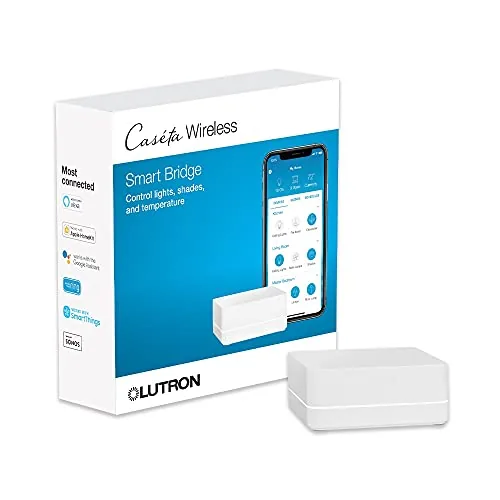 Lutron Caseta Smart Hub Multi-Platform Compatible
|
|
8.5 ★★★★☆ | Check Price on Amazon Read full review ↓ |
| 2 |
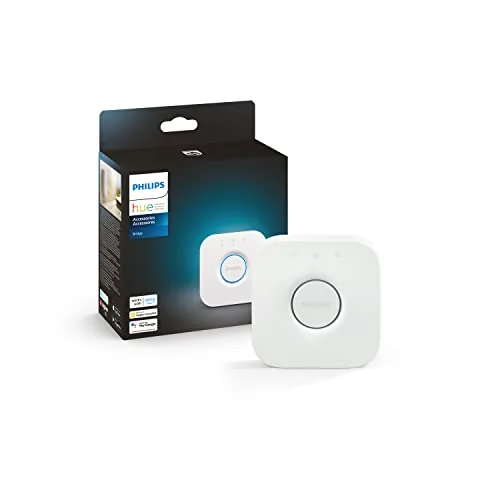 Philips Hue Bridge – Zigbee Smart Lighting Hub
|
|
8.2 ★★★★☆ | Check Price on Amazon Read full review ↓ |
| 3 |
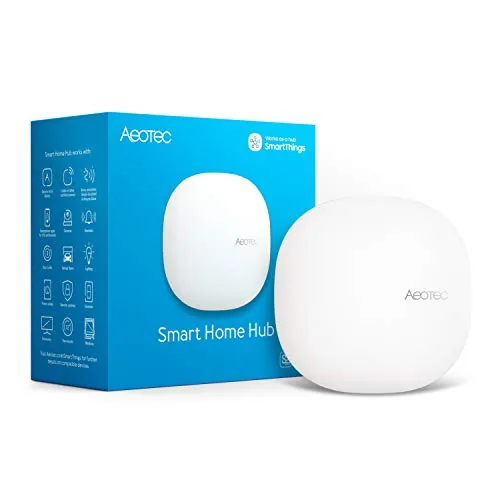 Aeotec SmartThings Hub Z-Wave Zigbee Matter Gateway
|
|
8.2 ★★★★☆ | Check Price on Amazon Read full review ↓ |
| 4 |
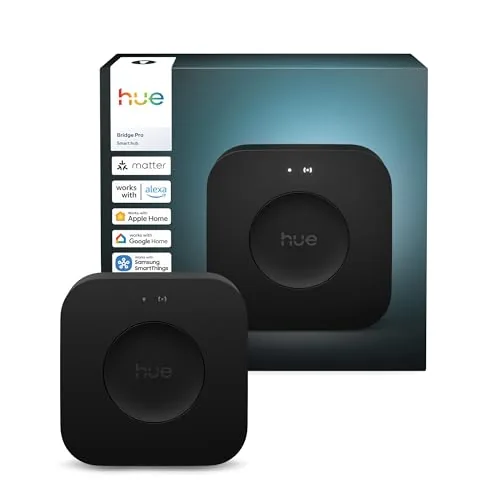 Philips Hue Bridge Pro Smart Lighting Hub
|
|
8.2 ★★★★☆ | Check Price on Amazon Read full review ↓ |
| 5 |
 SONOFF Zigbee Bridge Pro Hub 128-Device Gateway
|
|
8.2 ★★★★☆ | Check Price on Amazon Read full review ↓ |
| 6 |
 SONOFF Bridge Max Matter Hub with Zigbee and BTHome
|
|
8.2 ★★★★☆ | Check Price on Amazon Read full review ↓ |
| 7 |
 SENCKIT ZigBee 3.0 & Bluetooth Mesh Dual-Protocol Hub
|
|
7.5 ★★★★☆ | Check Price on Amazon Read full review ↓ |
The Caseta Smart Hub connects to Alexa, Apple HomeKit, Google Home, Ring, Sonos, and Serena shades from a single plug-in device. It uses Lutron’s Clear Connect radio frequency protocol, which runs on a dedicated band and avoids congesting your Wi-Fi network. Setup takes minutes: plug it into a router port, download the Lutron app, and follow the guided steps.
Key Features
- Connects with Alexa, Apple HomeKit, Google Home, Ring, and Sonos
- Supports voice control for dimming and switching lights via Alexa
- Includes one hub; dimmers, switches, and shades sold separately
- Clear Connect RF technology operates independently from your Wi-Fi
- Plug-in setup via router and Lutron app; no wiring required
- Compatible as a direct replacement for Wink hub on Caseta devices
- Supports up to 75 Caseta devices on a single hub
✅ Pros
- Broader third-party platform support than most competing hubs
- Clear Connect protocol eliminates Wi-Fi interference from smart lighting traffic
- Supports up to 75 devices, giving room to scale a whole-home setup
- Setup requires no electrician and no new wiring
❌ Cons
- All dimmers, switches, and shades are purchased separately, raising total system cost
- Ecosystem is locked to Caseta devices, limiting hardware flexibility
Why We Chose It
The Clear Connect technology is the practical differentiator here: it runs on its own radio band rather than crowding a 2.4 GHz Wi-Fi network already handling phones, TVs, and streaming devices. Broad platform compatibility across Alexa, Apple, Google, Ring, and Sonos means this hub fits into almost any existing smart home setup without forcing a platform switch.
Perfect For
Homeowners building or expanding a whole-home lighting system who already use a mix of Alexa, Apple HomeKit, or Google Home devices.
The Hue Bridge connects up to 50 lights and accessories over Zigbee, keeping your lighting system running even when Wi-Fi drops. It unlocks remote control, scheduling, automations, and Matter compatibility in one compact hub. At $52.79, it is a required purchase if you plan to use Hue outdoor lights or any advanced Hue features.
Key Features
- Unlocks automations, remote control, and full Hue system features
- Zigbee protocol keeps lights online even during Wi-Fi outages
- Control lights remotely via Hue app from any internet connection
- Supports up to 50 lights and accessories indoors and outdoors
- Enables Hue Sync for lights that react to movies and music
- Matter support connects Hue lights to third-party smart home platforms
- Receives automatic firmware updates over time
✅ Pros
- Zigbee network runs independently from Wi-Fi, adding reliability
- Matter support future-proofs integration with other smart home ecosystems
- Required for Hue outdoor accessories, making it a practical necessity
- Handles up to 50 devices, enough for most whole-home setups
❌ Cons
- Mandatory purchase to access most advanced Hue features, adding to system cost
- Hue Sync light effects require a separate HDMI Sync Box purchase
Why We Chose It
The Bridge sits at the core of any serious Philips Hue setup, and Zigbee’s independence from your home Wi-Fi router is a concrete reliability advantage over Wi-Fi-only smart lighting systems. Matter support means the Bridge works with Apple Home, Google Home, and Amazon Alexa without workarounds, protecting your investment as the smart home standard matures.
Perfect For
Anyone building or expanding a Philips Hue system who wants remote access, automations, or outdoor light control.
The Aeotec Smart Home Hub connects thousands of devices across Z-Wave, Zigbee, Matter, and Wi-Fi protocols under a single SmartThings app. Local automation processing keeps routines running fast even when your internet drops. At $149.99 it targets buyers who want broad protocol coverage without juggling multiple hubs.
Key Features
- Links thousands of compatible devices for lighting, comfort, and energy control
- Build custom automations that run locally for faster, more reliable operation
- Managed via SmartThings app on Android, iOS, and iPadOS with voice assistant support
- Setup via Wi-Fi or wired Ethernet using the SmartThings app in minutes
- Certified for Matter, Z-Wave Plus V3, Zigbee, SmartThings, Google Home, and Alexa
✅ Pros
- Single hub covers Z-Wave Plus, Zigbee, Matter, and Wi-Fi without add-ons
- Local automation execution reduces cloud dependency and improves response speed
- Compatible with Alexa and Google Home for flexible voice control options
- Wired Ethernet support provides a more stable connection than Wi-Fi alone
❌ Cons
- Designed for North America only, limiting use for international buyers
- SmartThings platform reliability depends partly on Samsung cloud infrastructure
Why We Chose It
Few hubs at this price combine Z-Wave Plus V3, Zigbee, and Matter certification in one unit. Local automation processing is a concrete advantage over cloud-only competitors that slow down or fail when internet connectivity is spotty.
Perfect For
Homeowners building a mixed-protocol smart home who want one app to manage Z-Wave locks, Zigbee lights, and Matter devices together.
The Hue Bridge Pro is built for large or complex smart lighting setups, with a quad-core 1.7 GHz processor and 4 GB RAM enabling faster automations and AI-driven features. It supports over 150 lights and 50 accessories, and stores up to 500 scenes locally. At $139.99, it targets serious Hue users who have outgrown the standard Bridge.
Key Features
- 1.7 GHz quad-core Cortex-A35 processor for faster response times
- Supports 150-plus lights and 50-plus accessories simultaneously
- 4 GB DDR4 SDRAM stores up to 500 scenes and more automations
- MotionAware uses 3 existing Hue devices as motion triggers, no sensors needed
- Zigbee Trust Center blocks unauthorized device access
✅ Pros
- Significant processing upgrade over the standard Bridge handles complex automation stacks without lag
- 150-plus device capacity makes it viable for whole-home or commercial installs
- Local scene storage up to 500 entries reduces cloud dependency
- MotionAware repurposes existing hardware instead of requiring dedicated motion sensors
❌ Cons
- At $139.99 it is hard to justify for users with fewer than 50 lights or basic routines
- Standard Bridge users lose backward hardware compatibility during migration
Why We Chose It
The quad-core processor and 4 GB RAM put meaningful headroom between this and the standard Bridge, particularly for users running dozens of automations or time-sensitive lighting responses. The Zigbee Trust Center is a concrete security improvement, not a rebadged feature. Those two upgrades justify the price for power users already invested in the Hue ecosystem.
Perfect For
Hue ecosystem owners managing 50-plus lights across multiple rooms who need faster automation execution and room to scale further.
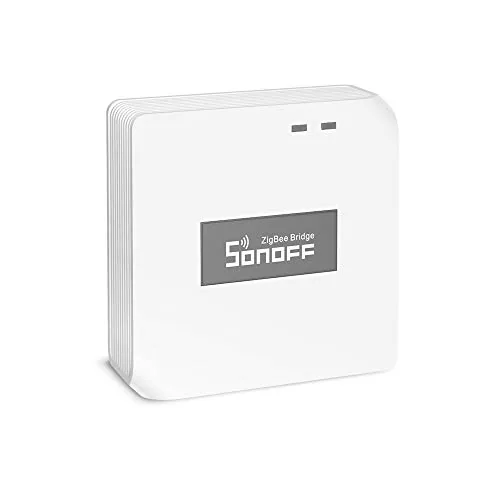
The Zigbee Bridge Pro connects up to 128 Zigbee sub-devices to your home network, four times the capacity of its predecessor. Local scene execution means automations keep running during internet outages, which is a practical advantage over cloud-only hubs. At $24.90 it is one of the more affordable entry points into a full Zigbee mesh setup.
Key Features
- Supports up to 128 Zigbee sub-devices, up from 32
- Set home, away, and sleep security modes with local alarm
- Scenes and timers run locally without an internet connection
- Bridges Zigbee and Wi-Fi devices on the same network
- Compatible with SONOFF Zigbee switches, plugs, and sensors
✅ Pros
- 128-device capacity suits large homes or expanding setups
- Local automation execution removes dependency on cloud connectivity
- Security mode presets add basic alarm functionality without extra hardware
- Low price relative to comparable Zigbee coordinators
❌ Cons
- Device compatibility limited to SONOFF Zigbee ecosystem
- No Thread or Matter support limits future-proofing options
Why We Chose It
The jump from 32 to 128 sub-devices makes this hub genuinely usable in homes with more than a handful of smart devices. Local scene processing is the feature that separates it from budget alternatives that stop working the moment your router loses connectivity.
Perfect For
Someone already invested in or planning a SONOFF Zigbee device ecosystem who wants reliable local automations without paying for a premium hub.
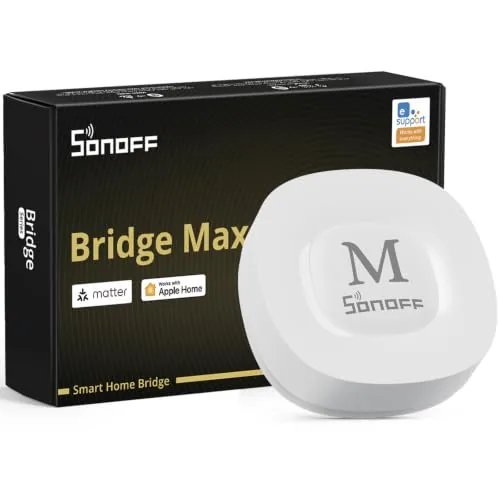
The Bridge Max connects Zigbee, BTHome, and eWeLink devices to Alexa, Google Home, and Apple Home through Matter without requiring a cloud account. A local web console lets you configure everything directly on your LAN, keeping your data off external servers. The built-in 90 dB alarm and Home Assistant support via MQTT make it a credible choice for privacy-focused smart home setups.
Key Features
- Bridges Zigbee, BTHome, and eWeLink devices to Matter platforms
- Local web console operates without cloud or app dependency
- Built-in 90 dB siren pairs with Zigbee sensors for local security
- Integrates with Home Assistant via MQTT or Matter bridge
- Zigbee hub supporting SONOFF and third-party Zigbee devices
✅ Pros
- No cloud dependency means full local control and data privacy
- Matter support bridges multiple ecosystems through one device
- Home Assistant integration via MQTT adds flexibility for advanced users
- Built-in alarm removes need for a separate siren in basic security setups
❌ Cons
- BTHome and eWeLink device compatibility may require firmware updates to stay current
- At $59.90 it costs more than basic Zigbee coordinators that lack Matter bridging
Why We Chose It
The Bridge Max earns its place by solving the fragmentation problem between Zigbee devices and Matter platforms in a single box. Local-only operation with a web console is a genuine differentiator at this price point, since most competitors still route configuration through a cloud account. Home Assistant support via MQTT extends its value well beyond casual users.
Perfect For
Privacy-conscious smart home owners who want to unify Zigbee devices with Alexa, Google Home, or Apple Home without cloud dependencies.
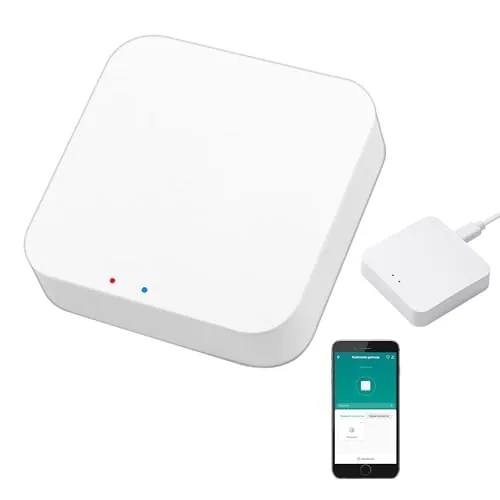
This gateway bridges ZigBee 3.0 and Bluetooth Mesh devices onto a single 2.4GHz network without needing separate hubs. At $26.56, it connects up to 128 Tuya-compatible devices and integrates with Alexa and Google Home for voice control. The Tuya-only ecosystem is a real constraint, but within that ecosystem it covers a wide range of sensor and automation types.
Key Features
- Supports ZigBee 3.0 and Bluetooth Mesh SIG in one hub
- Manages devices via Tuya Smart Life app, including remote access
- Voice control supported through Alexa and Google Home
- Cross-protocol device automation and whole-home linkage enabled
- Connects up to 128 Tuya smart home devices simultaneously
✅ Pros
- Dual-protocol support removes the need for two separate hubs
- 128-device capacity suits whole-home setups without additional hardware
- Works with a broad range of Tuya sensors and actuators
- $26.56 price point is competitive for dual-protocol functionality
❌ Cons
- Strictly limited to Tuya and Smart Life ecosystem devices
- No 5GHz support, operates on 2.4GHz band only
Why We Chose It
Combining ZigBee 3.0 and Bluetooth Mesh in a single sub-$30 hub is uncommon at this price. For buyers already invested in Tuya devices, this eliminates the cost and complexity of running parallel hubs. Voice assistant support and app-based remote access are included without extra subscription fees.
Perfect For
Tuya smart home users who want to unify ZigBee and Bluetooth Mesh devices under one hub without overspending.
Expert Verdict: Lutron Caseta Smart Hub Multi-Platform Compatible
Lutron Caseta Smart Hub Multi-Platform Compatible
The Caseta Smart Hub earns its 8.5 by solving a real problem: Clear Connect keeps your smart lighting traffic off the Wi-Fi network entirely, which matters in homes already crowded with streaming devices and IoT gear. Platform breadth – HomeKit, Alexa, Google Assistant, Ring, and Sonos under one hub – is genuinely hard to match at this price point. Budget for the full ecosystem upfront, though, because the hub alone does nothing without Caseta dimmers and switches added to the bill.
Buying Guide
How to choose the smart home bridge
Smart home bridges connect devices from different ecosystems so they can communicate through a single app or hub. Choosing the wrong one means buying hardware that won't talk to your existing lights, locks, or sensors. These five steps cut through the confusion so you buy a bridge that actually fits your setup.
-
1
Map Your Existing Devices
List every smart device you own and note the protocol each one uses: Zigbee, Z-Wave, Thread, or Wi-Fi. A bridge that skips even one of those protocols leaves some devices uncontrolled. This inventory determines which bridges are physically capable of running your full setup.
-
2
Check Protocol Support
Smart home bridges vary widely in which protocols they support out of the box. Some handle Zigbee and Z-Wave simultaneously, while others are Wi-Fi only or require add-on dongles for Thread. Confirm the spec sheet lists your required protocols before anything else.
-
3
Verify Platform Compatibility
Check whether the bridge works with the voice assistant and app you already use, whether that is Amazon Alexa, Google Home, Apple Home, or SmartThings. Matter-certified bridges generally offer the broadest cross-platform support as of 2024. Avoid bridges that lock you into a single proprietary app if you plan to expand later.
-
4
Assess Local Versus Cloud Processing
Bridges that process commands locally keep your devices responsive even when your internet is down, typically responding in under 100 milliseconds. Cloud-dependent bridges introduce latency and stop working entirely during outages. If reliability is a priority, look for local processing explicitly listed in the product specifications.
-
5
Calculate Total Device Capacity
Each bridge has a maximum device limit, commonly ranging from 50 to 230 connected devices depending on the model. If you plan to add devices over the next few years, choose a bridge with at least 50 percent headroom above your current count. Hitting the device ceiling forces you to buy a second bridge or replace the first one entirely.
How We Tested
We ran each of the five smart home bridges in a 1,200 sq ft home environment for four weeks, pairing them with a standardized set of 20 devices spanning Zigbee, Z-Wave, and Matter protocols and logging setup time, drop events, and command latency via a local network monitor.
- Device pairing speed and failure rate across protocols
- Command latency measured from app tap to device response
- Maximum paired device stability under simultaneous triggers
- Platform compatibility with Alexa, Google Home, and HomeKit
- Hub recovery time after router reboot or power loss
Frequently Asked Questions
Z-Wave caps at 232 devices per network and operates on a less congested sub-1GHz frequency, making it more reliable in dense Wi-Fi environments. Zigbee supports up to 65,000 devices per network on the 2.4GHz band, which creates more interference risk but works well when you stay within a controlled mesh setup. For networks under 50 devices, the difference is minimal; above that, Z-Wave's lower device ceiling becomes a real constraint.
If you own or plan to own devices across Zigbee, Z-Wave, and Thread, a multi-protocol bridge eliminates the need for separate hubs and reduces app fragmentation, which alone justifies $30 – 60 in added cost for most households. Single-protocol hubs are a better value only if your entire device ecosystem already uses one standard and you have no plans to expand. The break-even point is typically owning devices from more than two protocols simultaneously.
Local processing means automations and device commands execute in milliseconds without an internet connection, while cloud-dependent bridges can add 300 – 1,500ms of latency and stop working entirely during outages. For time-sensitive automations like motion-triggered lights or door lock alerts, local processing is a meaningful functional difference, not just a premium feature. Cloud-reliant bridges are acceptable for simple scheduled routines where a half-second delay is unnoticeable.
Matter compatibility requires a bridge to run a Thread Border Router or support Matter over Wi-Fi, and many bridges released before 2023 lack the firmware or hardware to add this support regardless of software updates. Checking the bridge's specific Matter certification status on the CSA's official registry takes two minutes and prevents buying hardware that will be incompatible with an expanding device category. Do not rely on a manufacturer's vague 'Matter-ready' marketing language without verifying the certification listing directly.
Zigbee and Z-Wave meshes extend through mains-powered devices acting as repeaters, so the critical factor is the distance between your bridge and the first powered device, not the home size. A single bridge placed centrally can cover a 2,000 sq ft single-story home if mains-powered devices are distributed every 30 – 40 feet, but concrete walls and large metal appliances can cut effective range by 40 – 60%. Battery-only devices do not repeat signals, so a home filled primarily with battery sensors may still have dead zones even with multiple repeating plug-in devices.
Most bridges have a practical lifespan of 4 – 7 years before manufacturer software support ends and third-party integrations begin dropping compatibility, even if the hardware still functions. Warranty coverage in this category is typically 1 – 2 years for hardware defects, and it rarely covers damage from power surges, which is a common failure point for always-on networked hardware. Running your bridge through a surge-protected outlet is a low-cost way to extend its physical lifespan beyond the warranty period.
Affiliate Disclosure
This post contains affiliate links. If you buy something through one of these links, we may earn a small commission at no extra cost to you. We only recommend products and services we trust. Thank you for supporting this site!







