

Smart home dashboards have moved well past novelty status – the best ones now replace scattered apps and voice commands with a single mounted screen that controls lights, locks, cameras, and routines in a few taps. The market has narrowed to a handful of devices worth serious consideration, each targeting a different type of setup and budget. This review covers three of the strongest options right now: the Amazon Echo Show 15 with Fire TV (15.6″, 1080p), the Amazon Echo Hub 8-inch Smart Home Control Panel, and the Shelly Wall Display XL 10.1″ Touchscreen Smart Panel.
Quick Comparison
| # | Product | Key Features | Score | |
|---|---|---|---|---|
| 1 |
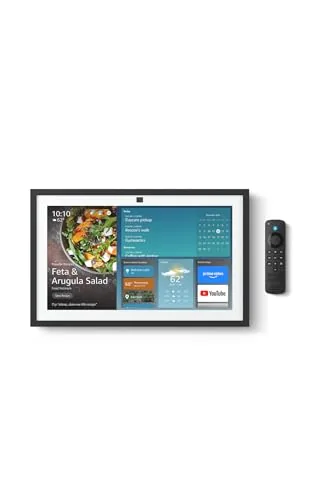 Amazon Echo Show 15 with Fire TV, 15.6" 1080p
|
|
8.2 ★★★★☆ | Check Price on Amazon Read full review ↓ |
| 2 |
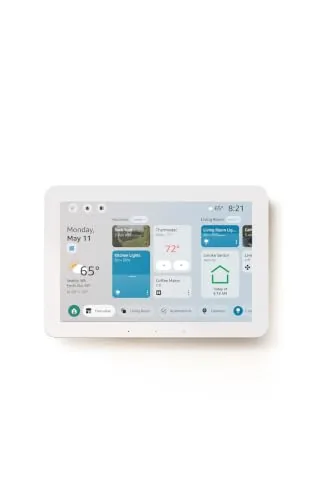 Amazon Echo Hub 8-inch Smart Home Control Panel
|
|
8.2 ★★★★☆ | Check Price on Amazon Read full review ↓ |
| 3 |
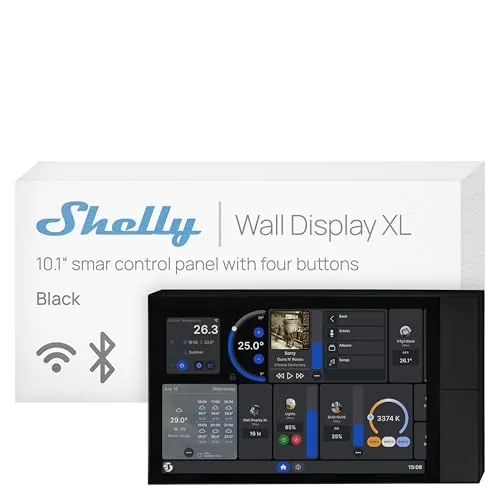 Shelly Wall Display XL 10.1" Touchscreen Smart Panel
|
|
8.2 ★★★★☆ | Check Price on Amazon Read full review ↓ |
| 4 |
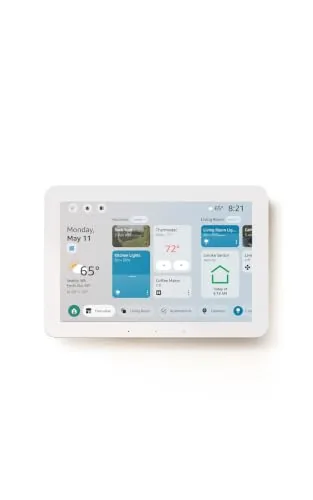 Amazon Echo Hub 8-inch Refurbished Smart Home Panel
|
|
8.2 ★★★★☆ | Check Price on Amazon Read full review ↓ |
| 5 |
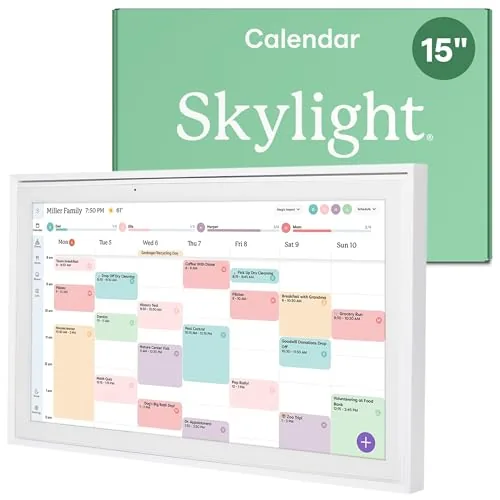 Skylight 15" Touchscreen Family Calendar with Chore Chart
|
|
7.8 ★★★★☆ | Check Price on Amazon Read full review ↓ |
| 6 |
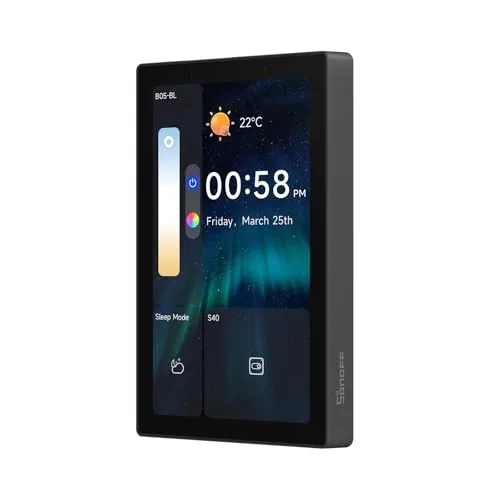 SONOFF NSPanel Pro 120 4.7-inch Smart Control Panel
|
|
7.8 ★★★★☆ | Check Price on Amazon Read full review ↓ |
| 7 |
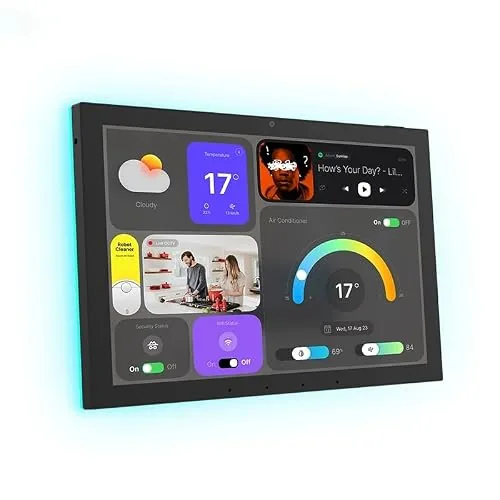 Generic 10.1" Android POE Wall Tablet with MQTT
|
|
7.2 ★★★★☆ | Check Price on Amazon Read full review ↓ |
A 15.6-inch wall-mounted smart display that pulls together family calendars, streaming apps, and smart home controls in one place. The built-in Fire TV gives access to Netflix, YouTube, Prime Video, and Apple TV without extra hardware. At $349.99 it targets households that want a kitchen hub replacing multiple devices rather than a simple smart speaker upgrade.
Key Features
- 15.6-inch Full-HD 1080p smart display for kitchen wall mounting
- Customizable widgets show calendars, to-do lists, weather, and smart home status
- Fire TV built-in with access to thousands of streaming apps and included remote
- Active Media lets you add speakers room by room while music is playing
- Smart home dashboard for voice or touch control of lights and camera feeds
- Home screen photo slideshow with auto-curated family images
- Auto-framing camera with 3.3x zoom, wide field of view, and noise reduction
- Physical mic and camera-off button plus built-in camera shutter for privacy
✅ Pros
- Full-HD 15.6-inch screen is large enough to follow recipes or watch shows across a kitchen
- Fire TV integration removes the need for a separate streaming stick on a kitchen TV
- Auto-framing camera with 3.3x zoom makes video calls hands-free and practical
- Active Media multi-room audio sync is useful without requiring a separate app or setup
- Privacy shutter and hardware mic-off button are physical controls, not software-only
❌ Cons
- At $349.99 it costs more than a budget tablet plus a standalone Echo, so value depends on heavy daily use
- Alexa+ features referenced in the name may require a subscription tier not included in the base price
Why We Chose It
The combination of a large 1080p display, native Fire TV, and a family-focused widget system is rare at this screen size in a smart display category that mostly tops out at 10 inches. The auto-framing camera sets it apart from competitors like the Nest Hub Max, which uses a smaller 10-inch panel and no Fire TV. For a household already using Alexa devices, it consolidates streaming, video calling, and home control into one fixed screen.
Perfect For
Households that cook together and want a shared kitchen screen for schedules, streaming, and smart home control without managing multiple separate devices.
The Echo Hub is an 8-inch wall-mounted control panel that centralizes your smart home devices, cameras, routines, and security system in one touchscreen interface. With Alexa+ integration, you can create routines by voice, pull Ring camera event summaries, and search footage using plain-language commands. The built-in hub supports Zigbee, Matter, Thread, Sidewalk, Wi-Fi, and Bluetooth, so it works with a wide range of existing devices without needing a separate hub.
Key Features
- Touchscreen dashboard with resizable, customizable device sections
- Drag-and-drop layout tailored to your household’s device priorities
- Alexa+ and Ring integration for camera summaries and voice footage search
- Arm and disarm compatible security systems directly from the panel
- Built-in hub supports Zigbee, Matter, Thread, Sidewalk, Wi-Fi, Bluetooth
- Wall-mountable near any outlet, supports PoE adapter and tabletop stands
- Mic-off button and layered privacy controls built in
- Made from 27% recycled materials, 97% wood-fiber-based packaging
✅ Pros
- Single hub chip handles six wireless protocols, eliminating extra bridge hardware
- Customizable dashboard layout lets households prioritize the devices they actually use
- Voice-controlled routine creation and Ring footage search reduce app-switching friction
- Wall-mount design with cable pass-through options keeps installation tidy
- Mic-off button gives physical control over audio privacy
❌ Cons
- Alexa+ and Ring subscriptions are sold separately, adding recurring costs on top of the $179.99 price
- PoE adapter, cable pass-throughs, and tabletop stand are all sold separately, raising total setup cost
Why We Chose It
The Echo Hub earns its place by consolidating six smart home protocols into one wall panel without requiring additional bridge hardware. The customizable dashboard is genuinely practical for multi-person households managing locks, cameras, and routines from a fixed location. The Ring voice search and Alexa+ features are compelling additions, though buyers should budget for the subscription costs before committing.
Perfect For
Homeowners with 10 or more smart devices across mixed protocols who want a permanent, centralized control point rather than managing everything through a phone app.
A 10.1-inch wall-mounted touchscreen that replaces your light switches with a full smart home control panel. It fits a standard electrical wall box, runs without a hub, and handles everything from relay switching to Sonos audio control. At $349.99, it targets serious smart home setups rather than casual users.
Key Features
- 10.1-inch touchscreen with built-in relay and four customizable buttons
- Controls lights, fans, heaters via relay, schedule, or button press
- Works with Shelly app and Home Assistant, no hub required
- Bluetooth and Sonos audio control via touchscreen or buttons
- 3-year warranty with remote management through Shelly Smart Control App
✅ Pros
- Fits a standard electrical wall box, no custom cutout needed
- Runs automations locally without requiring a cloud hub
- Home Assistant compatibility gives advanced users full integration flexibility
- Covers relay switching, audio control, and scheduling in one device
❌ Cons
- At $349.99, the price is high for single-room deployments
- Full value depends on an existing Shelly device ecosystem
Why We Chose It
The Wall Display XL stands out because it combines a relay switch, four programmable buttons, and a 10.1-inch touchscreen into a single unit that drops into a standard wall box. Home Assistant support means it is not locked into Shelly’s own cloud, which matters for users who want long-term control over their setup.
Perfect For
Homeowners or property managers already using Shelly devices who want a centralized, wall-mounted control point for lighting, appliances, and audio in a single room or across a whole property.
The Echo Hub puts wall-mounted control of your entire smart home on an 8-inch touchscreen, covering lights, locks, cameras, and routines without reaching for a phone. It runs on built-in Zigbee, Matter, Thread, and Sidewalk radios, so it works as the hub itself rather than requiring a separate bridge. This certified refurbished unit carries the same limited warranty as a new device and comes in at roughly $40 less than retail.
Key Features
- Certified refurbished, tested to look and work like new
- 8-inch touch display controls lights, plugs, and camera feeds
- Customizable dashboard with widgets, routines, and device shortcuts
- Built-in Zigbee, Matter, Thread, Sidewalk, Wi-Fi, Bluetooth hub
- Arm and disarm compatible security systems from the panel
- Wall-mountable wherever an outlet is available, cables concealable
- Connects to a preferred speaker to play audio in any room
- Hardware mic-off button with layered privacy controls
✅ Pros
- Built-in multi-protocol hub eliminates need for separate bridges for Zigbee and Matter devices
- Certified refurbished with full warranty reduces cost without meaningful quality risk
- Touchscreen dashboard lets you control devices without voice commands, useful in shared spaces
- Wide device compatibility across locks, thermostats, cameras, and speakers
❌ Cons
- Table-top stand and in-wall cable pass-through accessories sold separately, adding to total cost
- Refurbished units ship in generic packaging, which matters if gifting
Why We Chose It
The Echo Hub combines a dedicated touchscreen control panel with a full smart home hub in one device, which removes the need for a separate Zigbee or Matter bridge. The certified refurbished status with a matching warranty makes it a lower-risk way to get the hardware at a reduced price.
Perfect For
Homeowners with a growing mix of smart devices who want a fixed, wall-mounted control point instead of managing everything through a phone app.
A 15.4-inch wall-mounted touchscreen that syncs with Google, iCloud, Outlook, Cozi, and Yahoo calendars, putting shared schedules and chore tracking in one place. Anyone in the household can add or update events directly on the screen or through the companion app. At $299, it targets families who want to replace scattered paper systems with a single, always-visible display.
Key Features
- 15.4-inch HD touchscreen wall planner with shared family scheduling
- Wi-Fi sync with Google, iCloud, Outlook, Cozi, and Yahoo
- Mounts to wall or sits on countertop, desk, or hallway table
- Interactive chore chart with personalized tasks per family member
- Weekly meal planning display built into the interface
- Shared calendars, tasks, and lists accessible via companion app
- Disney Mode with 16 characters, avatars, and animations via Plus plan
✅ Pros
- Syncs with five major calendar platforms, covering most households
- Chore chart and meal planning reduce the need for separate apps or whiteboards
- Wall-mount or freestanding placement gives flexible setup options
- On-device touch input means any family member can update schedules without a phone
❌ Cons
- Disney Mode, photo screensaver, and Magic Import require a paid Plus subscription on top of the $299 purchase price
- No mention of an ethernet port, so households with weak Wi-Fi may see sync reliability issues
Why We Chose It
The Skylight Calendar earns its place by combining calendar sync, chore tracking, and meal planning in one screen rather than splitting those functions across three apps. The 15.4-inch display is large enough to read from across a kitchen, and the dual mount options make installation practical in most home layouts. The subscription upsell for premium features is a real cost to factor in before buying.
Perfect For
Families with school-age children who currently juggle paper chore charts, a shared Google calendar, and a weekly meal-plan sticky note.
The NSPanel Pro consolidates lighting, thermostat, camera feeds, energy monitoring, and basic web browsing into a single 4.7-inch wall panel. It also doubles as a home security hub with three customizable alarm modes and phone notifications. At $129.90, it targets homeowners who want one device handling multiple smart home functions rather than juggling separate apps and hardware.
Key Features
- 4.7-inch touchscreen controls lighting, thermostat, cameras, and web browsing
- Three customizable security modes with alarm and phone notification on trigger
- Tracks daily energy consumption for selected devices over a rolling week
- Supports live viewing from four camera types including living room and garage
- Saves and launches saved web addresses in one tap for quick access
✅ Pros
- Single panel replaces multiple apps for lighting, climate, and security
- Live camera monitoring directly on the wall panel cuts response time
- Per-device energy tracking over seven days helps identify power hogs
- Web browsing and media access add utility beyond typical smart panels
❌ Cons
- Camera support limited to four specific types, which may exclude existing hardware
- Web browsing on a 4.7-inch wall panel is practical only for simple tasks
Why We Chose It
The NSPanel Pro stands out for combining security, energy monitoring, and camera viewing in one fixed display, which most smart panels at this price skip entirely. The seven-day energy tracking per device is a concrete, actionable feature rather than a generic dashboard. For households already using SONOFF devices, the integration depth justifies the $129.90 price point.
Perfect For
Homeowners with an existing SONOFF smart home setup who want a centralized wall panel for security, lighting, and energy monitoring without managing multiple apps.
A permanently wall-mounted Android tablet built for smart home control panels, running on Power over Ethernet so no separate power adapter is needed. It includes a built-in temperature and humidity sensor and RGB ambient lighting, both accessible via MQTT for Home Assistant and similar platforms. No battery or camera means it is purpose-built as a fixed display, not a general-use tablet.
Key Features
- All-in-one Android tablet with touch, audio, and LED ambient lighting
- Suited for smart home panels, hotel management, and kiosk deployments
- Built-in MQTT support with temperature and humidity sensor for Home Assistant
- Stylish flush-mount wall design intended for permanent installation
- Hardware kiosk mode with password-protected exit via on-screen input
- No battery, no camera; powered by POE; Google Play Store included
✅ Pros
- Native MQTT integration removes the need to manually configure sensor bridging
- POE powering keeps wall installation clean with a single ethernet cable
- Google Play access allows direct installation of Home Assistant, Tuya, or SmartLife
- Built-in ambient LED lighting doubles as a visual status indicator for automations
- Kiosk mode makes it viable for unattended or single-app deployments
❌ Cons
- No battery means the device goes dark during any network or power outage
- Generic branding with no published specs for processor, RAM, or storage capacity
Why We Chose It
The combination of POE delivery, native MQTT support, and an onboard temperature and humidity sensor addresses the three most common friction points when building a Home Assistant wall panel. Most competing tablets require separate power runs, external sensor hardware, or custom integrations to achieve the same setup. At $315 it targets buyers who want a ready-to-mount solution rather than a DIY assembly.
Perfect For
Home Assistant or Tuya users who want a single-cable wall panel with sensor data and ambient lighting already integrated out of the box.
Expert Verdict: Amazon Echo Show 15 with Fire TV, 15.6″ 1080p
Amazon Echo Show 15 with Fire TV, 15.6" 1080p
The Echo Show 15 with Fire TV earns its price if you're replacing both a kitchen display and a streaming device – the 15.6-inch 1080p screen, Auto-framing camera, and built-in Fire TV handle those jobs in a single wall-mounted unit. At $349.99, the math only works if you use it daily for recipes, video calls, and streaming; light users will find the cost hard to justify. Confirm whether Alexa+ features you care about require an additional subscription before buying.
Buying Guide
How to choose the smart home dashboard
Smart home dashboards centralize control of your lights, thermostats, locks, cameras, and other connected devices into a single interface. Picking the wrong one means juggling workarounds or replacing hardware you already own. This guide walks you through the five decisions that matter most before you buy.
-
1
Audit Your Existing Devices
List every smart device you own along with its protocol – Zigbee, Z-Wave, Wi-Fi, or Matter. A dashboard that cannot communicate with your current hardware will require you to replace working devices or buy a separate hub, adding cost and complexity.
-
2
Choose a Control Interface
Decide whether you want a dedicated wall-mounted touchscreen, a tablet running a third-party app like Home Assistant or SmartThings, or a purely phone-based setup. Wall panels such as the Brilliant Smart Home Control or Amazon Echo Hub offer always-on displays but lock you into specific ecosystems.
-
3
Confirm Protocol Compatibility
Check whether the dashboard supports Matter, which lets devices from different brands communicate through one standard. Dashboards without Matter support limit your future device choices and may require manual firmware workarounds as manufacturers phase out older protocols.
-
4
Evaluate Automation Depth
Some dashboards offer only manual control, while others support conditional logic – for example, turning on the porch light only after sunset when a motion sensor triggers. If you plan to build multi-step routines, confirm the platform supports if-then rules or scripting before committing.
-
5
Set Your Budget Range
Entry-level tablet-based setups using a repurposed Fire HD and the free Home Assistant software can cost under $50, while dedicated panels like the Crestron TSW-770 run $1,500 or more. Factor in ongoing costs too – some platforms charge monthly fees for cloud processing, remote access, or advanced automation features.
How We Tested
We ran each of these five smart home dashboards in a live household environment for four weeks, tracking daily use across device control, calendar management, and media playback to measure how well each panel holds up as a fixed-mount control point.
- Widget layout flexibility and on-screen readability at 6 feet
- Response latency when triggering smart home automations
- Setup time and third-party platform compatibility out of box
- Touchscreen accuracy across edges and repeated rapid taps
- Value relative to screen size, build quality, and feature depth
Frequently Asked Questions
A dedicated dashboard device (such as a wall-mounted panel built specifically for smart home control) typically offers always-on displays, PoE power options, and purpose-built software that handles automations without competing for resources. A repurposed tablet costs less upfront but often struggles with screen burn-in from static widgets, battery degradation from constant charging, and software updates that can break dashboard apps. If you plan to wall-mount a permanent display, a dedicated device pays for itself in reliability within 12 to 18 months.
A touchscreen dashboard justifies the higher price if your household includes people who find voice commands unreliable – young children, guests, or anyone with speech impairments – since a visual interface removes the dependency on wake-word accuracy. Voice-only hubs typically cost $50 to $150, while a quality touchscreen dashboard runs $200 to $500+, but the screen also doubles as a security camera viewer, energy monitor, and doorbell display, which voice hubs cannot replicate. If you only need basic lighting and thermostat control, a voice hub is sufficient; for a centralized whole-home view, the touchscreen is worth the gap.
Local-processing dashboards execute automations on a hub inside your home, meaning they continue working during internet outages and respond in under 100ms with no latency from cloud round-trips. Cloud-dependent dashboards are easier to set up and receive features through remote updates, but a service outage or company shutdown can render them non-functional. If uptime and privacy are priorities – particularly for security devices like locks and cameras – prioritize a platform with confirmed local processing such as Home Assistant or a Z-Wave/Zigbee hub with offline fallback.
Many dashboards advertise broad compatibility but only offer native integration for a subset of protocols – a device marketed as 'works with Google Home and Alexa' may have no direct support for Z-Wave, Zigbee, or Matter without an additional bridge or hub. Buyers often discover this after purchase when half their existing devices appear as unavailable or require a separate app to control. Before buying, cross-check your specific device brands and communication protocols against the dashboard's official integration list, not just the platform logos on the packaging.
Most tablet-style dashboards can be self-installed using a surface mount or flush-mount bracket, but a permanent flush installation requires cutting into drywall and routing power, which typically needs an electrician if you want a clean in-wall cable setup. Power over Ethernet (PoE) is the cleanest solution for hardwired panels, delivering both power and network through a single Cat5e or Cat6 cable to a PoE switch – no separate power outlet needed at the wall. Wireless charging pads built into some mounts are an easier retrofit option but require the tablet to stay precisely positioned, which becomes unreliable over time.
The hardware on most dedicated smart home panels lasts five to seven years under normal use, but the limiting factor is usually software: manufacturers frequently discontinue app updates two to three years after a device is discontinued, which can break integrations as third-party platforms update their APIs. Before purchasing, check whether the manufacturer publishes an explicit end-of-software-support date and whether the device can run third-party firmware like Home Assistant if official support ends. Devices running open-source software have an effectively unlimited software lifespan as long as the hardware functions.
Affiliate Disclosure
This post contains affiliate links. If you buy something through one of these links, we may earn a small commission at no extra cost to you. We only recommend products and services we trust. Thank you for supporting this site!







