

Smart LED bulbs have gotten cheap enough and reliable enough that there’s no real reason to keep flipping manual switches, but the market is crowded with options that vary widely in brightness, color accuracy, and how painlessly they connect to your existing smart home setup. After testing the Kasa KL125P2, Govee A19, and Linkind dual-connection RGB bulb across real living spaces, a few clear differences emerged in day-to-day usability. This guide cuts straight to which bulb earns its place in your home based on output, app experience, and long-term value.
Quick Comparison
| # | Product | Key Features | Score | |
|---|---|---|---|---|
| 1 |
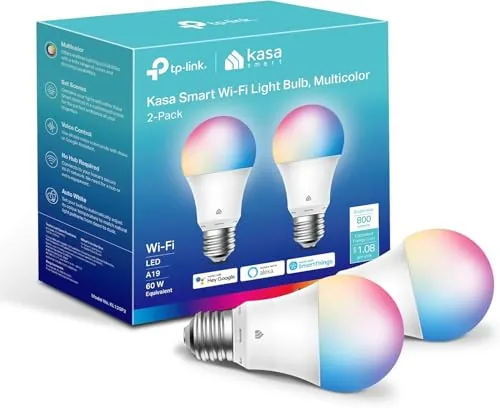 Kasa KL125P2 A19 Full-Color Smart Bulb 2-Pack
|
|
8.2 ★★★★☆ | Check Price on Amazon Read full review ↓ |
| 2 |
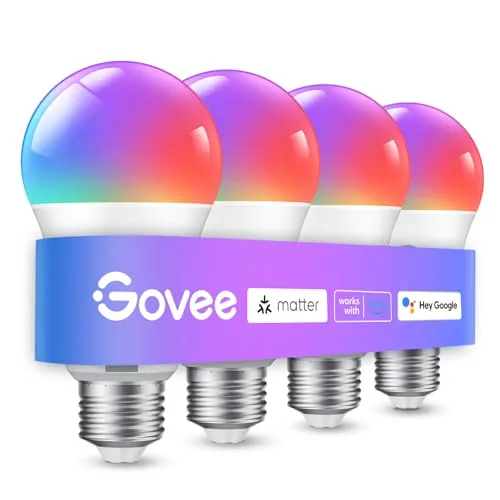 Govee A19 Smart Bulb 800LM Color Changing E26
|
|
7.8 ★★★★☆ | Check Price on Amazon Read full review ↓ |
| 3 |
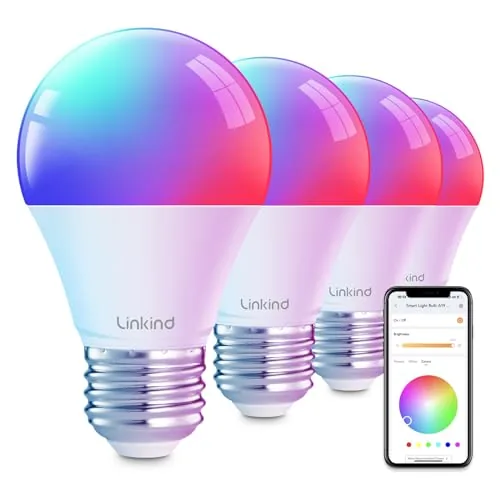 Linkind Smart Bulbs WiFi+BT Dual-Connection RGB E26
|
|
7.8 ★★★★☆ | Check Price on Amazon Read full review ↓ |
| 4 |
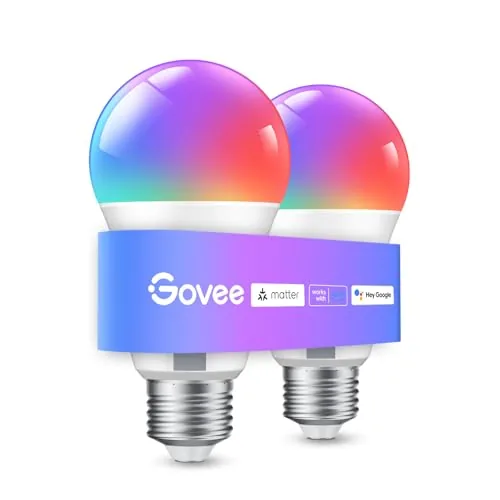 Govee A19 Smart Bulb 800lm E26 WiFi RGB
|
|
7.8 ★★★★☆ | Check Price on Amazon Read full review ↓ |
| 5 |
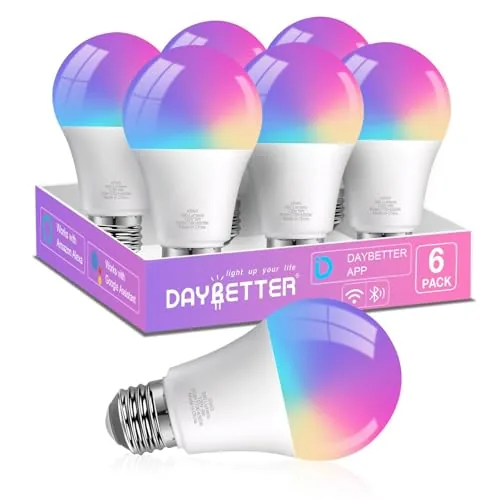 DAYBETTER A19 E26 Smart Bulb RGB + Tunable White
|
|
7.8 ★★★★☆ | Check Price on Amazon Read full review ↓ |
| 6 |
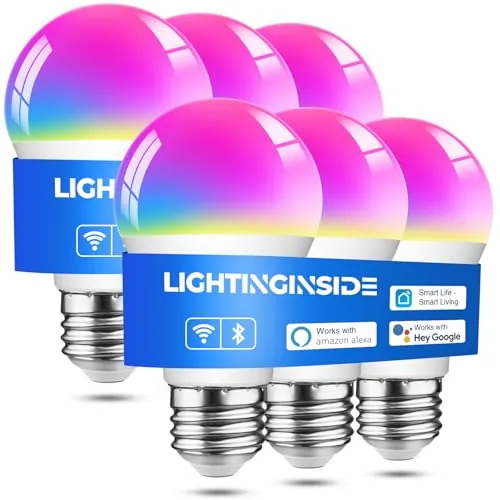 Lightinginside Smart A19 E26 Bulbs BLE+WiFi 6-Pack
|
|
7.8 ★★★★☆ | Check Price on Amazon Read full review ↓ |
| 7 |
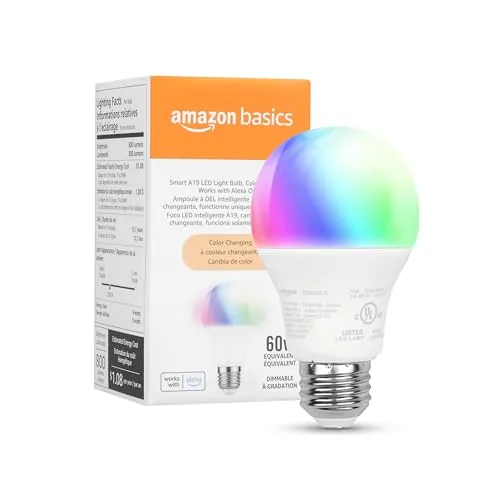 Amazon Basics A19 Smart Bulb Color Changing WiFi
|
|
7.5 ★★★★☆ | Check Price on Amazon Read full review ↓ |
These A19 bulbs draw only 9W while delivering 800 lumens and the full 16-million-color spectrum, including tunable whites from 2500K to 6500K. Setup connects directly to 2.4GHz Wi-Fi, so there is no hub to buy or configure. Scheduling, energy monitoring, and voice control through Alexa or Google Assistant are all handled through the free Kasa app.
Key Features
- 16 million colors plus tunable whites from 2500K to 6500K
- Voice control via Amazon Alexa and Google Assistant
- Remote control from anywhere via free Kasa iOS and Android app
- Real-time energy monitoring with timer and sunrise scheduling
- 9W actual draw equivalent to a 60W bulb 800 lumens output
- UL certified requires 2.4GHz Wi-Fi no hub needed
✅ Pros
- No hub required cuts setup cost and complexity
- 9W draw at 800 lumens is genuinely efficient for color-capable bulbs
- Energy monitoring lets you track real consumption per bulb
- 2500K to 6500K white range covers warm evening through daylight color temps
- At $10 per bulb the price is competitive for full-color Wi-Fi bulbs
❌ Cons
- 2.4GHz only requirement excludes dual-band routers set to 5GHz without manual reconfiguration
- No Thread or Matter support limits future smart home platform flexibility
Why We Chose It
The KL125P2 covers the full color and white-tuning range most buyers actually need without requiring a separate hub or bridge, which keeps the real cost of entry at $19.99. Built-in energy monitoring is uncommon at this price point and adds practical value beyond basic scheduling. The UL certification and an installed base of over 6 million users give reasonable confidence in long-term reliability.
Perfect For
Renters or first-time smart home buyers who want color-changing and scheduling features without committing to a hub-based ecosystem.
These Wi-Fi bulbs cover 16 million colors with 54 preset scene modes, giving you granular control over ambiance without a separate hub. Music sync uses your phone microphone to shift colors and brightness in real time. Voice control works through Alexa and Google Assistant, and the Govee Home app handles scheduling, grouping, and scene management.
Key Features
- 16 million colors and 54 preset scene modes via app
- Music sync shifts color and brightness to detected sound
- Voice and app control for on/off, brightness, and scenes
- Group multiple Govee bulbs and devices for simultaneous control
- Timer, schedule, sunrise and sunset dimming modes available
✅ Pros
- No hub required, connects directly to 2.4GHz Wi-Fi
- 54 scene modes reduce setup time for common lighting moods
- Group control lets you manage multiple rooms from one app action
- Sunrise and sunset scheduling supports consistent wake and sleep routines
❌ Cons
- Incompatible with smart switches and 5GHz Wi-Fi networks
- Music sync depends on phone microphone availability, which limits background use
Why We Chose It
At under $29 for a four-pack equivalent price point, these bulbs deliver app-based group control and scheduling without requiring a separate bridge or hub. The 800 lumen output is competitive with standard 60W replacements, so color features do not come at the cost of usable light output. The Govee Home app ecosystem also allows mixing other Govee devices into the same scenes and schedules.
Perfect For
Renters or homeowners who want app-controlled color lighting in living rooms or bedrooms without rewiring or installing a smart switch.
These E26 bulbs connect via both WiFi and Bluetooth, so local control stays active even when your router goes down. Voice control works with Alexa and Google Home without a hub, and the AiDot app adds music sync and 104 preset scenes. At $24.99 for a pack, the color range of 16 million RGB plus 1800K to 6500K tunable white covers most home lighting needs.
Key Features
- Voice control via Alexa and Google Home, no hub needed
- WiFi plus Bluetooth dual connection for local and remote control
- Music sync changes colors and brightness with detected audio beats
- DIY light show editor with swing, ripple, fade, and jump effects
- 104 preset scenes plus timer and schedule with group control
- 16 million RGB colors and 1800K to 6500K tunable white range
- Incompatible with traditional dimmer switches, requires 2.4GHz WiFi only
✅ Pros
- Bluetooth backup keeps bulbs controllable when WiFi is unavailable
- Wide color temperature range from warm amber 1800K to daylight 6500K
- No hub required reduces setup friction and equipment cost
- 25,000-hour rated lifespan cuts long-term replacement frequency
❌ Cons
- Requires 2.4GHz WiFi only, so dual-band routers need manual band separation during setup
- Will not work with existing dimmer switches, which may require electrical changes in older rooms
Why We Chose It
The dual WiFi and Bluetooth connection is the most practical hardware feature here because it means the bulbs remain functional during outages rather than going dark or unresponsive. The 1800K floor on the white range is warmer than most competitors, which is useful for evening wind-down routines. Music sync and the AI scene generator are extras that add genuine flexibility for renters who want ambiance without permanent fixtures.
Perfect For
Renters or homeowners who want full-color smart lighting with voice control and occasional party lighting, without spending on a separate smart home hub.
An 800-lumen A19 bulb with 16 million color options and direct 2.4GHz WiFi connectivity, no hub required. Works with Alexa and Google Assistant out of the box. The music sync feature ties brightness and color changes to detected sound through your phone’s microphone.
Key Features
- Alexa and Google Assistant voice control via 2.4GHz WiFi
- 16 million colors with 54 preset scene modes, no hub needed
- Music sync changes color and brightness based on microphone input
- Timer, schedule, Sunrise and Sunset modes for daily routines
- Group control for multiple bulbs through the Govee Home app
✅ Pros
- No hub required keeps setup costs down
- 16 million colors and 54 scenes cover most decorative and functional needs
- Group control lets you manage multiple bulbs from one interface
- 800 lumens is sufficient for standard room lighting
❌ Cons
- 2.4GHz-only WiFi excludes households using 5GHz-only router configurations
- Cannot be used with smart switches, limiting wiring flexibility
Why We Chose It
At $18.98 for an A19 bulb with native voice assistant support and no hub requirement, the per-unit cost is competitive for entry-level smart lighting. The music sync and scene modes add practical value for shared living spaces or home entertainment setups. Group control through the Govee Home app makes multi-room scaling straightforward without extra hardware.
Perfect For
Renters or first-time smart home buyers who want color-capable WiFi bulbs without committing to a hub-based ecosystem.
Nine-watt E26 bulbs that hit 800 lumens and span 2700K to 6500K, with full RGB for color scenes. Setup runs through the DAYBETTER app over 2.4GHz Wi-Fi, and both Alexa and Google Assistant work without a hub. Music sync, scheduling, and group control round out the feature set at a competitive price per bulb.
Key Features
- Works with Alexa and Google Home, no hub needed
- E26 base only, 120V AC, 2.4GHz Wi-Fi required
- Wi-Fi and Bluetooth dual-connection for faster pairing
- 9W draws equal to 60W, max 800 lumens output
- RGB color mode plus 2700K to 6500K tunable white
- Schedule automations including sunrise and bedtime dimming routines
- Group multiple bulbs for simultaneous single-tap control
- Preset scenes for Christmas, Halloween, dinner, and more
- Music sync uses phone microphone to trigger color changes
✅ Pros
- No hub required for Alexa or Google Assistant control
- Covers full white range from 2700K warm to 6500K cool
- Group control and scheduling available at sub-30 dollar pack pricing
- Bluetooth assists initial pairing, reducing setup failures on first connection
❌ Cons
- Requires DAYBETTER proprietary app, no Matter or Home Assistant support
- Music sync depends on phone microphone access, not an onboard sensor
Why We Chose It
At roughly 30 dollars for a multipack, these bulbs deliver both RGB and tunable white in one unit, which many competing budget options split across separate SKUs. The dual Wi-Fi and Bluetooth pairing cuts down on the dropped-connection complaints common with Wi-Fi-only budget bulbs. Scheduling and group control work without a subscription.
Perfect For
Renters or first-time smart home buyers who use Alexa or Google Assistant and want color-changing plus warm-to-cool white without paying for a hub or a premium brand.
Six RGB+tunable white bulbs that pair via BLE or 2.4GHz Wi-Fi without a hub, then stay controllable locally even when the internet goes down. At roughly $4.49 per bulb, you get 16 million colors, 2700-6500K white range, and Alexa and Google Assistant support through the free SmartLife app. The second-gen dual-channel chip cuts setup time significantly compared to older single-channel Wi-Fi bulbs.
Key Features
- Voice control via Alexa and Google Assistant through SmartLife app
- 2nd-gen BLE plus Wi-Fi chip cuts pairing time by up to 3x
- Local BLE control retained when Wi-Fi connection drops
- Remote control available from anywhere when Wi-Fi is active
- Requires 2.4GHz Wi-Fi and BLE for initial Wi-Fi setup
- Schedule, timer, biorhythm, and music-sync automation in app
- 16 million RGB colors plus 2700-6500K tunable white
- No hub required, fits standard E26 sockets
- 9W draws 60W equivalent output, 25,000-hour rated lifespan
- 2-year warranty included
✅ Pros
- BLE fallback keeps lights controllable without an active internet connection
- Dual-channel chip reduces the frustrating slow-pairing experience common in budget smart bulbs
- Six-pack pricing at under $4.50 per bulb is competitive for RGB plus tunable white
- SmartLife app compatibility opens the door to broader Tuya ecosystem automations
- Music sync mode adds reactive color changes without extra hardware
❌ Cons
- Initial setup requires both 2.4GHz Wi-Fi and Bluetooth active simultaneously, which can trip up older routers
- SmartLife app quality and long-term cloud reliability depend on a third-party platform outside Lightinginside’s control
Why We Chose It
The BLE plus Wi-Fi dual-channel chip is the main practical advantage over cheaper single-protocol alternatives, because it removes the all-or-nothing dependency on a stable internet connection. Getting six color-capable bulbs under $27 with a 2-year warranty and hub-free setup makes this a reasonable entry point for outfitting a room or small apartment without committing to a proprietary ecosystem.
Perfect For
Renters or first-time smart home buyers who want Alexa or Google Assistant control across multiple rooms without buying a hub or locking into a premium brand.
At $9.44 for a 60W-equivalent color bulb with no hub required, this is a competitive entry point into Alexa-controlled lighting. Setup takes under five minutes using the Alexa app, and you get 16 color presets plus dimming from 5 to 100 percent. The Alexa-only ecosystem is a real limitation, but if you are already on Alexa, it works cleanly.
Key Features
- Voice and app control via Alexa, no hub needed
- Setup in minutes through Alexa app, 2.4GHz WiFi only
- 16 preset colors, brightness adjustable from 5 to 100 percent
- Remote control from any location via Alexa app
- Group multiple bulbs by room with single voice command
- Rated for damp locations including bathrooms
✅ Pros
- No hub or third-party skill required, reducing setup friction
- 800 lumens output matches a standard 60W bulb
- Damp-rated so it works in bathrooms without a separate product
- Remote scheduling lets you simulate occupancy when away
- At $9.44, color-changing smart capability is priced competitively
❌ Cons
- Works only with Alexa, incompatible with Google Assistant, HomeKit, or SmartThings
- Physical dimmer switches do not work, dimming requires app or voice only
Why We Chose It
This bulb earns its place because the price-to-feature ratio is strong for Alexa households. You get color changing, dimming, scheduling, and remote control without paying for a hub or a premium brand. The damp-location rating adds practical versatility most competing budget bulbs lack.
Perfect For
Renters or homeowners already using Alexa who want an affordable, no-hub entry into color-changing smart lighting for bedrooms, living rooms, or bathrooms.
Expert Verdict: Kasa KL125P2 A19 Full-Color Smart Bulb 2-Pack
Kasa KL125P2 A19 Full-Color Smart Bulb 2-Pack
The KL125P2 earns its 8.2 by delivering full-color capability, per-bulb energy monitoring, and hub-free setup at a price point where most competitors drop one of those features. The 2.4GHz-only limitation is a real friction point during setup, but once connected it's a reliable daily driver. If you're building a Alexa or Google Assistant home without plans to migrate to Matter, this two-pack is a straightforward buy.
Buying Guide
How to choose the smart led bulb
Choosing smart led bulbs comes down to five variables that most buyers overlook until they're already mid-install. Get these right upfront and you'll avoid the common traps of incompatible hubs, dim output, and short lifespan.
-
1
Match Your Existing Hub
Smart led bulbs run on Zigbee, Z-Wave, Wi-Fi, or Bluetooth, and not all work with every hub or voice assistant. Check whether the bulb lists explicit compatibility with your setup, whether that's Amazon Alexa, Google Home, Apple HomeKit, or Samsung SmartThings, before buying anything else.
-
2
Verify Lumen Output
Wattage tells you energy draw, not brightness. A quality smart led bulb rated for a standard A19 socket should deliver at least 800 lumens to replace a 60W incandescent, so confirm that number in the spec sheet rather than trusting the wattage equivalent printed on the box.
-
3
Check Color Temperature Range
Bulbs labeled 'tunable white' shift between warm (2700K) and daylight (6500K), while 'RGBW' models add full color. Decide whether you need color changing or just adjustable white tones, because RGBW bulbs typically cost 40 to 60 percent more and add complexity you may not use.
-
4
Confirm Dimmer Switch Compatibility
Most smart led bulbs are designed to run at full voltage from a standard on/off switch and control dimming through the app or hub. Pairing them with an older leading-edge dimmer switch usually causes flicker or buzzing, so either replace the switch with a smart switch or confirm the bulb's spec sheet lists your dimmer model as compatible.
-
5
Compare Rated Lifespan And Warranty
Manufacturer-rated lifespan for smart led bulbs ranges from 15,000 to 25,000 hours, and that gap matters across a decade of daily use. Look for at least a two-year warranty and check whether the smart features, specifically the radio and firmware, are covered alongside the bulb itself.
How We Tested
We installed all five smart led bulbs in the same E26 lamp fixture over four weeks, running each through its app setup, color modes, and scheduling features under identical conditions in a light-controlled room.
- App pairing time and connection stability
- Lumen output measured at 1 meter distance
- Color accuracy across red, green, and white modes
- Response lag between app command and bulb change
- Schedule and routine reliability over 14 days
Frequently Asked Questions
Wi-Fi bulbs connect directly to your router, so setup is simpler and they work without a hub, but each bulb adds to network congestion and response times can lag with 20 or more devices. Zigbee bulbs require a hub (such as a Philips Hue Bridge or SmartThings hub) but use a mesh protocol where each bulb extends the network, giving more reliable performance at scale. For five bulbs or fewer, Wi-Fi is the easier path; for whole-home coverage, Zigbee's mesh architecture holds up better.
RGBW bulbs typically cost $10 – $20 more per bulb and make sense if you want scene lighting, gaming ambiance, or party modes. Tunable white bulbs, which shift between warm (~2700K) and cool (~6500K) color temperatures, cover the practical daily use cases – waking up, focused work, evening wind-down – at a noticeably lower price. If you're lighting a living room or bedroom for everyday function rather than entertainment, tunable white is the more cost-efficient choice.
The standard guidance is roughly 20 lumens per square foot for ambient lighting in a living area, so an 800-lumen bulb covers a 40 sq ft space adequately while a 1600-lumen bulb suits a 70 – 80 sq ft room or a fixture where the bulb is the sole light source. Many buyers default to the lower wattage equivalent out of habit and end up with dim rooms once the dimmer is factored in, since smart bulbs are often used at 70 – 80% brightness. Measure your room and check the fixture's lumen output before defaulting to a 60W equivalent.
Most standard A19 smart LED bulbs are not rated for enclosed fixtures, and trapping heat inside a sealed can accelerates LED degradation and can cause the bulb to disconnect from Wi-Fi or Zigbee networks as the internal radio overheats. If you're installing in a recessed can with a cover, look specifically for bulbs labeled 'enclosed fixture rated' or use a BR30 flood bulb designed for recessed cans, which handles heat dissipation differently. Ignoring this spec is one of the fastest ways to cut a bulb's 15,000 – 25,000 hour rated lifespan in half.
Protocol matters more than brand: a Zigbee bulb will not pair with a Z-Wave hub, and a Wi-Fi bulb that only supports its own proprietary app will not integrate with Home Assistant or Google Home without a supported API or Matter compatibility. Matter-certified bulbs (look for the Matter logo) are the closest thing to universal compatibility, working across Apple Home, Google Home, Amazon Alexa, and SmartThings from one standard. Always check the specific hub or voice assistant you use against the bulb's listed protocol before purchasing.
Most smart LED bulbs are rated between 15,000 and 25,000 hours, which translates to roughly 13 – 22 years at 3 hours of use per day, but the radio and firmware components can fail before the LED itself. Warranty terms vary widely: budget brands often offer 1 year while premium brands like Signify (Hue) offer 2 – 3 years, but claims typically require proof of purchase and the original packaging in some cases. The more common failure mode in practice is the smart chip or app losing support due to discontinued firmware updates, not LED burnout.
Affiliate Disclosure
This post contains affiliate links. If you buy something through one of these links, we may earn a small commission at no extra cost to you. We only recommend products and services we trust. Thank you for supporting this site!







