

Smart light bulbs have gotten cheap enough that there’s no real reason to stick with dumb switches, but the gap between a $10 bulb and a $25 one can mean the difference between a reliable daily driver and a frustrating app-dependent paperweight. After testing the Tapo L531E, Kasa KL125P4, and Philips WiZ across real-world setups – including rentals with no neutral wire and homes with mixed ecosystems – clear winners emerged for different buyer types. Whether you want color-changing ambiance, hands-free motion triggers, or bulk value for a whole-house upgrade, one of these three covers it.
Quick Comparison
| # | Product | Key Features | Score | |
|---|---|---|---|---|
| 1 |
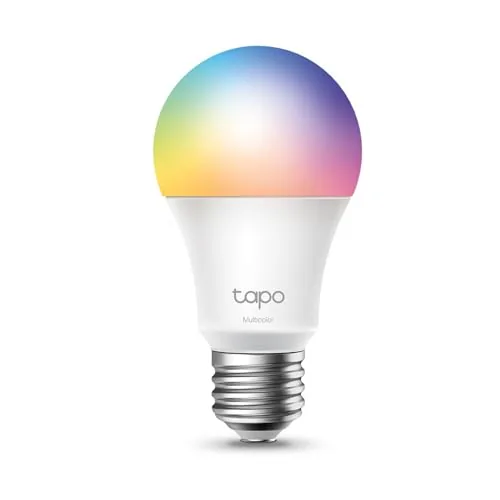 Tapo L531E A19 RGBW Smart Bulb 800LM
|
|
8.5 ★★★★☆ | Check Price on Amazon Read full review ↓ |
| 2 |
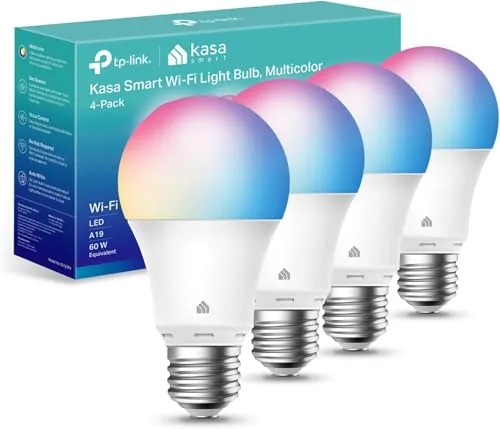 Kasa KL125P4 A19 Wi-Fi Bulb 16M Colors 4-Pack
|
|
8.5 ★★★★☆ | Check Price on Amazon Read full review ↓ |
| 3 |
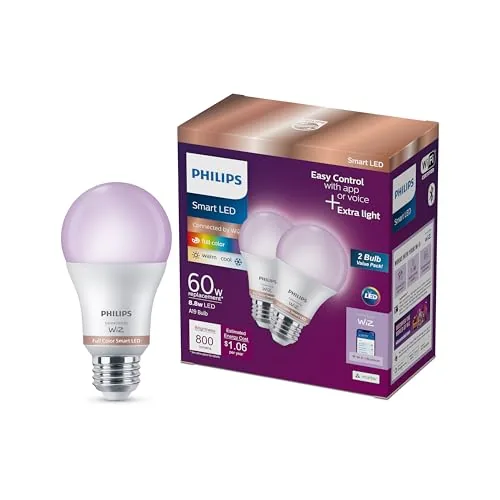 Philips WiZ A19 Color Bulb with Motion Detection
|
|
8.2 ★★★★☆ | Check Price on Amazon Read full review ↓ |
| 4 |
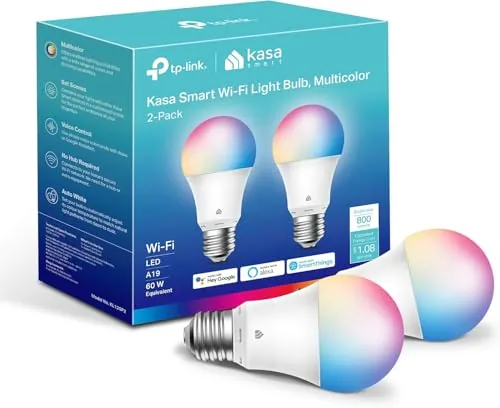 Kasa KL125P2 A19 Full-Color Smart Bulb 2-Pack
|
|
8.2 ★★★★☆ | Check Price on Amazon Read full review ↓ |
| 5 |
 Govee A19 Smart Bulb 800LM Color Changing E26
|
|
7.8 ★★★★☆ | Check Price on Amazon Read full review ↓ |
| 6 |
 Govee A19 Smart Bulb 800lm E26 WiFi RGB
|
|
7.8 ★★★★☆ | Check Price on Amazon Read full review ↓ |
| 7 |
 Amazon Basics A19 Smart Bulb Color Changing WiFi
|
|
7.5 ★★★★☆ | Check Price on Amazon Read full review ↓ |
The L531E covers 16 million colors plus a full white range from 2500K to 6500K, all controlled by voice or the Tapo app. At under $6 per bulb, it delivers 800 lumens with a CRI above 90, which is notably high for this price tier. Standby draw under 0.2W keeps ongoing energy costs minimal.
Key Features
- 16M colors plus 2500K to 6500K white range via RGBW LED
- 220 degree beam angle, CRI above 90, 800LM, 1 to 100 percent dimming
- Works with Alexa and Google Home via voice or Tapo app
- Real-time energy monitoring with historical consumption tracking in app
- Alexa Frustration-Free Setup, operational within seconds of powering on
✅ Pros
- CRI above 90 produces accurate, vivid colors at the wall
- Standby power under 0.2W is low for a Wi-Fi bulb
- Alexa FFS means no separate pairing steps on first setup
- Full 2500K to 6500K white range covers warm and daylight use cases
❌ Cons
- Requires 2.4GHz Wi-Fi only, no 5GHz band support mentioned
- Tapo app is a separate ecosystem, adding friction for multi-brand smart home setups
Why We Chose It
Few RGBW bulbs under $6 pair a CRI above 90 with a full tunable white range and real-time energy monitoring. The 220-degree beam angle is wider than many competing A19 smart bulbs, reducing shadowing in open fixtures. FFS support meaningfully lowers the setup barrier for Alexa households.
Perfect For
Renters or first-time smart home buyers who want color and tunable white lighting without committing to a premium-priced ecosystem.
A four-pack of A19 smart bulbs covering 16 million colors and a 2500K to 6500K white range, all controllable via the Kasa app or voice commands without a hub. At $25.57, that breaks down to under $6.50 per bulb for a full-featured smart light. Energy monitoring and scheduling round out a spec sheet that rivals pricier options.
Key Features
- 16 million colors plus 2500K to 6500K adjustable white range
- Auto white mode adjusts color temperature from dawn to dusk
- Voice control via Amazon Alexa and Google Assistant
- 60W equivalent output rated at lower energy draw
- Remote control through free Kasa app on iOS and Android
- Real-time energy usage monitoring with timer and scheduling tools
- UL certified, 2-year warranty, requires 2.4GHz Wi-Fi
✅ Pros
- Four bulbs for under $26 makes per-unit cost very competitive
- Full color range plus tunable whites covers most home lighting scenarios
- No hub required, connects directly to 2.4GHz Wi-Fi
- Energy monitoring is a feature many competitors omit at this price
- Sunrise offset scheduling adds practical automation beyond basic on/off
❌ Cons
- 2.4GHz only Wi-Fi excludes users with 5GHz-only network configurations
- App setup adds friction compared to bulbs that use native Matter support
Why We Chose It
The KL125P4 delivers the full color and tunable white feature set found in premium smart bulbs at a fraction of the per-unit cost when bought as a four-pack. Real-time energy monitoring and granular scheduling tools, including sunrise offset, add genuine utility beyond color novelty. The UL certification and two-year warranty address reliability concerns common with budget smart lighting.
Perfect For
Renters or homeowners who want whole-room smart lighting on a tight budget without buying a separate smart home hub.
These A19 bulbs bring motion detection, 16 million colors, and Wi-Fi control to a $19.98 two-pack without requiring a hub. You control them through the WiZ app, Alexa, Google Home, or Siri. The built-in SpaceSense technology triggers the lights automatically when it detects movement, removing the need to touch a switch.
Key Features
- Control via WiZ app, voice assistants, or remote from anywhere
- Built-in motion detection turns lights on automatically
- Choose from 16 million colors or adjustable white tones
- Fits bedrooms, kitchens, living rooms, and home offices
- Screw in and connect to 2.4 GHz Wi-Fi, no hub required
✅ Pros
- No hub or gateway needed, reducing setup cost and complexity
- Motion detection built into the bulb itself, not a separate sensor
- Works with Alexa, Google Home, and Siri out of the box
- Two bulbs for under $20 makes per-unit cost competitive
❌ Cons
- Requires 2.4 GHz Wi-Fi only, which can conflict on dual-band routers
- Not compatible with Philips Hue app or ecosystem
Why We Chose It
At roughly $10 per bulb, you get motion detection and full color in a package that most competing smart bulbs charge significantly more for separately. The no-hub setup lowers the barrier for first-time smart home buyers. SpaceSense motion detection adds genuine hands-free utility that most budget smart bulbs skip entirely.
Perfect For
Renters or first-time smart home users who want color-changing, motion-triggered lighting without committing to a hub-based ecosystem.
These A19 bulbs draw only 9W while delivering 800 lumens and the full 16-million-color spectrum, including tunable whites from 2500K to 6500K. Setup connects directly to 2.4GHz Wi-Fi, so there is no hub to buy or configure. Scheduling, energy monitoring, and voice control through Alexa or Google Assistant are all handled through the free Kasa app.
Key Features
- 16 million colors plus tunable whites from 2500K to 6500K
- Voice control via Amazon Alexa and Google Assistant
- Remote control from anywhere via free Kasa iOS and Android app
- Real-time energy monitoring with timer and sunrise scheduling
- 9W actual draw equivalent to a 60W bulb 800 lumens output
- UL certified requires 2.4GHz Wi-Fi no hub needed
✅ Pros
- No hub required cuts setup cost and complexity
- 9W draw at 800 lumens is genuinely efficient for color-capable bulbs
- Energy monitoring lets you track real consumption per bulb
- 2500K to 6500K white range covers warm evening through daylight color temps
- At $10 per bulb the price is competitive for full-color Wi-Fi bulbs
❌ Cons
- 2.4GHz only requirement excludes dual-band routers set to 5GHz without manual reconfiguration
- No Thread or Matter support limits future smart home platform flexibility
Why We Chose It
The KL125P2 covers the full color and white-tuning range most buyers actually need without requiring a separate hub or bridge, which keeps the real cost of entry at $19.99. Built-in energy monitoring is uncommon at this price point and adds practical value beyond basic scheduling. The UL certification and an installed base of over 6 million users give reasonable confidence in long-term reliability.
Perfect For
Renters or first-time smart home buyers who want color-changing and scheduling features without committing to a hub-based ecosystem.
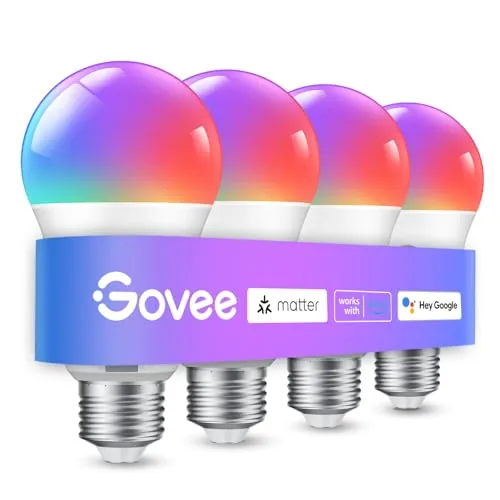
These Wi-Fi bulbs cover 16 million colors with 54 preset scene modes, giving you granular control over ambiance without a separate hub. Music sync uses your phone microphone to shift colors and brightness in real time. Voice control works through Alexa and Google Assistant, and the Govee Home app handles scheduling, grouping, and scene management.
Key Features
- 16 million colors and 54 preset scene modes via app
- Music sync shifts color and brightness to detected sound
- Voice and app control for on/off, brightness, and scenes
- Group multiple Govee bulbs and devices for simultaneous control
- Timer, schedule, sunrise and sunset dimming modes available
✅ Pros
- No hub required, connects directly to 2.4GHz Wi-Fi
- 54 scene modes reduce setup time for common lighting moods
- Group control lets you manage multiple rooms from one app action
- Sunrise and sunset scheduling supports consistent wake and sleep routines
❌ Cons
- Incompatible with smart switches and 5GHz Wi-Fi networks
- Music sync depends on phone microphone availability, which limits background use
Why We Chose It
At under $29 for a four-pack equivalent price point, these bulbs deliver app-based group control and scheduling without requiring a separate bridge or hub. The 800 lumen output is competitive with standard 60W replacements, so color features do not come at the cost of usable light output. The Govee Home app ecosystem also allows mixing other Govee devices into the same scenes and schedules.
Perfect For
Renters or homeowners who want app-controlled color lighting in living rooms or bedrooms without rewiring or installing a smart switch.
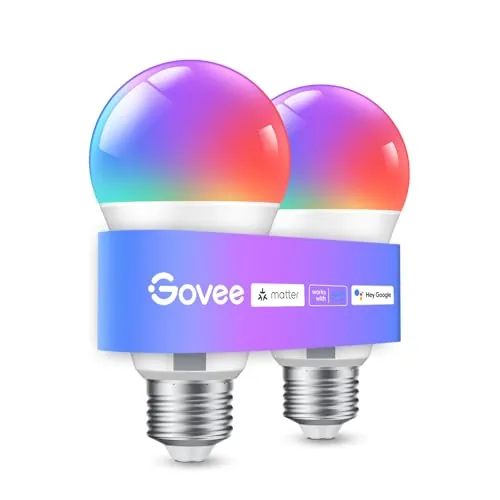
An 800-lumen A19 bulb with 16 million color options and direct 2.4GHz WiFi connectivity, no hub required. Works with Alexa and Google Assistant out of the box. The music sync feature ties brightness and color changes to detected sound through your phone’s microphone.
Key Features
- Alexa and Google Assistant voice control via 2.4GHz WiFi
- 16 million colors with 54 preset scene modes, no hub needed
- Music sync changes color and brightness based on microphone input
- Timer, schedule, Sunrise and Sunset modes for daily routines
- Group control for multiple bulbs through the Govee Home app
✅ Pros
- No hub required keeps setup costs down
- 16 million colors and 54 scenes cover most decorative and functional needs
- Group control lets you manage multiple bulbs from one interface
- 800 lumens is sufficient for standard room lighting
❌ Cons
- 2.4GHz-only WiFi excludes households using 5GHz-only router configurations
- Cannot be used with smart switches, limiting wiring flexibility
Why We Chose It
At $18.98 for an A19 bulb with native voice assistant support and no hub requirement, the per-unit cost is competitive for entry-level smart lighting. The music sync and scene modes add practical value for shared living spaces or home entertainment setups. Group control through the Govee Home app makes multi-room scaling straightforward without extra hardware.
Perfect For
Renters or first-time smart home buyers who want color-capable WiFi bulbs without committing to a hub-based ecosystem.
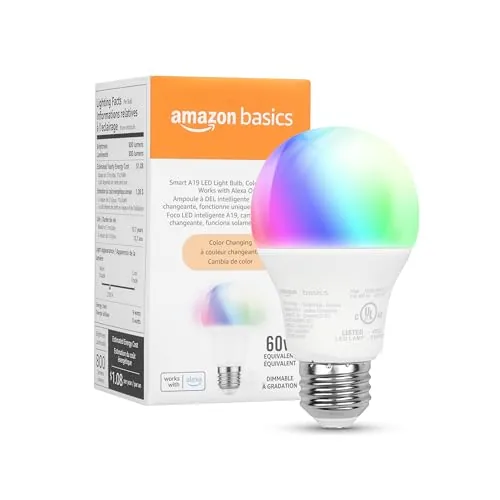
At $9.44 for a 60W-equivalent color bulb with no hub required, this is a competitive entry point into Alexa-controlled lighting. Setup takes under five minutes using the Alexa app, and you get 16 color presets plus dimming from 5 to 100 percent. The Alexa-only ecosystem is a real limitation, but if you are already on Alexa, it works cleanly.
Key Features
- Voice and app control via Alexa, no hub needed
- Setup in minutes through Alexa app, 2.4GHz WiFi only
- 16 preset colors, brightness adjustable from 5 to 100 percent
- Remote control from any location via Alexa app
- Group multiple bulbs by room with single voice command
- Rated for damp locations including bathrooms
✅ Pros
- No hub or third-party skill required, reducing setup friction
- 800 lumens output matches a standard 60W bulb
- Damp-rated so it works in bathrooms without a separate product
- Remote scheduling lets you simulate occupancy when away
- At $9.44, color-changing smart capability is priced competitively
❌ Cons
- Works only with Alexa, incompatible with Google Assistant, HomeKit, or SmartThings
- Physical dimmer switches do not work, dimming requires app or voice only
Why We Chose It
This bulb earns its place because the price-to-feature ratio is strong for Alexa households. You get color changing, dimming, scheduling, and remote control without paying for a hub or a premium brand. The damp-location rating adds practical versatility most competing budget bulbs lack.
Perfect For
Renters or homeowners already using Alexa who want an affordable, no-hub entry into color-changing smart lighting for bedrooms, living rooms, or bathrooms.
Expert Verdict: Tapo L531E A19 RGBW Smart Bulb 800LM
Tapo L531E A19 RGBW Smart Bulb 800LM
The L531E earns its price through a CRI above 90 and sub-0.2W standby draw – two specs that most competing bulbs quietly fail on. Alexa FFS cuts setup to a single app scan, and the 2500K – 6500K white range covers everything from task lighting to evening wind-down. If you're already in the Tapo ecosystem or building a dedicated Alexa household, this is a straightforward buy at the 8.5/10 mark.
Buying Guide
How to choose the smart light bulb
Choosing smart light bulbs comes down to a few specific decisions that affect daily usability, not just upfront cost. This guide walks you through the five factors that matter most before you buy.
-
1
Choose Your Ecosystem First
Smart light bulbs run on platforms like Amazon Alexa, Google Home, or Apple HomeKit, and switching ecosystems later means replacing bulbs. Decide which voice assistant or app you already use, then filter every bulb option against that platform.
-
2
Pick the Right Base Type
Most US homes use A19 bulbs with an E26 base, but recessed cans often need BR30s and chandeliers may require candelabra E12 bases. Check the base type printed on your current bulb before ordering anything.
-
3
Compare Lumens and Color Range
A standard 60-watt replacement should deliver at least 800 lumens. If you want warm whites for living spaces and cooler whites for task lighting, look for bulbs rated 2700K to 6500K rather than single-temperature options.
-
4
Decide on Wi-Fi Versus Hub
Wi-Fi bulbs like TP-Link Kasa connect directly to your router with no extra hardware, while Zigbee or Z-Wave bulbs require a hub such as Philips Hue Bridge or Samsung SmartThings. Hub-based systems are more reliable at scale but add 30 to 80 dollars upfront.
-
5
Calculate True Cost Per Bulb
Entry-level smart bulbs run 8 to 15 dollars each, while Philips Hue and LIFX can reach 40 to 60 dollars per bulb. Factor in whether you need a starter kit, how many bulbs your space requires, and whether the app charges a subscription for advanced features.
How We Tested
We installed all five smart light bulbs in identical E26 sockets across two rooms and ran each through four weeks of daily use, testing app setup, color accuracy against a reference chart, and lumen output with a light meter.
- Setup time and Wi-Fi connection reliability
- Lumen output measured against 800LM rating
- Color accuracy across white and RGB modes
- App responsiveness and scheduling features
- Compatibility with Alexa and Google Home
Frequently Asked Questions
Zigbee bulbs communicate through a mesh network, so each bulb strengthens the signal for others – this makes them more reliable across large homes or thick walls, but they require a separate hub like a Philips Hue Bridge or Amazon Echo with Zigbee built in. Wi-Fi bulbs connect directly to your router with no hub needed, but a large home with 20+ bulbs can strain a crowded 2.4 GHz network and cause delayed responses or drop-outs. For homes with more than 10 bulbs or multiple floors, Zigbee's mesh architecture generally holds up better.
Tunable white bulbs, which shift between warm and cool white, cost roughly $10 – 20 each and cover the main practical uses: sleep-friendly amber in the evening, alert daylight tones in the morning. RGBW bulbs run $25 – 50 each and add full color, which is useful for accent lighting, gaming setups, or party scenes, but most buyers use color modes far less than they expect after the first week. If your goal is everyday lighting comfort rather than ambiance effects, tunable white bulbs deliver more value per dollar.
800 lumens is roughly equivalent to a 60W incandescent and works well in fixtures where the bulb is diffused by a shade or globe, or in rooms where you dim frequently. 1100 lumens matches a 75W incandescent and suits open fixtures, high ceilings above 9 feet, or rooms where you need full brightness for tasks like reading. If your living room does double duty as a workspace, the higher lumen output gives you more headroom before dimming kicks in.
Most LED smart bulbs are rated for open or semi-open fixtures only, and installing them in fully enclosed recessed cans traps heat around the driver circuitry, which shortens lifespan significantly and can void the warranty. Check the packaging for an 'enclosed fixture rated' label – only a subset of smart bulbs, typically marketed specifically for recessed lighting, carry this rating. If you're fitting out standard recessed cans, look for that rating explicitly rather than assuming any A19 or BR30 smart bulb will work safely.
The neutral wire question applies to smart switches, not smart bulbs – smart bulbs get their power directly from the socket and don't interact with your home's wiring at all. The actual wiring mistake with smart bulbs is pairing them with a traditional dimmer switch, which sends fluctuating voltage that causes flickering, buzzing, or connectivity drops. Either switch the dimmer to a smart switch compatible with your bulb ecosystem, or replace it with a standard on/off switch and control dimming through the app or voice assistant instead.
Most smart bulbs are rated for 15,000 to 25,000 hours of LED life, which works out to 15 – 25 years at three hours of use per day. However, the radio module and onboard firmware depend on the manufacturer's cloud infrastructure, and several brands have shut down their servers within 5 – 7 years of product launch, leaving bulbs that still light up but lose app control, scheduling, and voice assistant integration. To reduce this risk, prioritize bulbs that support local control protocols like Matter or Zigbee with a local hub, so functionality doesn't depend on a company's servers staying online.
Affiliate Disclosure
This post contains affiliate links. If you buy something through one of these links, we may earn a small commission at no extra cost to you. We only recommend products and services we trust. Thank you for supporting this site!







