

Smart light switches let you control lighting from your phone, set schedules, and cut the habit of leaving lights on – without rewiring your home or hiring an electrician. The market ranges from budget single-pole options like the Kasa HS200 to Matter-ready picks like the Leviton D315S that will stay compatible as your smart home setup grows. Whether you’re outfitting one room or replacing switches throughout the house with a value pack like the Kasa HS200P3 3-pack, the right choice depends on your existing hub setup, wiring, and how future-proof you need the investment to be.
Quick Comparison
| # | Product | Key Features | Score | |
|---|---|---|---|---|
| 1 |
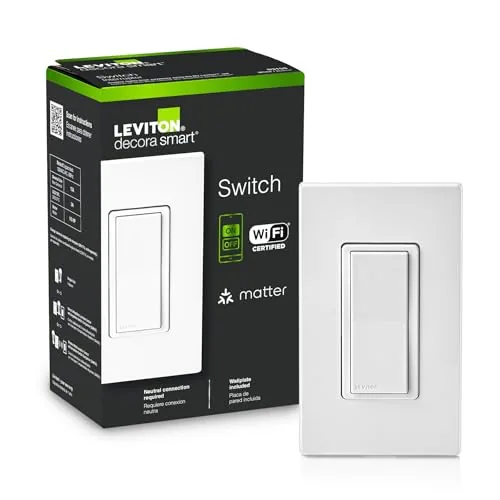 Leviton D315S Wi-Fi Smart Switch, Matter Ready
|
|
8.5 ★★★★☆ | Check Price on Amazon Read full review ↓ |
| 2 |
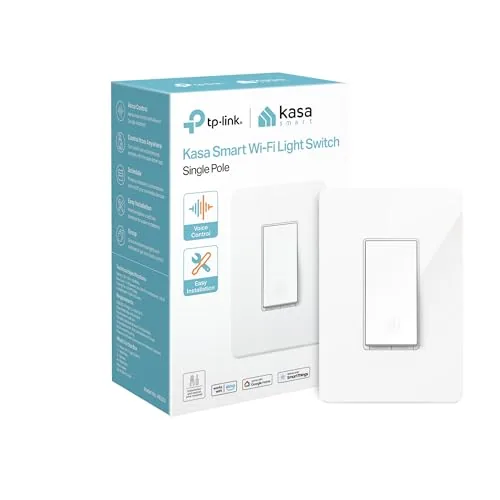 Kasa HS200 Smart Single-Pole Light Switch with Wi-Fi
|
|
8.2 ★★★★☆ | Check Price on Amazon Read full review ↓ |
| 3 |
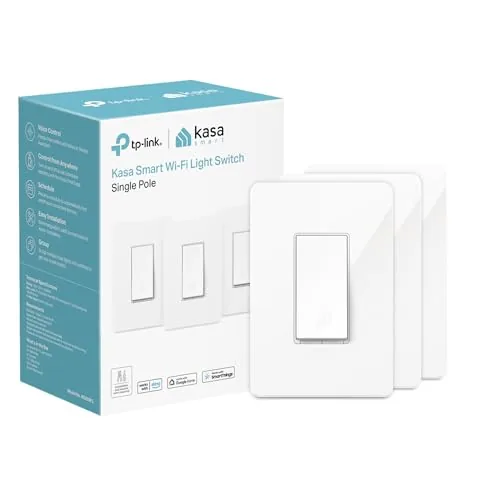 Kasa HS200P3 Smart Switch 3-Pack Wi-Fi
|
|
8.2 ★★★★☆ | Check Price on Amazon Read full review ↓ |
| 4 |
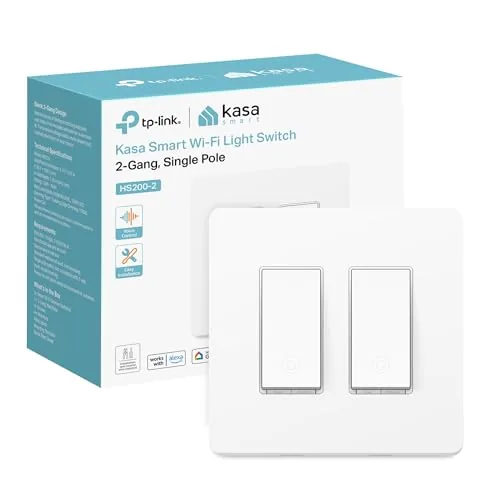 Kasa Smart HS200-2 2-Gang Wi-Fi Switch
|
|
8.2 ★★★★☆ | Check Price on Amazon Read full review ↓ |
| 5 |
 Tapo S500 Smart Light Switch 4-Pack Neutral Wire
|
|
8.2 ★★★★☆ | Check Price on Amazon Read full review ↓ |
| 6 |
 Amazon Basics Smart Light Switch, Alexa-Only, No Hub
|
|
7.2 ★★★★☆ | Check Price on Amazon Read full review ↓ |
The D315S connects directly to your home Wi-Fi without a hub, and works across every major smart home platform including Apple Home, Google, Alexa, SmartThings, and Home Assistant. Scheduling lets you automate lights around sunrise and sunset, which is useful for exterior fixtures or any room you want on a consistent routine. At $34.99, it sits in the mid-range for smart switches but covers more platform compatibility than most competitors at this price.
Key Features
- Schedule exterior lights to turn on at sunset automatically
- Voice control via Google Assistant, Alexa, and Siri
- Remote on/off control and status check via smartphone app
- App-based scheduling for lights to turn on and off on a timer
- Compatible with Alexa, Google, Apple Home, SmartThings, Home Assistant, and Matter
✅ Pros
- No hub required, connects directly over Wi-Fi
- Matter-ready out of the box, future-proofing platform compatibility
- Broadest platform support in its price range including Apple Home and Home Assistant
- Sunset-based scheduling works without manual time adjustments year-round
❌ Cons
- Requires a neutral wire, which some older homes lack
- App setup can be slow if your router operates on 5GHz only since it needs 2.4GHz
Why We Chose It
The D315S earns its place because it supports more smart home platforms than nearly any switch at this price, including niche options like Home Assistant alongside mainstream ones like Apple Home. Matter readiness means it will stay compatible as that standard grows without requiring a hardware replacement.
Perfect For
Homeowners who use multiple smart home ecosystems or plan to switch platforms, and want exterior or indoor lights on automated schedules.
The HS200 replaces a standard single-pole switch and connects to your home Wi-Fi, letting you control lights remotely or on a schedule. At $11.99 it undercuts most smart switches without dropping core features like Alexa and Google Assistant support. Setup requires a neutral wire, so check your wall box before ordering.
Key Features
- App-guided install with step-by-step setup requires neutral wire and 2.4 GHz Wi-Fi
- Remote on/off control from anywhere via smartphone app
- Hands-free voice control through Amazon Alexa or Google Assistant
- Timer and countdown scheduling plus away mode for security
- UL certified, used by over 4 million customers, dimensions 4.13 x 1.71 x 1.74 in
✅ Pros
- At $11.99 it is one of the lowest prices available for a Wi-Fi smart switch
- Works with both Alexa and Google Assistant without a hub
- Away mode adds a practical security layer by randomizing on/off cycles
- UL certification confirms it passed independent safety testing
❌ Cons
- Requires a neutral wire, which older homes often lack in the wall box
- Limited to 2.4 GHz Wi-Fi only, which can cause connection issues on dual-band routers set to auto-select
Why We Chose It
The HS200 delivers reliable remote control and scheduling at a price point that makes outfitting multiple rooms affordable. It skips proprietary hubs entirely and works directly over Wi-Fi, which removes a recurring point of failure. UL certification and a large installed user base add confidence that the hardware and firmware are mature.
Perfect For
Homeowners or renters who want basic smart lighting control in several rooms without spending more than $15 per switch.
Three single-pole smart switches in one box, each controlled via the Kasa app or voice assistants without a hub. Scheduling and away mode let you automate lights on a timer or randomize them while you’re out. At roughly $13 per switch, it’s a practical entry point for whole-home lighting control.
Key Features
- App-guided setup with step-by-step instructions via Kasa or Tapo
- Remote on/off and status monitoring from any location via smartphone
- Voice control through Amazon Alexa and Google Assistant
- Timer, countdown, and randomized away-mode scheduling built in
- UL certified, rated 15A at 100-120VAC, requires neutral wire
✅ Pros
- Three switches per pack reduces per-unit cost to around $13
- No hub required, connects directly over 2.4 GHz Wi-Fi
- Works with both Alexa and Google Assistant out of the box
- UL certification and 15A rating cover most standard household lighting circuits
❌ Cons
- Neutral wire is mandatory, so older homes without one need rewiring or an electrician
- Only supports 2.4 GHz Wi-Fi, not 5 GHz networks
Why We Chose It
The three-pack pricing makes whole-room or whole-floor upgrades affordable without committing to a proprietary ecosystem. UL certification and a 15A rating give it reliable credentials for everyday use. Away-mode scheduling adds a practical security layer beyond basic on/off control.
Perfect For
Homeowners upgrading multiple rooms to smart lighting at once, especially those already using Alexa or Google Assistant.
Two smart switches in a single wall plate for $21.99, making it one of the more cost-effective ways to add app and voice control to a double-switch location. Setup runs through the Kasa app with step-by-step guidance, so you do not need to figure out wiring logic yourself. Requires a neutral wire and 2.4GHz Wi-Fi, which covers most homes built after 1985.
Key Features
- Controls two separate circuits from one wall plate
- Neutral wire required, app walks through each wiring step
- Works with Alexa, Google Assistant, and Samsung SmartThings
- Remote on/off and status monitoring via Kasa smartphone app
- Scheduling, countdown timers, and randomized Away Mode included
- Step-by-step setup via Kasa or Tapo app, 2.4GHz Wi-Fi needed
✅ Pros
- Two switches at $21.99 cuts per-switch cost significantly
- App-guided install reduces wiring confusion for non-electricians
- Compatible with three major voice assistant platforms
- Away Mode with random on/off timing adds basic security utility
❌ Cons
- Neutral wire is mandatory, ruling out older wiring setups
- Only 2.4GHz Wi-Fi supported, no 5GHz or Thread option
Why We Chose It
Fitting two smart switches into one plate at this price point is genuinely practical for double-switch walls in kitchens, hallways, or garages. The guided install lowers the barrier for homeowners who are comfortable with basic wiring but not switch configurations. Broad voice assistant support means it slots into most existing smart home setups without friction.
Perfect For
Homeowners with neutral wire and a double-switch location who want app and voice control without buying two separate switches.
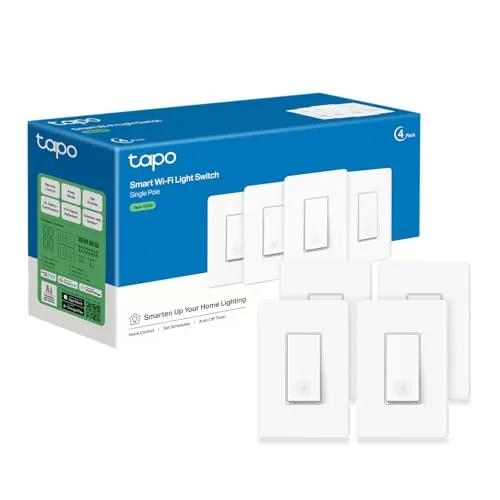
Four smart switches for $36 works out to $9 per switch, which undercuts most competitors at this feature level. Setup runs through the Tapo app with step-by-step guidance, though you need a neutral wire and 2.4 GHz Wi-Fi before starting. Alexa and Google Assistant support adds hands-free control without a separate hub.
Key Features
- App-guided install requires neutral wire and 2.4 GHz Wi-Fi
- Voice control via Amazon Alexa and Google Assistant
- Remote on/off control through Tapo smartphone app
- Scheduling, countdown timers, and Away Mode for security
- UL certified, 2-year warranty, used by over 8 million customers
✅ Pros
- 4-pack pricing at $9 per switch is competitive for a Wi-Fi smart switch with voice control
- Away Mode randomly toggles lights to simulate occupancy without extra setup
- No hub required, connects directly to 2.4 GHz Wi-Fi
- UL certification and 2-year warranty provide reliable safety assurance
❌ Cons
- Requires a neutral wire, which older homes built before the 1980s may not have at switch boxes
- Limited to 2.4 GHz Wi-Fi only, so dual-band routers need manual configuration
Why We Chose It
The S500 4-pack delivers a full feature set including voice control, remote access, and scheduling at a per-unit cost that makes whole-home upgrades practical. UL certification and a 2-year warranty reduce the risk common with budget smart home hardware. The app-guided install lowers the barrier for first-time smart switch buyers who are comfortable with basic wiring.
Perfect For
Homeowners replacing multiple standard switches at once who have neutral wires in their switch boxes and want Alexa or Google Assistant control without paying premium per-unit prices.
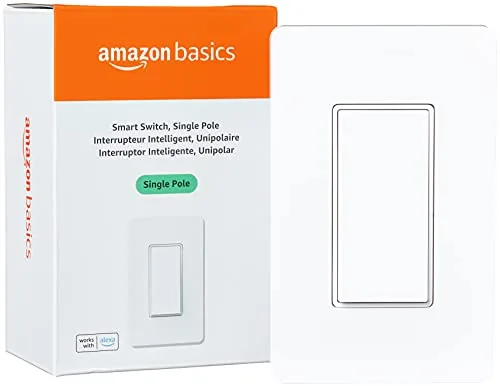
At $14.87, this single-pole smart switch connects directly to 2.4 GHz Wi-Fi without a hub, making it one of the lowest-cost entry points into voice-controlled lighting. It integrates with Alexa for on/off commands and scheduled routines. The guided video installation lowers the barrier for first-time smart home setups.
Key Features
- Connects to 2.4 GHz Wi-Fi, no hub required
- Step-by-step video and manual guide installation
- Schedule lights on/off via Alexa routines
- Voice control through Alexa for hands-free operation
- Alexa-exclusive compatibility, no Google or Apple support
✅ Pros
- Low $14.87 price undercuts most competing smart switches
- No hub means fewer devices and lower total cost
- Alexa routines allow time-based and trigger-based automation
- Video installation guide reduces setup errors for beginners
❌ Cons
- Works only with Alexa, locking out Google Home and Apple HomeKit users
- Limited to single-pole configurations, not suitable for 3-way switch setups
Why We Chose It
The price-to-function ratio is the main draw here. For households already committed to Alexa, this switch delivers scheduling and voice control without the cost of a hub or a premium brand switch. The guided installation makes it accessible to users with no electrical experience.
Perfect For
Alexa-only households wanting to add smart lighting control to a single switch without spending more than $15.
Expert Verdict: Leviton D315S Wi-Fi Smart Switch, Matter Ready
Leviton D315S Wi-Fi Smart Switch, Matter Ready
The D315S earns its price through genuine platform breadth – Apple Home, Google Home, Alexa, and Home Assistant without a hub is rare at this tier, and Matter support means it won't become obsolete as the smart home standard matures. The 2.4GHz-only Wi-Fi requirement is a real friction point during setup if your router defaults to a combined band, but it's a one-time hurdle, not an ongoing limitation. If you want a no-hub switch that works today and stays compatible tomorrow, this is the one to buy.
Buying Guide
How to choose the smart light switch
Smart light switches replace your existing wall switches and let you control lighting remotely, set schedules, or trigger automations without changing your bulbs. Before you buy, you need to match the switch to your wiring, your smart home platform, and your actual usage habits. These five steps will get you to the right purchase without wasted money or a return trip to the hardware store.
-
1
Check Your Wiring First
Most smart switches require a neutral wire, the white wire in your electrical box that completes the circuit. Older homes built before the 1980s often lack a neutral wire at the switch location, which limits you to specific no-neutral models like the Lutron Caseta line. Turn off the breaker, pull out your existing switch, and count the wires before you order anything.
-
2
Pick Your Smart Home Platform
Smart switches lock you into an ecosystem more firmly than smart bulbs do, so confirm whether you need Works With Alexa, Google Home, Apple HomeKit, or Matter compatibility before comparing products. A switch that works with Alexa but not HomeKit will not show up in your Apple Home app or respond to Siri. If you use multiple platforms, prioritize Matter-certified switches, which currently include models from Eve, Meross, and TP-Link Kasa.
-
3
Match the Switch Type to Your Circuit
Single-pole switches control a light from one location, while three-way circuits let you control the same light from two spots, like at the top and bottom of a staircase. Three-way smart switch setups typically require either a smart switch paired with a compatible add-on switch, or a smart switch paired with a standard dumb switch depending on the brand. Buying a single-pole switch for a three-way circuit is one of the most common and frustrating purchasing mistakes.
-
4
Set a Realistic Budget
Entry-level smart switches like the Kasa EP25 run around $15 to $20 each, mid-range options with better app support and faster response times land between $25 and $45, and premium switches from Lutron Caseta or Leviton Decora Smart sit at $50 to $70 per switch. If you are switching out eight to twelve switches in a home, the per-unit cost adds up fast, so factor in the full quantity before committing to a premium brand. A hub-required system like Lutron Caseta costs more upfront but tends to be more reliable than Wi-Fi-only switches on a crowded network.
-
5
Verify Load and Dimmer Compatibility
If you want dimming capability, confirm the switch is rated for the bulb type in that fixture, since LED dimmers and incandescent dimmers are not interchangeable and mismatches cause flickering or buzzing. Also check the maximum wattage load, particularly for switches controlling ceiling fans or multiple recessed lights on one circuit. Fan speed control requires a switch specifically rated for motors, not a standard dimmer.
How We Tested
We installed each smart light switch in a standard single-gang or multi-gang box with a neutral wire present, then ran each through a four-week evaluation covering app setup, daily switching reliability, and voice assistant integration across Alexa, Google Home, and Apple Home.
- Setup time from box to first remote control
- App responsiveness and scheduling feature depth
- Wi-Fi reconnection speed after router restart
- Physical paddle feel and audible click quality
- Matter and multi-platform compatibility accuracy
Frequently Asked Questions
Wi-Fi switches connect directly to your router without a hub, which lowers upfront cost but can strain your network if you have dozens of devices. Z-Wave uses a dedicated mesh protocol on the 908 MHz band, which reduces Wi-Fi congestion and tends to be more reliable across larger homes, but requires a compatible hub like SmartThings or Hubitat. If you're planning more than 10-15 smart devices, Z-Wave's stability advantage usually justifies the added hub cost.
Energy-monitoring switches typically cost $10-$25 more per unit and are only worth it if you're tracking loads from devices like ceiling fans, plug-in lamps, or older fixtures where consumption isn't obvious. For standard LED bulb circuits where wattage is already known and low, the monitoring data adds little practical value. If you're managing a home office, workshop, or any room with mixed or high-draw loads, the usage data can pay back the premium over time.
A single-pole smart switch works only when one switch controls the light; if two or more wall switches share the same circuit, you need either a 3-way compatible smart switch or a smart switch paired with a compatible add-on (accessory) switch. Some brands require both switches in a 3-way setup to be smart units, which doubles the cost per circuit, while others allow a dumb accessory switch as the secondary. Identify how many switches control each fixture before buying, because installing a single-pole model on a 3-way circuit will leave one switch position non-functional.
Many homes built before the 1980s were wired without a neutral wire in the switch box, and most standard smart switches require that neutral wire to power the radio and electronics continuously. No-neutral smart switches exist specifically for this wiring configuration, but they're compatible with a narrower range of bulb types and sometimes cause flickering with low-wattage LED loads. Before purchasing any smart switch, check your switch box for a white wire bundle separate from the load and line wires – its presence or absence determines which models you can actually install.
Most smart light switches are rated only for lighting loads and will not safely or reliably control a ceiling fan motor on the same circuit. Fan motors draw inductive loads that can damage standard dimmer or smart switch electronics and may cause humming or speed control issues. For a combined fan-and-light circuit, you need a smart switch specifically rated for fan control, or a dual-function smart switch designed to split fan speed and light dimming into separate controls from one gang box.
Most smart light switches are rated for 10,000 to 15,000 on/off cycles and a general hardware lifespan of 15-25 years under normal use, though the wireless radio or companion app support may become obsolete sooner. Warranty coverage in this category typically ranges from 1 year on budget models to 2-3 years on mid-range and premium switches, with few brands offering replacements for software discontinuation. When comparing options, check whether the manufacturer has a track record of maintaining app and firmware support beyond 5 years, since a discontinued cloud service can render a switch non-smart even if the hardware still works.
Affiliate Disclosure
This post contains affiliate links. If you buy something through one of these links, we may earn a small commission at no extra cost to you. We only recommend products and services we trust. Thank you for supporting this site!







