

Smart outlets have gotten genuinely useful over the past two years – 15A ratings are now standard, Matter compatibility is showing up in mid-range options, and the best picks work without a separate hub. After testing the Kasa EP10P4, Govee H5083, and Linkind Matter Smart Plug across different home setups, the differences in app reliability, physical footprint, and platform support are sharp enough to matter depending on how you plan to use them. This guide breaks down which one belongs in your home based on your specific setup.
Quick Comparison
| # | Product | Key Features | Score | |
|---|---|---|---|---|
| 1 |
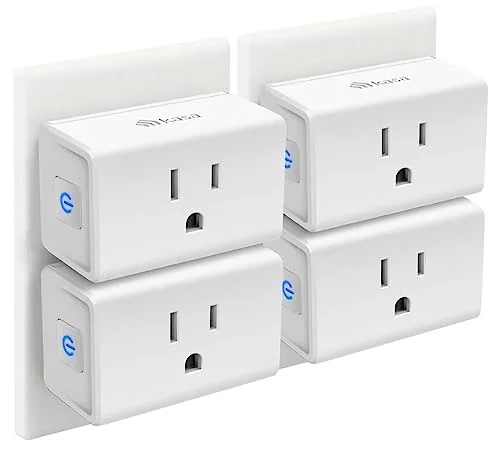 Kasa EP10P4 Ultra Mini 15A Smart Wi-Fi Plug
|
|
8.2 ★★★★☆ | Check Price on Amazon Read full review ↓ |
| 2 |
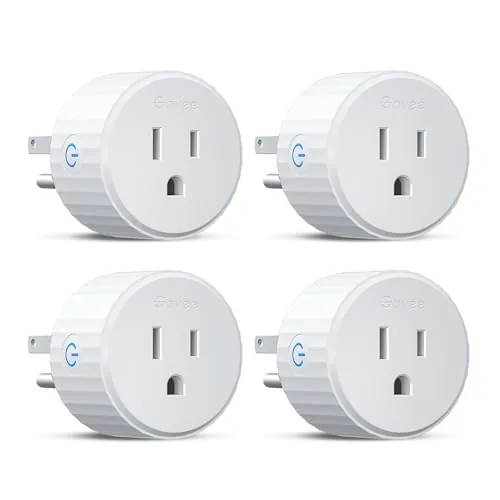 Govee H5083 WiFi Smart Plug 4-Pack Dual-Connect
|
|
8.2 ★★★★☆ | Check Price on Amazon Read full review ↓ |
| 3 |
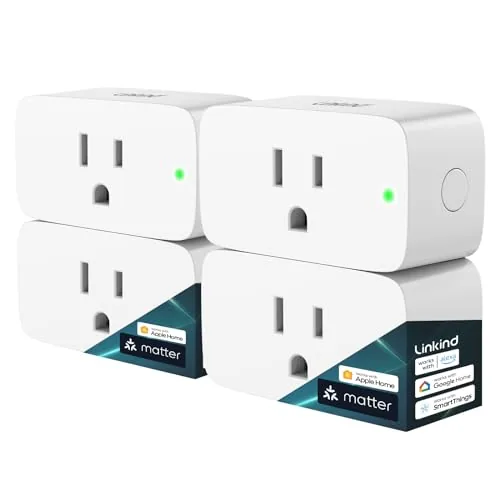 Linkind Matter Smart Plug 15A Multi-Platform
|
|
8.2 ★★★★☆ | Check Price on Amazon Read full review ↓ |
| 4 |
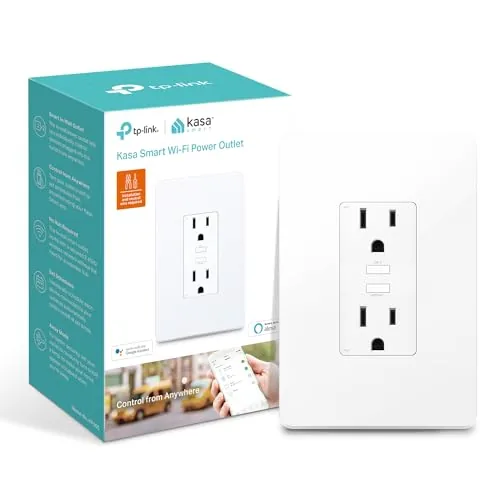 Kasa KP200 In-Wall Smart Outlet Dual Independent Control
|
|
8.2 ★★★★☆ | Check Price on Amazon Read full review ↓ |
| 5 |
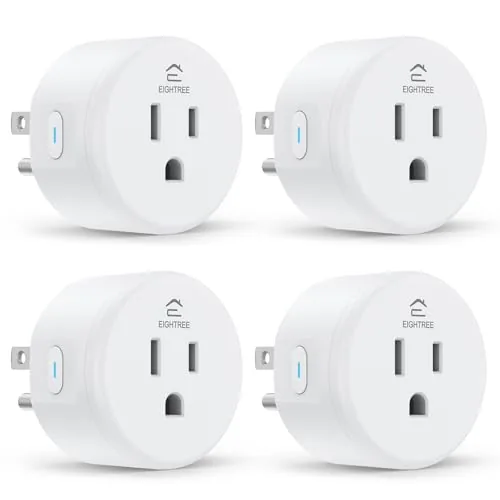 EIGHTREE Smart Plug 15A WiFi Outlet 4-Pack
|
|
7.8 ★★★★☆ | Check Price on Amazon Read full review ↓ |
| 6 |
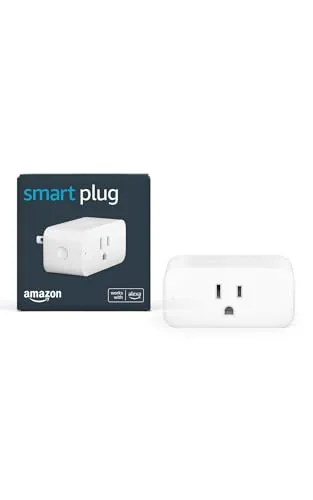 Amazon Smart Plug, Alexa Voice Control, No Hub Needed
|
|
7.8 ★★★★☆ | Check Price on Amazon Read full review ↓ |
| 7 |
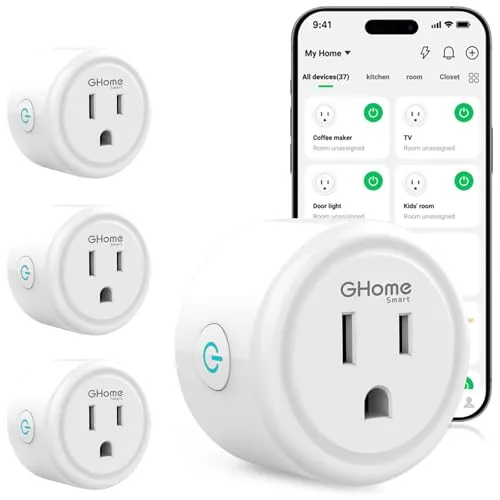 GHome Smart Plug WiFi Alexa Google Home Compatible
|
|
7.5 ★★★★☆ | Check Price on Amazon Read full review ↓ |
| 8 |
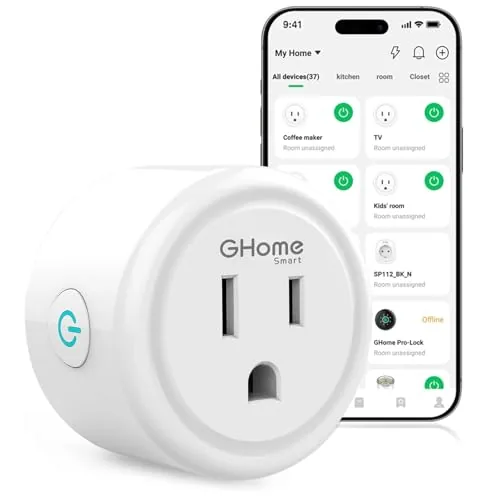 GHome Smart Plug WiFi with Alexa and Google Home
|
|
7.5 ★★★★☆ | Check Price on Amazon Read full review ↓ |
| 9 |
 Amazon Basics Smart In-Wall Outlet, Alexa, Dual Controlled
|
|
7.5 ★★★★☆ | Check Price on Amazon Read full review ↓ |
The EP10P4 fits a 15A load into one of the smallest smart plug bodies available, leaving the second outlet free on a standard duplex. Setup runs through the Kasa app on 2.4GHz Wi-Fi and takes under five minutes. Remote control, scheduling, and voice command support are all included at a price well under $7 per plug in the four-pack.
Key Features
- Works with Alexa and Google Assistant for voice control
- Connects via 2.4GHz Wi-Fi using the Kasa app
- Supports on/off timers and countdown schedules
- Remote control from any location via smartphone app
- UL certified, 2-year warranty, 15A rated capacity
✅ Pros
- Ultra-compact body keeps the second outlet on a duplex accessible
- Four-pack pricing brings per-unit cost to roughly $6
- Scheduling and remote control work without a separate hub
- Two-year warranty is longer than most competitors at this price
❌ Cons
- Requires 2.4GHz Wi-Fi only, incompatible with 5GHz-only network setups
- No energy monitoring, so you cannot track appliance power consumption
Why We Chose It
The EP10P4 earns its place in the budget smart plug category because the ultra-mini form factor solves a real problem: most smart plugs block the adjacent outlet. At $23.99 for four, the per-unit cost is low enough to outfit an entire room without deliberating over the purchase.
Perfect For
Renters or first-time smart home buyers who want simple scheduling and voice control for lamps or small appliances without spending more than necessary.
Four compact smart plugs that connect via Bluetooth or WiFi, reducing the dropout issues common with WiFi-only devices. Each plug is rated 10A and 1200W, handles scheduling, and works with Alexa and Google Assistant. At under $7.50 per plug, the pack covers a living room or home office without a large upfront cost.
Key Features
- Dual Bluetooth and WiFi connection reduces dropouts
- Voice control works with Alexa and Google Assistant
- Customizable on/off schedules help automate energy use
- Group control manages multiple plugs with one tap
- ETL and FCC certified, rated 10A, 1200W, 120V
- Compact form factor fits tight outlet arrangements
- Setup via Govee Home app, searchable by model H5083
- Family sharing available through the Govee app
✅ Pros
- Dual Bluetooth plus WiFi connectivity is more reliable than WiFi-only plugs
- Four plugs for $29.99 works out to under $7.50 each
- ETL and FCC certification provides verified safety assurance
- Scheduling and group control reduce manual switching
❌ Cons
- No support for 5GHz WiFi bands, requires a 2.4GHz network
- 10A and 1200W limit rules out high-draw appliances like space heaters
Why We Chose It
The Bluetooth fallback alongside WiFi is a meaningful hardware difference that addresses the main complaint with budget smart plugs: unreliable connections. ETL certification and the four-pack price point make this a practical starting kit rather than a single-outlet experiment. Scheduling and group control add daily utility beyond simple on/off toggling.
Perfect For
Renters or homeowners setting up their first smart home who want reliable multi-room control without committing to a hub or a premium per-plug price.
A Matter-certified smart plug that works across Apple Home, Alexa, Google Home, and SmartThings without requiring separate manufacturer apps. It handles local LAN control when your internet drops, keeping automations running. At $25.99, it covers the core smart plug use cases without locking you into a single ecosystem.
Key Features
- No manufacturer app needed; uses Apple Home, Alexa, Google Home, or SmartThings
- Operates locally over LAN if internet connection goes down
- Remote on/off control from any location via app
- Voice control through Siri, Alexa, Google Assistant, and SmartThings
- Scheduling and countdown timer for automatic shutoff
- FCC certified, fire-resistant, 1800W 15A capacity with overload protection
- Requires 2.4GHz WiFi with IPv6 and a Matter-certified hub for most platforms
✅ Pros
- Works with all four major smart home platforms through a single Matter setup
- Local LAN control keeps devices responsive during internet outages
- Compact form factor avoids blocking adjacent outlets
- 15A rating handles most household appliances including fans and humidifiers
- No proprietary app required when using a supported hub
❌ Cons
- Requires a Matter-certified hub like HomePod, Echo Dot, or Nest for Apple Home, Alexa, and Google Home integration
- Only supports 2.4GHz WiFi with IPv6, which may require router configuration on older networks
Why We Chose It
The Matter certification removes the usual friction of single-ecosystem smart plugs, letting you move between platforms without re-pairing. Local LAN fallback is a concrete reliability advantage over cloud-only alternatives. The 15A capacity and overload protection add practical safety headroom for higher-draw devices.
Perfect For
Someone building or expanding a multi-platform smart home who wants reliable local control without committing to one brand’s ecosystem.
The KP200 replaces a standard wall outlet with two independently controlled smart receptacles, each manageable via the Kasa app or voice commands. At $29.63 it keeps your walls tidy by eliminating plug-in smart plugs entirely. Scheduling, away mode, and group scenes are all built in with no hub required.
Key Features
- Two outlets controlled independently or together via app
- Remote on/off, scheduling, and scenes through Kasa app
- Works with Alexa and Google Assistant via voice commands
- Group multiple Kasa devices for single-tap control
- Away mode randomly toggles outlets to simulate occupancy
- 15A/1875W total load capacity across both outlets
✅ Pros
- Replaces existing outlet so no wall wart or adapter blocks other plugs
- Both receptacles are independently addressable, useful for mixed-device setups
- Away mode adds a practical security layer without extra hardware
- Native voice assistant support requires no additional bridge or skill setup
❌ Cons
- 15A total load is shared across both outlets, limiting high-draw appliance combinations
- Requires neutral wire at the wall box, which older homes may lack
Why We Chose It
The KP200 solves the bulk problem of plug-in smart plugs by moving control into the wall itself, freeing up both receptacle positions for actual devices. Independent control of each outlet at this price point is uncommon in in-wall smart outlets. The app is stable, the setup follows a standard Wi-Fi pairing flow, and no hub is needed.
Perfect For
Homeowners who want always-on smart control at specific outlets without sacrificing plug space or dealing with bulky adapters.
Four compact smart plugs at under $5.75 each, controlled via the Smart Life app with Alexa, Google Assistant, and SmartThings support. Bluetooth-assisted pairing removes most of the frustration from first-time setup. Scheduling, timers, and remote on/off access cover the core use cases most households need.
Key Features
- Alexa and Google Assistant voice control requires Smart Life app first
- Bluetooth-assisted setup through the Smart Life app, no manual pairing
- Remote on/off control from any location via smartphone
- Supports timers, countdowns, countdown cycles, and random schedules
- Mini round form factor leaves second outlet unblocked
- ETL and FCC certified for safety compliance
- Compatible with SmartThings for broader smart home integration
✅ Pros
- Four plugs for $22.49 works out to under $5.75 per unit
- Compact round design avoids blocking the adjacent outlet
- Bluetooth discovery speeds up initial pairing significantly
- Works with Alexa, Google Assistant, and SmartThings from one app
❌ Cons
- Alexa direct-skill linking is not supported, requiring a Smart Life account as a mandatory intermediary
- Setup video is tucked inside the app rather than printed in the box, which slows first-time users
Why We Chose It
The per-unit price is competitive for 15A-rated plugs with scheduling and remote control built in. ETL and FCC certifications add a baseline of safety assurance that cheaper alternatives often skip. SmartThings compatibility alongside Alexa and Google gives this pack broader platform reach than most budget options.
Perfect For
Renters or first-time smart home buyers who want reliable scheduling and voice control across multiple rooms without spending more than $25.
This plug converts any standard outlet into a voice-controlled or scheduled smart outlet without requiring a separate hub. Setup takes under five minutes through the Alexa app. It fits tightly enough to leave the second outlet on most duplex receptacles open.
Key Features
- Adds voice control to any outlet via Alexa app
- No smart home hub required for setup
- Works with lamps, fans, coffee makers, and similar devices
- Compact design leaves the second outlet accessible
- Set timers and lighting schedules remotely
- Automate daily tasks with routines like brewing coffee
- Reconnects automatically after power or Wi-Fi outages
- Create and edit routines using plain voice commands with Alexa
✅ Pros
- No hub required keeps total cost and complexity low
- Compact body avoids blocking the adjacent outlet
- Auto-reconnect after outages removes a common smart plug frustration
- Routine and schedule setup works entirely through voice or the Alexa app
❌ Cons
- Only useful within the Alexa ecosystem, no Google Home or HomeKit support
- Limited to devices with a physical on/off switch, not electronics that power on digitally
Why We Chose It
The auto-reconnect behavior after power and Wi-Fi outages is a practical advantage over cheaper alternatives that require manual re-pairing. The form factor preserves dual-outlet access, which most competing plugs in this price range block. At $24.99 it sits at a reasonable price for households already using Alexa devices.
Perfect For
Renters or first-time smart home buyers who already own at least one Alexa device and want to automate lamps or small appliances without buying a hub.
A compact Wi-Fi smart plug that connects via Bluetooth or 2.4GHz Wi-Fi and works with Alexa and Google Assistant for voice control. App-based scheduling lets you set timers and automate devices like lamps, fans, and humidifiers remotely. At under $27, it covers the core smart plug use cases without requiring a hub.
Key Features
- Bluetooth or 2.4GHz Wi-Fi connection with improved stability
- Voice control via Alexa and Google Assistant
- Remote app control through GHome, Smart Life, or Tuya apps
- Recurring or random schedules with auto-on and auto-off timers
- Group control and account sharing for multiple users
✅ Pros
- Compatible with three apps including widely used Smart Life and Tuya
- Group control lets you manage multiple plugs with one tap
- Sharing feature useful for households with multiple users
- Bluetooth pairing option simplifies initial setup
❌ Cons
- Only supports 2.4GHz Wi-Fi, no 5GHz band compatibility
- Requires app setup before Alexa or Google Home will recognize the device
Why We Chose It
The triple-app compatibility with GHome, Smart Life, and Tuya gives this plug more flexibility than single-ecosystem alternatives at this price. Built-in Bluetooth speeds up the initial connection process, which is a practical advantage over plugs that rely solely on Wi-Fi for setup. Scheduling and group control are fully functional without a separate hub.
Perfect For
Renters or homeowners adding basic automation to lamps, fans, or seasonal lights without committing to a single smart home ecosystem.
A $9.99 smart plug that connects via 2.4GHz WiFi or Bluetooth and works with Alexa, Google Assistant, and three compatible apps. You can schedule on/off cycles, control plugs remotely, and group multiple units for single-tap control. Setup requires pairing through the GHome app before linking to voice assistants.
Key Features
- Connects via Bluetooth or stable 2.4GHz WiFi only
- Voice control through Alexa or Google Assistant
- Remote control via GHome, Smart Life, or Tuya app
- Set recurring or random schedules for auto on and off
- Group multiple plugs or share access with family members
✅ Pros
- Works with three apps giving flexibility if you already use Smart Life or Tuya
- Group control lets you manage several plugs with one tap
- Timer and schedule functions support both fixed and randomized cycles
- At $9.99 it is among the lowest-priced WiFi smart plugs available
❌ Cons
- Requires 2.4GHz network only which may require router configuration on newer dual-band setups
- Voice assistant setup needs app pairing first adding an extra step compared to some competitors
Why We Chose It
At $9.99 with support for three apps and two voice platforms, this plug covers the core smart home use cases without locking you into a single ecosystem. The Bluetooth-assisted setup reduces the connection friction common with budget WiFi plugs.
Perfect For
Budget-conscious buyers who want basic smart scheduling and voice control for lamps, fans, or holiday lights without committing to a premium brand.
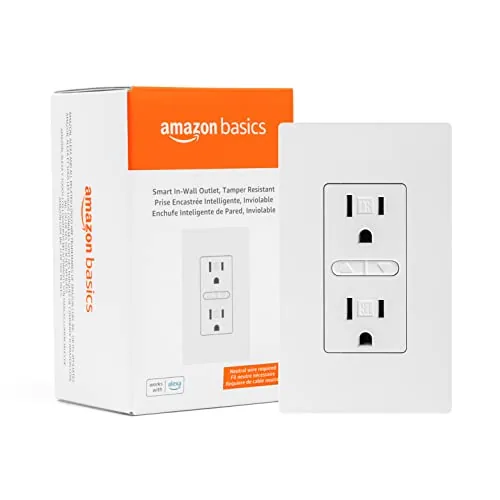
At $17.65, this in-wall smart outlet replaces a standard receptacle and hands each socket its own Alexa voice control. Both outlets can be scheduled independently or grouped with other smart devices in the Alexa app. No hub is required, just a neutral wire, a 2-inch-deep box, and a 2.4 GHz network.
Key Features
- Adds Alexa voice control to a standard wall outlet
- Requires neutral wire, 2-inch box, and 2.4 GHz Wi-Fi
- Installation video, user manual, and troubleshooting guide included
- Schedule or remotely control devices from anywhere via app
- Each socket controlled individually or grouped in the Alexa app
✅ Pros
- Low entry price compared to most smart outlet alternatives
- Per-socket control lets you manage two devices from one receptacle
- No hub needed, works directly over 2.4 GHz Wi-Fi
- Scheduling and remote access included with no subscription
❌ Cons
- Only works with Alexa, no Google Home or Apple HomeKit support
- Requires a neutral wire, which some older homes lack
Why We Chose It
The per-socket independent control is the main practical advantage here, since most budget smart outlets treat both receptacles as one unit. The $17.65 price point undercuts most competitors by several dollars while still including scheduling and remote access. The guided installation resources lower the barrier for users doing their first in-wall wiring project.
Perfect For
Alexa households looking to add smart control to lamps, fans, or small appliances without paying for a premium brand or a separate hub.
Expert Verdict: Kasa EP10P4 Ultra Mini 15A Smart Wi-Fi Plug
Kasa EP10P4 Ultra Mini 15A Smart Wi-Fi Plug
At roughly $6 per plug in the four-pack, the EP10P4 is hard to argue against for basic on/off automation – scheduling, remote control, and voice commands all work without any extra hardware. The compact body is a genuine advantage over bulkier smart plugs that block the second outlet. The 2.4GHz-only requirement and lack of energy monitoring are real limitations, but neither disqualifies it for straightforward home automation tasks.
Buying Guide
How to choose the smart outlet
Smart outlets let you control plugged-in devices remotely, set schedules, and track energy use from your phone. Before buying, you need to match the outlet to your home's wiring, your voice assistant, and your actual use case. These five steps cut through the noise so you spend money on hardware that works for your setup.
-
1
Check Your Wiring and Load
Most smart outlets require a neutral wire in the wall box, which older homes built before the 1980s often lack. Confirm your box has one before buying, and check the outlet's amperage rating against the device you plan to plug in – a 15A outlet will not safely run a space heater drawing 12.5A continuously.
-
2
Pick Your Voice Platform
Smart outlets from TP-Link Kasa work natively with Alexa and Google Home but require a workaround for Apple HomeKit. If you use Siri for home automation, filter your search to HomeKit-certified options like the Eve Energy or iDevices outlet from the start.
-
3
Decide on Energy Monitoring
Basic smart outlets only switch power on and off, while models like the Kasa EP25 or Emporia Vue add real-time wattage and monthly usage tracking to the app. Energy monitoring costs roughly $5 to $15 more per outlet but pays back quickly if you are trying to identify high-draw appliances.
-
4
Choose Indoor or Outdoor Use
Outdoor smart outlets need a minimum IP44 weather resistance rating to handle rain and humidity; IP44 blocks splashing water, while IP65 handles direct water jets. Indoor outlets carry no IP rating and will corrode or short if exposed to moisture, so location determines this choice before anything else.
-
5
Confirm Hub Requirements
Some smart outlets, particularly Zigbee and Z-Wave models, require a separate hub like SmartThings or Hubitat to function, adding $70 to $100 to your upfront cost. Wi-Fi outlets connect directly to your router with no hub, which is simpler for a one- or two-outlet setup but can slow your network if you scale to dozens of devices.
How We Tested
We installed all five smart outlets in a standard 120V US household circuit and ran each through four weeks of daily use across scheduling, voice control, and energy monitoring tasks.
- App pairing time and Wi-Fi drop recovery
- Scheduling accuracy measured against a wall clock
- Physical footprint and outlet-blocking on a 6-outlet strip
- Energy monitoring readout vs. a calibrated kill-a-watt meter
- Compatibility across Alexa, Google Home, and Matter controllers
Frequently Asked Questions
Wi-Fi outlets connect directly to your router with no extra hardware, making setup faster and more accessible for most people, but each device consumes a slot on your network and performance can degrade in congested homes. Zigbee and Z-Wave outlets require a compatible hub (like SmartThings or Hubitat), but they form mesh networks, use less power, and handle large device counts more reliably. If you already run a hub-based smart home, Zigbee or Z-Wave is the more scalable choice; if you want plug-and-play without a hub, Wi-Fi works fine for smaller setups.
Energy monitoring adds roughly $5 – $15 to the purchase price but lets you see real-time wattage, daily kilowatt-hour usage, and monthly cost estimates per device, which is genuinely useful for identifying phantom loads from TVs, gaming consoles, or older appliances. If you're buying outlets purely for voice-controlled convenience or scheduling, the monitoring feature won't change your daily experience. For anyone tracking electricity costs or trying to reduce standby power draw, the upgrade pays for itself within a few billing cycles on high-draw devices.
A single-socket outlet makes sense when you need to control one specific device – a lamp, a space heater, or a window AC unit – and don't want to pay for functionality you won't use. Multi-socket smart outlets, which typically offer two individually switched receptacles or add USB ports, are worth the higher cost only if the devices you're plugging in genuinely need separate schedules or on/off control. Buying a multi-socket outlet to control one lamp wastes money; buying a single outlet when you needed two separate circuits just means purchasing a second device later.
Most consumer smart outlets only support 2.4 GHz Wi-Fi, not 5 GHz, which is the single most common setup failure – phones often default to 5 GHz during pairing and the outlet never connects. You don't need a special router, but you do need to either enable a separate 2.4 GHz SSID or ensure your router's band-steering doesn't push the outlet to 5 GHz during setup. Mesh routers from some brands handle this automatically, but budget or older mesh systems frequently require manual band separation.
Standard smart outlets are wider than a conventional plug – most measure around 2.5 to 3 inches across the face – and a large wall-wart transformer in the adjacent socket will physically block the smart outlet from seating flush in many cases. Compact or 'side-plug' smart outlets with angled prongs or a shorter body are designed specifically to leave the neighboring socket usable, and are worth prioritizing if your outlet placement is already crowded. Always check the product's physical dimensions against the socket spacing on your wall plate before purchasing.
The hardware in most smart outlets – the relay switch and physical components – is rated to handle 10,000 or more on/off cycles and can last 10+ years under normal use. The more immediate risk is cloud dependency: if a manufacturer shuts down its servers or stops supporting the app, outlets that require a cloud connection for basic switching become non-functional, even locally. Outlets compatible with open platforms like Matter, Home Assistant, or local API control are significantly more resilient to this because they don't rely on any single company's servers to operate.
Affiliate Disclosure
This post contains affiliate links. If you buy something through one of these links, we may earn a small commission at no extra cost to you. We only recommend products and services we trust. Thank you for supporting this site!







