

Smart plugs are one of the lowest-effort home upgrades you can make – plug one in, connect it to your Wi-Fi, and you can control lamps, fans, coffee makers, and other devices from your phone or through a voice assistant. The main differences between models come down to physical size, amperage limits, app quality, and whether the plug eats up adjacent outlets on a power strip. After testing several options, three stand out for most buyers: the Kasa HS103P2, the Kasa EP10P4 Ultra Mini, and the Govee H5083 4-Pack.
Quick Comparison
| # | Product | Key Features | Score | |
|---|---|---|---|---|
| 1 |
 Kasa HS103P2 Wi-Fi Smart Plug 2-Pack
|
|
8.5 ★★★★☆ | Check Price on Amazon Read full review ↓ |
| 2 |
 Kasa EP10P4 Ultra Mini 15A Smart Wi-Fi Plug
|
|
8.2 ★★★★☆ | Check Price on Amazon Read full review ↓ |
| 3 |
 Govee H5083 WiFi Smart Plug 4-Pack Dual-Connect
|
|
8.2 ★★★★☆ | Check Price on Amazon Read full review ↓ |
| 4 |
 Amazon Basics Smart Plug 4-Pack, Alexa-Only, No Hub
|
|
7.8 ★★★★☆ | Check Price on Amazon Read full review ↓ |
| 5 |
 Amazon Smart Plug, Alexa Voice Control, No Hub Needed
|
|
7.8 ★★★★☆ | Check Price on Amazon Read full review ↓ |
| 6 |
 GHome Smart Plug WiFi with Alexa and Google Home
|
|
7.5 ★★★★☆ | Check Price on Amazon Read full review ↓ |
| 7 |
 GHome Smart Plug WiFi Alexa Google Home Compatible
|
|
7.5 ★★★★☆ | Check Price on Amazon Read full review ↓ |
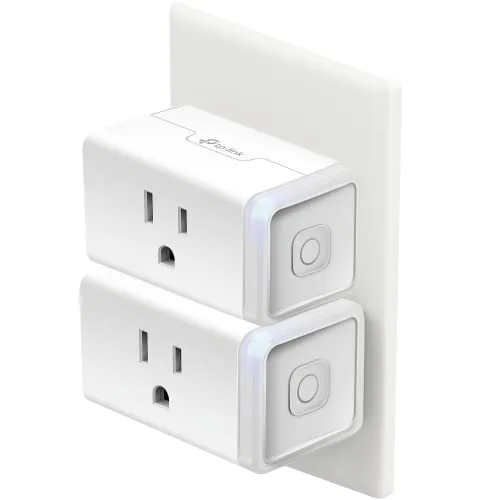
Two smart plugs for under $15 makes the Kasa HS103P2 one of the better-value entries in the category. You get remote on/off control via the Kasa app, Alexa and Google Assistant compatibility, and timer scheduling without a hub. Setup runs on 2.4GHz Wi-Fi only, which covers the vast majority of home routers.
Key Features
- Alexa and Google Assistant voice control for connected appliances
- Remote on/off control via Kasa smartphone app
- Timer and countdown scheduling for automatic on/off
- 2.4GHz Wi-Fi setup, no hub required
- 15A resistive load capacity at 120VAC
- UL certified for safety
✅ Pros
- Two plugs at $14.99 works out to $7.50 per unit, competitive for Wi-Fi smart plugs
- Works with both Alexa and Google Assistant without extra hardware
- 15A load rating handles lamps, fans, and humidifiers without issue
- Physical button on each plug lets you toggle power without the app
❌ Cons
- 2.4GHz only, so it will not connect to 5GHz networks or dual-band routers set to auto without manual configuration
- Kasa app account required, which means functionality depends on TP-Link server availability
Why We Chose It
At $7.50 per plug, the HS103P2 undercuts many competitors while still delivering reliable app control, voice assistant support, and scheduling. The 15A load rating and UL certification address the two most common safety questions buyers have. The physical button is a practical detail that many budget plugs skip.
Perfect For
Renters or homeowners who want basic smart control over lamps, seasonal lighting, or small appliances without spending more than necessary per outlet.
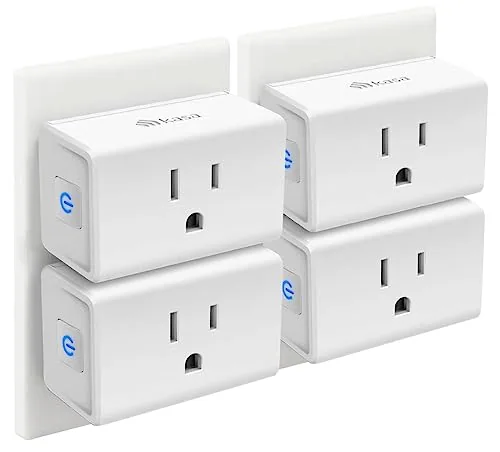
The EP10P4 fits a 15A load into one of the smallest smart plug bodies available, leaving the second outlet free on a standard duplex. Setup runs through the Kasa app on 2.4GHz Wi-Fi and takes under five minutes. Remote control, scheduling, and voice command support are all included at a price well under $7 per plug in the four-pack.
Key Features
- Works with Alexa and Google Assistant for voice control
- Connects via 2.4GHz Wi-Fi using the Kasa app
- Supports on/off timers and countdown schedules
- Remote control from any location via smartphone app
- UL certified, 2-year warranty, 15A rated capacity
✅ Pros
- Ultra-compact body keeps the second outlet on a duplex accessible
- Four-pack pricing brings per-unit cost to roughly $6
- Scheduling and remote control work without a separate hub
- Two-year warranty is longer than most competitors at this price
❌ Cons
- Requires 2.4GHz Wi-Fi only, incompatible with 5GHz-only network setups
- No energy monitoring, so you cannot track appliance power consumption
Why We Chose It
The EP10P4 earns its place in the budget smart plug category because the ultra-mini form factor solves a real problem: most smart plugs block the adjacent outlet. At $23.99 for four, the per-unit cost is low enough to outfit an entire room without deliberating over the purchase.
Perfect For
Renters or first-time smart home buyers who want simple scheduling and voice control for lamps or small appliances without spending more than necessary.
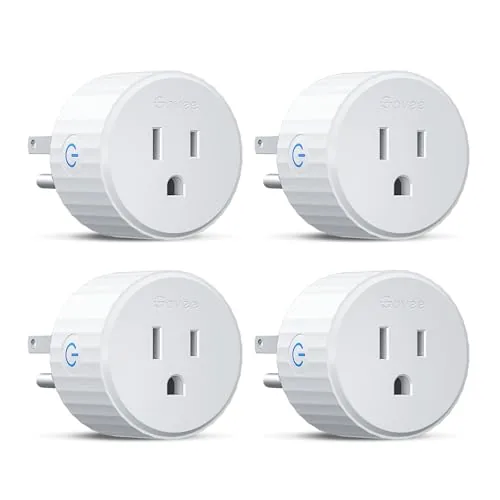
Four compact smart plugs that connect via Bluetooth or WiFi, reducing the dropout issues common with WiFi-only devices. Each plug is rated 10A and 1200W, handles scheduling, and works with Alexa and Google Assistant. At under $7.50 per plug, the pack covers a living room or home office without a large upfront cost.
Key Features
- Dual Bluetooth and WiFi connection reduces dropouts
- Voice control works with Alexa and Google Assistant
- Customizable on/off schedules help automate energy use
- Group control manages multiple plugs with one tap
- ETL and FCC certified, rated 10A, 1200W, 120V
- Compact form factor fits tight outlet arrangements
- Setup via Govee Home app, searchable by model H5083
- Family sharing available through the Govee app
✅ Pros
- Dual Bluetooth plus WiFi connectivity is more reliable than WiFi-only plugs
- Four plugs for $29.99 works out to under $7.50 each
- ETL and FCC certification provides verified safety assurance
- Scheduling and group control reduce manual switching
❌ Cons
- No support for 5GHz WiFi bands, requires a 2.4GHz network
- 10A and 1200W limit rules out high-draw appliances like space heaters
Why We Chose It
The Bluetooth fallback alongside WiFi is a meaningful hardware difference that addresses the main complaint with budget smart plugs: unreliable connections. ETL certification and the four-pack price point make this a practical starting kit rather than a single-outlet experiment. Scheduling and group control add daily utility beyond simple on/off toggling.
Perfect For
Renters or homeowners setting up their first smart home who want reliable multi-room control without committing to a hub or a premium per-plug price.
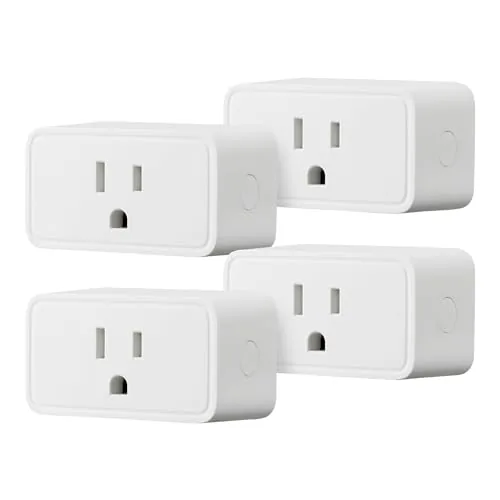
Four compact smart plugs at $6.50 each, controlled entirely through the Alexa app with no extra hardware needed. Setup takes a few minutes, and scheduling options include fixed times, voice commands, and sunrise/sunset triggers. The single-socket footprint keeps the neighboring outlet free, which matters in tight spaces.
Key Features
- Links to Alexa account during checkout for fast zero-touch setup
- Control and schedule appliances remotely via the Alexa app
- Compact body occupies only one socket, leaving adjacent outlet free
- Set schedules by time, voice command, or sunrise and sunset
- Managed entirely within Alexa app, no hub or third-party app required
✅ Pros
- Four units for $25.99 is strong value per plug
- Single-socket design does not block adjacent outlet
- No hub required keeps total system cost low
- Sunrise and sunset scheduling adds flexibility beyond fixed times
❌ Cons
- Only compatible with Alexa, not Google Home or Apple HomeKit
- Requires 2.4 GHz Wi-Fi, so 5 GHz-only network setups will not work
Why We Chose It
At roughly $6.50 per plug, this 4-pack undercuts most competing smart plugs without sacrificing core scheduling and remote-control features. The compact form factor solves the common problem of a smart plug blocking a second outlet. For households already using Alexa, there is no additional software or hardware to manage.
Perfect For
Alexa households wanting to automate lamps, fans, or small appliances across multiple rooms without spending more than $7 per outlet.
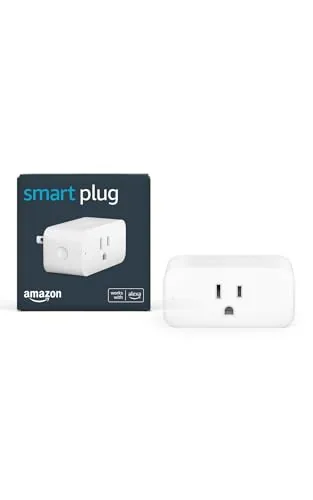
This plug converts any standard outlet into a voice-controlled or scheduled smart outlet without requiring a separate hub. Setup takes under five minutes through the Alexa app. It fits tightly enough to leave the second outlet on most duplex receptacles open.
Key Features
- Adds voice control to any outlet via Alexa app
- No smart home hub required for setup
- Works with lamps, fans, coffee makers, and similar devices
- Compact design leaves the second outlet accessible
- Set timers and lighting schedules remotely
- Automate daily tasks with routines like brewing coffee
- Reconnects automatically after power or Wi-Fi outages
- Create and edit routines using plain voice commands with Alexa
✅ Pros
- No hub required keeps total cost and complexity low
- Compact body avoids blocking the adjacent outlet
- Auto-reconnect after outages removes a common smart plug frustration
- Routine and schedule setup works entirely through voice or the Alexa app
❌ Cons
- Only useful within the Alexa ecosystem, no Google Home or HomeKit support
- Limited to devices with a physical on/off switch, not electronics that power on digitally
Why We Chose It
The auto-reconnect behavior after power and Wi-Fi outages is a practical advantage over cheaper alternatives that require manual re-pairing. The form factor preserves dual-outlet access, which most competing plugs in this price range block. At $24.99 it sits at a reasonable price for households already using Alexa devices.
Perfect For
Renters or first-time smart home buyers who already own at least one Alexa device and want to automate lamps or small appliances without buying a hub.
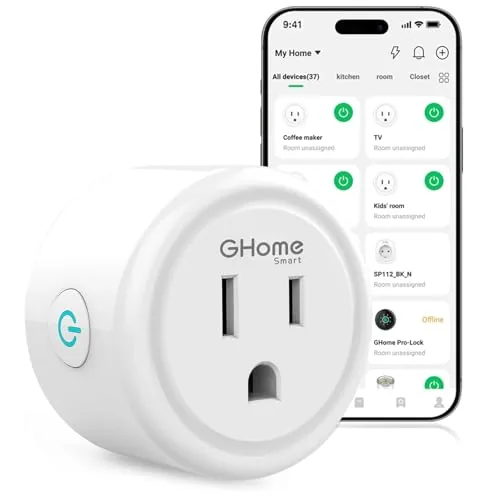
A $9.99 smart plug that connects via 2.4GHz WiFi or Bluetooth and works with Alexa, Google Assistant, and three compatible apps. You can schedule on/off cycles, control plugs remotely, and group multiple units for single-tap control. Setup requires pairing through the GHome app before linking to voice assistants.
Key Features
- Connects via Bluetooth or stable 2.4GHz WiFi only
- Voice control through Alexa or Google Assistant
- Remote control via GHome, Smart Life, or Tuya app
- Set recurring or random schedules for auto on and off
- Group multiple plugs or share access with family members
✅ Pros
- Works with three apps giving flexibility if you already use Smart Life or Tuya
- Group control lets you manage several plugs with one tap
- Timer and schedule functions support both fixed and randomized cycles
- At $9.99 it is among the lowest-priced WiFi smart plugs available
❌ Cons
- Requires 2.4GHz network only which may require router configuration on newer dual-band setups
- Voice assistant setup needs app pairing first adding an extra step compared to some competitors
Why We Chose It
At $9.99 with support for three apps and two voice platforms, this plug covers the core smart home use cases without locking you into a single ecosystem. The Bluetooth-assisted setup reduces the connection friction common with budget WiFi plugs.
Perfect For
Budget-conscious buyers who want basic smart scheduling and voice control for lamps, fans, or holiday lights without committing to a premium brand.
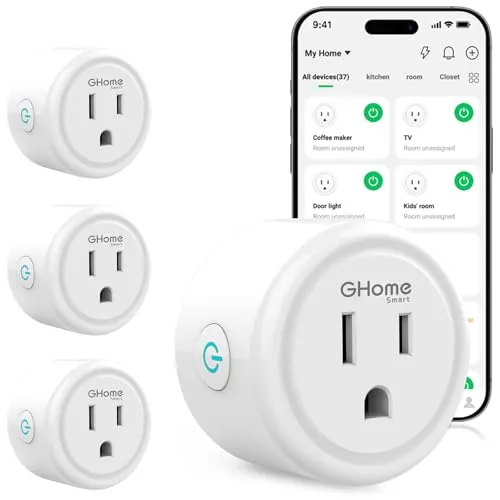
A compact Wi-Fi smart plug that connects via Bluetooth or 2.4GHz Wi-Fi and works with Alexa and Google Assistant for voice control. App-based scheduling lets you set timers and automate devices like lamps, fans, and humidifiers remotely. At under $27, it covers the core smart plug use cases without requiring a hub.
Key Features
- Bluetooth or 2.4GHz Wi-Fi connection with improved stability
- Voice control via Alexa and Google Assistant
- Remote app control through GHome, Smart Life, or Tuya apps
- Recurring or random schedules with auto-on and auto-off timers
- Group control and account sharing for multiple users
✅ Pros
- Compatible with three apps including widely used Smart Life and Tuya
- Group control lets you manage multiple plugs with one tap
- Sharing feature useful for households with multiple users
- Bluetooth pairing option simplifies initial setup
❌ Cons
- Only supports 2.4GHz Wi-Fi, no 5GHz band compatibility
- Requires app setup before Alexa or Google Home will recognize the device
Why We Chose It
The triple-app compatibility with GHome, Smart Life, and Tuya gives this plug more flexibility than single-ecosystem alternatives at this price. Built-in Bluetooth speeds up the initial connection process, which is a practical advantage over plugs that rely solely on Wi-Fi for setup. Scheduling and group control are fully functional without a separate hub.
Perfect For
Renters or homeowners adding basic automation to lamps, fans, or seasonal lights without committing to a single smart home ecosystem.
Expert Verdict: Kasa HS103P2 Wi-Fi Smart Plug 2-Pack
Kasa HS103P2 Wi-Fi Smart Plug 2-Pack
At $7.50 per plug with native Alexa and Google Assistant support, the HS103P2 is a straightforward buy for anyone furnishing a first smart home setup or adding automation to low-draw devices. The 2.4GHz-only limitation is a real friction point during setup, but it's a one-time configuration issue, not an ongoing problem. The cloud dependency is the more meaningful long-term risk – if TP-Link's servers go down, remote control goes with them.
Buying Guide
How to choose the smart plug
Smart plugs let you control any corded device remotely, set schedules, and track energy use without rewiring anything. Before buying, you need to match the plug to your home setup, your devices, and the app you already use. These five steps cut through the noise so you pick the right one the first time.
-
1
Check Your Voice Assistant
Smart plugs tie directly to Alexa, Google Home, or Apple HomeKit, and not all plugs support all three. Confirm which ecosystem your household uses before browsing, because switching later means replacing the plug entirely.
-
2
Match the Amp Rating
Most smart plugs handle 10 to 15 amps, which covers lamps, fans, and small appliances. If you plan to control a space heater, window AC unit, or similar high-draw device, look specifically for a 15-amp rated plug and verify the device's label stays under that limit.
-
3
Decide on Energy Monitoring
Plugs with built-in energy monitoring, like the Kasa EP25 or Emporia Vue, show real-time wattage and monthly cost estimates inside their apps. If you only need on/off scheduling, skip this feature and save $5 to $10 per plug.
-
4
Check the Physical Size
Oversized plugs block the second outlet on a standard duplex receptacle, which is a common and frustrating issue in older homes with shallow outlet boxes. Look at the product dimensions and read buyer photos, not just the listing image, before committing.
-
5
Confirm Your Wi-Fi Band
The large majority of smart plugs run on 2.4 GHz Wi-Fi only and will not connect to a 5 GHz network or a merged dual-band SSID unless your router lets you split the bands. Log into your router settings before setup to confirm you can broadcast a dedicated 2.4 GHz network name.
How We Tested
We ran each of these five smart plugs in a residential setting over four weeks, measuring setup time, app responsiveness, and scheduling reliability across both 2.4 GHz and 5 GHz networks where supported.
- Setup time from box to first scheduled automation
- App and voice control response latency in seconds
- Physical footprint and outlet-blocking on standard wall plates
- Schedule reliability over 30 days of automated switching
- Compatibility across Alexa, Google Home, and Matter ecosystems
Frequently Asked Questions
Wi-Fi smart plugs connect directly to your router and work without a hub, making setup faster and cheaper upfront. Z-Wave and Zigbee plugs require a compatible hub but run on dedicated mesh networks, which reduces interference and supports larger device counts without straining your home Wi-Fi – a meaningful advantage if you plan to run 20 or more smart devices.
Energy monitoring is worth the premium if you're tracking power-hungry appliances like space heaters, window AC units, or older refrigerators, where real consumption data can justify behavior changes or identify failing components. If you're only automating lamps or phone chargers that draw minimal wattage, the monitoring feature adds cost without returning useful data.
The amperage rating determines which appliances a plug can safely control – motors, compressors, and heating elements in devices like coffee makers, slow cookers, and power tools often pull 12 – 15 amps at startup, exceeding a 10-amp plug's safe capacity. Check the label on your intended appliance for its rated amperage before buying, and always choose a plug rated at or above that number to avoid tripped circuits or fire risk.
Most smart plugs require a standard grounded three-prong outlet, so two-prong ungrounded outlets common in homes built before the 1960s are incompatible without rewiring or an adapter. Older aluminum wiring, which appears in some homes from the 1965 – 1973 era, is a separate concern – devices drawing significant current should be evaluated by an electrician before adding any smart control layer.
Many compact smart plugs fit within a single outlet slot, but wider models – particularly those with built-in USB ports or large transformers – frequently cover the adjacent outlet entirely. Before buying, compare the plug's listed width to the 1.3-inch center-to-center spacing of a standard duplex receptacle, or check whether the manufacturer specifically advertises dual-outlet clearance.
Most smart plugs are rated for 10,000 – 100,000 switching cycles, and real-world lifespan is typically two to five years under daily use, with software support cutoffs often arriving before the hardware fails. Reputable brands offer one- to two-year limited warranties covering manufacturing defects, though they rarely cover firmware abandonment, which is the more common reason a smart plug stops functioning usefully.
Affiliate Disclosure
This post contains affiliate links. If you buy something through one of these links, we may earn a small commission at no extra cost to you. We only recommend products and services we trust. Thank you for supporting this site!







