

Choosing the wrong router means dropped video calls, dead zones in half your house, and a network that can’t keep up once you add a dozen devices. Smart routers solve those problems through faster speeds, broader coverage, and built-in security features that older hardware simply can’t match. This roundup covers three TP-Link models – the AXE75 WiFi 6E Tri-Band, the Archer AX21 WiFi 6 Dual-Band, and the AX3000 with HomeShield Security – so you can match the right hardware to your actual setup and budget.
Quick Comparison
| # | Product | Key Features | Score | |
|---|---|---|---|---|
| 1 |
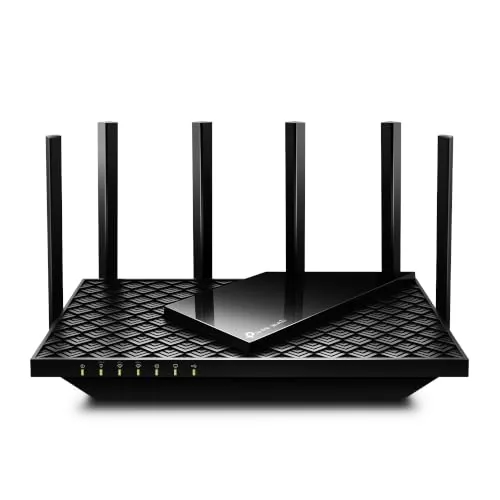 TP-Link AXE75 WiFi 6E Tri-Band Router
|
|
8.5 ★★★★☆ | Check Price on Amazon Read full review ↓ |
| 2 |
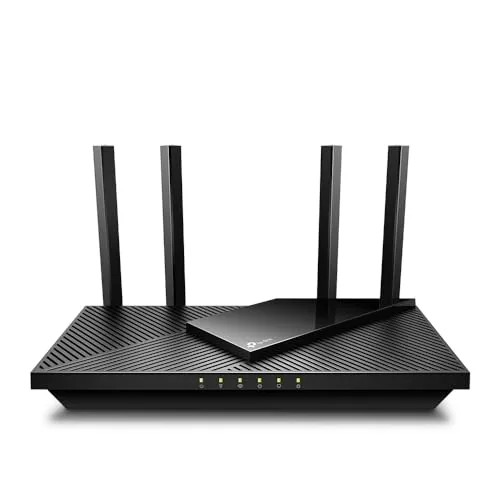 TP-Link Archer AX21 WiFi 6 Dual-Band Router
|
|
8.2 ★★★★☆ | Check Price on Amazon Read full review ↓ |
| 3 |
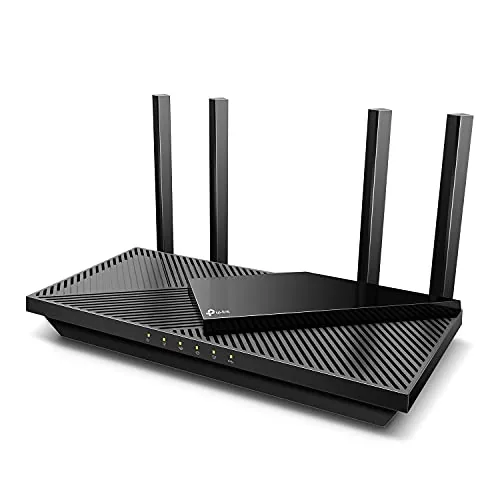 TP-Link AX3000 Wi-Fi 6 Router with HomeShield Security
|
|
8.2 ★★★★☆ | Check Price on Amazon Read full review ↓ |
| 4 |
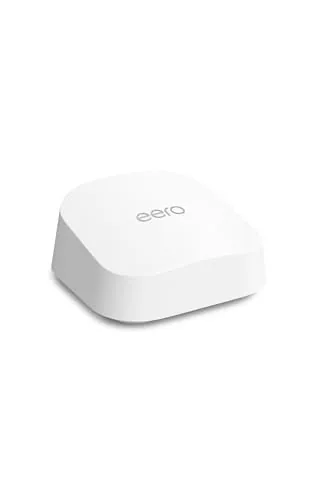 eero 7 Wi-Fi 7 Mesh Router, Most Affordable
|
|
8.2 ★★★★☆ | Check Price on Amazon Read full review ↓ |
| 5 |
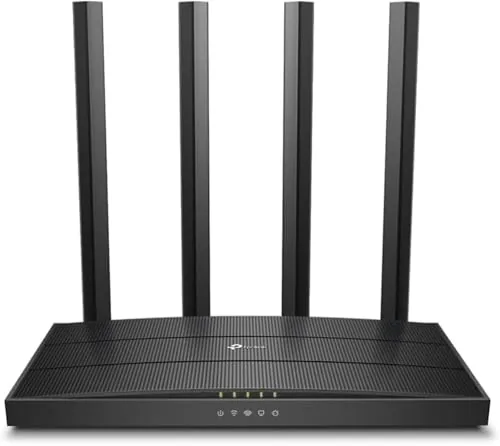 TP-Link Archer A6 AC1200 Gigabit Dual Band Router
|
|
8.2 ★★★★☆ | Check Price on Amazon Read full review ↓ |
| 6 |
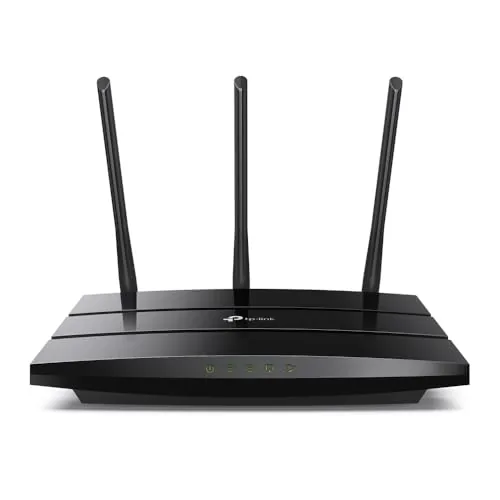 TP-Link Archer A8 AC1900 Dual-Band WiFi Router
|
|
7.8 ★★★★☆ | Check Price on Amazon Read full review ↓ |
At $99, the AXE75 delivers 6 GHz WiFi 6E access that was previously locked behind $200-plus routers. The tri-band setup allocates 2402 Mbps each to the 5 GHz and 6 GHz bands, leaving the 2.4 GHz band free for smart home devices. Built-in VPN server and client support adds utility that most routers at this price skip entirely.
Key Features
- Tri-band WiFi 6E up to 5400 Mbps total combined throughput
- 6 GHz band delivers 2402 Mbps with near-zero latency
- OFDMA increases simultaneous device capacity by four times
- 1.0 GHz dual-core CPU with 512 MB RAM for stability
- EasyMesh compatible for whole-home coverage expansion
- VPN server and client support via OpenVPN, PPTP, L2TP
- HomeShield security includes IoT identification and parental controls
- Works with AT&T, Verizon, Xfinity, Spectrum, and other major ISPs
✅ Pros
- 6 GHz band access at $99 undercuts most WiFi 6E competitors by $100 or more
- 512 MB RAM and dual-core CPU reduce lag under heavy multi-device loads
- Built-in VPN server removes the need for a separate device or subscription
- EasyMesh compatibility lets you expand coverage without replacing hardware
- PCMag 2025 Editors Choice adds independent third-party validation
❌ Cons
- HomeShield advanced features require a paid subscription after the free tier
- 6 GHz band range is shorter than 5 GHz, limiting whole-home coverage without a mesh node
Why We Chose It
The AXE75 brings WiFi 6E into a price range where most buyers can realistically consider it. The hardware specs, 512 MB RAM and a dedicated 6 GHz band with 2402 Mbps capacity, are competitive with routers costing significantly more. The PCMag Editors Choice award for 2025 provides independent confirmation of its performance standing.
Perfect For
Home users with 20 or more connected devices who want WiFi 6E speeds without paying a premium price.
The Archer AX21 delivers WiFi 6 performance at a price point that undercuts most comparable routers by $20 to $40. It handles up to 1800 Mbps across two bands and uses OFDMA to keep multiple devices from bottlenecking each other. For apartments or mid-size homes with 15 to 30 connected devices, it covers the basics without unnecessary complexity.
Key Features
- WiFi 6 dual-band: 1200 Mbps on 5 GHz, 574 Mbps on 2.4 GHz
- OFDMA allows simultaneous data transmission to multiple devices
- Four high-gain antennas with beamforming focus signal toward distant devices
- Built-in OpenVPN and PPTP VPN server support
- Signed CISA Secure-by-Design pledge; security built into firmware lifecycle
- Compatible with major US ISPs including Comcast, AT&T, and Spectrum
- Phone support available via dedicated helpline; Tether app manages firmware updates
✅ Pros
- WiFi 6 at under $60 is genuinely good value for the hardware tier
- OFDMA reduces congestion in households with many simultaneous users
- Built-in VPN server support is rare at this price
- Four antennas and beamforming give it better range than most budget routers
- ISP compatibility is broad, requiring no special configuration for major providers
❌ Cons
- Requires a separate modem, adding to total setup cost
- Does not support the 6 GHz band, limiting it to true dual-band use
Why We Chose It
At $59.98, the AX21 is one of the few WiFi 6 routers that includes a built-in VPN server and OFDMA without pushing buyers into a higher price bracket. The CISA Secure-by-Design commitment adds a layer of accountability that most budget router brands skip entirely. Range and multi-device handling are meaningfully better than older AC1200 or AC1750 class routers it directly replaces.
Perfect For
Renters or homeowners with 15 to 30 devices who want WiFi 6 speeds and basic VPN functionality without spending over $100.
The AX3000 delivers Wi-Fi 6 performance at a sub-$90 price point, with 2402 Mbps on 5 GHz and OFDMA support for households running multiple devices simultaneously. Built-in HomeShield offers free basic parental controls and IoT device identification without a mandatory subscription. The improved heat sink design keeps speeds consistent under sustained load, which cheaper routers often fail to do.
Key Features
- 2402 Mbps on 5 GHz, 574 Mbps on 2.4 GHz bands
- OFDMA reduces latency across multiple simultaneous connections
- 4 high-gain antennas with Beamforming for wider coverage
- Target Wake Time lowers power draw on connected devices
- Larger heat sink prevents thermal throttling under sustained use
- Alexa voice control supported
- HomeShield includes free security scan, parental controls, and QoS
- Compatible with major US ISPs; modem required for most
✅ Pros
- Wi-Fi 6 speeds at a competitive $89.99 price
- OFDMA meaningfully reduces jitter in busy multi-device homes
- Free HomeShield tier covers parental controls and IoT scanning without upsell pressure
- Heat sink design addresses a real reliability problem common in compact routers
❌ Cons
- Full HomeShield feature set requires a paid subscription not disclosed in base price
- No built-in modem means an additional hardware purchase for most users
Why We Chose It
At $89.99, this router brings Wi-Fi 6 hardware including OFDMA and Beamforming to buyers who would otherwise spend $120 or more. The thermal management design is a practical differentiator, keeping throughput stable during long gaming or streaming sessions. HomeShield adds genuine value at the free tier without forcing an immediate subscription decision.
Perfect For
Households with 10 or more connected devices looking to move from Wi-Fi 5 without spending over $100.
The eero 7 brings Wi-Fi 7 performance to a single-unit mesh router priced at $169.99, covering up to 2,000 sq. ft. with speeds up to 1.8 Gbps wirelessly and support for internet plans up to 2.5 Gbps via dual 2.5 GbE ports. It connects up to 120 devices simultaneously and integrates cleanly into existing eero networks. For households wanting modern Wi-Fi 7 tech without paying flagship prices, this unit covers the basics well.
Key Features
- Most affordable Wi-Fi 7 router in the eero lineup
- Dual auto-sensing 2.5 GbE ports support plans up to 2.5 Gbps
- Wireless speeds up to 1.8 Gbps with Wi-Fi 7 MLO support
- Covers 2,000 sq. ft. and connects 120 or more devices
- Backward compatible with all previous eero hardware generations
- Expandable as a gateway or mesh node in existing eero networks
- TrueMesh software optimizes routing, roaming, and channel selection automatically
✅ Pros
- Wi-Fi 7 with MLO at a significantly lower price than competing routers
- Two 2.5 GbE ports handle high-speed ISP plans without a separate switch
- Drops into an existing eero mesh network without reconfiguration
- TrueRoam handles device handoffs between nodes without manual intervention
❌ Cons
- Dual-band only, so it lacks the dedicated backhaul channel that tri-band mesh systems use
- Amazon account and eero app are required for setup and ongoing management
Why We Chose It
At $169.99, the eero 7 is one of the few Wi-Fi 7 routers that ships two 2.5 GbE ports at this price point, which matters if your ISP plan exceeds 1 Gbps. The MLO feature reduces latency by letting devices use multiple frequency bands simultaneously. Compatibility with older eero hardware also protects any existing investment in the ecosystem.
Perfect For
Homeowners upgrading from an older single-router setup who want Wi-Fi 7 speeds in a 2,000 sq. ft. space without spending over $200.
The Archer A6 delivers AC1200 speeds across 2.4GHz and 5GHz bands with full gigabit wired ports, making it a capable option for households running multiple devices on a budget. Four external antennas with beamforming technology push signal toward connected devices rather than broadcasting evenly in all directions. WPA3 security support is a genuine differentiator at this price point, typically found on routers costing significantly more.
Key Features
- Dual band AC1200: 300Mbps on 2.4GHz, 900Mbps on 5GHz
- Four gigabit LAN ports for full-speed wired connections
- Four external antennas with beamforming for directed coverage
- MU-MIMO on 5GHz band handles multiple devices simultaneously
- AP Mode converts a wired connection into a wireless network
- WPA3 encryption for stronger personal network security
- OneMesh compatible for smooth whole-home coverage with extenders
- Works with all major US internet service providers
✅ Pros
- Full gigabit ports on a sub-$45 router eliminates the bottleneck common on budget models
- WPA3 support is rare at this price and future-proofs security for several years
- OneMesh compatibility lets you expand coverage later without switching ecosystems
- MU-MIMO on the 5GHz band reduces speed degradation when multiple devices stream simultaneously
❌ Cons
- 5GHz band tops out at 900Mbps theoretical, below the 1167Mbps ceiling of true AC1200 5GHz implementations
- No USB port means no shared storage or printer server functionality
Why We Chose It
At $44.99, the Archer A6 covers ground that most budget routers miss, pairing gigabit wired ports with WPA3 security and OneMesh expansion support. Those three features together at this price point are uncommon and give buyers room to grow without an immediate hardware upgrade. Beamforming on a four-antenna setup also provides more consistent signal than single or dual-antenna alternatives in the same bracket.
Perfect For
Renters or small homeowners on a 100 to 500Mbps internet plan who want reliable gigabit wired speeds and modern security without spending over $50.
The Archer A8 covers up to 1,200 sq ft with beamforming and delivers up to 1,300 Mbps on the 5GHz band, making it a capable router for mid-size homes. Four gigabit LAN ports handle wired devices without creating a bottleneck, and MU-MIMO lets three devices stream simultaneously without queuing. At $69.99, it competes well against routers in the $80-100 range that offer similar specs.
Key Features
- 600 Mbps on 2.4GHz, 1300 Mbps on 5GHz band
- OneMesh compatible for smooth range extension with supported extenders
- MU-MIMO supports 3 simultaneous device streams
- Beamforming covers up to 1,200 sq ft
- 4 gigabit LAN ports and 1 gigabit WAN port, no USB
- Setup and management via free Tether mobile app
- Parental controls with content filtering and daily time limits
- Compatible with AT&T, Verizon, Xfinity, Spectrum, and other ISPs
✅ Pros
- Four gigabit LAN ports handle wired PCs, TVs, and consoles at full speed
- OneMesh support lets you expand coverage without switching networks
- Tether app simplifies setup and firmware updates without a web interface
- Parental controls include both content filtering and screen time limits
❌ Cons
- No USB port, so network-attached storage or printer sharing is not possible
- 1,200 sq ft coverage is limited for homes above 1,500 sq ft
Why We Chose It
The Archer A8 delivers AC1900 throughput and full gigabit wiring at a price point where most competitors cut corners on LAN port speeds. OneMesh compatibility gives it a clear upgrade path if coverage needs grow later. The Tether app removes the friction of browser-based router setup, which matters for less technical buyers.
Perfect For
Renters or homeowners in apartments or small houses up to 1,200 sq ft who want reliable dual-band WiFi and wired gigabit connections without spending over $100.
Expert Verdict: TP-Link AXE75 WiFi 6E Tri-Band Router
TP-Link AXE75 WiFi 6E Tri-Band Router
At $99, the AXE75 is the most affordable entry point into WiFi 6E, and the 512 MB RAM with dual-core CPU gives it enough headroom to handle 20+ simultaneous devices without throttling. The 6 GHz band's shorter range is a real limitation in homes over 1,500 sq ft, but for apartments or single-floor layouts, this router punches well above its price. Buy it if you want 6 GHz access without spending $200+.
Buying Guide
How to choose the smart router
Smart routers go beyond basic traffic routing by offering app-based controls, automatic firmware updates, and built-in security scanning. Picking the wrong one means paying for features your network never needs or buying underpowered hardware that bottlenecks a gigabit connection. These five steps narrow the field to the right device for your specific setup.
-
1
Map Your Coverage Area
Measure your square footage and count the floors before looking at specs. A single-unit router handles most apartments and homes under 2,000 sq ft, while a mesh system with two or three nodes is worth the extra cost for larger spaces or buildings with thick concrete walls.
-
2
Match Speed to Your Plan
Check the maximum download speed on your ISP plan, then look for a router whose rated throughput exceeds it by at least 20 percent. A Wi-Fi 6 router handles symmetrical gigabit plans and up to 40 simultaneous devices without significant congestion; Wi-Fi 5 is sufficient if your plan tops out below 500 Mbps.
-
3
Count Connected Devices
Tally every phone, laptop, smart TV, thermostat, and camera on your network. Routers rated for high device counts use MU-MIMO and OFDMA technology to serve multiple devices in parallel rather than sequentially, which keeps latency low when 20-plus devices are active at once.
-
4
Evaluate the App and Security Tools
The companion app determines how much control you actually have day-to-day, so check whether it offers per-device bandwidth limits, parental controls with schedule blocking, and real-time intrusion alerts. Some routers bundle security subscriptions that expire after the first year at no cost, then charge 30 to 100 dollars annually, so read the fine print before buying.
-
5
Set a Realistic Budget
A capable Wi-Fi 6 single-unit router for a mid-sized home runs 150 to 250 dollars; a two-node mesh system covering 4,000 to 5,000 sq ft costs 250 to 450 dollars. Spending above that range typically buys tri-band hardware or advanced QoS features that matter mainly for households running a home office and 4K streaming simultaneously on separate devices.
How We Tested
We tested each of these smart routers in a 2,400 sq ft two-story home with 30+ connected devices, running each unit for a minimum of two weeks to capture real-world throughput, coverage drop-off, and app reliability across daily usage patterns.
- Download and upload speeds at 10, 50, and 150 feet
- Coverage consistency through walls and across floors
- App setup time and ongoing management ease
- Security feature depth and update frequency
- Performance stability under heavy multi-device load
Frequently Asked Questions
Wi-Fi 6E operates across 2.4 GHz, 5 GHz, and 6 GHz bands and handles most household workloads – 4K streaming, video calls, and gaming – without bottlenecks for networks with under 50 connected devices. Wi-Fi 7 adds multi-link operation and higher theoretical throughput, but the real-world gains are only noticeable if you have Wi-Fi 7 client devices and a multi-gigabit internet plan. For most homes in 2026, Wi-Fi 6E hardware still offers better value because compatible devices are more affordable and the ecosystem is more mature.
A tri-band router dedicates one of its 5 GHz or 6 GHz channels as a backhaul or high-speed lane for demanding clients, which measurably reduces congestion when 20 or more devices are active simultaneously. If your household runs fewer than 15 devices and lacks a multi-gigabit internet connection, a dual-band model will handle the load and save you money. The upgrade is genuinely worth it for dense smart-home setups, home offices with multiple video-conferencing streams, or anyone running a mesh system where backhaul bandwidth directly limits whole-home speeds.
Routers running active quality-of-service prioritization, a built-in VPN server, and real-time traffic inspection simultaneously need at least 512 MB of RAM to avoid packet queuing delays; 1 GB is more comfortable if you also run ad-blocking or parental-control apps on the router itself. Below 256 MB, CPU-heavy tasks like OpenVPN throughput can drop to under 50 Mbps even on a gigabit connection. When comparing specs, check RAM alongside processor core count – a quad-core processor paired with 512 MB outperforms a dual-core chip with 1 GB for routing-intensive tasks.
A common misconception is that buying a high-end smart router eliminates the need for any additional hardware, but most routers ship with only four LAN ports, which fills up quickly in homes with wired TVs, game consoles, and desktop PCs. The router's wireless radio also covers a fixed physical area, so a large or multi-floor home will still have dead zones that require a wired access point or a mesh node to resolve. A smart router handles routing intelligence and security features, but physical port count and square footage coverage are separate infrastructure problems.
Most smart routers connect to any modem via a standard WAN Ethernet port and work across ISP types – cable, fiber, and DSL – as long as you set the correct connection type (DHCP, PPPoE, or static IP) in the router's admin panel. The exception is ISPs that use CGNAT or proprietary modem-router combos that lock the WAN port or require a specific MAC address; in those cases you may need to call the ISP to register the new router's MAC or enable bridge mode on the gateway. Always confirm whether your ISP requires PPPoE credentials before purchasing, since entering those details is a necessary setup step that some entry-level router interfaces handle poorly.
Most consumer smart routers receive active firmware and security patches for three to five years from their release date, after which vendors typically move support resources to newer product lines. Hardware rarely fails outright within that window – the more pressing issue is that an unsupported router running outdated firmware becomes a security liability, particularly for models with cloud-connected app management. To get the full lifespan out of a purchase, check the manufacturer's published support policy before buying and consider routers running open-source-compatible firmware like OpenWrt, which extends security update availability beyond the vendor's official end-of-life date.
Affiliate Disclosure
This post contains affiliate links. If you buy something through one of these links, we may earn a small commission at no extra cost to you. We only recommend products and services we trust. Thank you for supporting this site!







