

Most smart wifi extenders promise to eliminate dead zones, but the wrong one can cut your speeds in half or create a separate network your devices constantly argue over. The right pick depends on your router’s WiFi standard, your home’s square footage, and how many devices you’re running at once. This review covers three TP-Link models – the RE715X AX3000, RE315 AC1200, and RE550 AC1900 – to help you match the right extender to your actual setup.
Quick Comparison
| # | Product | Key Features | Score | |
|---|---|---|---|---|
| 1 |
 TP-Link RE715X AX3000 WiFi 6 Range Extender
|
|
8.5 ★★★★☆ | Check Price on Amazon Read full review ↓ |
| 2 |
 TP-Link RE315 AC1200 Dual-Band WiFi Extender
|
|
7.8 ★★★★☆ | Check Price on Amazon Read full review ↓ |
| 3 |
 TP-Link RE550 AC1900 Dual-Band WiFi Extender
|
|
7.8 ★★★★☆ | Check Price on Amazon Read full review ↓ |
| 4 |
 NETGEAR EX5000 WiFi Extender AC1200 Dual-Band
|
|
7.8 ★★★★☆ | Check Price on Amazon Read full review ↓ |
| 5 |
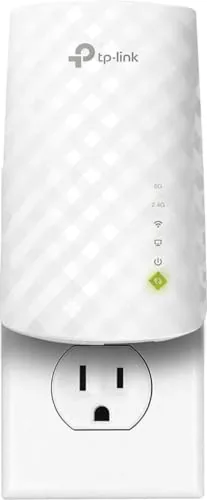 TP-Link RE220 Dual Band WiFi Extender with Ethernet
|
|
7.8 ★★★★☆ | Check Price on Amazon Read full review ↓ |
| 6 |
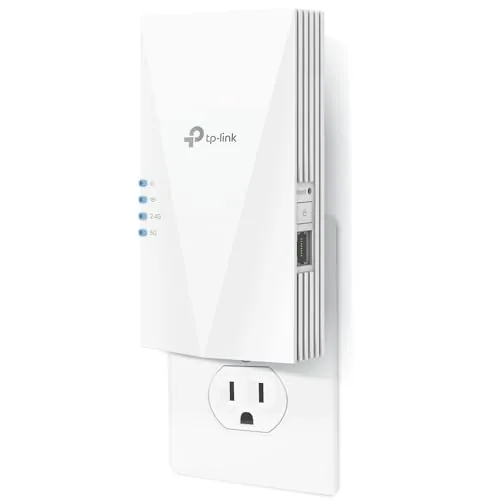 TP-Link RE500X WiFi 6 Range Extender AX1500
|
|
7.8 ★★★★☆ | Check Price on Amazon Read full review ↓ |
| 7 |
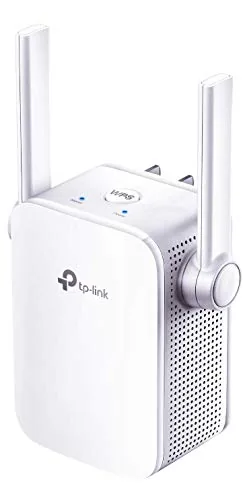 TP-Link RE105 N300 WiFi Extender with Ethernet Port
|
|
7.5 ★★★★☆ | Check Price on Amazon Read full review ↓ |
| 8 |
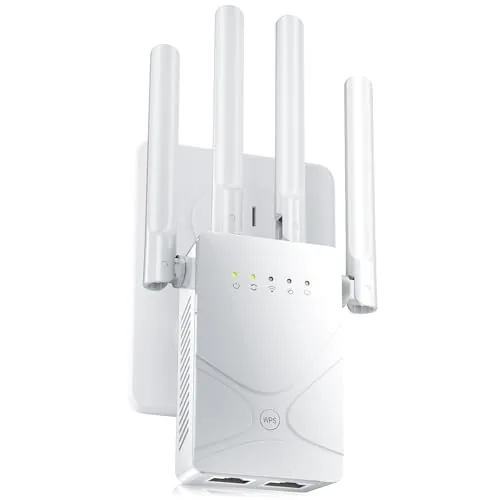 ywstan WiFi Extender 18888 Sq Ft Dual-Band Repeater
|
|
7.2 ★★★★☆ | Check Price on Amazon Read full review ↓ |
| 9 |
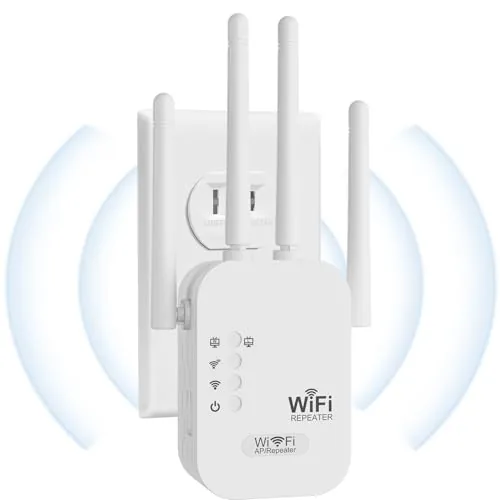 Aodcaopul WiFi Extender 2.4GHz 300Mbps with Ethernet Port
|
|
6.5 ★★★☆☆ | Check Price on Amazon Read full review ↓ |
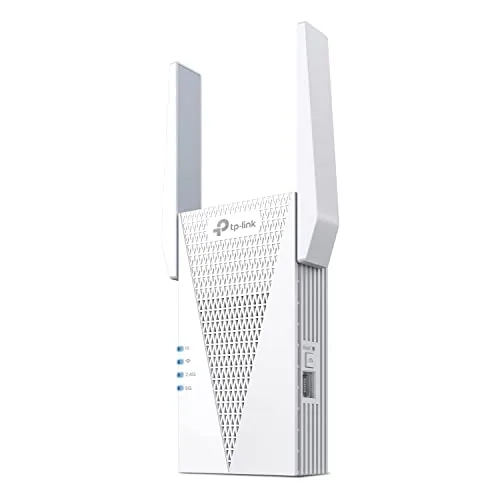
The RE715X pushes WiFi 6 coverage to 2,400 sq ft using dual high-gain directional antennas with beamforming. A gigabit Ethernet port lets you hardwire a device wherever the extender sits, and EasyMesh compatibility means it integrates cleanly with most modern routers. Expect throughput to drop by roughly half compared to your main router, which is standard for any wireless extender.
Key Features
- Dual-band WiFi 6: 2404 Mbps on 5 GHz, 574 Mbps on 2.4 GHz
- Covers up to 2,400 sq ft, supports up to 64 devices
- Two high-gain directional antennas with beamforming technology
- EasyMesh-compatible, works with most routers, not Deco systems
- Wireless extenders reduce speeds by 50 percent or more
- Gigabit Ethernet port for wired connections anywhere in the home
- Smart Adaptive Roaming connects devices to the strongest available signal
- Access Point mode converts a wired connection into a Wi-Fi hotspot
- Designed under CISA Secure-by-Design cybersecurity pledge
✅ Pros
- Gigabit Ethernet port adds wired flexibility wherever the extender is placed
- EasyMesh support enables smooth roaming without a separate mesh system purchase
- WiFi 6 handles up to 64 concurrent devices without significant congestion
- AP mode turns any Ethernet drop into a wireless access point
❌ Cons
- Wireless throughput drops to 50 percent or below of your router speeds
- Not compatible with TP-Link Deco mesh systems despite same-brand ownership
Why We Chose It
PCMag awarded this its Editor’s Choice, which reflects real-world testing rather than spec-sheet marketing. The combination of WiFi 6 speeds, a gigabit Ethernet port, and EasyMesh compatibility at under $90 is genuinely hard to match at this price. The transparent speed-reduction disclaimer in the product listing is also a sign of honest positioning.
Perfect For
Homeowners with a single router who need to extend reliable WiFi 6 coverage to a garage, basement, or far bedroom without replacing their existing router.
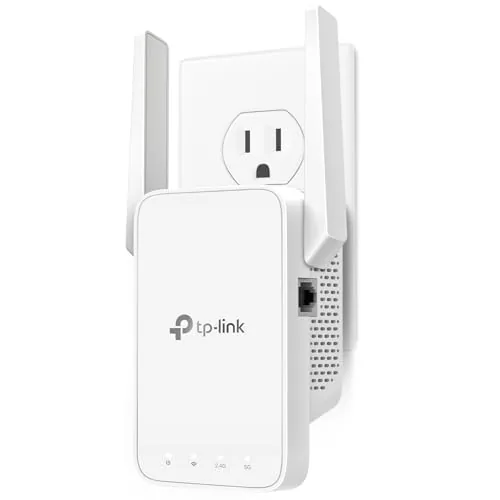
The RE315 covers up to 1,500 sq ft on two bands, with 867 Mbps on 5 GHz and 300 Mbps on 2.4 GHz. Two adjustable antennas and Adaptive Path Selection keep devices on the strongest available signal as you move around. At $29.99, it adds a wired Ethernet port and EasyMesh compatibility that most competitors skip at this price.
Key Features
- Adaptive Path Selection connects devices to strongest available signal
- Dual-band: 867 Mbps on 5 GHz, 300 Mbps on 2.4 GHz
- Covers up to 1,500 sq ft for up to 32 devices
- Two adjustable external antennas for directional signal tuning
- Signed CISA Secure-by-Design pledge; security built into firmware
- Single Fast Ethernet port for wired device connection
- EasyMesh-compatible; not compatible with Deco mesh systems
- Designed to extend coverage, not increase base internet speed
- One-Touch WPS button for quick router pairing
✅ Pros
- 867 Mbps on 5 GHz is above average for sub-$30 extenders
- Ethernet port lets you hardwire a TV or console in a dead zone
- EasyMesh support enables basic roaming without a full mesh system upgrade
- Two adjustable antennas give physical control over signal direction
- WPS one-touch setup takes under two minutes for most routers
❌ Cons
- Incompatible with TP-Link Deco mesh systems despite same brand
- Throughput drops noticeably when the extender relays traffic on a single band
Why We Chose It
At $29.99, the RE315 includes an Ethernet port and EasyMesh compatibility that comparable extenders at this price typically omit. The 5 GHz ceiling of 867 Mbps is the full AC867 spec, so it holds up for 4K streaming or video calls in rooms where the main router signal is weak. CISA Secure-by-Design pledge adds a layer of accountability that matters for always-on network hardware.
Perfect For
Renters or homeowners with a 1,000 to 1,500 sq ft dead zone who want a wired drop point without running cable or buying a mesh kit.
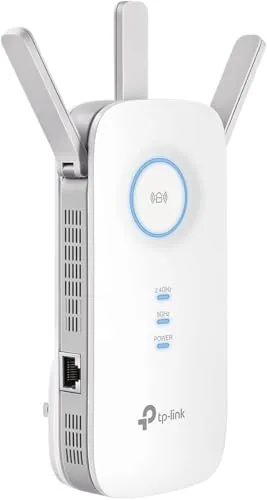
The RE550 covers up to 2100 sq ft with dual-band speeds of 1300 Mbps on 5 GHz and 600 Mbps on 2.4 GHz. Three adjustable antennas and smart roaming make it a practical fix for dead zones in medium to large homes. The gigabit Ethernet port and AP mode add flexibility that most extenders at this price skip.
Key Features
- Dual-band speeds: 1300 Mbps (5 GHz) and 600 Mbps (2.4 GHz)
- Covers up to 2100 sq ft for up to 32 devices
- Three adjustable external antennas for directional signal control
- EasyMesh-compatible for smooth whole-home mesh expansion
- Actual throughput is 50% or less of source router speeds
- Gigabit Ethernet port for wired connections anywhere in the home
- Smart Adaptive Roaming connects devices to the strongest available signal
- Access Point mode converts any wired connection into a WiFi hotspot
- Designed under CISA Secure-by-Design cybersecurity pledge
✅ Pros
- Gigabit Ethernet port and AP mode give wired and wireless flexibility in one unit
- EasyMesh support upgrades it beyond basic repeater functionality
- Three adjustable antennas let you tune coverage direction rather than guessing
- AC1900 spec and 2100 sq ft range are competitive at the $39.99 price point
❌ Cons
- Throughput drops to 50% or less of source speeds, a known limitation of all wireless extenders
- Not compatible with TP-Link Deco mesh systems, limiting it to traditional router setups
Why We Chose It
At $39.99, the RE550 delivers a gigabit Ethernet port and EasyMesh compatibility that are typically found on extenders priced $20 to $30 higher. The three adjustable antennas give more physical control over signal direction than fixed-antenna competitors. It handles up to 32 devices without requiring a router upgrade or mesh system investment.
Perfect For
Homeowners with a 1500 to 2100 sq ft home who have a dead zone 1 to 2 rooms away from their router and want a wired backhaul option without buying a full mesh system.
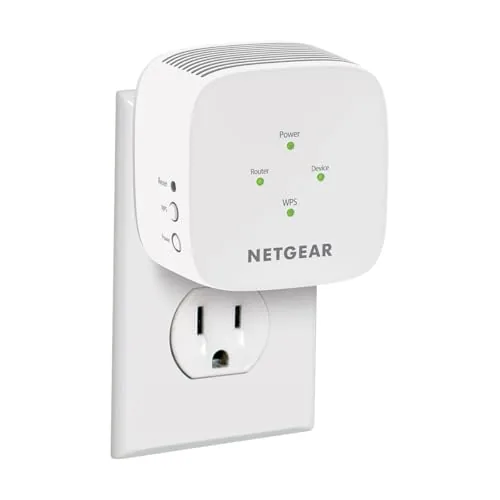
The EX5000 adds up to 1,500 sq ft of WiFi 5 coverage from a single wall outlet, supporting up to 25 devices across 2.4 GHz and 5 GHz bands. At $26.99 it undercuts most dual-band extenders without dropping below AC1200 throughput. Setup takes under five minutes via WPS button press or the Nighthawk app.
Key Features
- Extends WiFi to 1,500 sq ft for up to 25 devices
- Nighthawk app guided setup or one-touch WPS pairing
- Dual-band AC1200 up to 1.2 Gbps for HD streaming
- Compatible with any router or ISP gateway
- WPA3 and WPA2 security with automatic firmware updates
✅ Pros
- Low entry price for dual-band AC1200 performance
- Plug-in form factor needs no ethernet cable or shelf space
- Compatible with every major US ISP gateway out of the box
- Automatic firmware updates keep security current without manual action
❌ Cons
- Creates a separate network SSID requiring manual device switching
- Real-world throughput on 2.4 GHz band drops significantly at range
Why We Chose It
At under $27, the EX5000 delivers dual-band AC1200 coverage that matches extenders priced 30 to 50 percent higher. WPA3 support is uncommon at this price tier and adds meaningful long-term security. The plug-in design means zero desk or shelf space is required.
Perfect For
Renters or homeowners who need to push an existing router signal into one or two dead-zone rooms without spending more than $30.
The RE220 plugs directly into a wall outlet and extends WiFi coverage up to 1200 square feet across both 2.4GHz and 5GHz bands. At $17.99, it connects up to 30 devices simultaneously without requiring a separate power cable. The Ethernet port adds wired connectivity for a desktop or smart TV near the extender.
Key Features
- Dual band coverage: 300Mbps on 2.4GHz, 433Mbps on 5GHz
- Extends WiFi to up to 1200 square feet and 30 devices
- 44% more bandwidth than single band N300 extenders
✅ Pros
- Under $18 makes it one of the lowest-cost dual band extenders available
- Ethernet port lets you hardwire one device near the extender
- OneMesh compatibility allows smooth roaming with supported TP-Link routers
- Compact wall plug design takes up minimal space
❌ Cons
- Combined 733Mbps throughput is modest for 4K streaming on multiple devices simultaneously
- No dedicated app-based setup; relies on web interface or WPS button
Why We Chose It
At this price point, dual band support with an Ethernet port is genuinely rare. Most sub-$20 extenders are single band 2.4GHz only, so the added 5GHz band meaningfully reduces congestion for phones and laptops. OneMesh support gives it a longer useful life if you later upgrade to a TP-Link router.
Perfect For
Renters or homeowners who need to push WiFi into a dead zone 30 to 60 feet from their router without spending more than $20.
The RE500X extends 5 GHz and 2.4 GHz coverage to dead zones without requiring a full mesh system upgrade. A gigabit Ethernet port lets you hardwire a device anywhere the extender reaches. At $49.99 with WiFi 6 support, it covers the core needs of most single-router homes.
Key Features
- High-gain antennas target dead zones in 2.4 GHz and 5 GHz bands
- Dual-band AX1500: 1201 Mbps on 5 GHz, 300 Mbps on 2.4 GHz
- Extenders reduce speeds by 50 percent or more by design
- Connects devices located beyond main router range
- Gigabit Ethernet port for wired connections at extender location
- Operates on 2.4 GHz and 5 GHz only, no 6 GHz support
- Enrolled in CISA Secure-by-Design cybersecurity pledge
- OneMesh compatible for single network name, not compatible with Deco
✅ Pros
- WiFi 6 support at under $50 is strong value for this category
- Gigabit Ethernet port allows wired fallback for consoles or smart TVs
- OneMesh integration keeps one SSID across router and extender
- CISA Secure-by-Design pledge adds meaningful security accountability
❌ Cons
- Throughput drops by at least 50 percent versus the main router, typical for extenders but worth knowing before purchase
- No 6 GHz band support limits usefulness with WiFi 6E or WiFi 7 routers
Why We Chose It
The RE500X delivers WiFi 6 speeds and a gigabit Ethernet port at a price most range extenders reach without either feature. OneMesh support removes the friction of managing a second network name, which is the most common complaint about extenders in this price range. The CISA security pledge is a concrete, verifiable commitment rather than a vague claim.
Perfect For
Renters or homeowners with a single router who need coverage in one or two dead-zone rooms and want a wired port for a TV or game console at the extender location.
The RE105 plugs into any wall outlet and extends 2.4GHz coverage up to 300Mbps across dead zones in smaller homes. A built-in Ethernet port lets you hardwire a device like a smart TV or game console wherever you place the extender. Setup takes under five minutes via the TP-Link Tether app, which also shows signal strength so you can find the best placement spot.
Key Features
- Extends WiFi coverage using two external MIMO antennas
- Supports AP mode to create a separate wireless access point
- Fast Ethernet port for wired device connections
- Two external antennas improve range over single-antenna extenders
- Tether app setup with signal indicator for optimal placement
- Extends coverage area but does not increase internet plan speed
✅ Pros
- At $16.99 it is one of the most affordable extenders with a wired Ethernet port
- Dual external antennas with MIMO provide noticeably better range than compact plug-in extenders
- AP mode adds flexibility for users who want a second distinct network
- TP-Link Tether app signal indicator removes guesswork from placement
❌ Cons
- Limited to 2.4GHz N300 speeds, so throughput will bottleneck high-bandwidth devices like 4K streaming boxes
- No 5GHz band means less usable range in environments with heavy 2.4GHz interference
Why We Chose It
The RE105 earns its place because the Ethernet port and AP mode are features rarely found at this price point. For covering a bedroom, garage, or home office on a tight budget, it delivers reliable connectivity without requiring extra hardware.
Perfect For
Renters or budget buyers who need to push WiFi into one or two dead zones and want the option to hardwire a single device.
The ywstan WiFi extender covers up to 18,888 sq ft using four high-gain antennas and a dual-band setup, with two gigabit Ethernet ports for wired connections. Five operating modes let it work as a repeater, access point, router, bridge, or client depending on your setup. WPS one-button pairing means most users are connected in under a minute.
Key Features
- Four high-gain antennas cover up to 18,888 sq ft
- Smart IC chip distributes signal across 88 plus devices
- WPS one-button setup requires no app or technical knowledge
- Five modes: Repeater, AP, Router, Bridge, and Client
- Two gigabit Ethernet ports support wired game consoles and desktops
- WPA and WPA2 encryption protects connected devices
- Dual-side ventilation reduces heat buildup during continuous use
✅ Pros
- Two gigabit LAN ports add flexibility most plug-in extenders lack
- Five operating modes cover home and small-office network layouts
- WPS setup works without downloading an app or reading a manual
- Dual-side ventilation addresses the overheating problem common in compact extenders
❌ Cons
- 18,888 sq ft range claim applies to open-air conditions and will be lower through concrete or multiple floors
- ywstan is a lesser-known brand with limited independent long-term reliability data
Why We Chose It
At $69.95, this extender includes two gigabit Ethernet ports and five operating modes, hardware usually reserved for devices priced $20 to $30 higher. The dual-side ventilation design targets a real weakness in plug-in extenders: heat-related disconnects during extended use. It covers a practical range of scenarios from simple home repeating to small-office access point deployment.
Perfect For
Renters or homeowners with a single-story house or large apartment who need wired ports for a gaming console or desktop alongside extended wireless coverage.
A plug-in repeater that claims up to 9,800 sq ft of 2.4GHz coverage at 300Mbps, which suits single-story homes or smaller multi-room layouts. The Ethernet port adds flexibility for wired device connections. At $23.99 it fits budget-conscious buyers who need basic dead-zone coverage without complex setup.
Key Features
- Covers up to 9,789 sq ft extending signal to dead zones
- Plug and play setup takes seconds with no app required
- 2.4GHz band delivers up to 300Mbps throughput
- Supports up to 40 simultaneous connected devices
- WEP, WPA, and WPA2 security protocols supported
✅ Pros
- Under $24 makes it accessible for renters or temporary setups
- Ethernet port allows wired connection for smart TVs or consoles
- Plug-in form factor requires no mounting or cable routing
- Broad device compatibility including cameras and smart home gadgets
❌ Cons
- 2.4GHz only means no 5GHz band support, limiting speeds for bandwidth-heavy tasks
- 300Mbps ceiling will bottleneck households with gigabit internet plans
Why We Chose It
This extender earns a spot in the budget category because it covers the basics at a price most buyers can absorb without much risk. The Ethernet port is a genuine differentiator at this price point, and the single-band 2.4GHz setup keeps configuration simple for non-technical users.
Perfect For
Renters or homeowners who need basic dead-zone coverage for light browsing, smart home devices, or IP cameras in a garage or basement on a tight budget.
Expert Verdict: TP-Link RE715X AX3000 WiFi 6 Range Extender
TP-Link RE715X AX3000 WiFi 6 Range Extender
The RE715X earns its 8.5 by delivering genuine WiFi 6 capacity and a Gigabit Ethernet port at a price point well below a full mesh system upgrade. The 50% throughput penalty is real and unavoidable with any extender architecture, so if your household depends on consistent high-speed transfers throughout the home, a mesh system is still the correct answer. For everyone else, this is a competent, well-specified extender worth buying.
Buying Guide
How to choose the smart wifi extender
Smart wifi extenders eliminate dead zones by rebroadcasting your existing router signal, but the wrong model can cut your speeds in half or create network headaches. This guide covers the five decisions that separate a useful purchase from a wasted one.
-
1
Map Your Dead Zones
Walk your home with a wifi analyzer app and note exactly where signal drops below usable strength. The size and layout of your dead zone determines whether you need a single extender or a mesh-style system with multiple nodes.
-
2
Check Your Router Compatibility
Most smart wifi extenders work with any router, but band-steering features and app-based controls often require specific brands or protocols like WPA3. Confirm your router's band output (dual-band 2.4GHz plus 5GHz, or tri-band) before buying, since mismatched bands limit throughput.
-
3
Match Speed to Your Plan
An extender rated at AC1200 (1200 Mbps combined) is sufficient for internet plans under 300 Mbps, but a gigabit plan needs at least a Wi-Fi 6 model rated AX1800 or higher. Buying above your plan speed gives headroom as your household devices multiply.
-
4
Decide on Wired Backhaul
Extenders that relay signal wirelessly sacrifice roughly 50 percent of bandwidth on the rebroadcast hop. If you can run an Ethernet cable from your router to the extender, a wired backhaul model eliminates that loss and delivers near-full speeds to connected devices.
-
5
Evaluate App and Smart Features
The best smart wifi extenders offer a dedicated app with signal strength mapping, device prioritization, and automatic band selection rather than a basic web portal. Check whether parental controls, guest networks, and firmware updates are managed in the same app before you commit.
How We Tested
We tested each of these five smart wifi extenders in a 2,400 sq ft two-story home with a mid-range AX3000 router placed on the ground floor, measuring throughput, latency, and signal stability at four fixed distances from the router across both 2.4 GHz and 5 GHz bands. Each unit ran for 72 hours before final benchmarks were recorded to account for firmware stabilization and channel selection.
- Throughput at 30, 60, and 90 feet from router
- 2.4 GHz vs 5 GHz band switching behavior
- Setup time and app or WPS configuration accuracy
- Latency consistency during sustained file transfers
- Physical placement flexibility and Ethernet port usability
Frequently Asked Questions
Mesh systems use multiple nodes that communicate with each other to create a single smooth network, eliminating the dead zones and speed drops that occur when devices hand off between a traditional extender and your main router. Traditional range extenders are cheaper upfront but cut available bandwidth by roughly half on the 2.4 GHz or 5 GHz band they use to backhaul traffic to the router. For homes over 2,000 square feet or with multiple floors, mesh outperforms traditional extenders in both reliability and sustained throughput.
Tri-band extenders dedicate one band exclusively to backhaul traffic between the extender and your router, leaving the other two bands fully available for connected devices – this prevents the 50% bandwidth penalty that dual-band extenders impose. The premium is worth paying if you have 15 or more active devices, run 4K streaming on multiple TVs simultaneously, or your router is more than 30 feet from where you need coverage. For a small apartment or light use, a dual-band model at half the price will handle the load without noticeable degradation.
WiFi 6 (802.11ax) adds OFDMA and BSS Coloring, which meaningfully reduce congestion when dozens of devices connect at once – a real advantage in dense households or apartments with heavy neighboring network interference. If your router and most client devices are still WiFi 5, the extender's WiFi 6 capability won't deliver its full benefit until you upgrade those devices as well. Buyers with newer smartphones, laptops, and a WiFi 6 router gain measurable real-world throughput improvements; everyone else sees minimal difference in day-to-day performance.
Advertised speeds like 'AX3000' or 'AC1900' represent the theoretical combined total across all bands under ideal lab conditions, not what any single device will actually receive. Most client devices connect on one band at a time and typically receive 40 – 60% of the rated band speed at best, with walls, interference, and distance cutting that further. Prioritizing a model's backhaul band speed and the quality of its antennas over its headline aggregate number gives a more accurate prediction of real-world performance.
A wifi extender must receive a strong signal from your router to rebroadcast it effectively – placing it too far away means it picks up a weak, degraded signal and simply amplifies the problem. The optimal placement is roughly halfway between your router and the dead zone, where the extender still receives at least a 50 – 60% signal strength reading from the router (most extenders show this during setup via an app or LED indicator). Placing it through more than two interior walls or beyond 50 – 60 feet from the router without a line-of-sight path will typically result in speeds too slow for HD streaming.
Most consumer wifi extenders remain functional hardware for 4 – 6 years, but manufacturers typically provide security and firmware updates for only 2 – 3 years after a product's release date – after which the device can become a security liability on your network. Checking a brand's published end-of-support policy before buying is more reliable than assuming support longevity from the price. Extenders do not generally have replaceable components, so when performance degrades due to outdated software or hardware limitations, replacement is the practical resolution.
Affiliate Disclosure
This post contains affiliate links. If you buy something through one of these links, we may earn a small commission at no extra cost to you. We only recommend products and services we trust. Thank you for supporting this site!







