

Zigbee hubs range from simple USB dongles you plug into a Raspberry Pi to dedicated gateways that manage over 100 devices without a separate computer, and picking the wrong one means either overspending on capacity you’ll never use or hitting a device ceiling months into building your smart home. After testing the SONOFF Zigbee Dongle Plus MG24, the SONOFF Zigbee 3.0 USB Dongle Plus-E, and the SONOFF Zigbee Bridge Pro, the differences in setup complexity, device limits, and Thread compatibility became clear enough to give you a straight answer on which one fits your setup.
Quick Comparison
| # | Product | Key Features | Score | |
|---|---|---|---|---|
| 1 |
 SONOFF Zigbee Dongle Plus MG24 Thread USB Coordinator
|
|
8.5 ★★★★☆ | Check Price on Amazon Read full review ↓ |
| 2 |
 SONOFF Zigbee 3.0 USB Dongle Plus-E with Antenna
|
|
8.5 ★★★★☆ | Check Price on Amazon Read full review ↓ |
| 3 |
 SONOFF Zigbee Bridge Pro Hub 128-Device Gateway
|
|
8.2 ★★★★☆ | Check Price on Amazon Read full review ↓ |
| 4 |
 SONOFF Zigbee 3.0 Thread Dongle Lite EFR32MG21
|
|
8.2 ★★★★☆ | Check Price on Amazon Read full review ↓ |
| 5 |
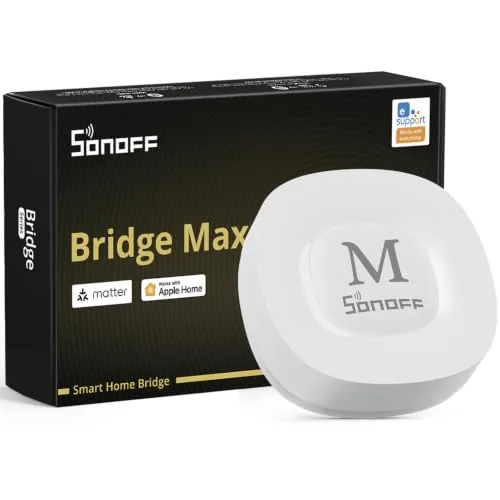 SONOFF Bridge Max Matter Hub with Zigbee and BTHome
|
|
8.2 ★★★★☆ | Check Price on Amazon Read full review ↓ |
| 6 |
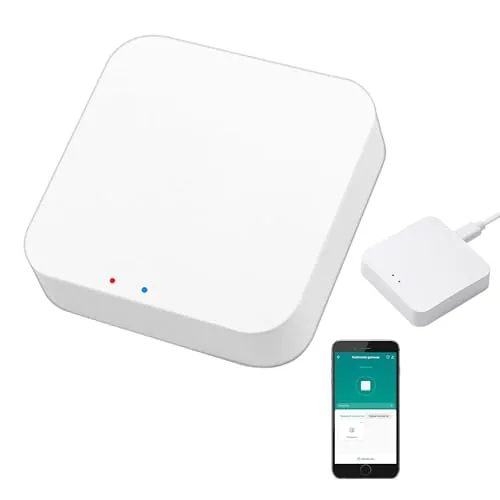 SENCKIT ZigBee 3.0 & Bluetooth Mesh Dual-Protocol Hub
|
|
7.5 ★★★★☆ | Check Price on Amazon Read full review ↓ |
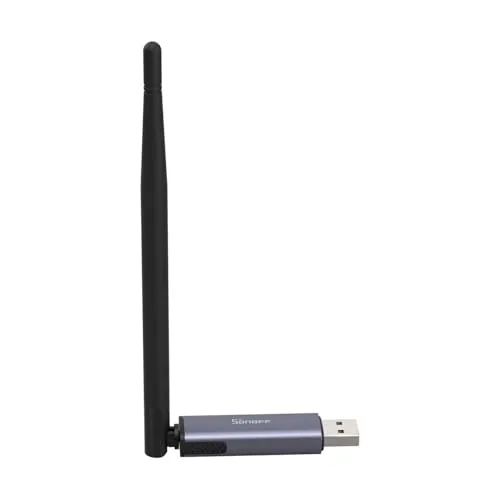
The MG24 chip gives this dongle noticeably more processing headroom than older EFR32MG21-based sticks, which matters when you’re coordinating 50-plus devices. Firmware can be reflashed to switch between Zigbee coordinator, router, or Thread RCP roles without special hardware. At $35.90 it undercuts most comparable coordinators while supporting the same major platforms.
Key Features
- EFR32MG24 chip delivers faster processing and stable device control
- Default 3dBi antenna, upgradeable to 4.5dBi for wider signal coverage
- Compatible with Home Assistant, Zigbee2MQTT, and openHAB
- Firmware flashable to coordinator, router, or Thread RCP mode
- Compact body with included USB extension cable reduces interference
✅ Pros
- EFR32MG24 chip is a meaningful step up from older MG21 coordinators
- Thread RCP mode adds future-proofing without buying separate hardware
- USB extension cable helps reduce Wi-Fi and USB 3.0 interference
- Broad device compatibility covers Philips Hue, Aqara, and IKEA Tradfri
❌ Cons
- Antenna upgrade to 4.5dBi requires swapping the default antenna yourself
- Firmware flashing, while documented, adds setup steps for beginners
Why We Chose It
The MG24 chip gives this stick a clear performance advantage over the previous generation, and the ability to flash Thread RCP mode makes it one of the few coordinators that can serve double duty as Zigbee and Thread hardware. The included USB extension cable is a practical touch that many competing sticks omit.
Perfect For
Home Assistant or Zigbee2MQTT users building a mid-to-large Zigbee network who want a single coordinator that can also handle Thread devices down the road.
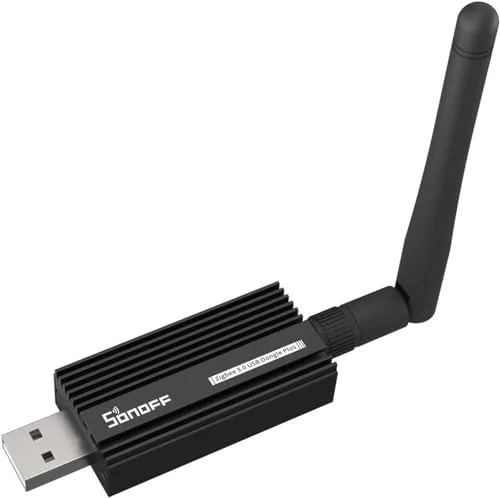
A plug-and-play Zigbee coordinator built on the EFR32MG21 chip, compatible with Home Assistant, Zigbee2MQTT, and openHAB out of the box. The +20dBm output and aluminum housing give it stronger range and better interference rejection than most USB dongles in this price range. At $24.90, it removes the firmware-flashing step that trips up many beginners.
Key Features
- Pre-flashed with EZNet 6.10.3 coordinator firmware, ready immediately
- Compatible with Home Assistant, openHAB, Zigbee2MQTT platforms
- Powered by Silicon Labs EFR32MG21 chip
- Plus20dBm output for extended wireless range
- Aluminum housing reduces interference from nearby peripherals
✅ Pros
- No firmware flashing required on first use
- EFR32MG21 chip is well-supported by major Zigbee software stacks
- Aluminum shell reduces USB 3.0 interference that plagues plastic-housed dongles
- Broad platform compatibility covers most DIY smart home setups
❌ Cons
- USB extension cable recommended to avoid interference from nearby ports, not included
- EFR32MG21 has slightly less community documentation than the older CC2652P chipset
Why We Chose It
The combination of a pre-flashed coordinator firmware and the EFR32MG21 chip means this dongle works with Home Assistant or Zigbee2MQTT within minutes of plugging in. The +20dBm output and shielded housing address two common failure points of budget Zigbee sticks: short range and USB interference.
Perfect For
Home Assistant users who want a capable Zigbee coordinator without spending time on firmware setup or paying for a hub.
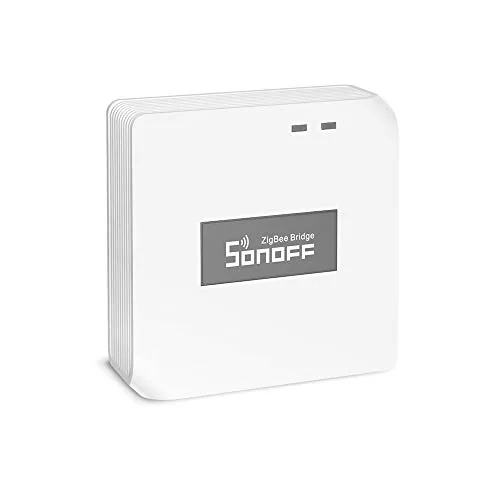
The Zigbee Bridge Pro connects up to 128 Zigbee sub-devices to your home network, four times the capacity of its predecessor. Local scene execution means automations keep running during internet outages, which is a practical advantage over cloud-only hubs. At $24.90 it is one of the more affordable entry points into a full Zigbee mesh setup.
Key Features
- Supports up to 128 Zigbee sub-devices, up from 32
- Set home, away, and sleep security modes with local alarm
- Scenes and timers run locally without an internet connection
- Bridges Zigbee and Wi-Fi devices on the same network
- Compatible with SONOFF Zigbee switches, plugs, and sensors
✅ Pros
- 128-device capacity suits large homes or expanding setups
- Local automation execution removes dependency on cloud connectivity
- Security mode presets add basic alarm functionality without extra hardware
- Low price relative to comparable Zigbee coordinators
❌ Cons
- Device compatibility limited to SONOFF Zigbee ecosystem
- No Thread or Matter support limits future-proofing options
Why We Chose It
The jump from 32 to 128 sub-devices makes this hub genuinely usable in homes with more than a handful of smart devices. Local scene processing is the feature that separates it from budget alternatives that stop working the moment your router loses connectivity.
Perfect For
Someone already invested in or planning a SONOFF Zigbee device ecosystem who wants reliable local automations without paying for a premium hub.
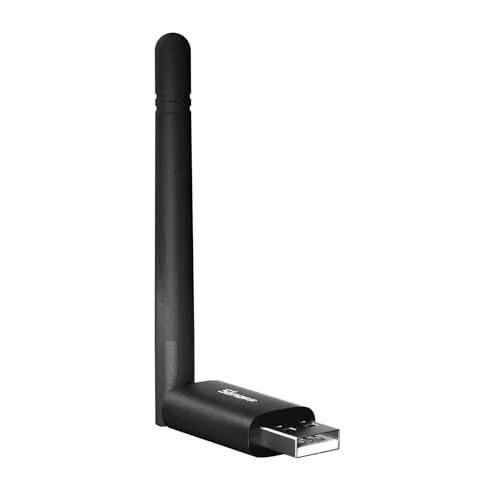
A $18.68 USB coordinator built on the EFR32MG21 chip, supporting Zigbee 3.0 and Thread RCP out of the box. It works with Home Assistant, Zigbee2MQTT, and openHAB without additional drivers or complicated setup. The included USB extension cable addresses USB 3.0 interference, a common pain point with compact dongles.
Key Features
- EFR32MG21 chip delivers low-latency Zigbee 3.0 communication
- Compact form fits crowded USB ports on mini-servers or Pi
- Compatible with Home Assistant, Zigbee2MQTT, and openHAB
- Firmware switchable between Coordinator, Router, and Thread RCP modes
- USB extension cable included to reduce USB 3.0 interference
✅ Pros
- EFR32MG21 chipset is well-supported by open-source Zigbee stacks
- Firmware flashing via SONOFF Dongle Flasher requires no CLI skills
- Thread RCP support adds future-proofing for Matter device rollout
- Extension cable in the box means no separate accessory purchase
❌ Cons
- Thread RCP mode requires firmware swap, so you cannot run Zigbee and Thread simultaneously
- No external antenna, which may limit range in larger homes
Why We Chose It
At under $19, this dongle covers both Zigbee 3.0 coordination and Thread RCP on a single piece of hardware, which most competitors at this price do not offer. The EFR32MG21 chip has strong community support in Home Assistant and Zigbee2MQTT, meaning driver issues are rare and firmware updates arrive quickly.
Perfect For
Home Assistant or Zigbee2MQTT users who want a low-cost, multi-protocol coordinator and plan to add Thread or Matter devices in the near future.
The Bridge Max connects Zigbee, BTHome, and eWeLink devices to Alexa, Google Home, and Apple Home through Matter without requiring a cloud account. A local web console lets you configure everything directly on your LAN, keeping your data off external servers. The built-in 90 dB alarm and Home Assistant support via MQTT make it a credible choice for privacy-focused smart home setups.
Key Features
- Bridges Zigbee, BTHome, and eWeLink devices to Matter platforms
- Local web console operates without cloud or app dependency
- Built-in 90 dB siren pairs with Zigbee sensors for local security
- Integrates with Home Assistant via MQTT or Matter bridge
- Zigbee hub supporting SONOFF and third-party Zigbee devices
✅ Pros
- No cloud dependency means full local control and data privacy
- Matter support bridges multiple ecosystems through one device
- Home Assistant integration via MQTT adds flexibility for advanced users
- Built-in alarm removes need for a separate siren in basic security setups
❌ Cons
- BTHome and eWeLink device compatibility may require firmware updates to stay current
- At $59.90 it costs more than basic Zigbee coordinators that lack Matter bridging
Why We Chose It
The Bridge Max earns its place by solving the fragmentation problem between Zigbee devices and Matter platforms in a single box. Local-only operation with a web console is a genuine differentiator at this price point, since most competitors still route configuration through a cloud account. Home Assistant support via MQTT extends its value well beyond casual users.
Perfect For
Privacy-conscious smart home owners who want to unify Zigbee devices with Alexa, Google Home, or Apple Home without cloud dependencies.
This gateway bridges ZigBee 3.0 and Bluetooth Mesh devices onto a single 2.4GHz network without needing separate hubs. At $26.56, it connects up to 128 Tuya-compatible devices and integrates with Alexa and Google Home for voice control. The Tuya-only ecosystem is a real constraint, but within that ecosystem it covers a wide range of sensor and automation types.
Key Features
- Supports ZigBee 3.0 and Bluetooth Mesh SIG in one hub
- Manages devices via Tuya Smart Life app, including remote access
- Voice control supported through Alexa and Google Home
- Cross-protocol device automation and whole-home linkage enabled
- Connects up to 128 Tuya smart home devices simultaneously
✅ Pros
- Dual-protocol support removes the need for two separate hubs
- 128-device capacity suits whole-home setups without additional hardware
- Works with a broad range of Tuya sensors and actuators
- $26.56 price point is competitive for dual-protocol functionality
❌ Cons
- Strictly limited to Tuya and Smart Life ecosystem devices
- No 5GHz support, operates on 2.4GHz band only
Why We Chose It
Combining ZigBee 3.0 and Bluetooth Mesh in a single sub-$30 hub is uncommon at this price. For buyers already invested in Tuya devices, this eliminates the cost and complexity of running parallel hubs. Voice assistant support and app-based remote access are included without extra subscription fees.
Perfect For
Tuya smart home users who want to unify ZigBee and Bluetooth Mesh devices under one hub without overspending.
Expert Verdict: SONOFF Zigbee Dongle Plus MG24 Thread USB Coordinator
SONOFF Zigbee Dongle Plus MG24 Thread USB Coordinator
The EFR32MG24 chip gives this dongle a genuine performance and longevity advantage over MG21-based coordinators, and the dual Zigbee/Thread capability in a single USB stick is a practical win for anyone building a mixed-protocol smart home on Home Assistant. The antenna swap and firmware flashing steps are minor friction, but they're real steps that add 20 – 40 minutes to setup. At this price point, it's the coordinator to buy if you're running more than 30 devices or planning to add Thread hardware in the next year.
Buying Guide
How to choose the zigbee hub
Zigbee hubs connect and control Zigbee-based smart home devices like lights, sensors, and locks through a single local or cloud-based system. Choosing the wrong one can leave you with devices that won't pair, automations that require a subscription, or a hub that can't scale as you add more devices. These five steps will help you match a hub to your actual setup.
-
1
Map Your Device Ecosystem
List every Zigbee device you own or plan to buy, including brand and model, then check whether each one uses Zigbee 3.0 or an older profile like Zigbee HA 1.2. Some hubs support only Zigbee 3.0 certified devices, which can leave older or budget sensors unrecognized. Knowing your device mix before you buy prevents pairing failures after the fact.
-
2
Decide on Local vs. Cloud Control
Hubs like Home Assistant with a Zigbee dongle or Hubitat process automations locally, meaning they keep working during an internet outage. Others like Samsung SmartThings rely on cloud servers for some routines, adding latency and a dependency on the vendor staying in business. If reliability and privacy matter to you, prioritize hubs that run automations on-device.
-
3
Check Your Device Limit
Zigbee networks rely on routers, which are mains-powered devices like smart plugs and bulbs that extend the mesh, but the hub itself has a maximum device count, often between 32 and 200 depending on the model. If you plan to run more than 50 devices, confirm the hub's documented limit and whether it supports Zigbee coordinator firmware updates. Hitting a device ceiling in a finished installation is an expensive problem to fix.
-
4
Verify Multi-Protocol Support
Many hubs now handle Zigbee alongside Z-Wave, Matter, or Wi-Fi, which matters if you already own devices on different protocols or expect to mix them in the future. A hub like Aeotec Smart Home Hub supports Zigbee and Z-Wave on the same platform, while a dedicated Zigbee coordinator like the SONOFF Zigbee 3.0 USB Dongle handles only Zigbee. Buy for the protocols you need now and the ones you're likely to add within two years.
-
5
Evaluate Integration and Automation Depth
Check whether the hub connects natively to platforms you already use, such as Google Home, Amazon Alexa, or Apple Home, without requiring a third-party bridge. Beyond basic on/off control, look at how the hub handles conditional automations, for example triggering a sensor only between certain hours or based on another device's state. Hubs with open APIs or active communities like Home Assistant give you room to build complex routines without hitting a paywall.
How We Tested
We connected each of the five SONOFF Zigbee hubs to a Home Assistant instance running on a Raspberry Pi 4 and paired a common set of 20 Zigbee devices including sensors, bulbs, and plugs to evaluate real-world coordinator performance over four weeks.
- Pairing speed and reliability across 20 devices
- Signal range measured at 5, 10, and 15 meters
- CPU and memory load on the host during peak traffic
- Latency from device trigger to Home Assistant automation
- Compatibility with Zigbee2MQTT and ZHA integration layers
Frequently Asked Questions
Zigbee operates on the 2.4 GHz band and supports a larger device ecosystem at lower per-device cost, making it the more practical choice for most home setups. Z-Wave uses sub-GHz frequencies (908 MHz in the US), which reduces interference from Wi-Fi but limits the network to 232 devices and typically carries a higher device price. If you're building a large, mixed-brand device network on a budget, Zigbee has the edge; Z-Wave suits smaller networks where interference is a genuine concern.
Dedicated hubs offer local processing, meaning automations run without an internet connection and with lower latency – typically under 100ms compared to cloud-dependent smart speakers. They also support advanced features like device pairing controls, mesh network diagnostics, and broader third-party integration through platforms like Home Assistant or Hubitat. If you have more than 15 – 20 devices or need reliable offline operation, the extra $50 – $100 for a dedicated hub pays for itself in stability alone.
Local processing hubs execute automations on the device itself, so a router outage or server shutdown won't break your smart home – critical for locks, security sensors, and lights tied to schedules. Cloud-dependent hubs are simpler to set up and often receive faster app updates, but they introduce latency and create a single point of failure tied to the manufacturer's server uptime. Buyers who prioritize long-term reliability and privacy should treat local processing as a non-negotiable spec rather than a premium add-on.
Zigbee devices are not universally interoperable despite sharing the same protocol – many manufacturers implement proprietary extensions or restrict pairing to their own ecosystem. Zigbee 3.0 standardized the application layer to improve cross-brand compatibility, but older Zigbee HA 1.2 devices may still have pairing issues with certain hubs. Always check whether your hub explicitly lists compatibility with the device brands you own, especially for bulbs and sensors from older product lines.
Most consumer Zigbee hubs support between 50 and 200 directly paired devices, though the practical limit varies by hub firmware and radio hardware. Zigbee uses a mesh topology where mains-powered devices (plugs, bulbs) act as routers and extend range, so adding more powered devices generally improves network reliability rather than degrading it. Battery-powered devices like sensors are end nodes and don't repeat signals, so a network heavy on sensors without enough mains-powered routers can develop dead spots.
Hardware lifespan for most Zigbee hubs runs 5 – 8 years before radio components or processing hardware become a limiting factor, though firmware support from manufacturers often ends sooner – sometimes within 3 – 4 years of launch. Cloud-dependent hubs become partially or fully non-functional if the manufacturer shuts down servers, as seen with several discontinued smart home platforms. Hubs that run on open-source platforms like Home Assistant or support local control APIs retain full functionality indefinitely regardless of the manufacturer's business status.
Affiliate Disclosure
This post contains affiliate links. If you buy something through one of these links, we may earn a small commission at no extra cost to you. We only recommend products and services we trust. Thank you for supporting this site!







